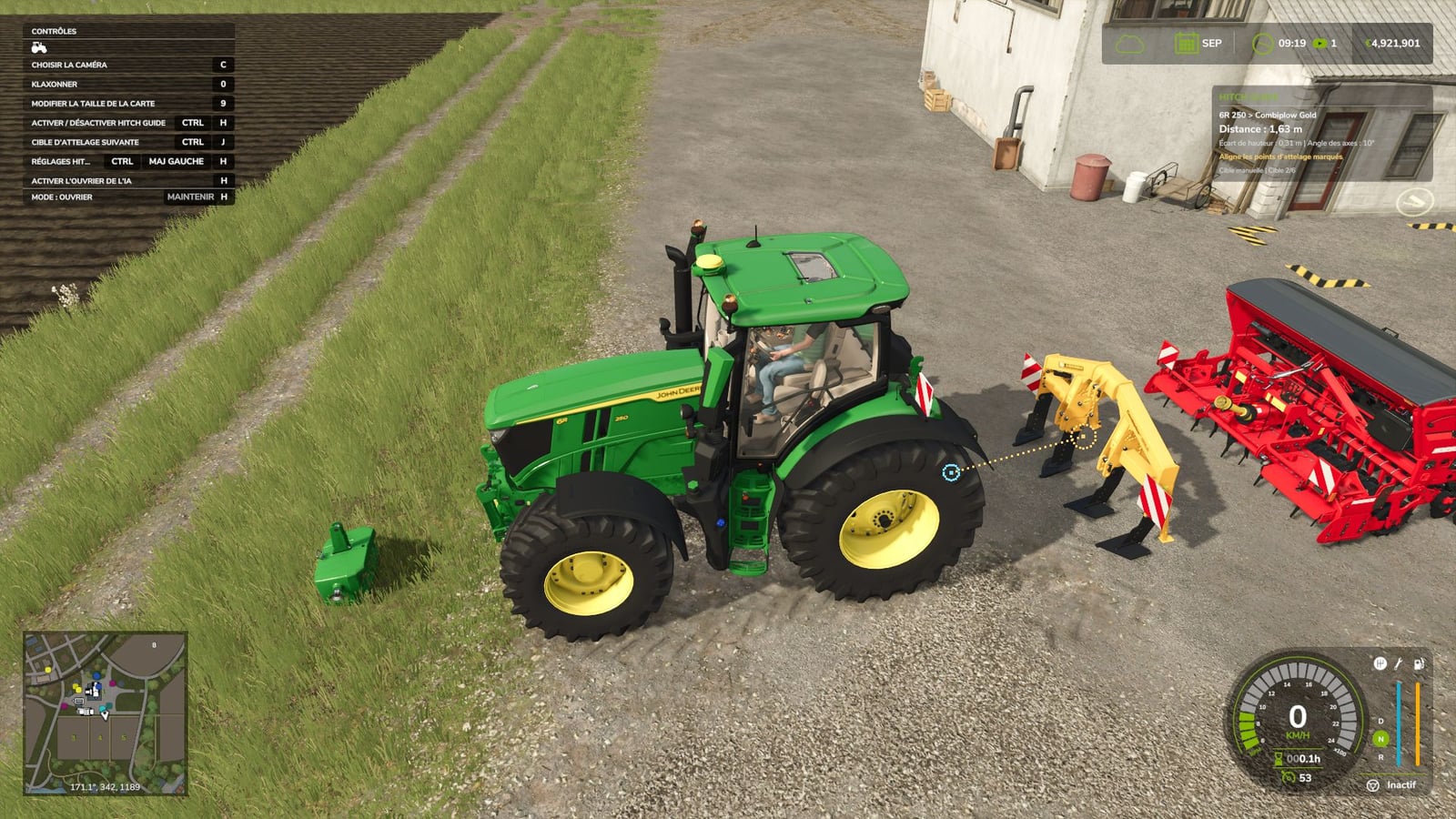
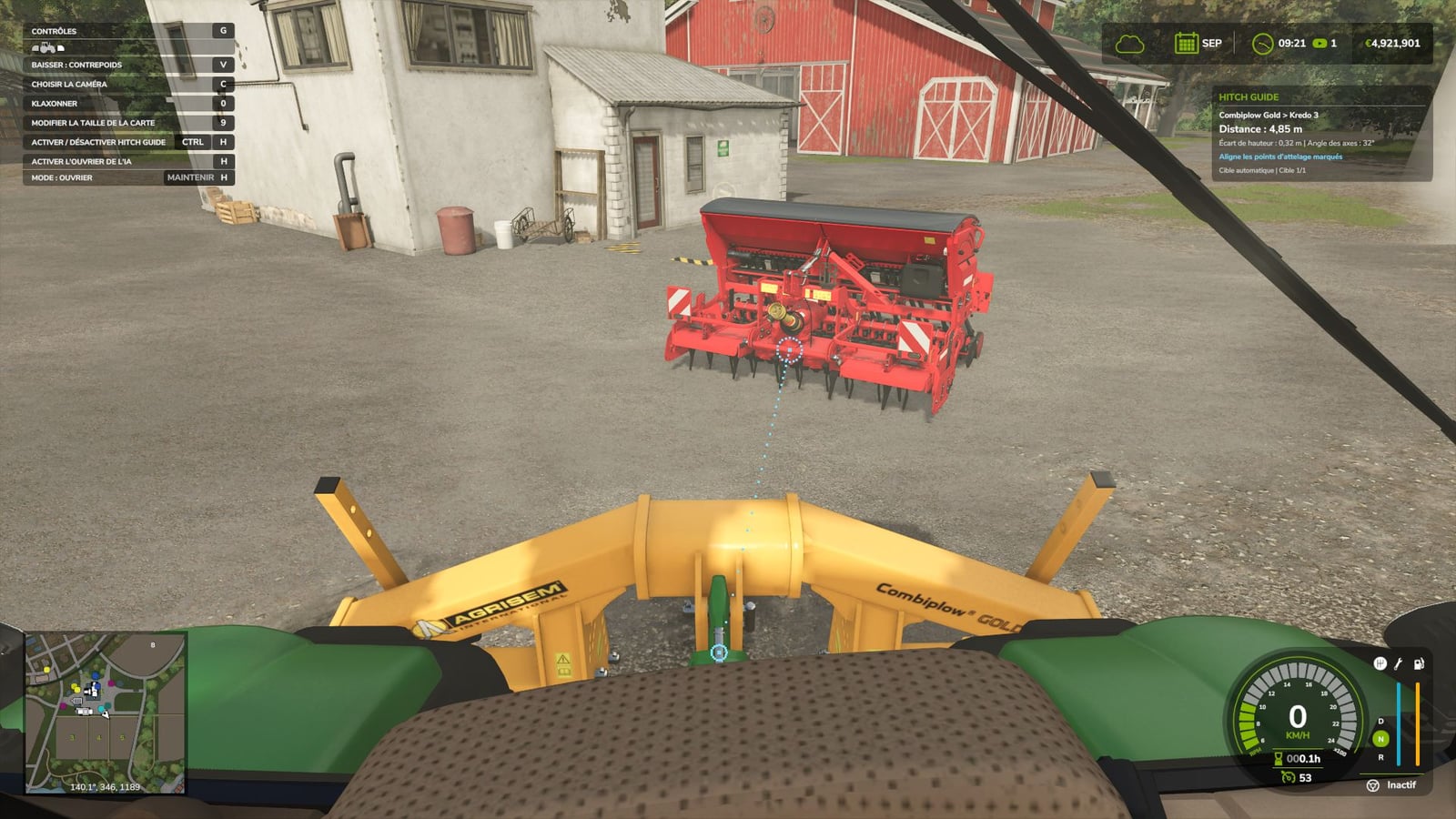
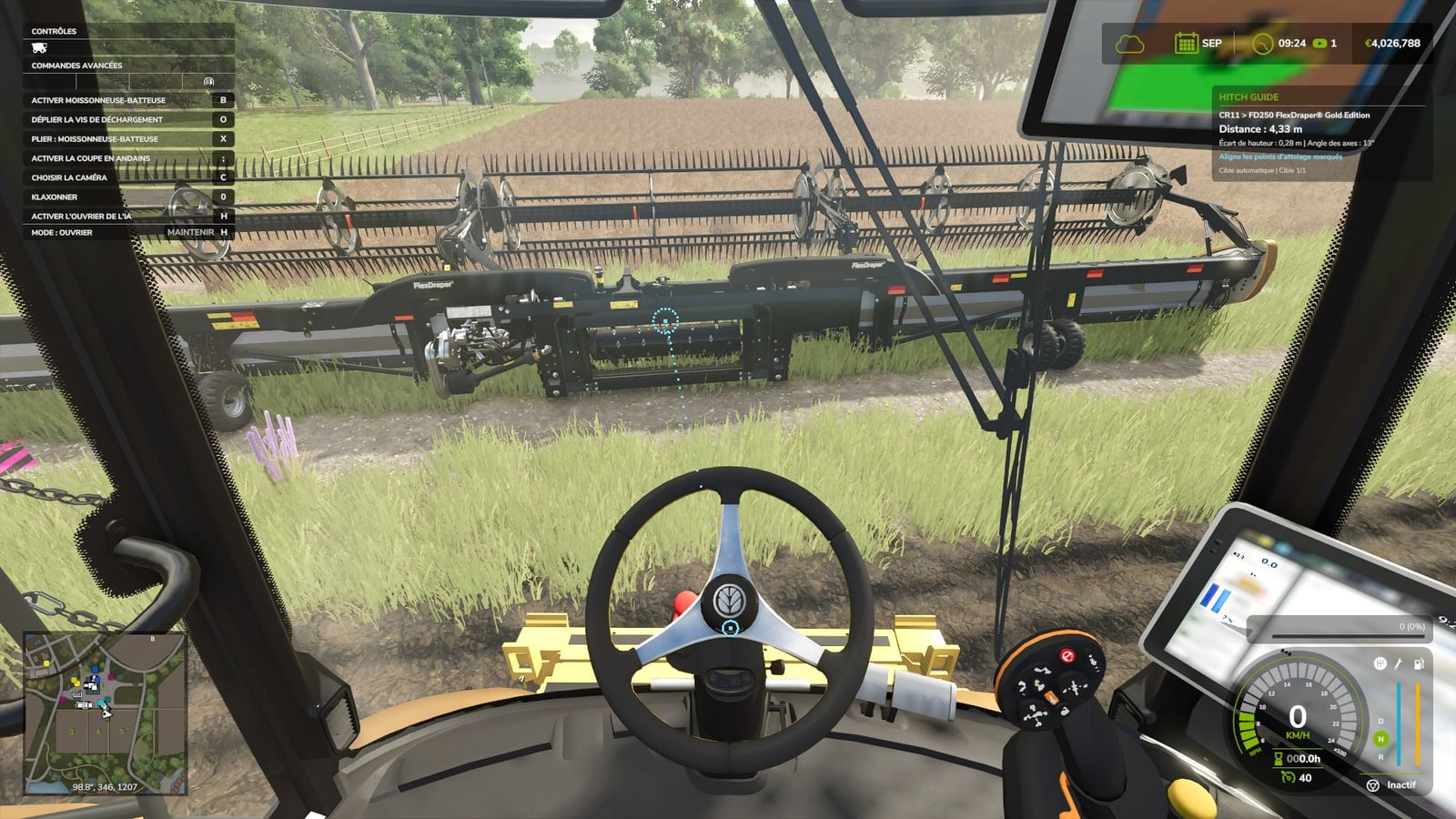
Hooking up tools gets a lot easier with Hitch Guide. Roll your vehicle up to a compatible detached implement and line up the circles with the real hitch points. The dotted line shows where to aim, and the little panel gives you the distance, height difference and angle between the axes.
Features
- It detects compatible hitches on both the front and rear, cutter bars included.
- Free hitch points are supported on implements that are already connected to your vehicle.
- Pick the target automatically or choose it manually.
- The compact FS25-style panel sits below the time and money display, matching the HUD resolution and scale.
- Hide the panel whenever you want, while the line and markers stay visible.
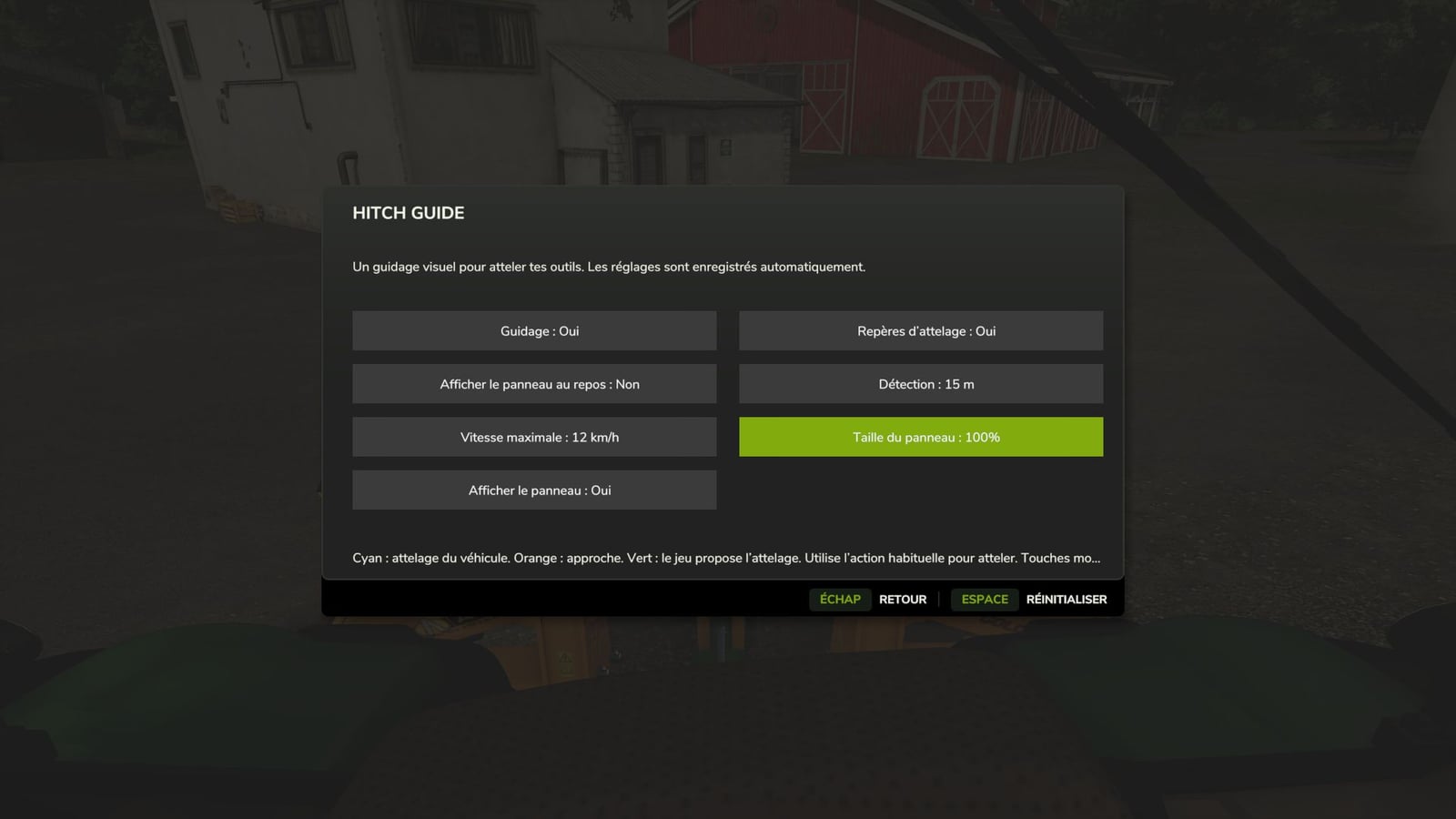
- Set the range, maximum speed, panel size and display options to your liking.
- Your settings are saved automatically.
- There are 27 FS25 languages and regional variants.
Specifications
- The default guidance range is 15 m.
- The default maximum speed is 12 km/h.
- When FS25 offers the matching hitch, the marker turns green.
Default controls:
Left Ctrl + H: enable / disable guidance.
Left Ctrl + J: select and lock the next target.
Left Ctrl + Left Shift + H: open the settings.
Keys can be changed in the game controls.
Want just the line and circles on screen? Set “Show panel” to No and leave markers set to Yes.
Hitch Guide lines up the connection for you, but it does not drive or attach the implement. Use the usual in-game action to attach it. The mod respects hitch types and farm access rights, although special connection systems from some mods may not be recognized.
Installation: put FS25_HitchGuide.zip into the mods folder without extracting it, then activate Hitch Guide while loading your savegame. Script mod for PC / Mac; not available on consoles.
Changelog
- Version: 1.0.2.0