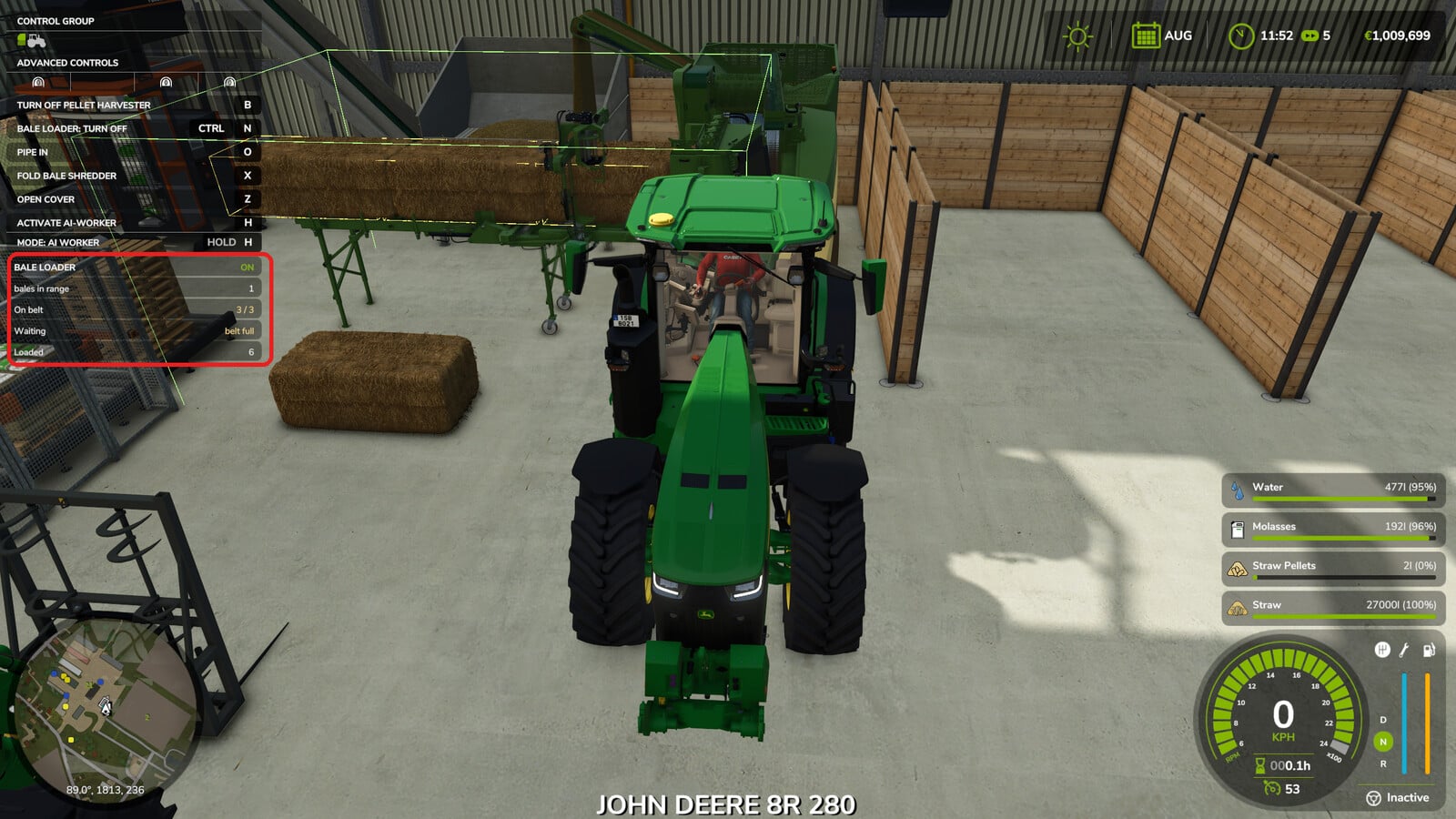
Want the Premos 5000 to keep going while you handle another job? This script mod is made for the Premos 5000 and its Bale Shredder from the Straw Harvest add-on. It loads square bales automatically, so the pellet line can keep running while you are somewhere else on the farm.
YOU NEED: Straw Harvest add-on
Features
- Use it only with the Premos 5000 or the Bale Shredder from the Straw Harvest add-on. Nothing happens on another vehicle, since there is no key binding, panel or code running there.
- Single player only.
- There are no extra vehicles, models or textures. You are getting a script.
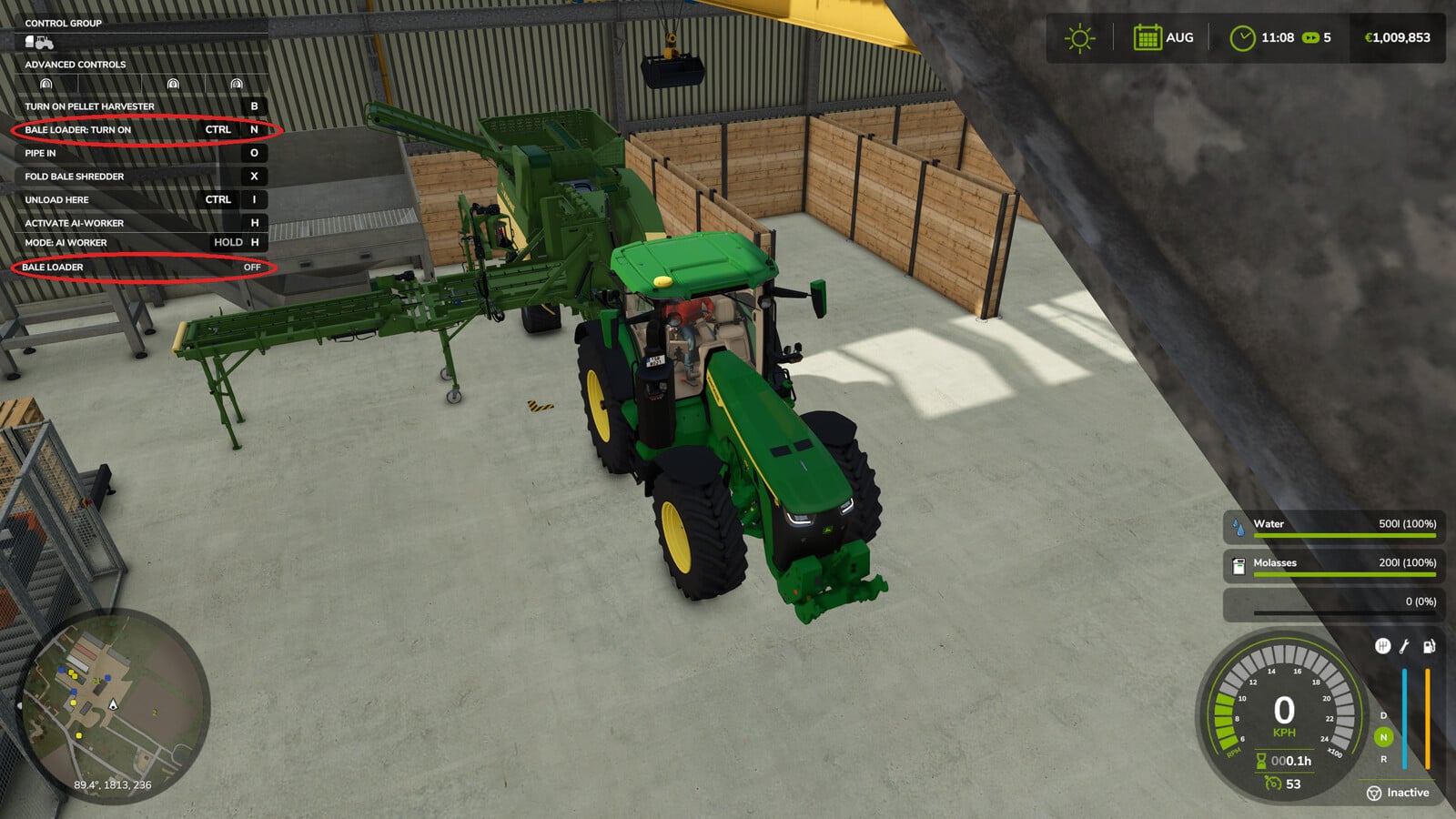
- Park the machine, bring the bales alongside it, and turn on the loader with
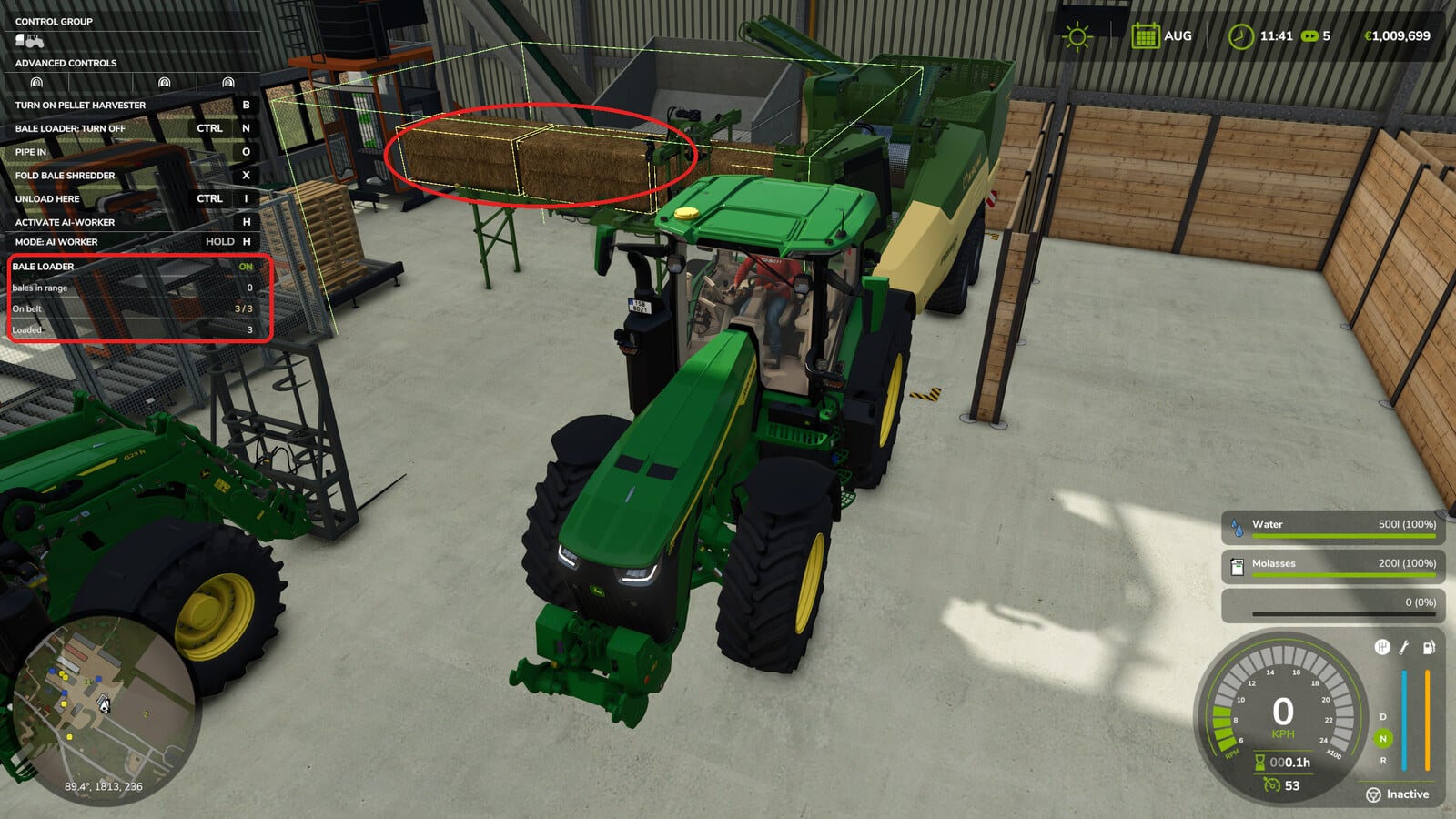
LEFT CTRL + N. - Square bales go onto the intake conveyor one by one.
- Round bales, contract bales and bales with a product the machine cannot process stay where they are and are ignored. The panel counts them and tells you why they are waiting.
- Straw and hay do not get mixed. The game loads hay bales automatically after the pellet tank no longer has straw pellets, and it works the other way round too.
- The drop height is worked out for the size of each bale, which lets any square bale fit.
- The conveyor comes from the machine itself, not from fixed offsets used for a calculation.
- Look at the top left status panel to see the bales in range, the bales queued on the belt and the bales already loaded.
- Your loader stays switched on when you save and reload. If the machine was running, it starts up again automatically.
- Markers on the screen point out where the bales should be dropped and which belt spaces are free or occupied. They start enabled, and
F6hides or shows them. - No room on the belt means the loader waits. It does not pile the bales on top of each other.
- A full tank pauses the machine. It starts again when space is available.
- The first time the machine is loaded, the settings file appears automatically with the default values.
Specifications
- While running, the Premos 5000 pellet tank is raised from the original 9,000 litres to 40,000 litres.
- This does not change a game file. Take out the mod and the tank immediately goes back to its original 9,000 litres.
- If you lower the capacity while more pellets are inside than the new size allows, the extra pellets disappear when the game loads.
- You can change the tank size, pick-up zone, drop position, queue length and movement speed without opening the zip.
Find the settings at modSettings/FS25_AutoBaleLoader/settings.xml. The tank capacity is changed in settings.xml, and 0 keeps the original 9,000 litres.
Changelog
1.1.0.0
- Bales with a product the machine cannot process stay off the belt now, so they no longer block the queue.
- Straw and hay stay separate: the bale only reaches the belt when the pellet tank can accept its pellets. If it cannot, the bale waits on the ground and the panel tells you why.
- Contract bales are left alone.
- The game now saves whether the loader is on or off, and a running machine starts again by itself after loading.
- Adjust the pellet tank size in
settings.xml, where0means the original 9,000 litres. - The game creates
settings.xmlautomatically with all values.