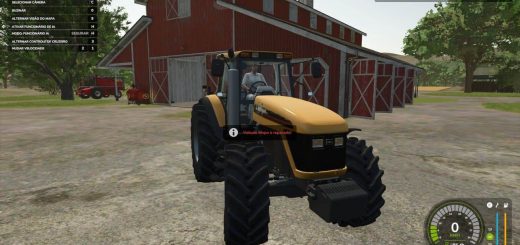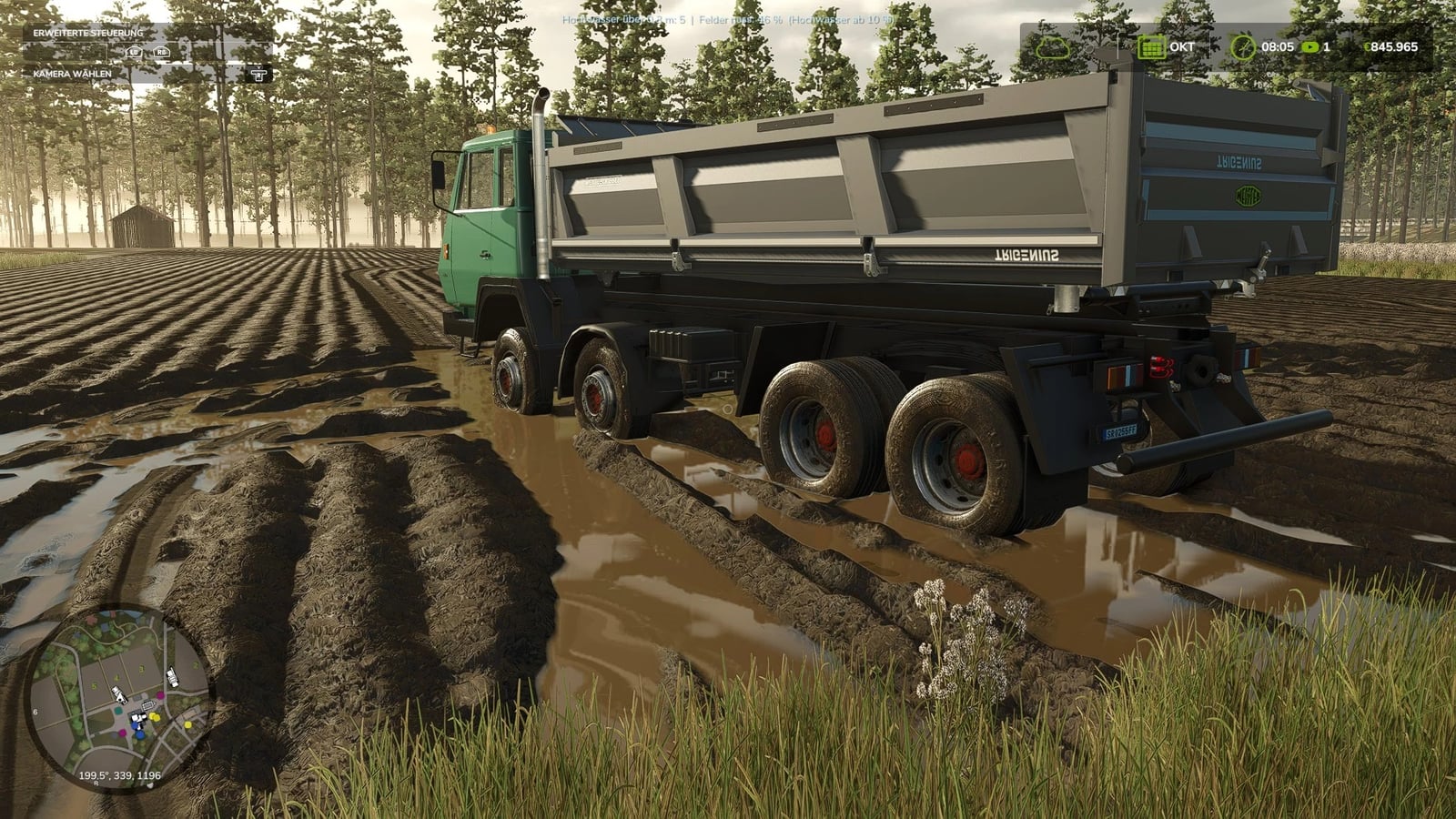
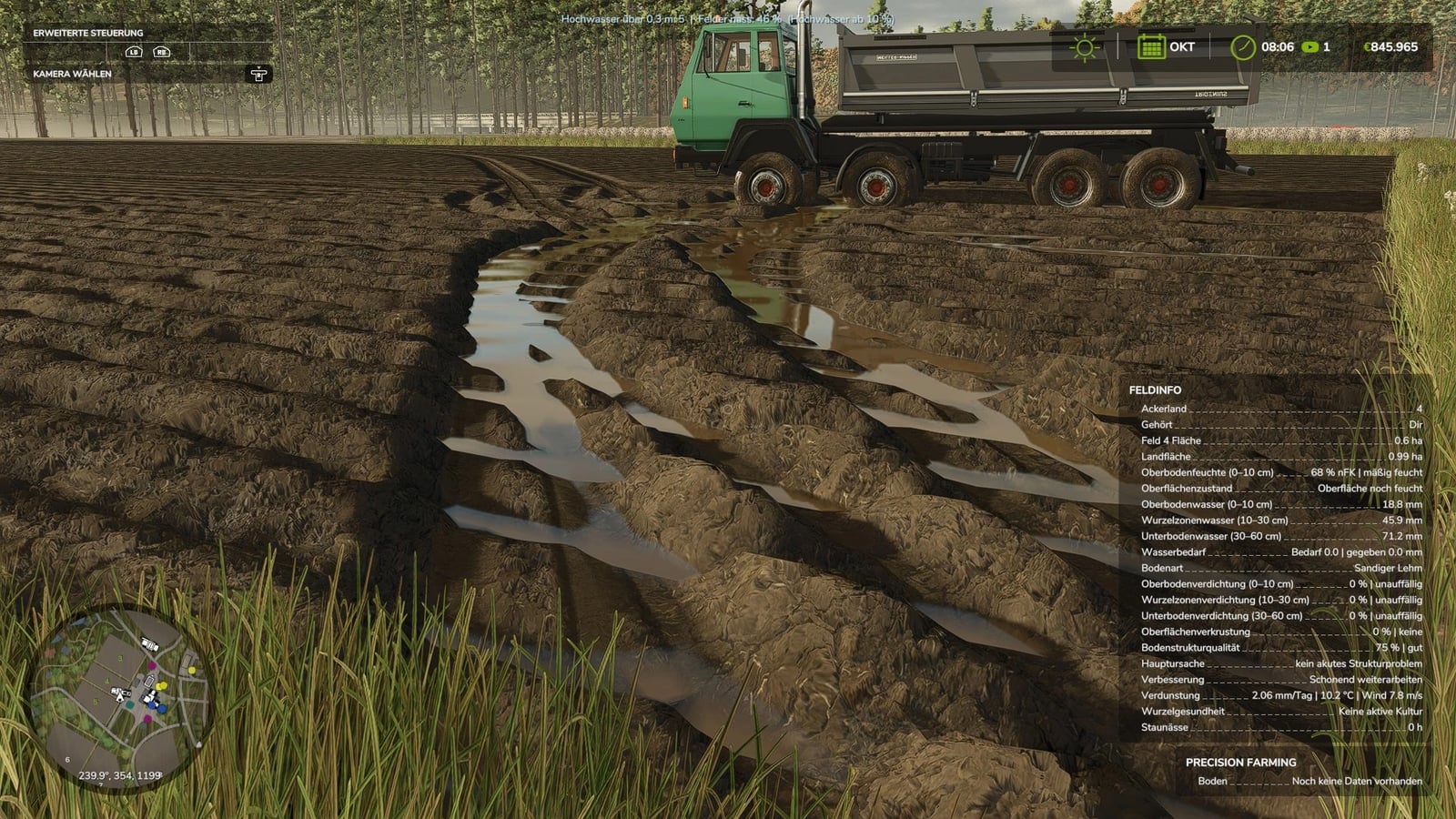
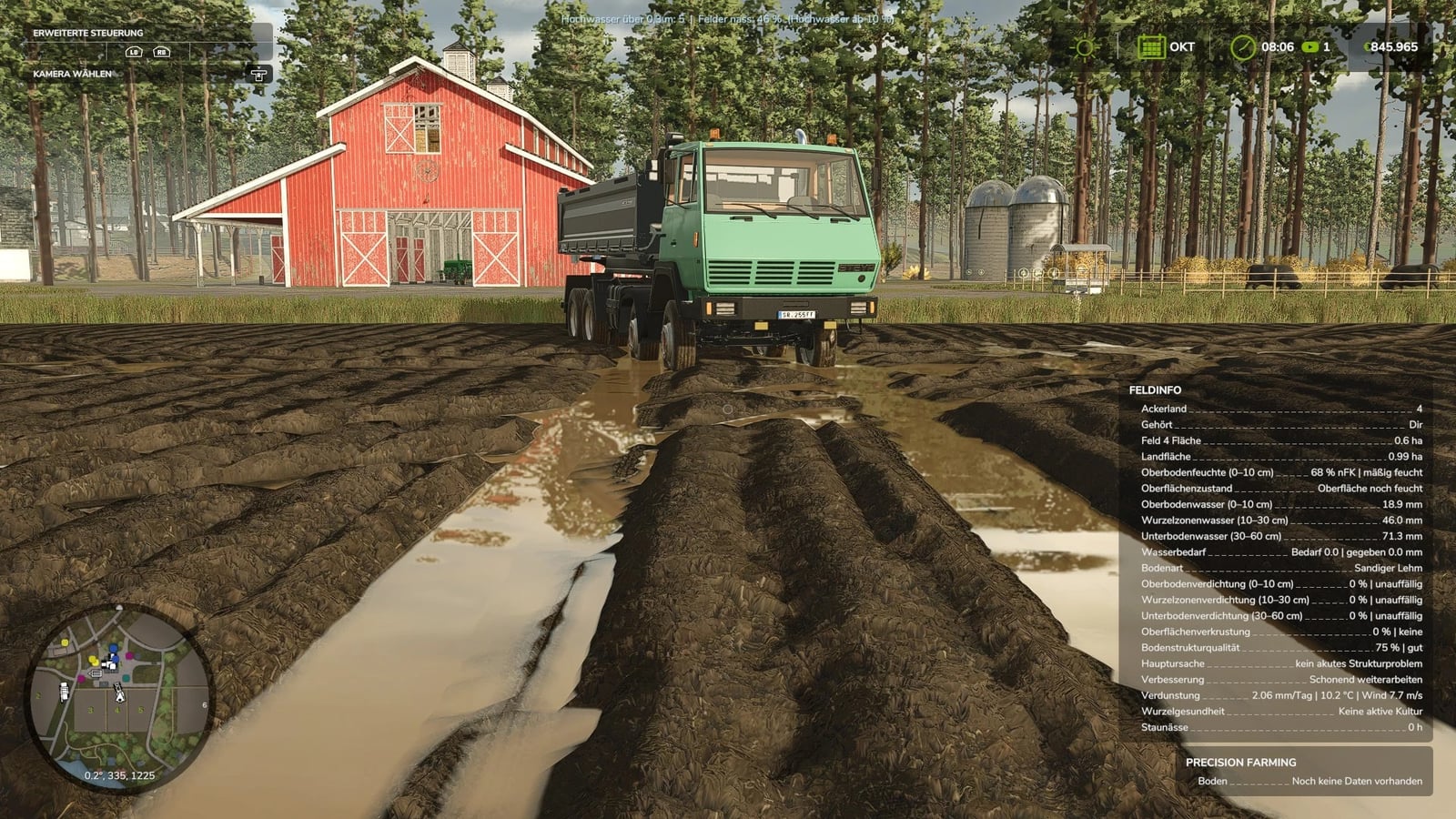
Take your machines into waterlogged fields and watch the deep tracks fill with water as the terrain changes. You do not get those artificial, angular puddles here. The effect reacts to soil moisture, rain, snowmelt, freezing temperatures, wheels, and your character, so driving through the ruts feels much more hands-on.
Features
- Deep tracks in waterlogged fields fill up dynamically and follow the terrain.
- Under the field, the groundwater level stays seamless and matches the terrain shape, slopes included.
- Water shows up wherever the ground drops, including the tracks left by tractors.
- The ruts fill like little basins until the water reaches their edges.
- You will not see square puddles or water sheets floating above the ground.
- At 10% soil moisture, the water level starts rising according to the local ground conditions.
- Rain and snowmelt keep adding to those rising water levels.
- When temperatures freeze, the water level freezes solid.
- With “Realistic Water & Soil Management” (RWSM) installed, the mod uses its local soil moisture data, so water buildup reacts to the ground conditions already there.
- The native
ShallowWaterSimulationlets the water react when wheels or your character are present. - Your character actually steps into the ruts instead of floating above the water, and the boots get wet too.
- It can look almost like a rice paddy, but you can still plant and grow corn, wheat, or whatever else you like.
- The current state stays saved in your savegame.
- Multiplayer works as well.
- The water effect is worked out locally on every client.
- Ruts are included in the calculations, regardless of the vehicle that created them.
Changelog
Version 1.2.1.0
The log error caused by leaving the test runner in place last night is fixed. Everything is clean again. SORRY! :meaculpa:
BETA 0.9.1.5, YOUR FIELD, YOUR TESTING GROUND
The mod is still changing and needs testing on different maps and with different soil conditions. Since it is in BETA, you can help test it out.
If you notice strange water behavior, visual glitches, or other oddities, report them. A screenshot together with the related log.txt file helps the most. Your feedback makes it easier to find bugs and improve the water effects.
DEBUG & TEST CONSOLE
For testing and troubleshooting, you can use these console commands:
witDebugwitFillwitMarginwitShaderwitFlipwitClearwitProbewitRwsmDump