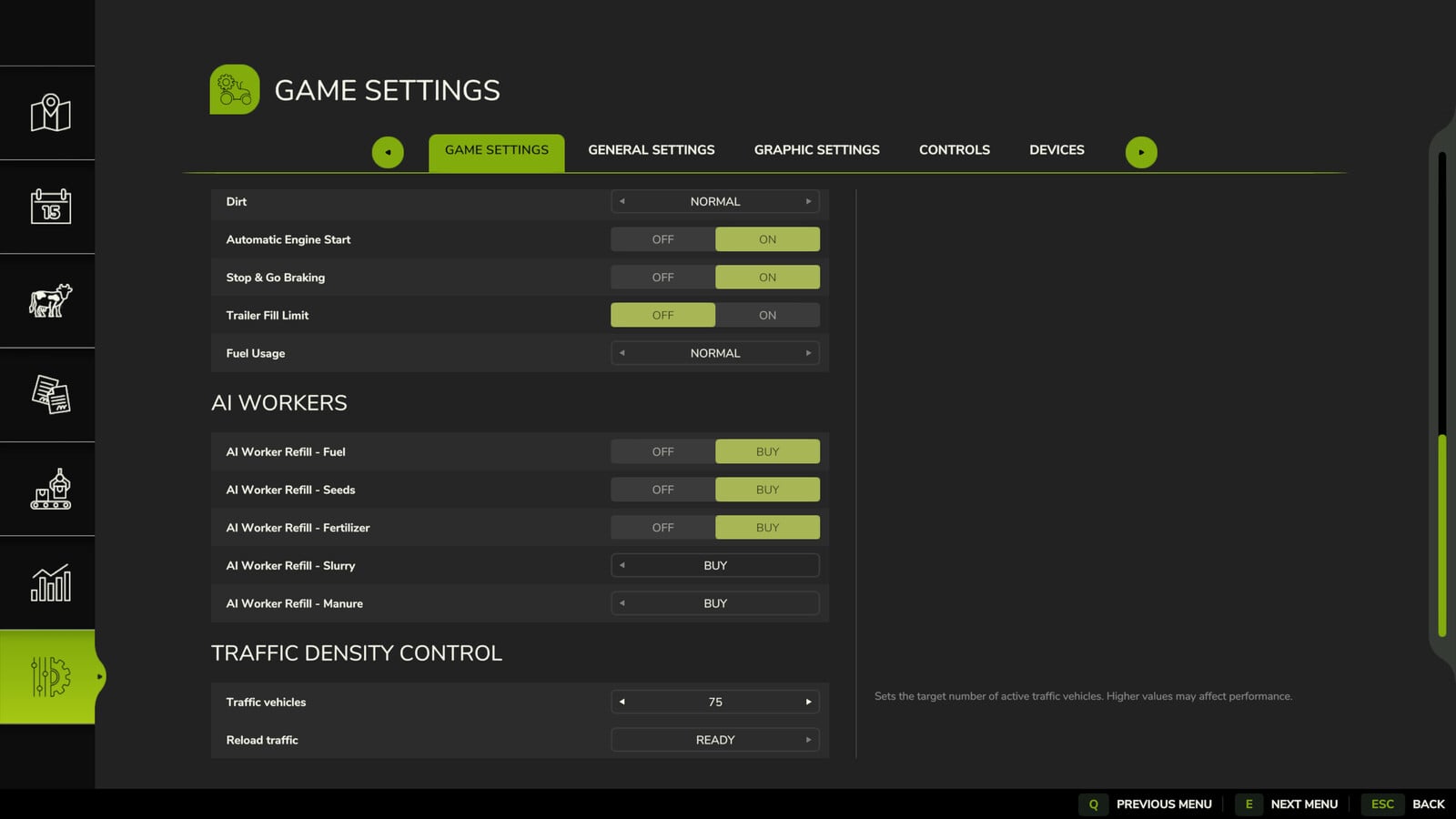
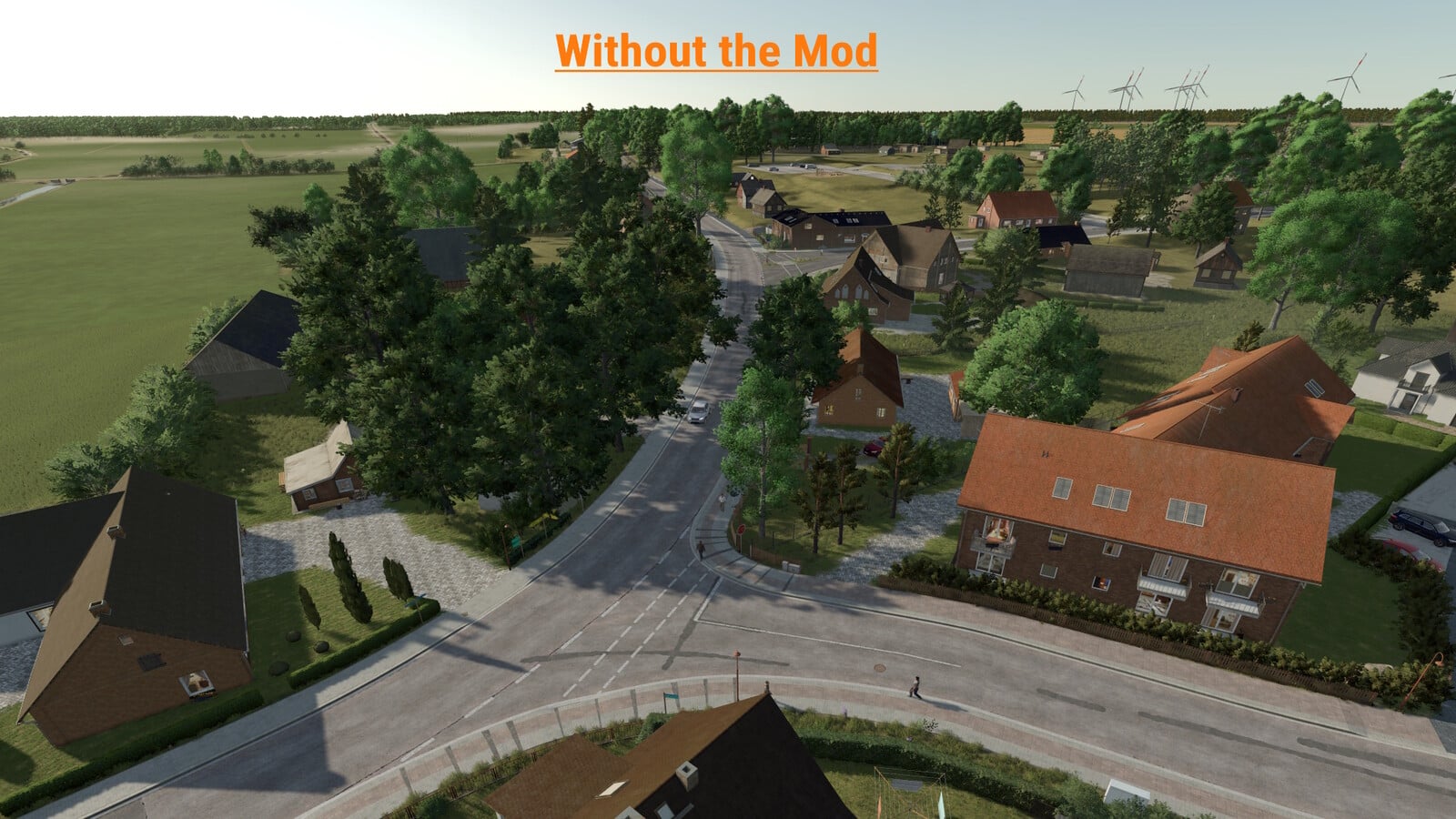
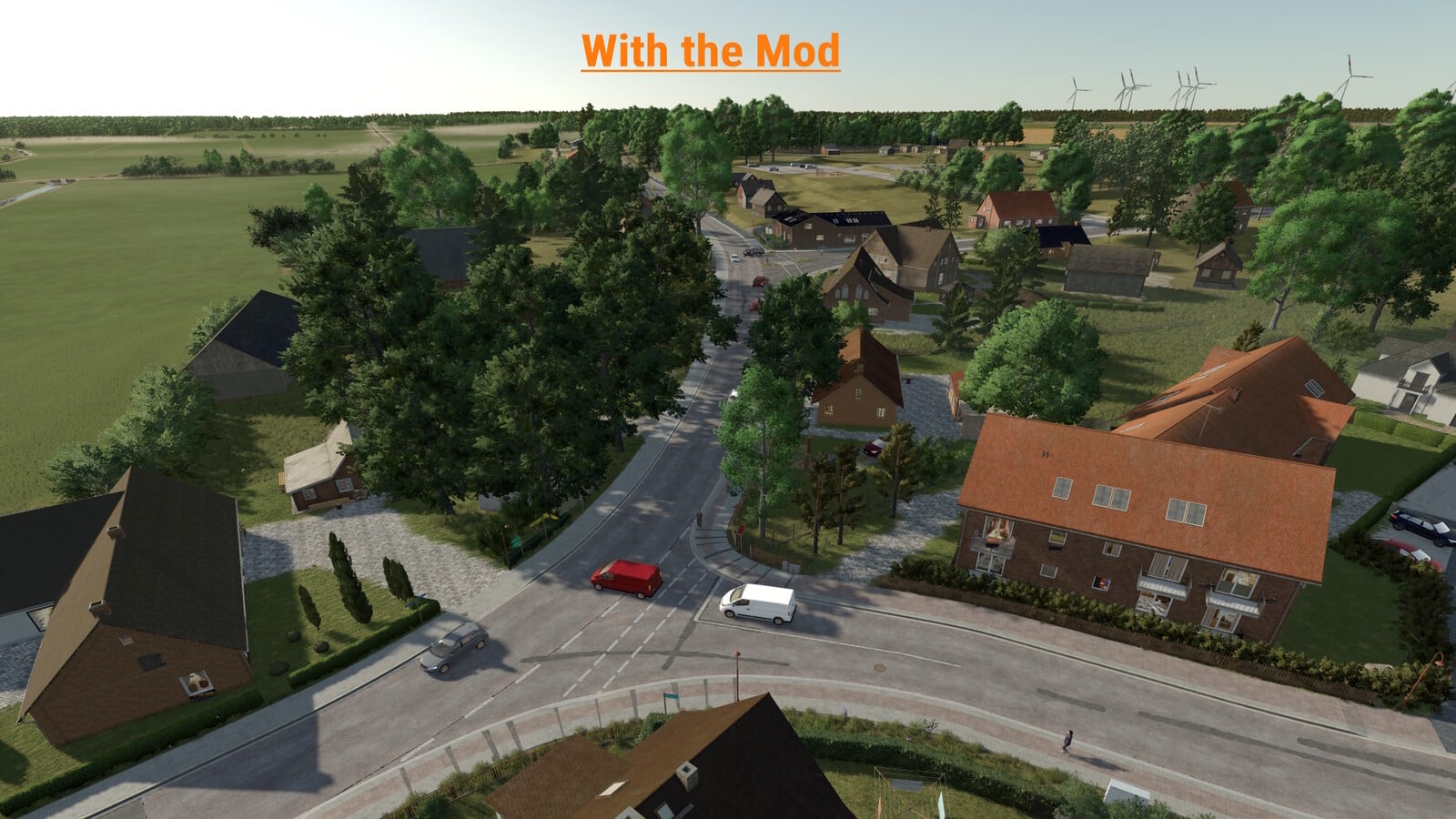
With Traffic Density Control, you get a separate game settings section for AI traffic density. Pick the number of active AI vehicles right in-game, with a range of 15 to 150 vehicles, so you can shape the traffic around your gameplay.
Features
- When you build a map, traffic splines can optionally use the user attribute
trafficDensityordensity. - Use 0 for blocked traffic, 0.1 for very low traffic, 0.25 for low traffic, 0.5 for medium traffic and 1 for normal traffic as example values.
- If a spline has no user attribute like this, it keeps the normal behavior of the map.
- Playing singleplayer gives you a manual reload function. It can reload AI traffic once when needed, such as when vehicles get stuck or traffic starts behaving unusually.
- In multiplayer, changing the AI vehicle count is limited to the host or an admin.
- Once you adjust the vehicle count, save and restart the server once so the change takes effect.
Important note:
Depending on the map, system performance and gameplay situation, using more AI vehicles can cause performance issues, traffic jams or unusual AI traffic behavior.
Increase the value carefully, then test the setting individually on each map.
Changelog
1.0.0.5
- Mod maps now support custom AI traffic.
- For mappers, the new function
trafficDensitycontrols traffic density on individual traffic splines. - An installation instructions text file has been added.
1.0.1.0
- Pathfinding for custom trafficSystem vehicles on mod maps is fixed.
1.0.2.0
- Collision detection at railroad crossings and traffic lights is corrected.