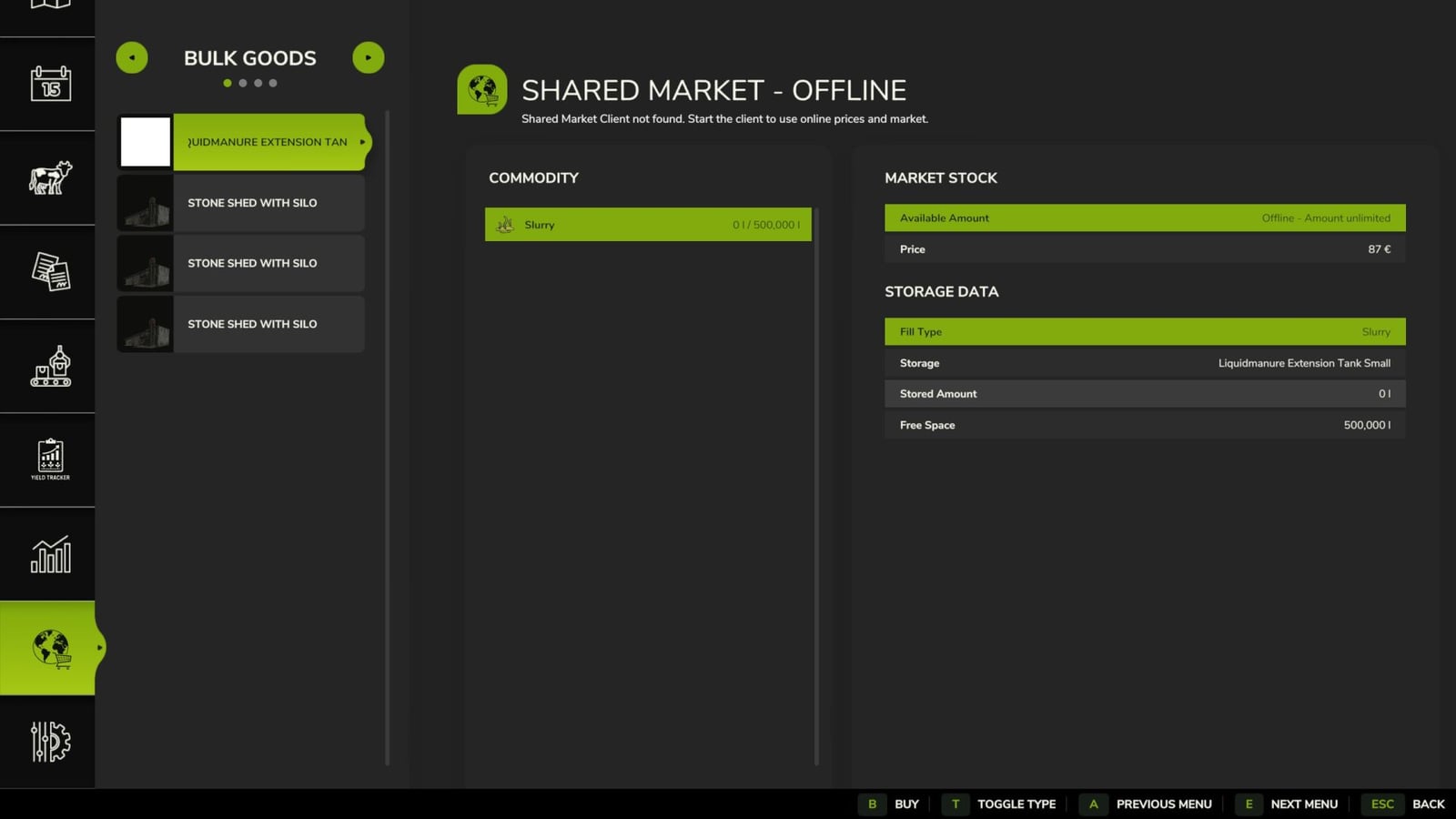
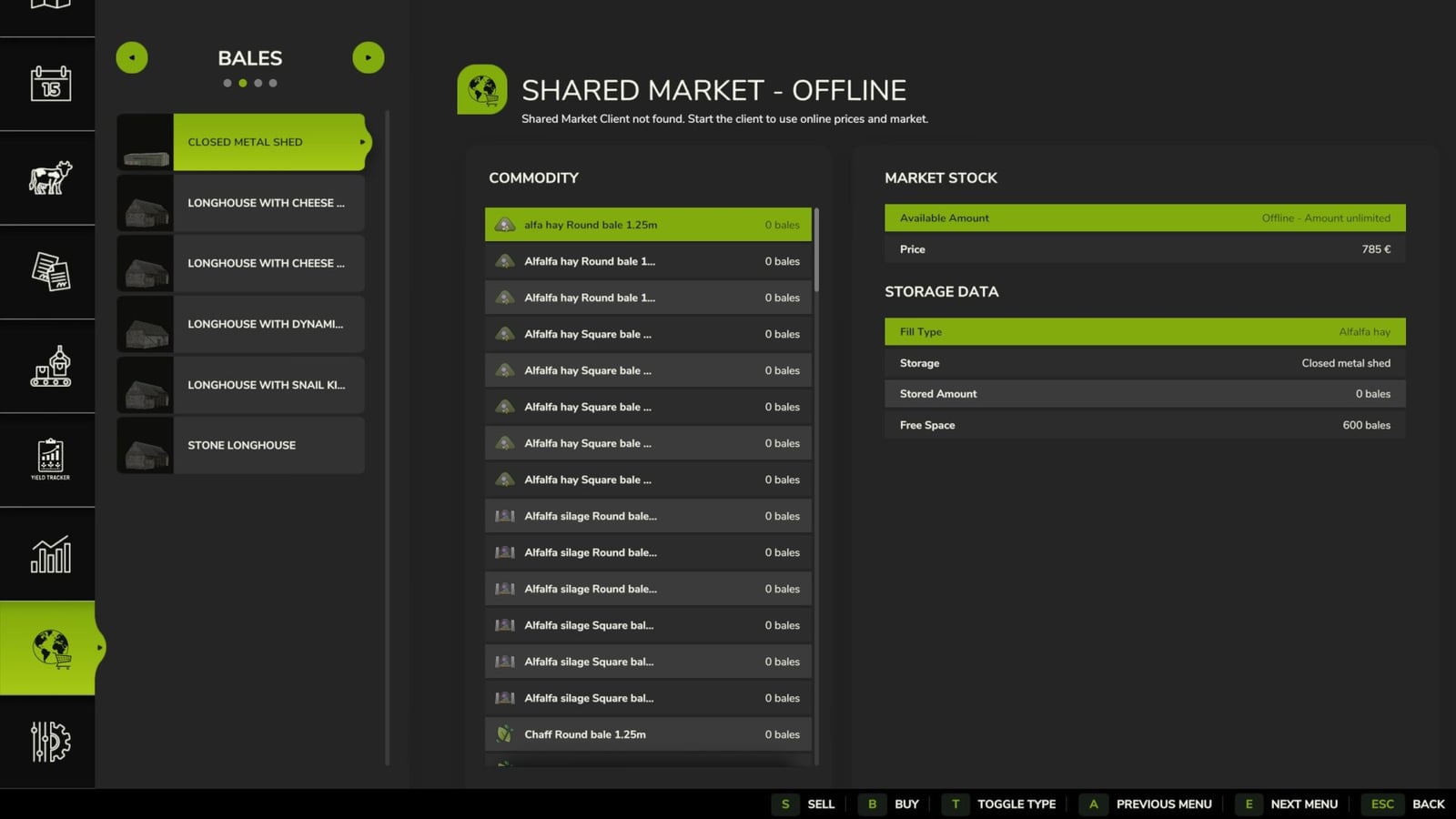
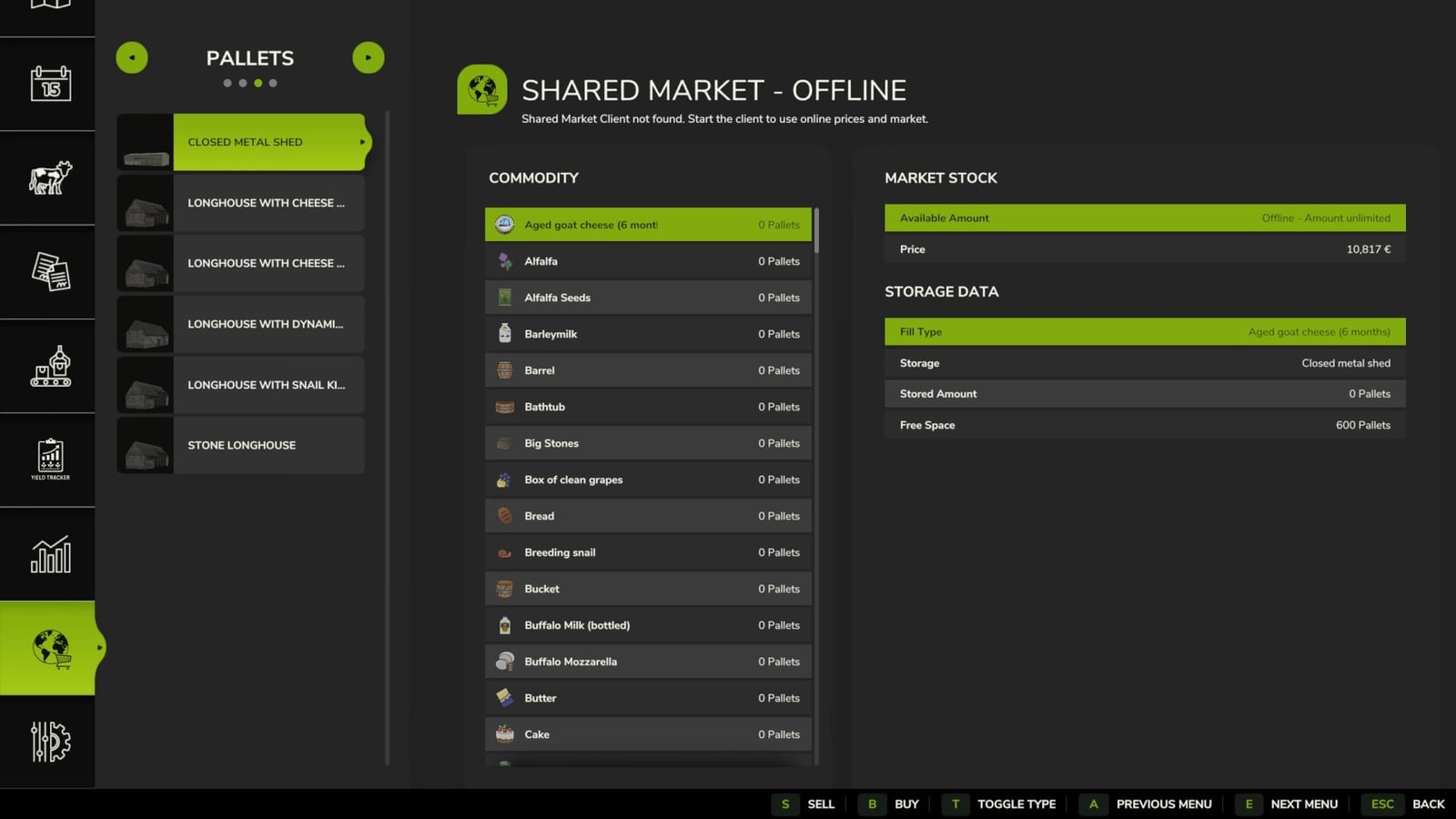
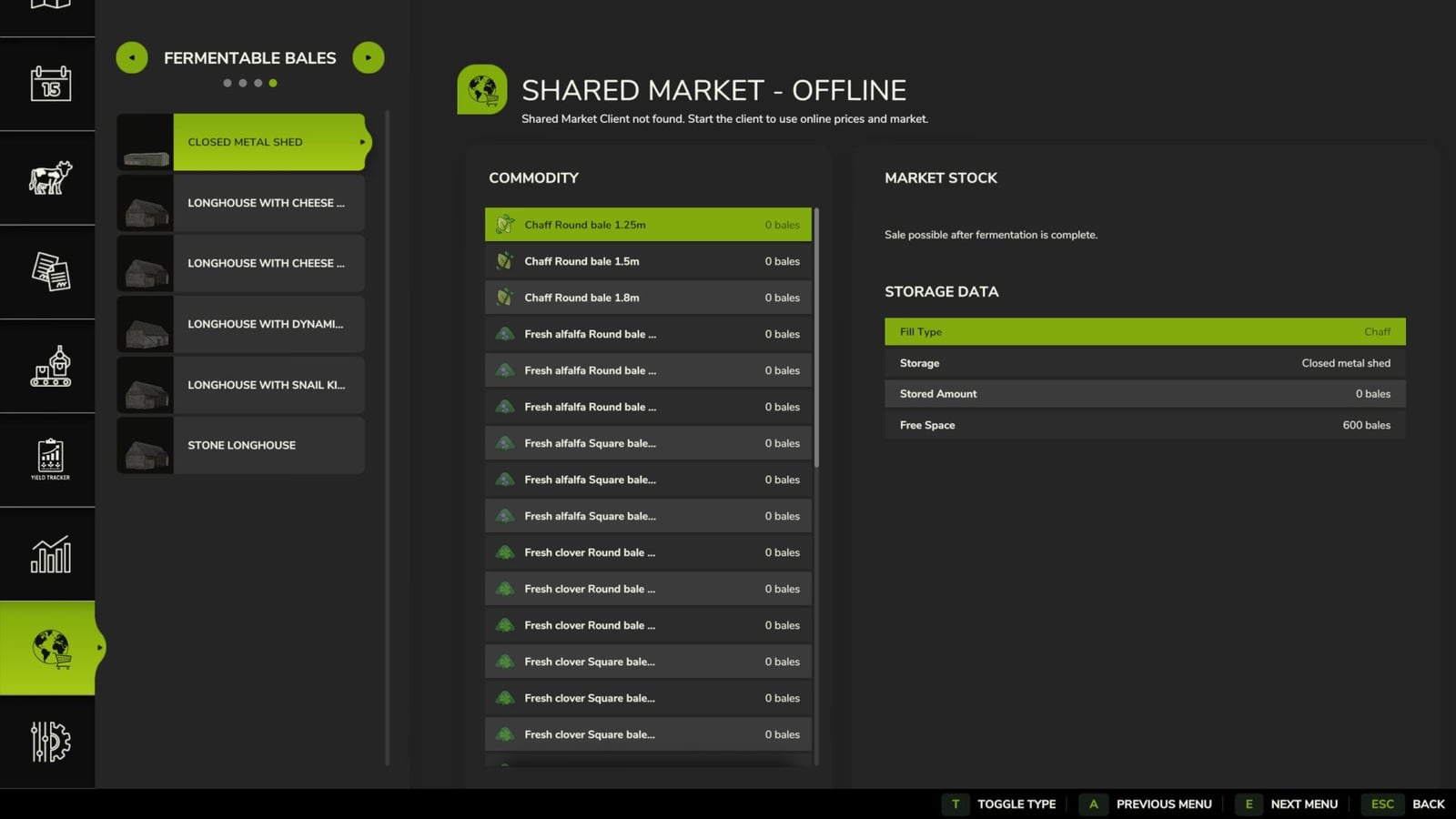
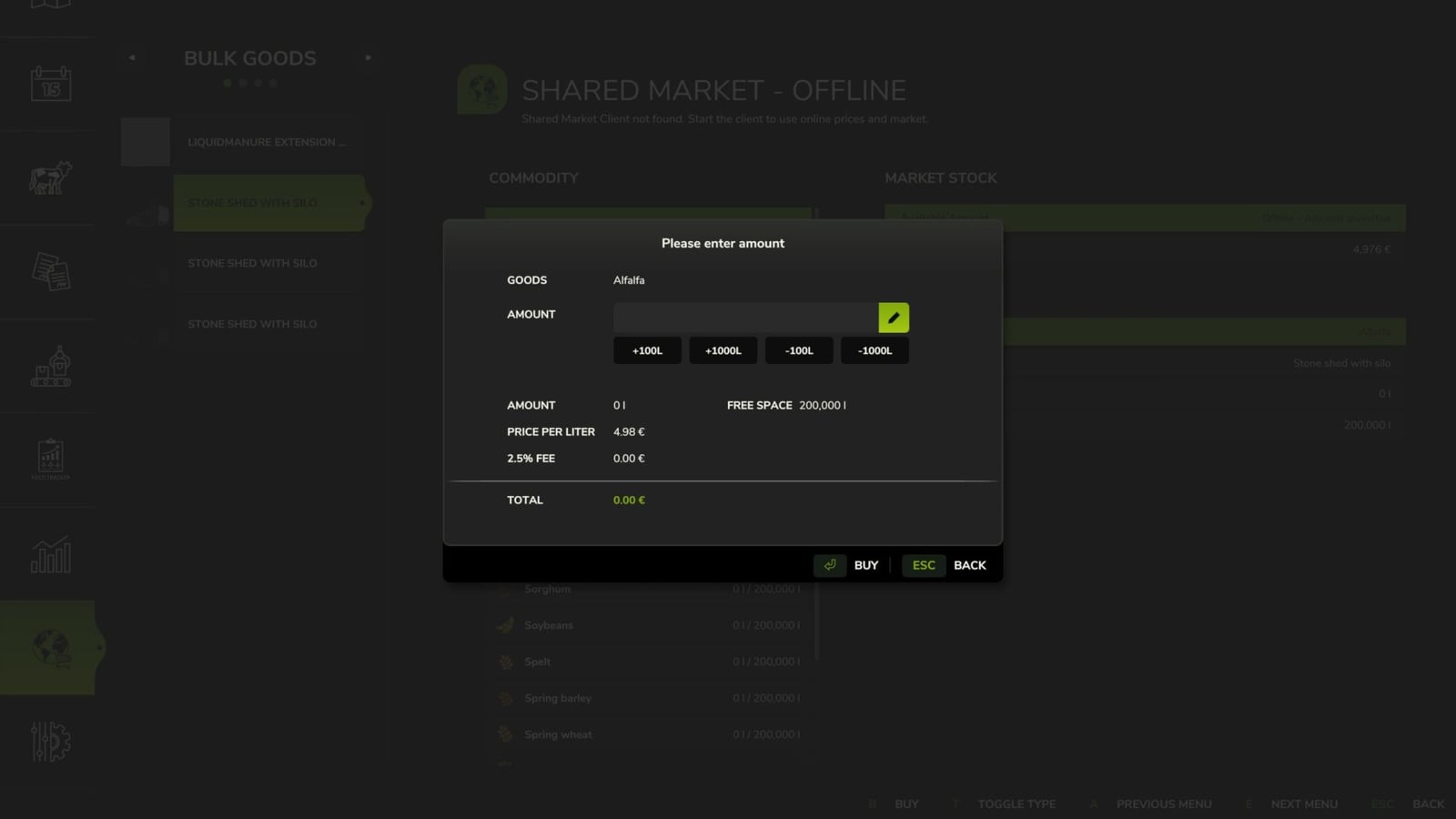
With Shared Market, you get an in-game market for buying and selling stored bulk goods, bales and pallets. Use it online with other players, or use it offline as another trading platform. The dedicated market page lets you check the current market stock and prices while also keeping an eye on your farm’s inventory.
Features
- You can trade bulk goods.
- Bales are included too, but fermenting bales have to be fully fermented before you can sell them.
- Pallets are supported for trading.
- The inventory amounts come from the warehouses you own.
- On the market page, you can see the available goods, current market stock, buy and sell prices, your own farm storage, stored quantity, free storage space, bale fermentation status, the transaction total and the market fee.
- Switch the type selection between bulk goods, bales, pallets and fermentable bales.
- Fermenting bales show how far fermentation has progressed. Selling only becomes possible when fermentation is fully complete.
- To buy something, pick a compatible storage location on your farm and choose the quantity you want. The goods go straight into that storage location.
- To sell, choose the quantity and it is removed from the matching farm storage. Income and expenses are shown as separate entries in the financial overview.
- Before you finish a transaction, the dialog shows the selected goods, desired quantity, price per liter, bale or pallet, market fee, total amount, available market stock and free storage space.
- Transactions have a market fee of 2.5%.
- You can also run Shared Market without the Shared Market Client and use it as an extra local marketplace for your products.
YOU NEED: Shared Market Client software for online trading.
For online trading, start the Shared Market Client and keep it connected. Then you can access the shared market inventory and online prices, trading goods with players from other servers and game saves.
Offline mode keeps trading with players on other servers or save games unavailable. You also cannot use the online market inventory or prices in this mode.
Standard key layout within the marketplace page:
- B: Buy
- S: Sell
- T: Change product type
The game settings let you change every button.
Keep in mind that this is a beta version. Errors, changes and interruptions to the online service are possible, so backing up your game progress before use is recommended.
If you find a bug, send a complete log.txt, the map used, the game type, singleplayer, multiplayer or dedicated server, plus a brief description of the steps taken. Use the bug tracker or the relevant support topic in the forum for the report.
Changelog
- BETA 4
Changelog 0.9.0.49: Bugs from patch 1.25 were fixed. Vehicle trading was added. Animal trading was added. - BETA 3
You can hide goods missing from your warehouse in the list view. - BETA 2
Pallet purchasing was reworked, and isolated call stack loops were fixed.