With Midwest Equipment Company, you get to run a dealership from the owner’s seat. Sell equipment, handle repairs, order and sell parts, and rent machines out to NPCs. It gives you plenty to manage while you build up your operation.
Features
- Sales
Start your dealership with lots of different brands across 3 categories. Make money and collect reputation points, then unlock the bigger equipment lines as your business grows. NPC negotiations count toward the reputation points you earn too. When you create the dealer, stand where you want the lot and press the placement button. The full inventory is delivered right there. You can rearrange it afterward, and you really should move every new item because each piece spawns in one exact spot. Set prices yourself, negotiate with buyers, and add insurance protection to the inventory. The Midwest Finance mod is also needed for this mod to work. It provides a bank account called “company” for all dealership funds. Install the equipment auction and equipment exchange mods as well, and you can spend dealer funds on used equipment for your inventory. - Service
Customer equipment can come into your shop for an inspection. Check the machine, give the customer a quote, and let them choose whether to accept the cost or take the machine back after paying for the inspection. The dealership works with the vanilla game, but there is not really a gameplay mechanic there. For the actual service functionality, use the Advanced Damage System mod with the dealership. After ADS is installed, the customer’s tractor appears. Inspect it and make the quote, then complete the repair in the ADS mod once the customer accepts. You can repair it yourself, or let an ADS technician do the job. The service tab shows the unfinished work and the percentage completed. Press the suitable button when the job is complete, and the customer gets the tractor back while the payment reaches your company bank account. - Rental
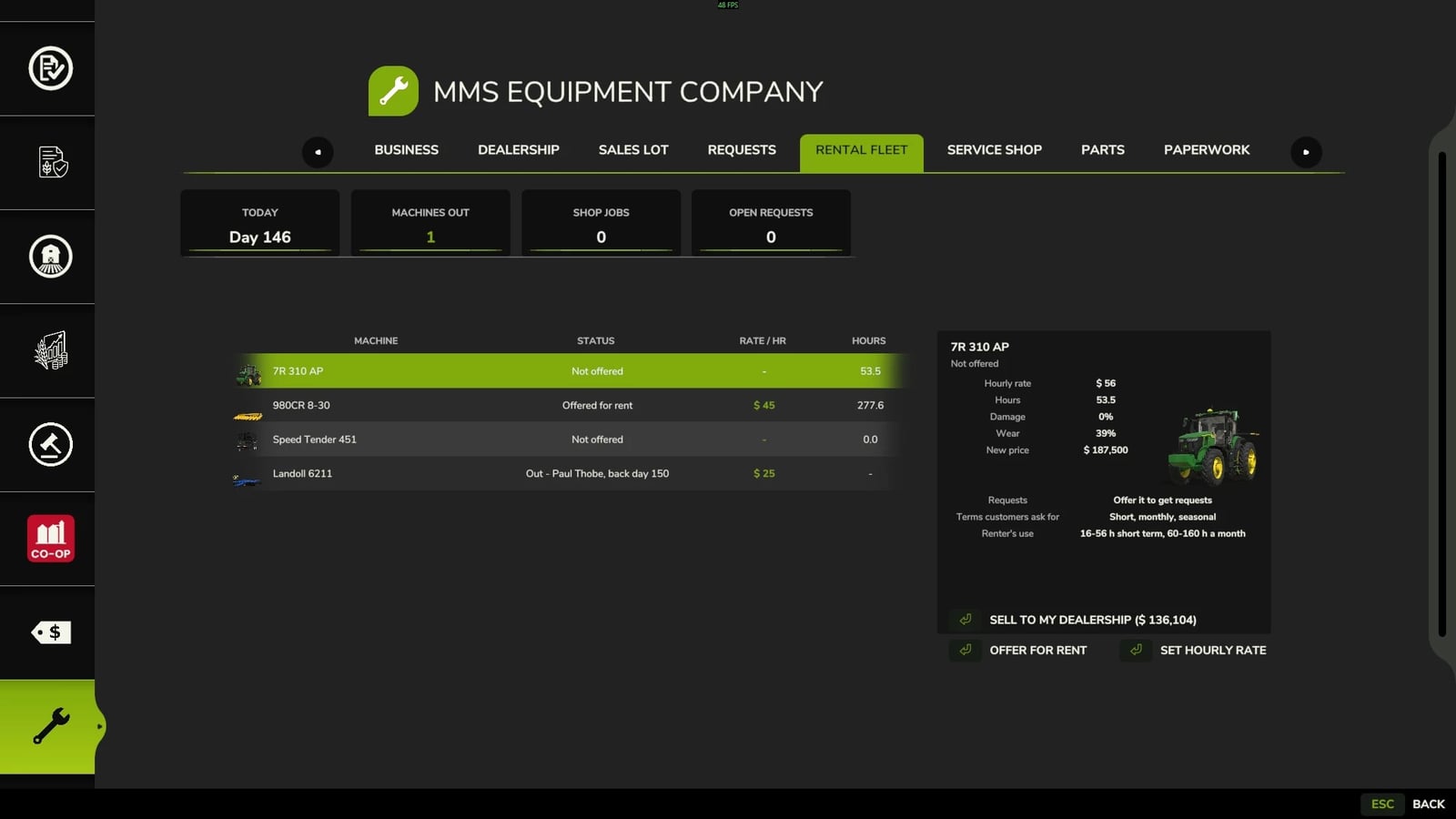
Send your owned equipment out to NPCs as rentals. The machine physically leaves your property until the rental agreement is finished, then returns and pays into the company account. Any equipment loans and insurance stay in place during the rental. If you use the insurance mod, the rented machine vanishes from the insured list for the rental and comes back on your lot with its policy intact. No record-keeping information disappears. When the equipment returns, it has gained more hours, wear and dirt than it had when it left. - Notes
On the creator’s personal save, the mod is working as intended with the current ecosystem mods and the ones still in development. There are 15 interconnected ecosystem mods released and being tested in total. Hosted Multiplayer and Dedicated Server testing is underway.