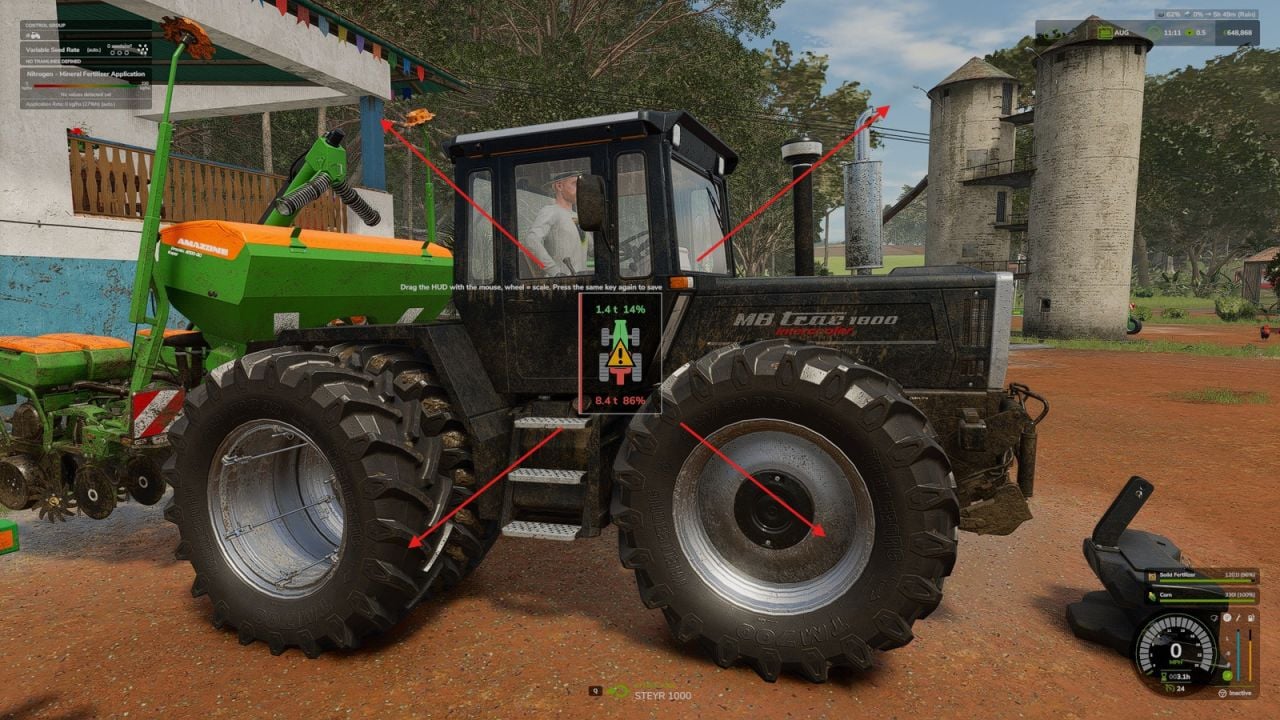
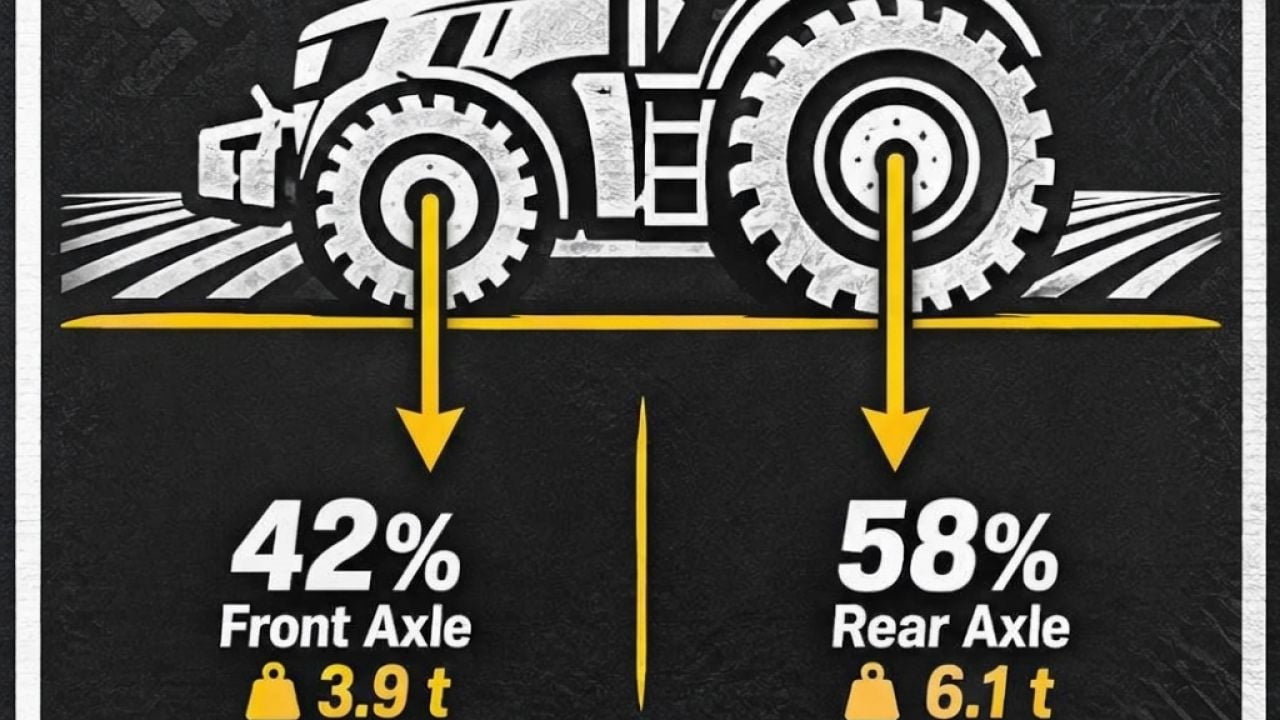
With Axle Load HUD, you can see the live load on the front and rear axle before steering and balance turn into a problem. It reads the load from the real wheel contact force and tells you when ballast is needed, so you can keep working with the tractor in balance.
Features
- Watch the front and rear axle load live, shown in tonnes and percent.
- Implements, front loaders, front weights, wheel weights and dual wheels are all counted. If a wheel is in the air, it carries nothing, and the HUD recognizes that too.
- The axle carrying too much is shown by colour:
- Green: all good, your tractor is happy.
- Yellow: you are getting close to the limit.
- Red: one axle is carrying too much, the other is under 20% of the tractor’s weight, or the vehicle is above its permissible mass.
- Need ballast? The advice tells you how many kilograms to add to the front axle to get back to 20%. It also takes the front hitch lever into account.
- Place the HUD wherever you want on the screen with the mouse, then use the mouse wheel to change its size. The position and size are remembered.
- When the balance goes wrong, a game notification gives you the cause and the advice.
- The HUD follows the HUD scale of your game.
- The 20% rule is for ordinary wheeled tractors. Crawlers, articulated tractors and combines still get the HUD as plain information.
- Drive while the load is out of balance and the tractor wears faster, tops out at a lower speed and brakes worse. The effects fade in and out smoothly, then disappear when you fix the balance.
- The console command
alhPenaltiesswitches the driving penalties off. - The extra wear and driving penalties run on the server side. That means they work in single player and for the host in multiplayer.
- The 20% front axle rule is a real-world rule of thumb, not a law of physics. If your tractor steers fine at 18%, it is the tractor’s problem, not yours.
Controls
- Use Right Ctrl + . to show or hide the HUD.
- Press Right Ctrl + , to move the HUD with the mouse and resize it with the mouse wheel. Press it once more to save.
- Run the console command
alhResetto put it back. - The keys are available to change in the controls menu.
Changelog
- V1.0.3.0
New: move the HUD with the mouse, resize it with the mouse wheel, and keep the position and size remembered. New: other mods can read the axle load state, which the optional Realistic Dashboard mod uses. - V1.0.2.0
Right Ctrl + , lets you move the HUD with the mouse and resize it with the mouse wheel, and pressing it again saves it. The console commandalhResetputs it back. You can change the keys in the controls menu.