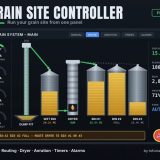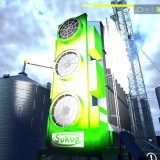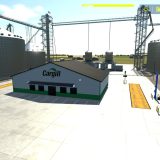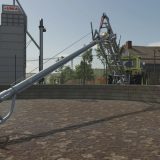
Take control of your farm’s grain site from one panel with Grain Site Controller. It works by itself, so you do not need any other mods. You can see the whole site, move grain around and keep the dryer and fans under control from one place.
Features
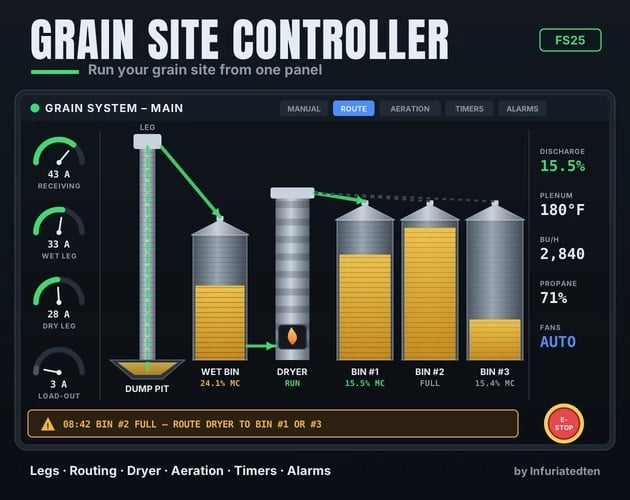
- The panel feels like a real grain-site PLC screen. On the left, you get the leg amp gauges. The middle shows a live site diagram with active routes lit up, while the dryer readouts sit on the right.
- You can watch discharge moisture, plenum and grain temperature, plus bushels per hour, in the dryer readouts.
- Need direct control? Switch the dryer on or off, use dryer bypass, transfer with the dry leg, run all fans and hit the emergency stop manually.
- Dryer bypass is useful when you want wet-bin grain sent straight to storage undried.
- Send grain from the pit to any bin, the dryer discharge bin or Auto, the load-out bin, or another bin. Bin-to-bin transfer runs at 5,000 bu/h.
- Every bin fan has OFF, ON, AUTO and TIMER. AUTO runs the fan on cool, dry air.
- Good aeration keeps grain in condition. Wet grain that sits without air spoils, and running the fans uses power.
- Set an aeration window with the timers, and add an optional dryer run window when you want one.
- You can configure the AUTO air limit, dryer setpoints and run hours to fit the site.
- Keep a loaded leg above its rated speed and it pulls too many amps. Hold it there and the motor overload trips.
- Filling a bin completely while sending grain into it chokes the leg.
- The alarm log saves the time for each alarm. It covers out of propane, propane low, bin full, receiving bin full, no bin for the dryer, plenum too hot, wet grain without air and emergency stop.
- All grain bins your farm owns work with the panel, with nothing to install on the bins. That includes base-game silos, silo extensions, mod bins and bins that are productions.
- Building a dryer site is straightforward: place a dryer and every bin of yours within 60 m joins its site. The nearest bin becomes the wet holding bin, and the others become Bin #1 to #5.
- If there is no dryer nearby, bins group into storage sites with the same panel, just without the dryer.
- Some placeables keep their own bin layout. Examples include the Edgewater Grain Leg and any silo with farmOpsGrainDryer bins in its xml.
- On its own, the mod uses typical harvest moisture when grain goes into the pit: corn 22%, soybeans 15%, small grains 17%. The built-in dryer brings that grain down to standard.
- Add Realistic Farm Ops – Grain Moisture and the panel uses real moisture from the combine, plus the Farm Ops dryer controller and its costs, Dry/Wet grain labels and USMB grain sites. They link automatically, so there is nothing for you to set.
- At midnight once a day, the farm is billed for electricity used by the legs, fans and dryer under its own finance row, “Grain system electricity”.
- Sites hold onto routes, aeration settings, timers, alarms and run hours when moving from the grain system panel formerly included in Realistic Farm Ops – Grain Moisture up to 2.4.x. Put Grain Site Controller next to Grain Moisture 2.5.0.0 or newer and nothing changes. Run it without Grain Moisture and it reads old settings from Grain Moisture’s save.
- Multiplayer works too. The server runs the site, and every player gets the same panel.
Specifications
- Receiving leg: 20,000 bu/h
- Wet leg: 4,000 bu/h
- Dry leg: 5,000 bu/h
- Load-out: 15,000 bu/h
- Bin-to-bin transfer: 5,000 bu/h
- Leg speed range: 25 to 120%
- Dryer fuel: propane from the site’s tank
- Dryer modes: moisture-control or manual
- Dryer settings: target moisture, plenum temperature and metering speed for each grain