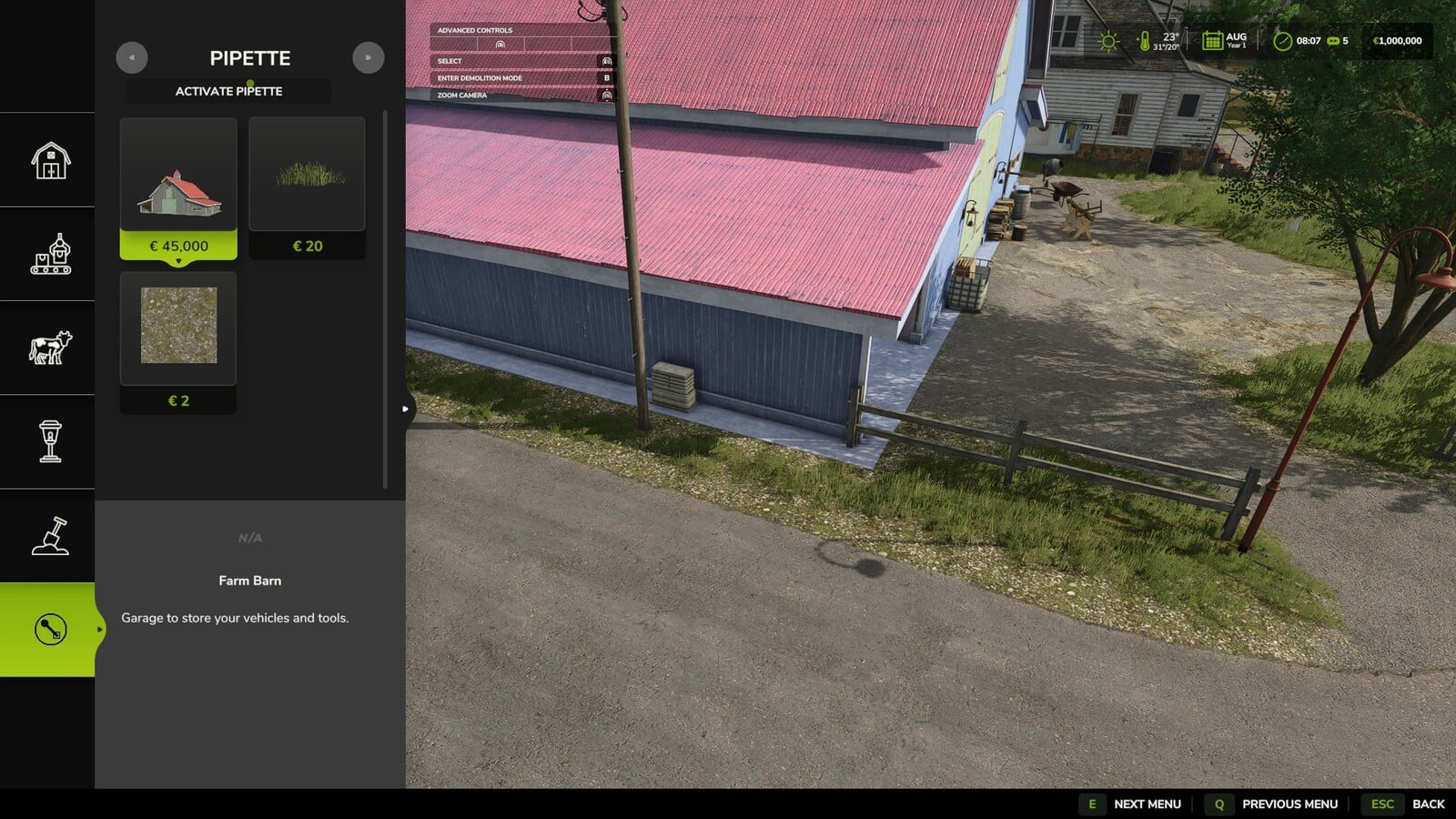
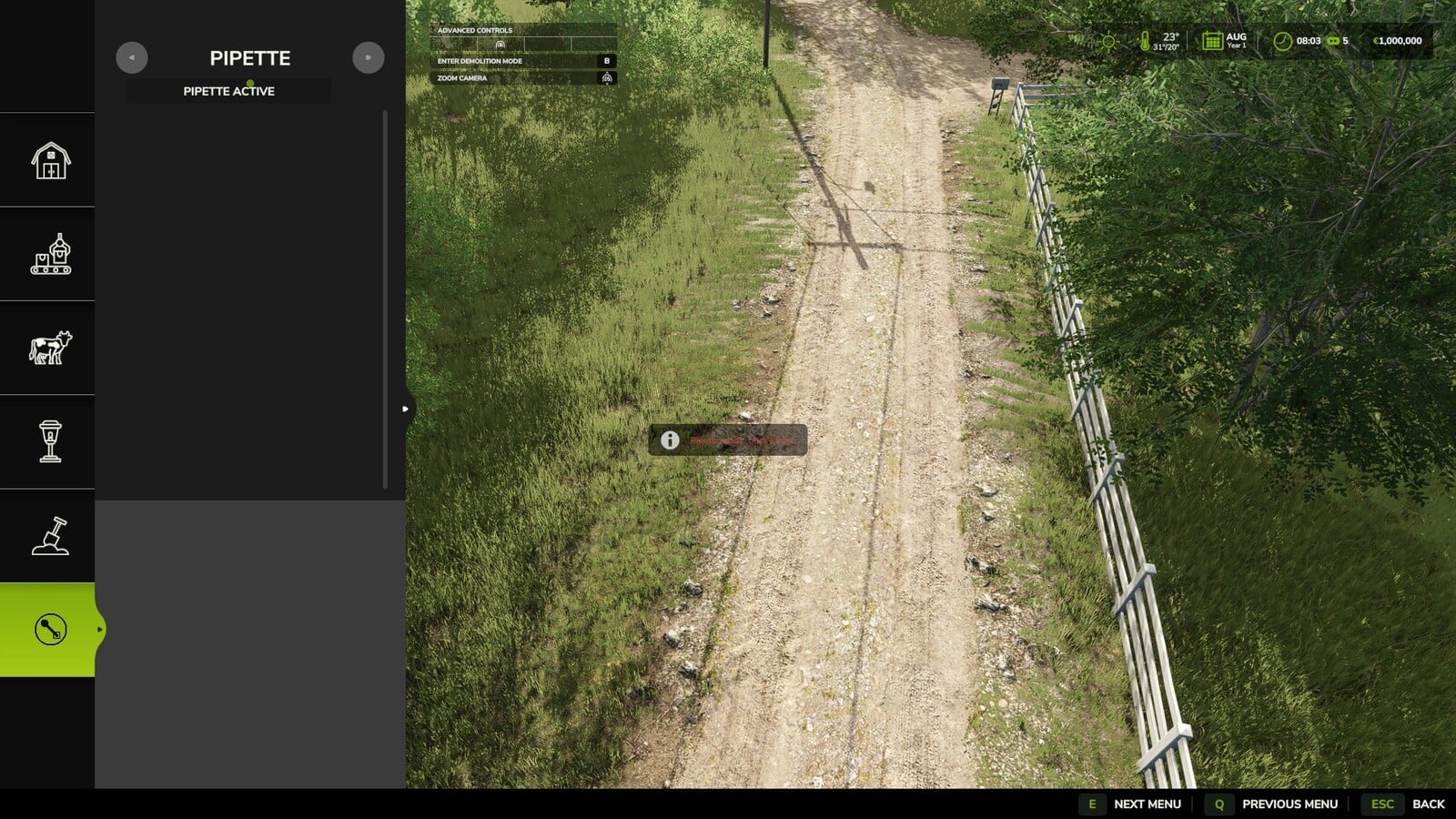
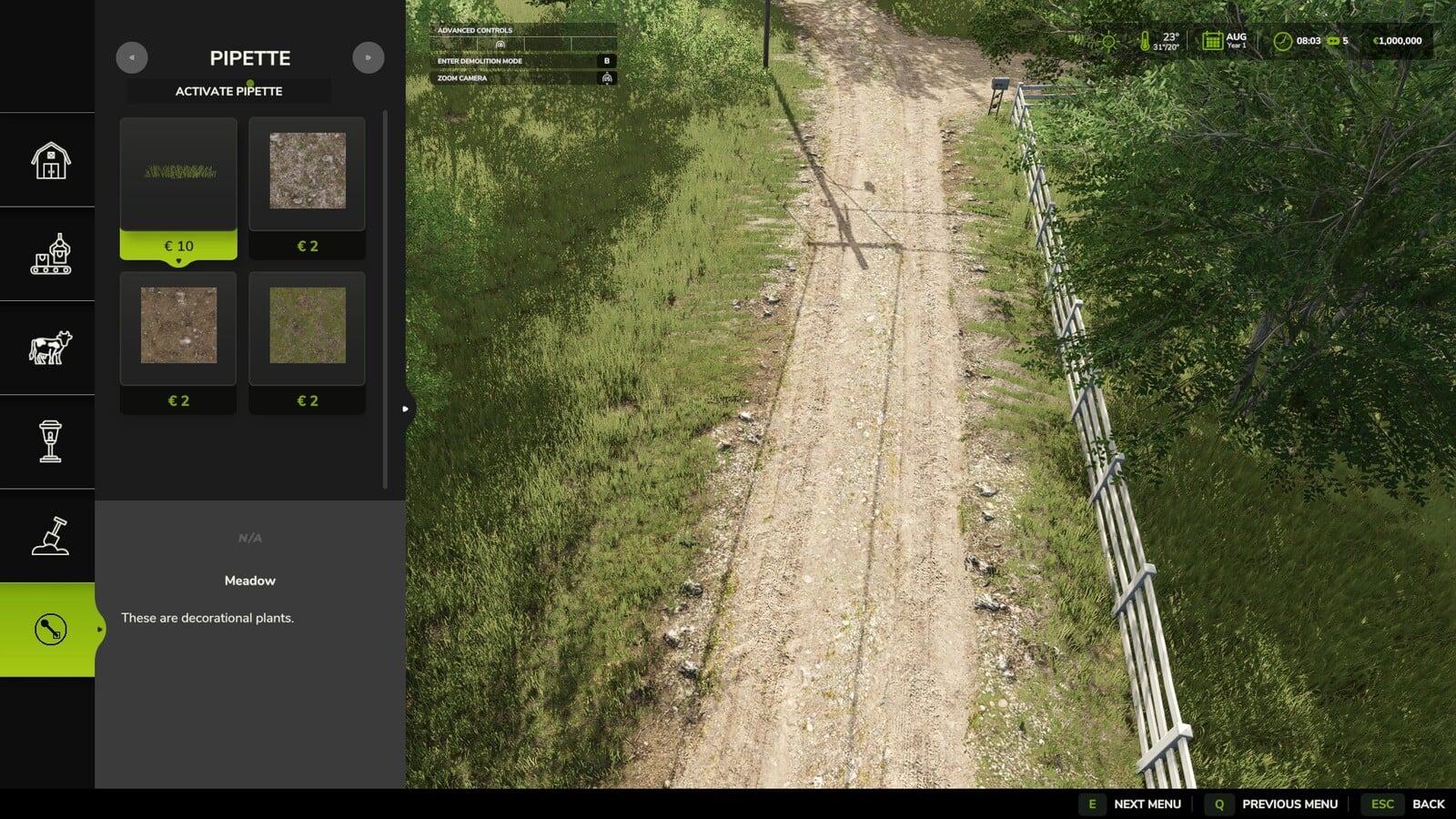
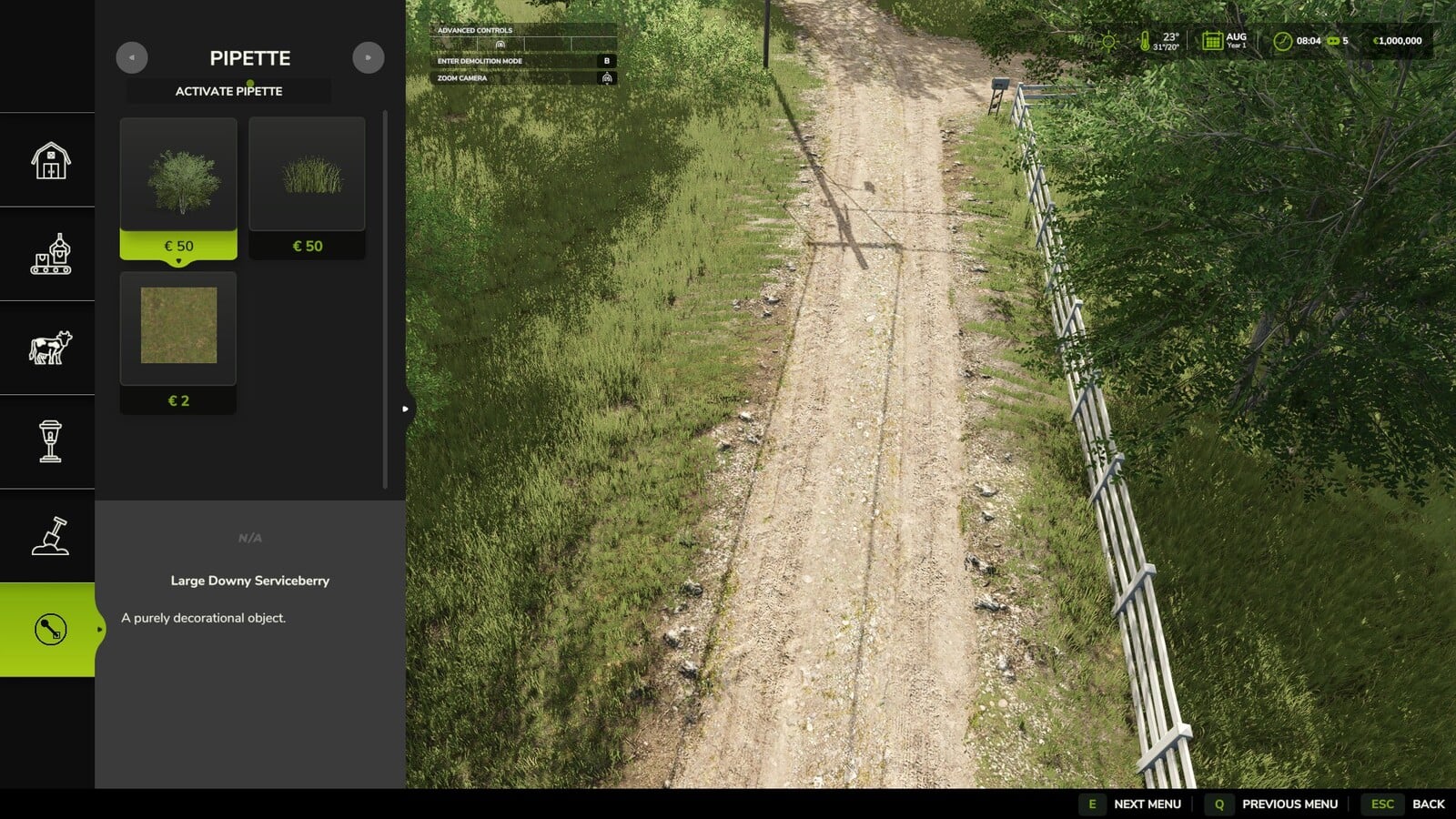
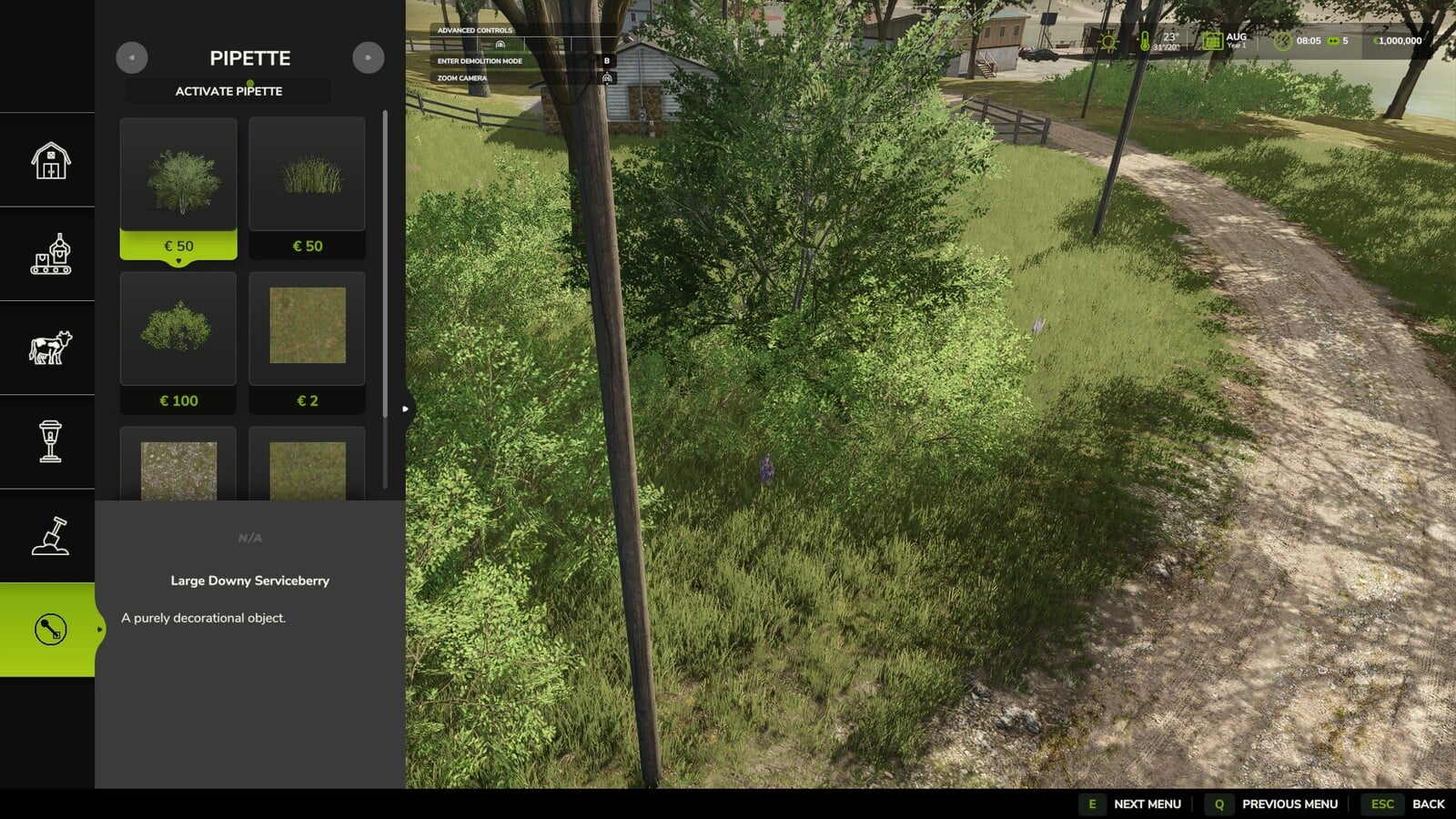
With Terrain Texture And Object Picker, you get a pipette right in the construction menu for ground textures, foliage, bushes, trees and supported placeable objects. You can also search through the whole construction menu with keywords, which makes finding the thing you want to paint or build more direct.
Features
- Pick a previously used paint texture, visible foliage like grass, flowers or bushes, a placeable tree or a supported object straight from the map. Then find it again in the construction menu.
- If an area mixes several matching elements, the results can show more than one option.
- Your active brush is reset before the pick happens.
- Need the pipette again later? You can activate it again at any time.
- The mod checks the ground textures available on the current map, along with its suitable foliage.
- Map foliage is detected without loading extra entries into the regular construction menu unchecked.
- Next to “Pipette”, the “Search” tab lets you search the entire construction menu by keyword. Enter multiple words in any order and the results are sorted by relevance.
- General search terms can also recognize connected object groups. Trees and husbandry are the first examples at the moment, so they can be found even when the term is not literally in the name. This recognition will reach more areas over time.
- When you are painting in the construction menu, hold Shift and use the mouse wheel to switch the brush size, choose a tree growth stage or change the size of a bush that comes in several sizes, such as small, medium and big. Let go of Shift and the mouse wheel zooms normally.
How to use:
1. Go to the “Pipette” tab in the construction menu.
2. Hit the “Activate pipette” button.
3. Click the ground texture, foliage, bush, tree or supported object you want.
4. Confirm the result you want to use in the construction menu.
5. Paint or build as usual.
For bug reports, use only https://github.com/Nalathan01/FS25_TexturePipette/issues or Forbidden Mods.
2.2.1.0
- Shift + mouse wheel in the construction menu now switches the brush size, tree growth stage and bush size. It stops when the smallest or largest step is reached.
2.2.0.0
- Log error messages during picking were fixed. They could appear on maps whose foliage layers were registered incorrectly.
- The internal setup was reworked by removing obsolete diagnostic code and updating error handling to the current GIANTS requirements.
2.1.0.0
- The construction menu gained a new “Search” tab. It searches all categories by keyword, ignores word order and sorts the results by relevance.
- Search can initially recognize connected object groups for trees and husbandry, finding them even when there is no literal name match.
- StoreItems from new prefab/map templates are now found reliably, including paths with different capitalization.
- If a tree has no clear construction-menu entry match, it no longer appears as a broken tile. Instead, it only appears as a status message.
2.0.0.0
- The mod was renamed to Terrain Texture And Object Picker.
- Detection for bushes and trees was extended.
- Ground textures, foliage and supported construction-menu entries are detected more reliably.
- Detection of map foliage was improved for additional map content.
- The previous debug mode is gone because it created excessive log output during normal gameplay.
1.3.0.0
- Placeable trees received detection support.
- Placed objects, foliage and ground textures are detected more effectively.
1.2.0.0
- Detection support was added for foliage such as grass, flowers and bushes.
- When possible, map foliage is added to the construction menu as paintable entries.
- Foliage and ground textures are now brought together in one result list.
1.1.0.0
- Suitable placeable objects received detection support.
- Pipette handling was improved: activating the pipette again clears the selection from before.
- General settings were added so the pipette function and free painting can be enabled.