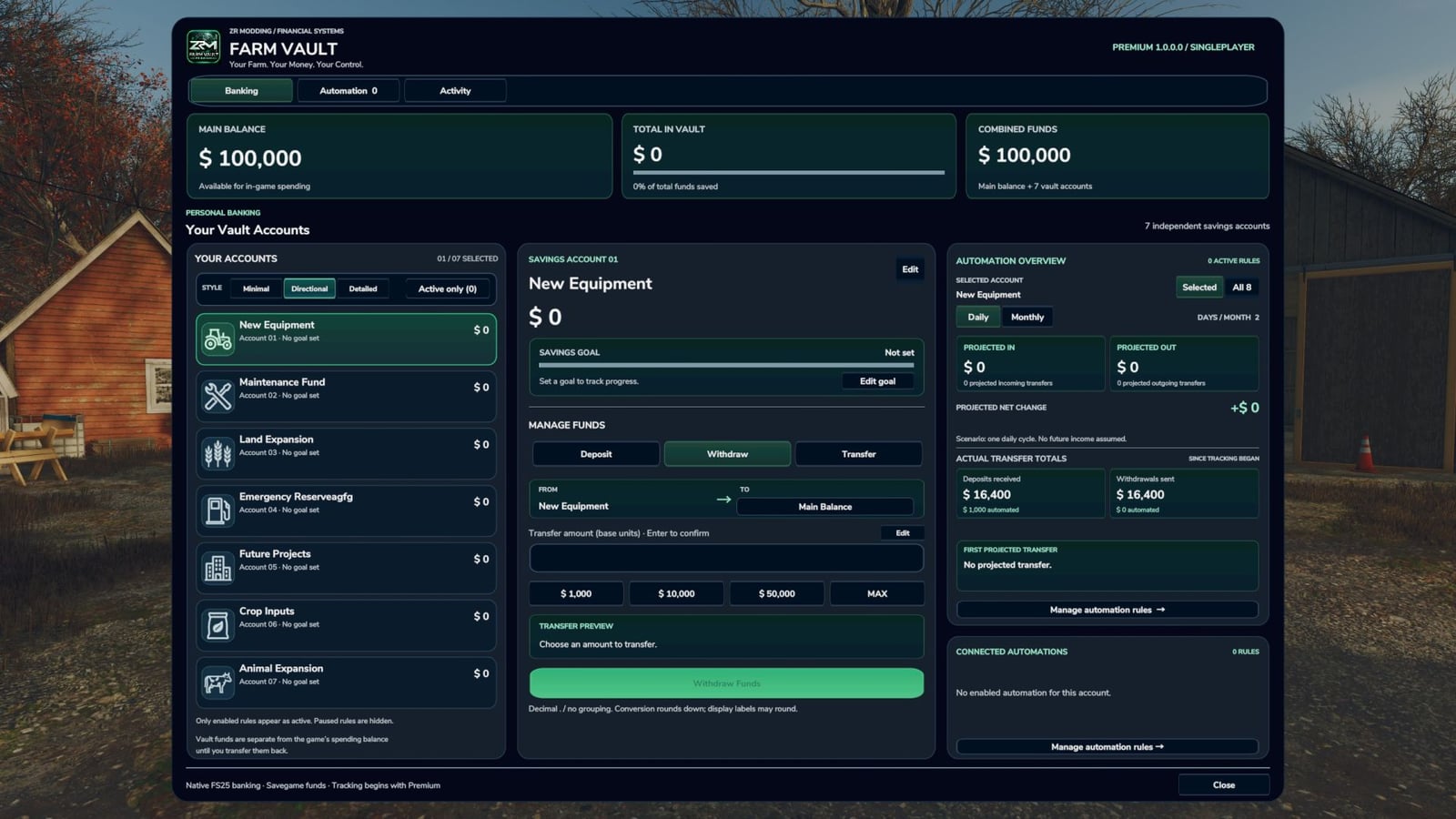

Farm Vault Premium gives you a customizable banking and savings setup for Farming Simulator 25. Keep money ready for machinery, maintenance, land expansion, projects, companies, or whatever else your farm needs.
Features
- 7 Independent Savings Accounts: Set up your own way to organize farm money.
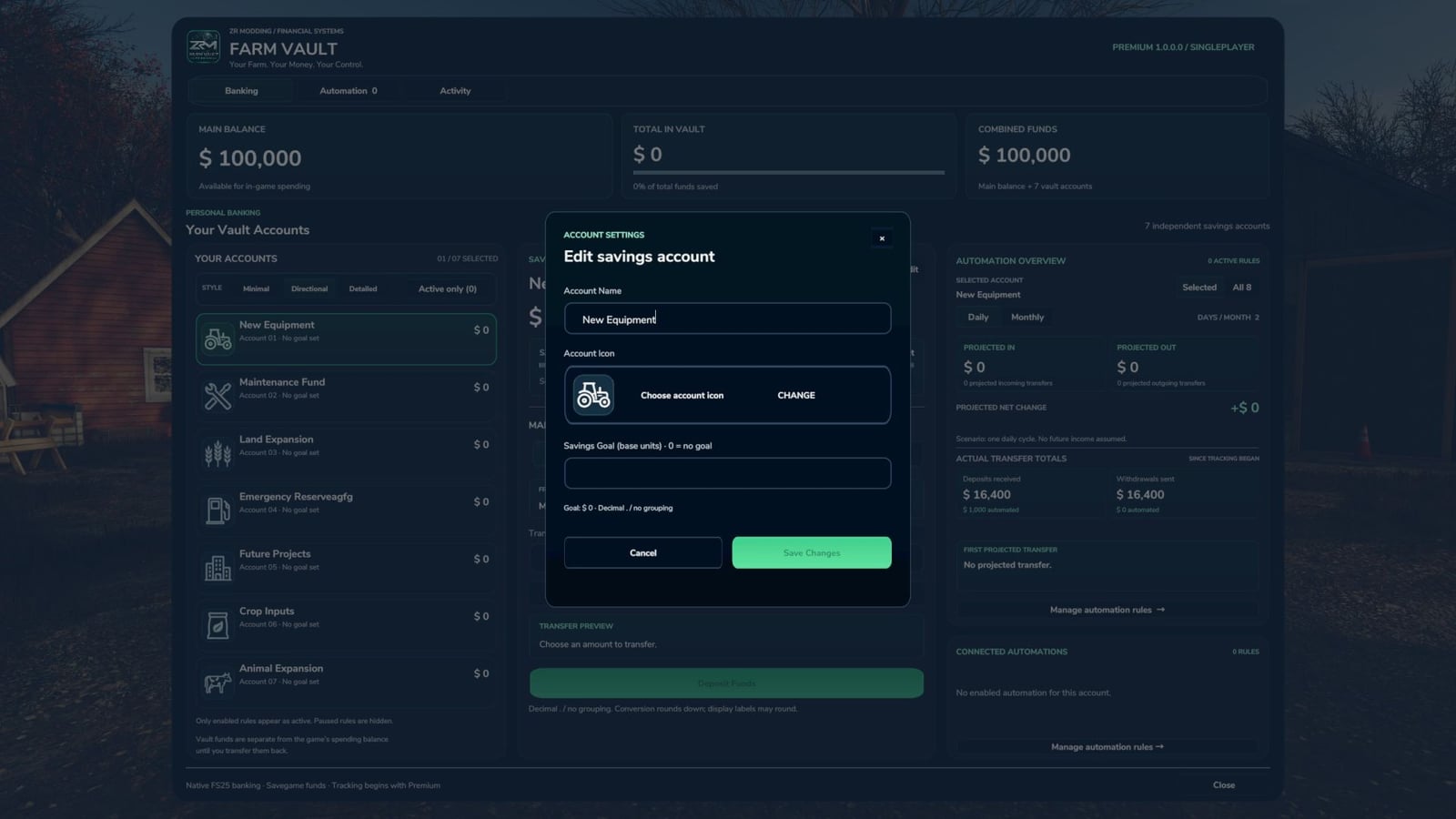
- Fully Customizable Accounts: Rename each account, pick from 80 unique icons, give them individual savings goals, and switch between different display styles.
- Easy Money Management: Deposit, withdraw, or send funds straight from one account to another.
- Quick Amounts: Choose your own preset amounts so transfers take less setup.
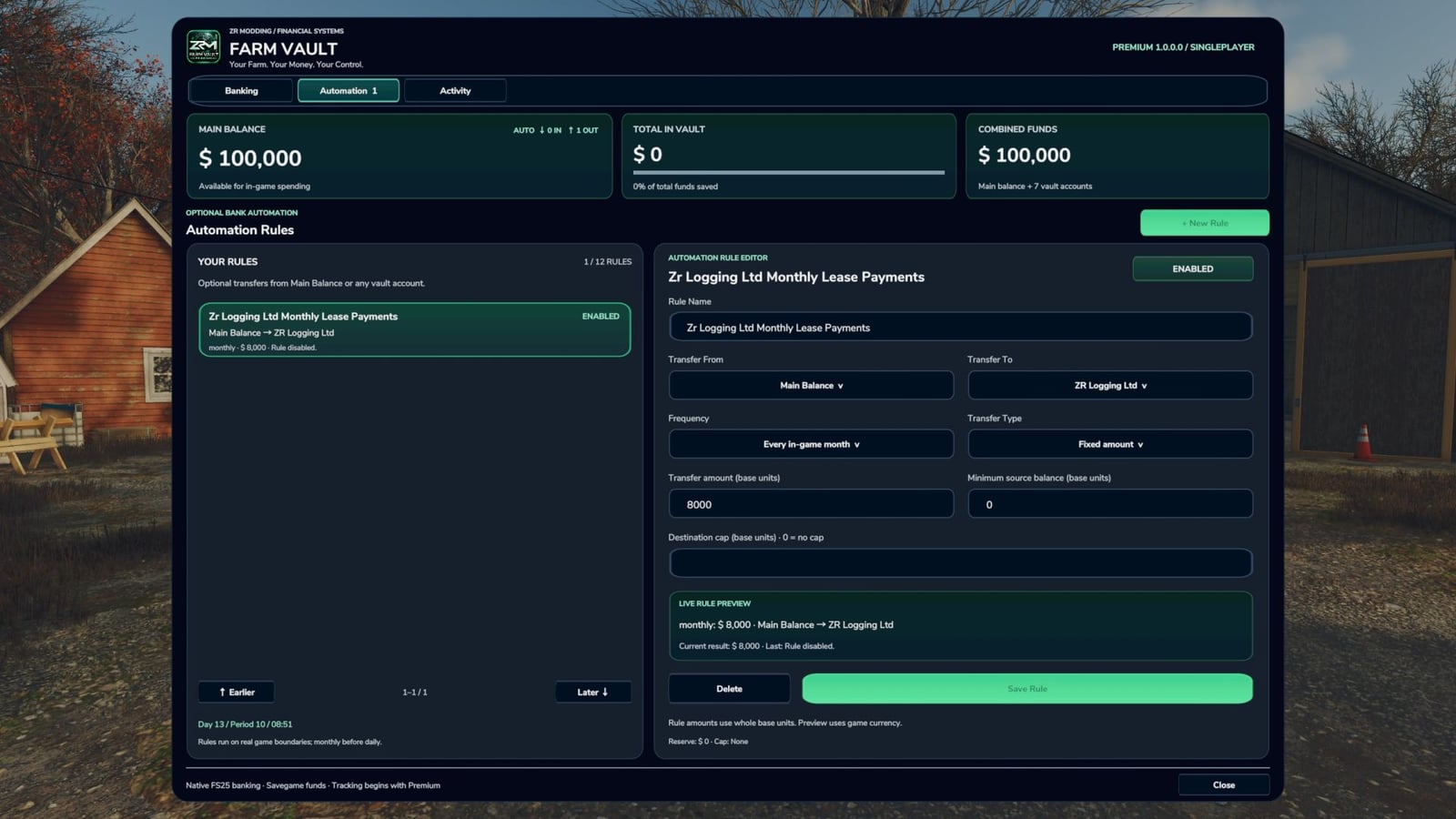
- Daily & Monthly Automation: Have fixed amounts or percentages move automatically between your accounts and your Main Balance.
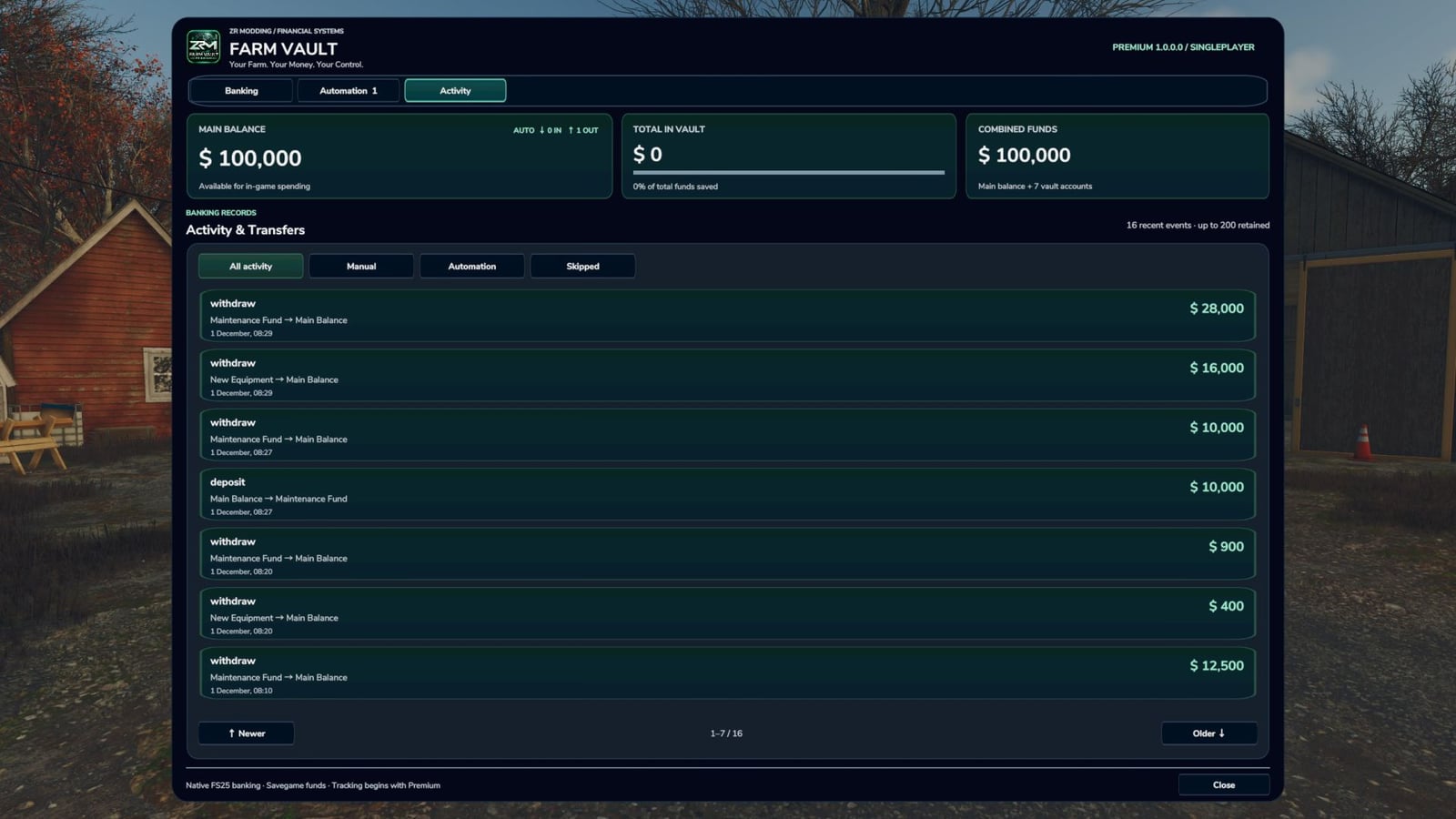
- Activity History: Check your transactions with their in-game dates and timestamps.
- Savegame Support: Accounts, balances, settings, and history are saved separately for every savegame.
Additional Currencies Compatibility
You can use Farm Vault with the separate Additional Currencies mod.
Additional Currencies is optional and not required. Farm Vault works on its own, and it also supports the mod’s currency system.
FS25’s underlying currency calculations can make converted amounts round down. Check the transfer preview every time.
How to Use
Go to your game’s control settings and assign a key to “Farm Vault: Open menu”.
After that, open Farm Vault, set up your accounts, deposit money, and add optional automation rules to handle your finances automatically.
Important Information
- Platform: PC / Singleplayer only.
- Installation: Drop
FS25_FarmVault.zipstraight into your FS25 mods folder, and do not extract it. - Uninstalling: Move your Vault funds back to Main Balance and save before you remove the mod. Back up your savegame before updating.
Changelog
- Version: 1.0.0.0