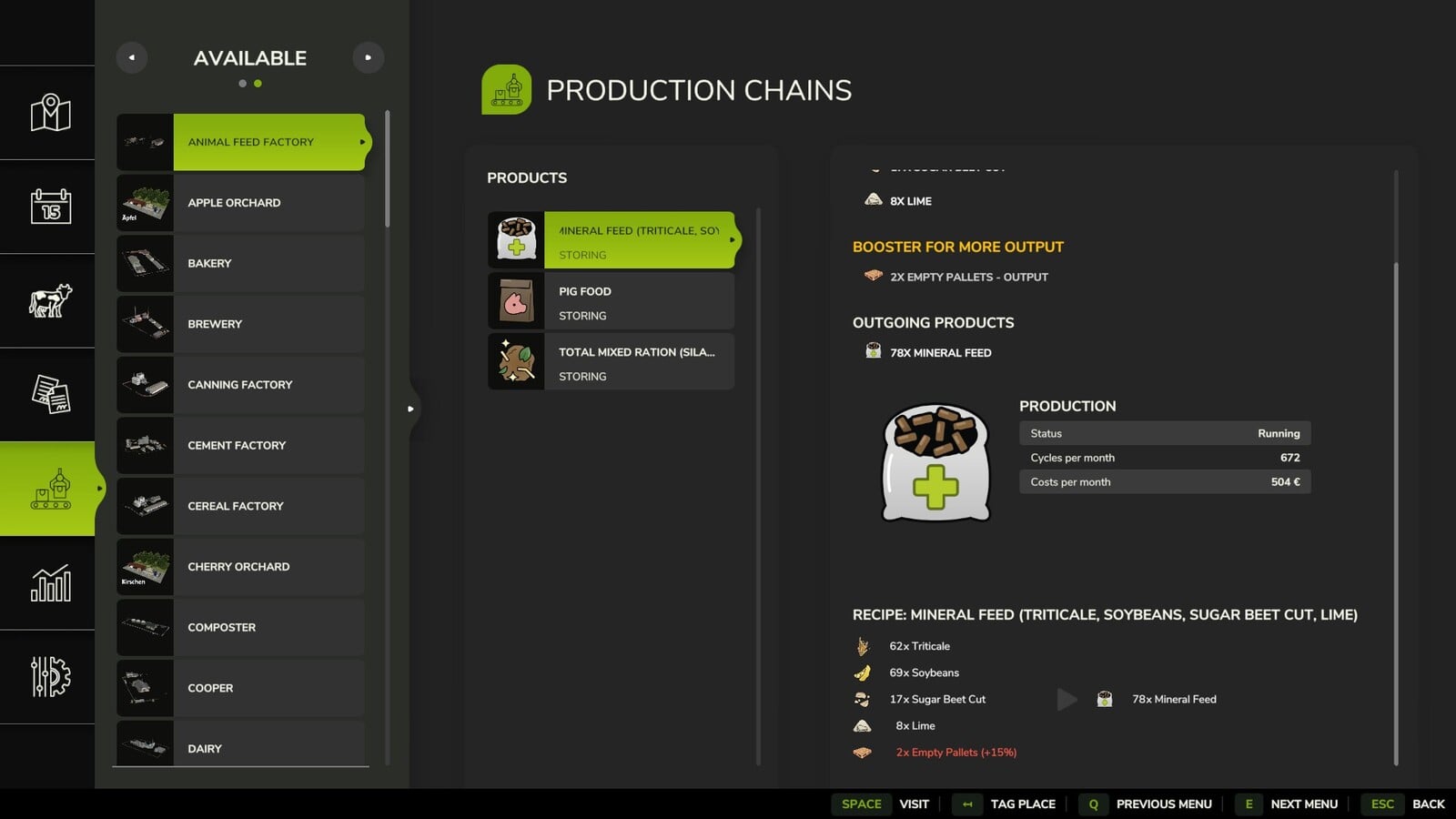
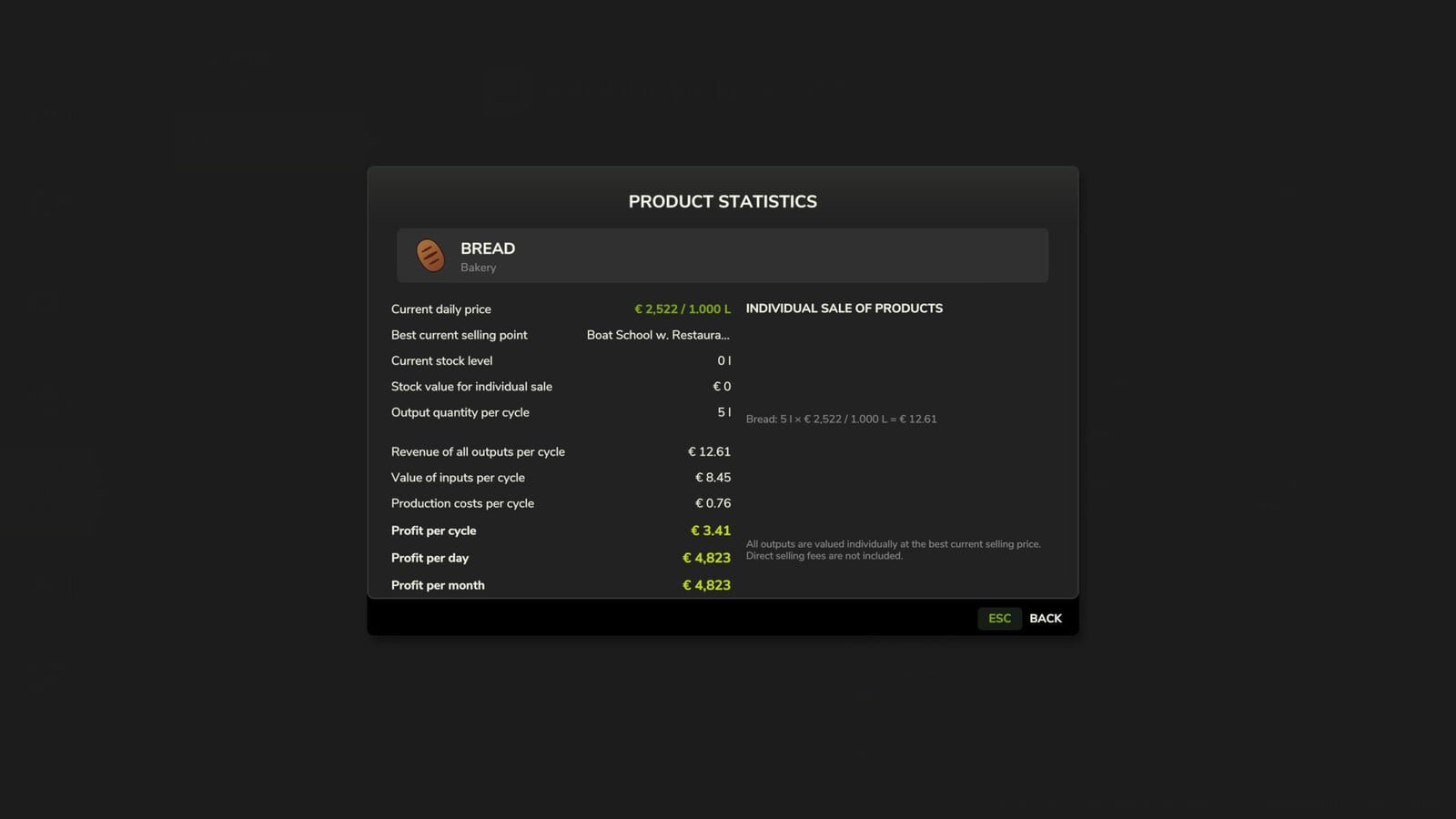
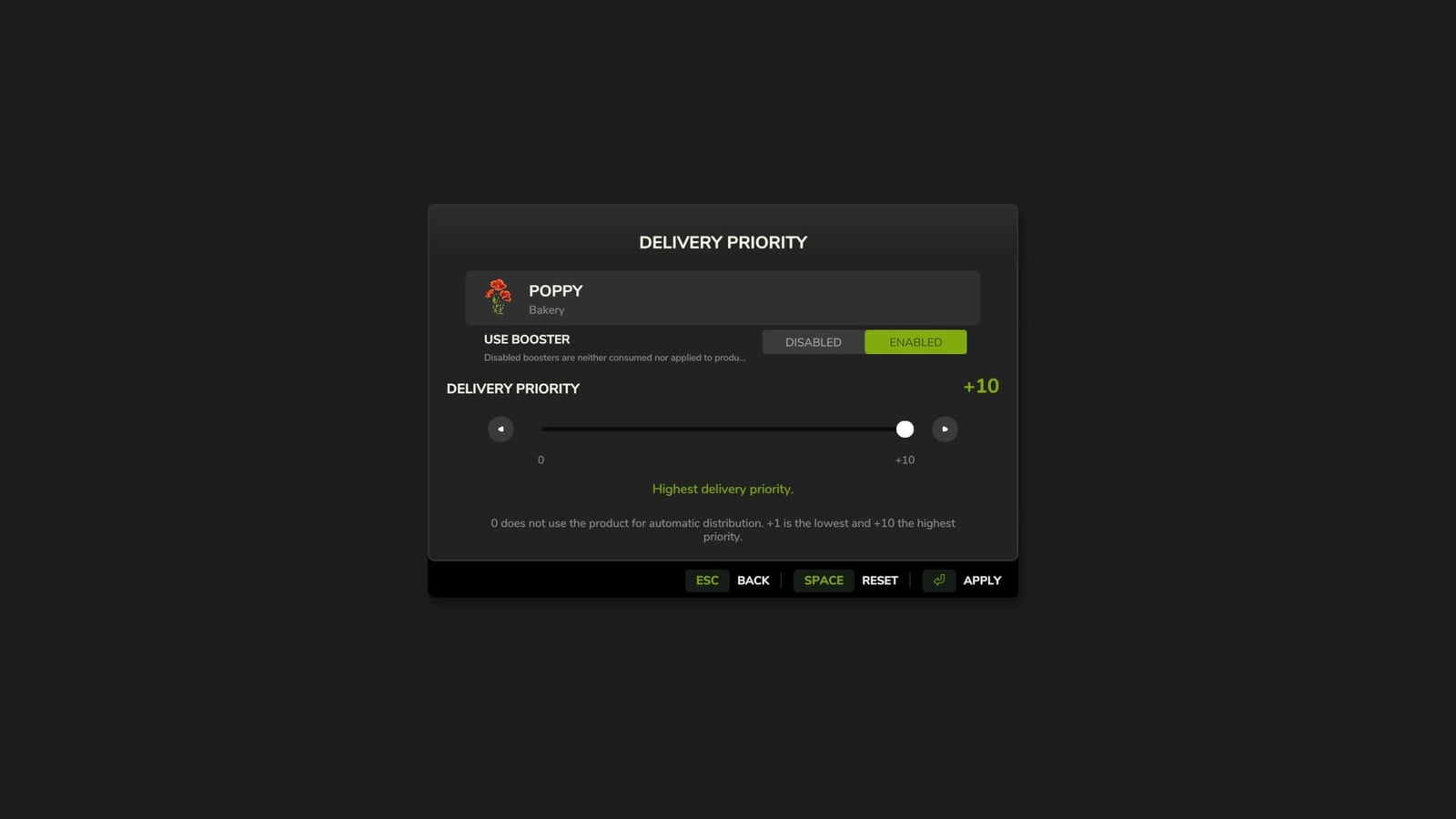
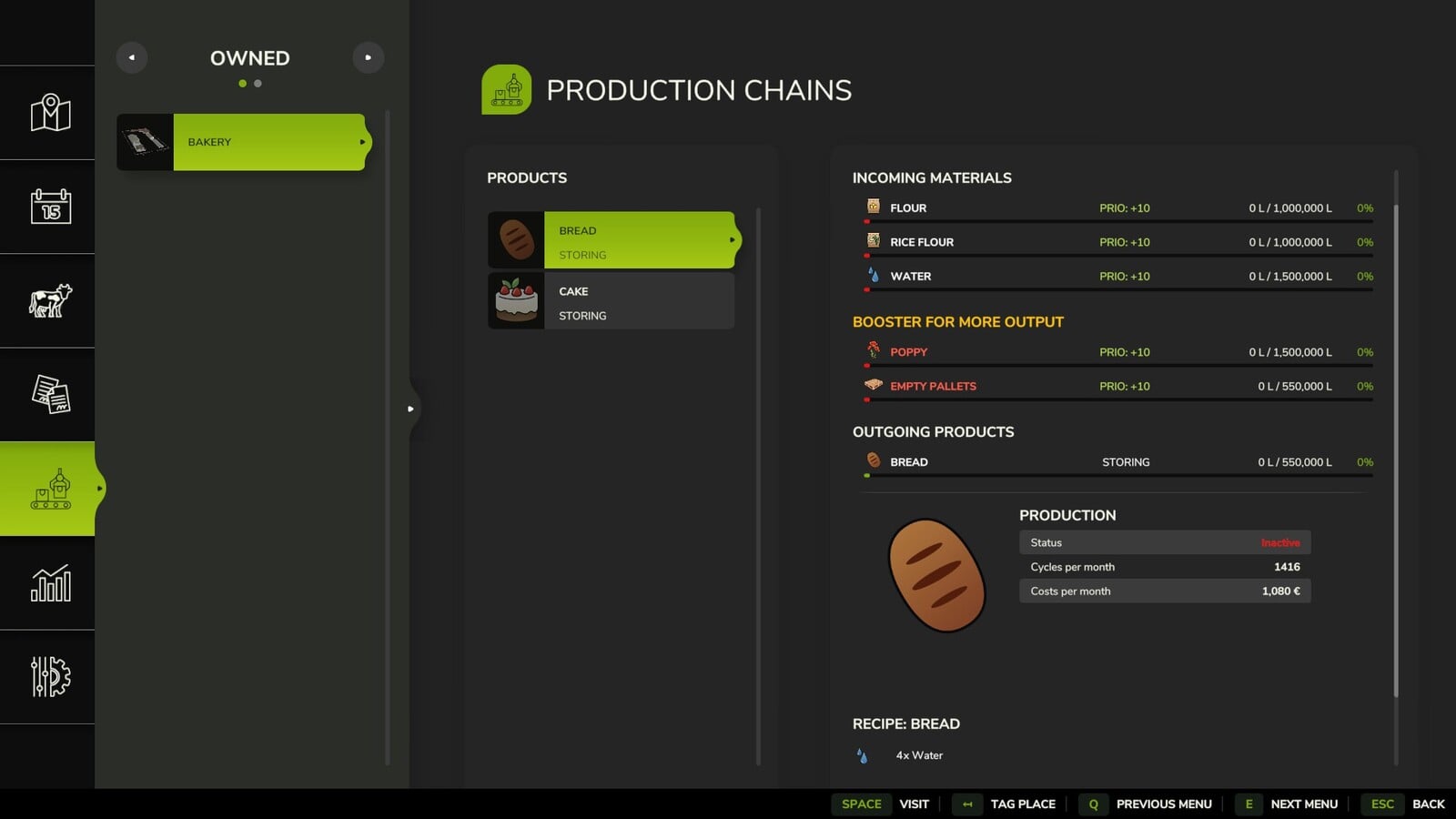
Production Booster System gives the Farming Simulator 25 production menu more to work with. You can configure boosters one by one, send goods where you want them and check detailed stats for individual products.
Features
- Turn on optional boosters to get more output, faster production or lower operating costs.
- You decide which boosters are active. A disabled one is not consumed and gives no bonus.
- MIX groups let a recipe use alternative inputs. The selection rules decide which input is picked.
- Recipe cards keep the important details easy to read, with icons, quantities per production cycle and available output bonuses.
- Each output product can be set to automatic pallets, storage only, distribution or selling.
- Storage-only mode leaves the goods in production storage instead of spawning pallets automatically. You can enable automatic output again separately.
- Buying permissions for compatible buying menus are set with
allowBuyingorallowbuyingon storage FillType capacity entries. - Simple distribution works across your whole farm, covering all your productions and output products, including productions added later. It follows receiver priorities without delivery limits and still protects sender reserves.
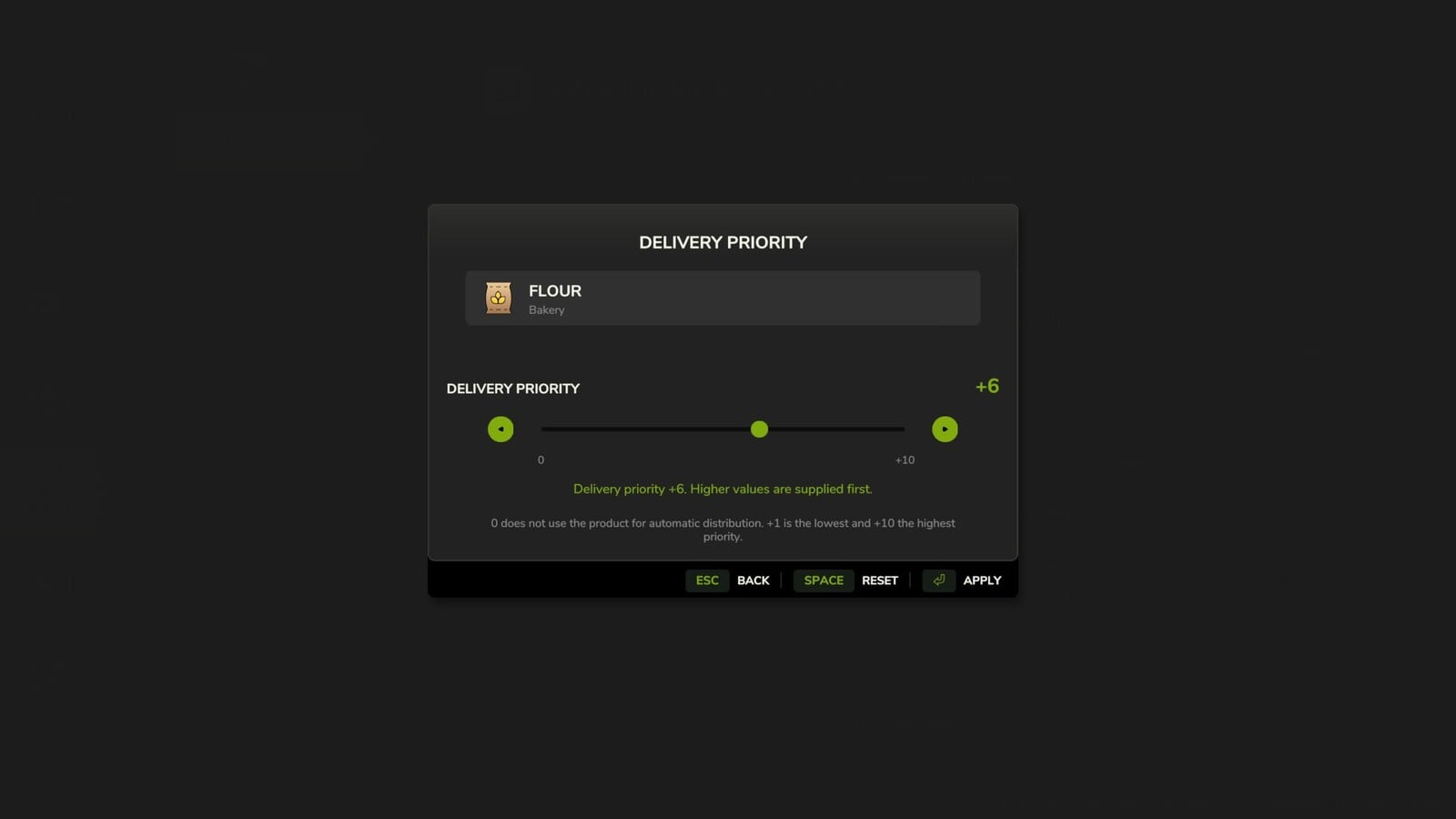
- Individual receivers owned by your farm can receive delivery limits and priorities from 0 to +10.
- Set an own-use reserve for every output product so only stock above that amount is sent automatically.
- The delivery preview shows the effect of the sender reserve, receiver stock and delivery limit.
- Product statistics let you check the current best selling price, its selling point, stock, stock value and output quantity per cycle.
- Check profit for the selected product per cycle, day and month. Joint input and operating costs are shared out by each product’s revenue share.
- Profit projections include active boosters, selected MIX inputs and shared production throughput where applicable.
- Seasonal production rules can be set in the XML files by month or quarter.
- FillType capacity goes up to at least 2048 identifiers. If a higher limit already exists, it stays in place.
- Settings travel with the savegame and are synchronized in multiplayer.
Default controls:
Use X for delivery, priority and reserve settings, and C for product statistics. Apply saves your changes without closing the settings window. Press ESC or use Back to close it.
Requirements and notes
Boosters, MIX groups and seasonal rules have to be configured in the production XML files by the mod or map creator. Standard productions that are configured this way are detected automatically.
Production Booster System also makes delivery, priority and product statistics available for supported standard productions without booster configuration when the system is enabled.
Profit figures show continuous operation at current prices. Downtime, future price changes and direct-sale fees are not included.
Changelog
1.0.0.1
- The update adds a PDF guide for integrating boosters into production XML files.
- The booster check now also recognizes the standard factory type
"factory". - Delivery and priority controls now use the dedicated
Xbutton. - Product statistics now use the dedicated
Cbutton. - The MIX-group recipe view was reworked so alternative inputs are displayed more clearly.