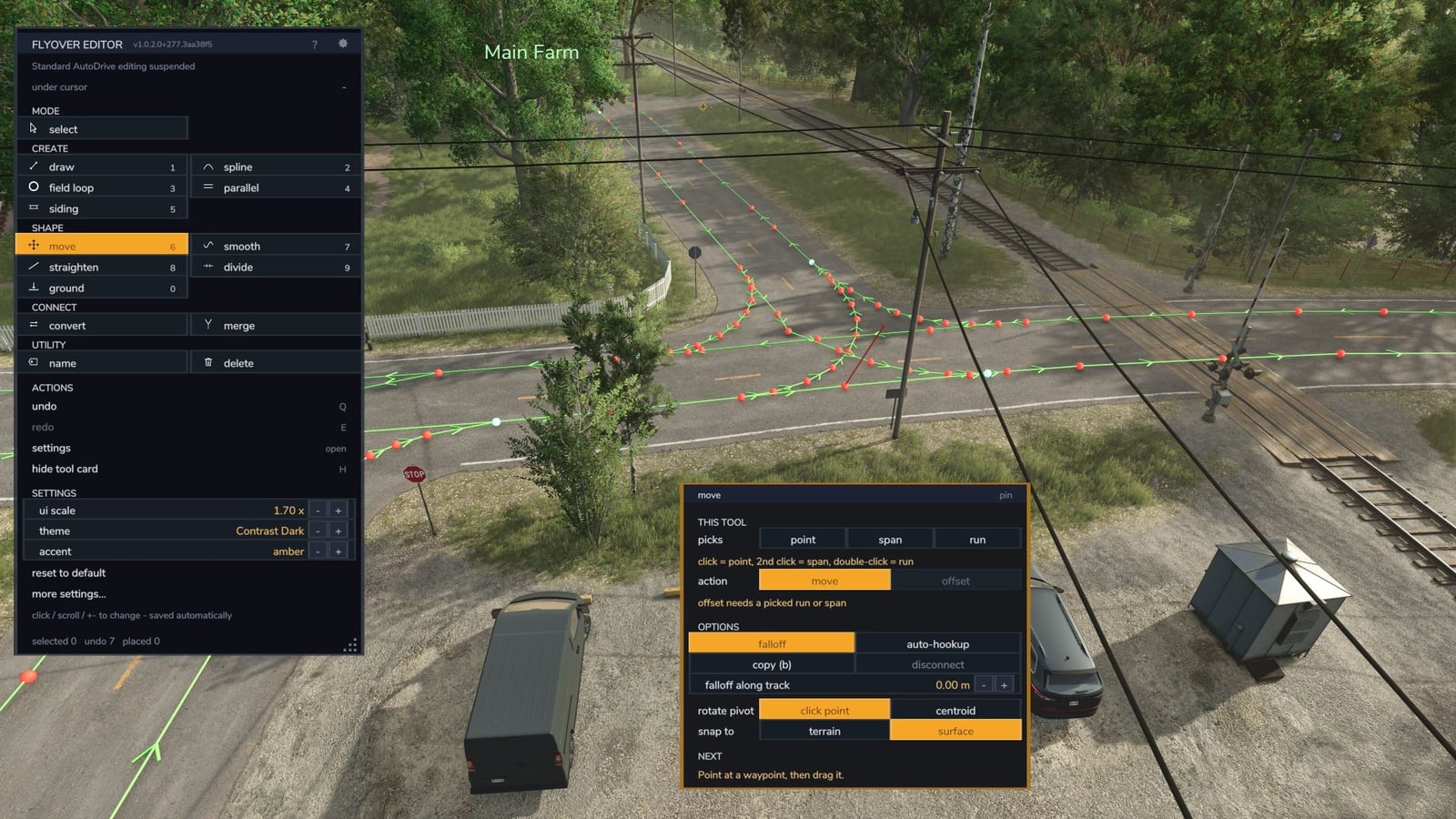
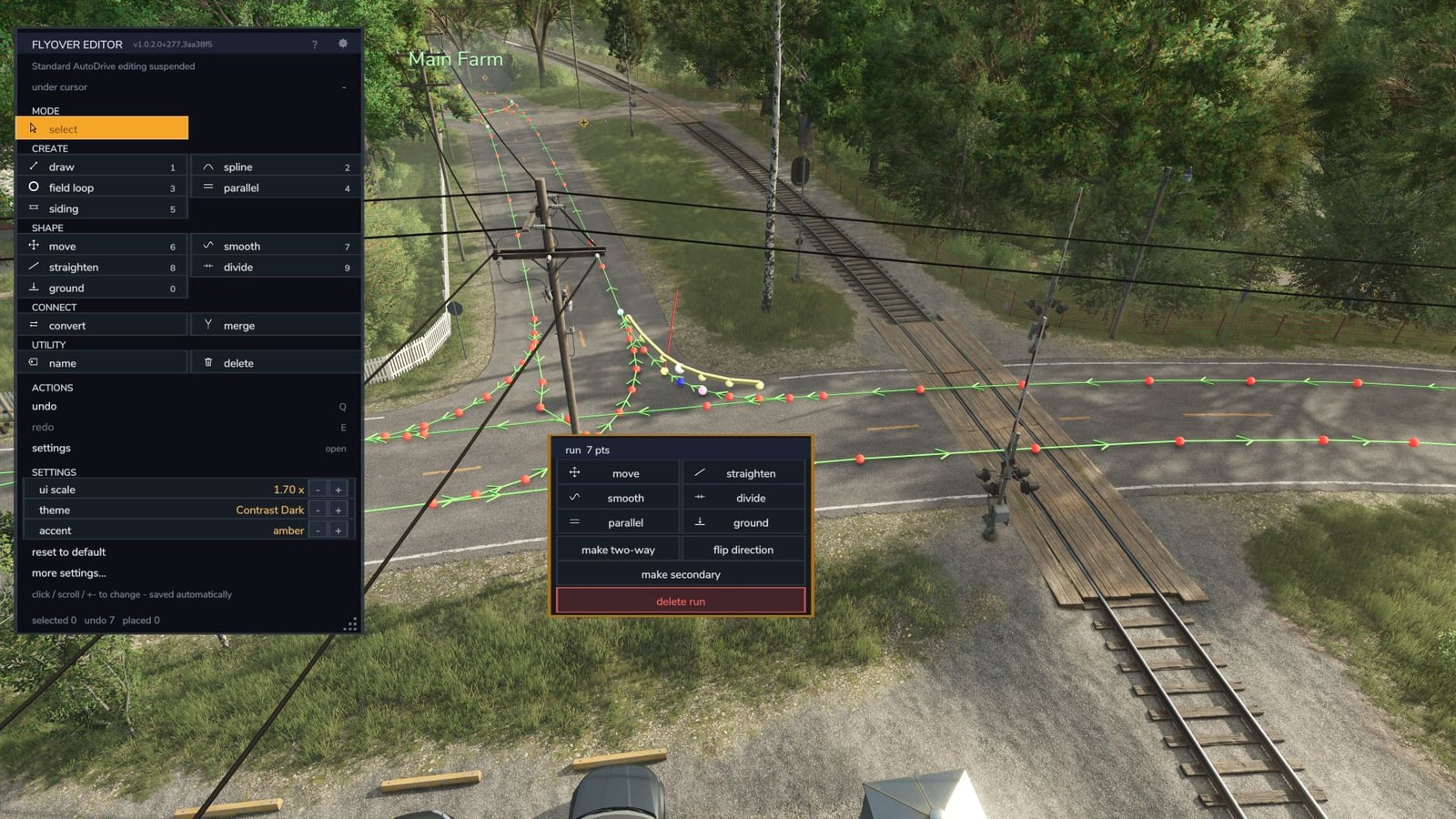
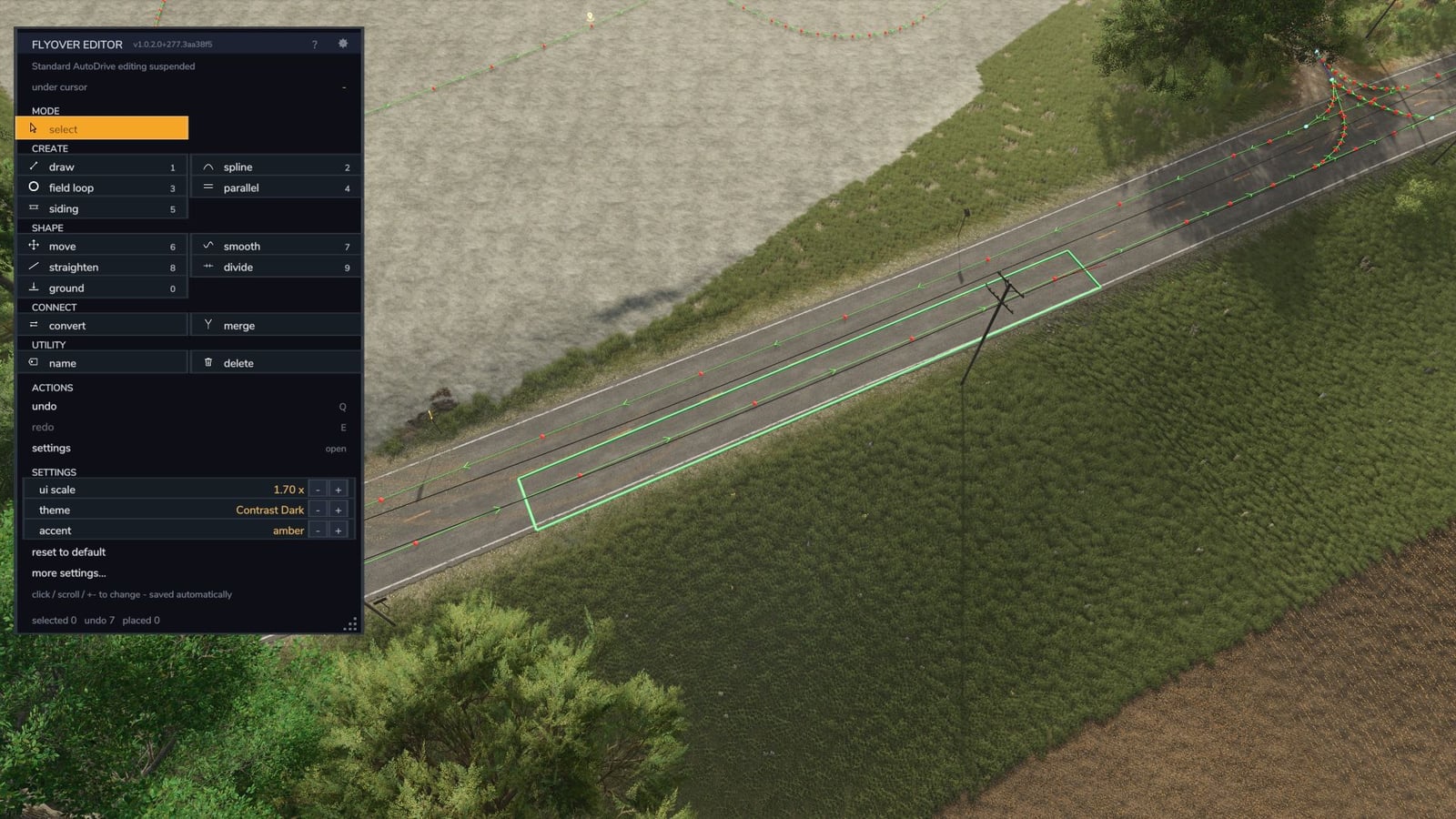
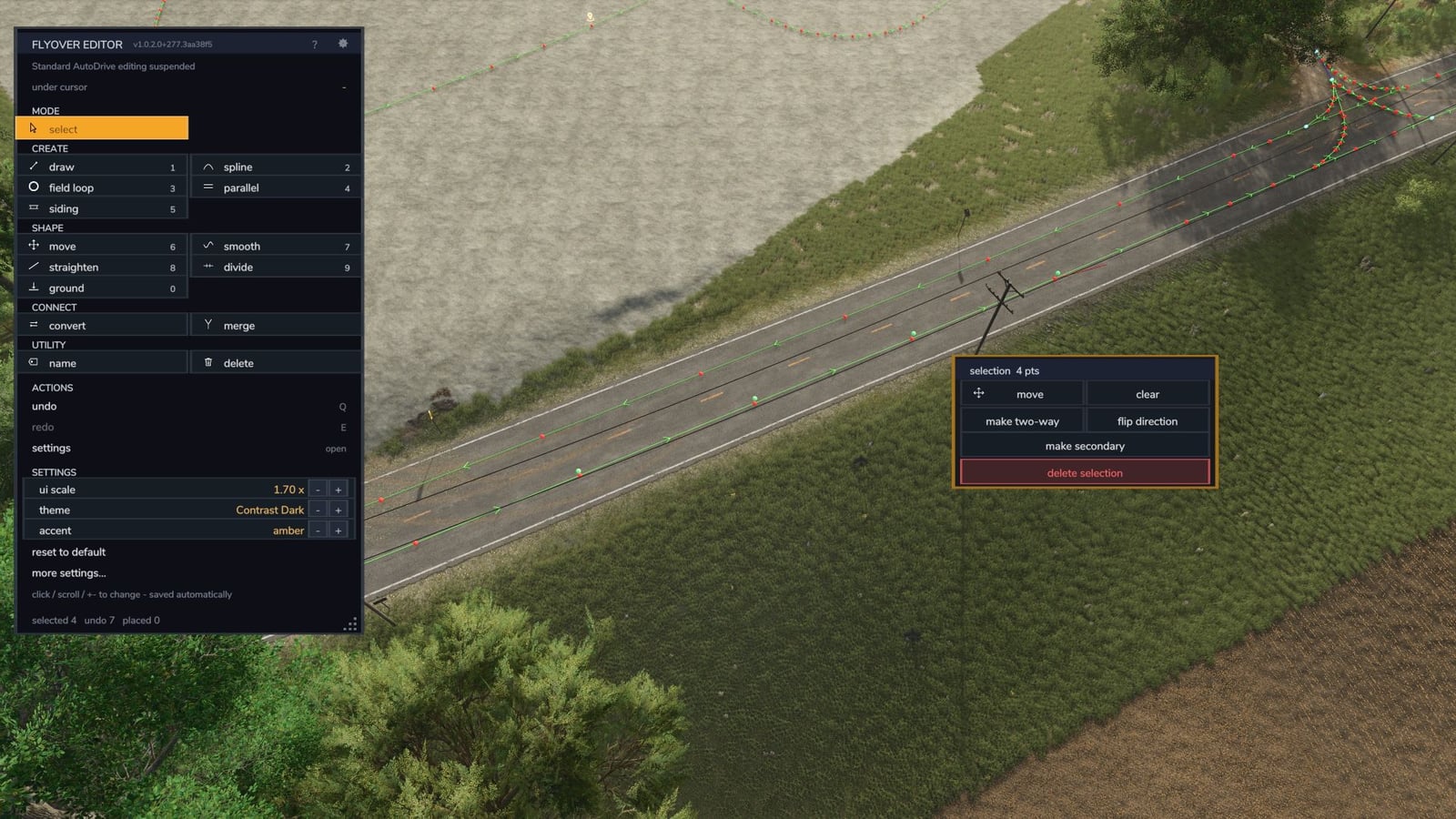
With Flyover Editor, you get a top-down way to build AutoDrive route networks in Farming Simulator 25. It runs alongside stock AutoDrive, does not change AutoDrive’s files or your savegame’s config, and works with AutoDrive’s own network functions.
You can work on routes from above while on foot or sitting in a vehicle. Put down waypoints, build roads, bend connections, add parallel lanes, smooth or straighten runs, ground points again, and clean up routes without having to record everything again.
Features
- The camera goes under roofs, which lets you place points inside sheds.
- Height slice (G): the camera points straight down and hides roofs and trees above your vehicle’s height.
- Points land on shed floors and concrete pads just above the terrain, not on the terrain under them. Every tool uses the same rule.
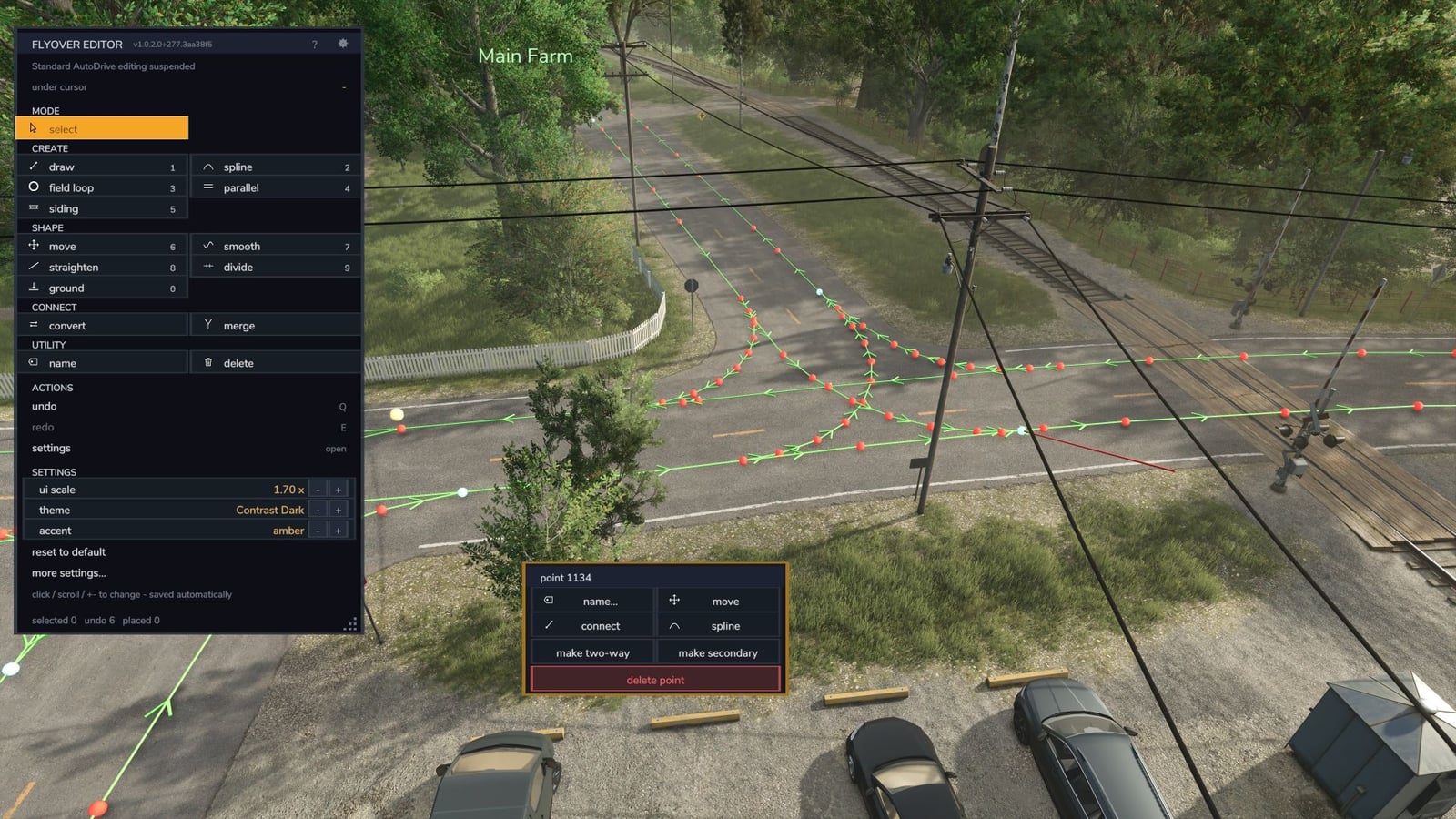
- Road runs: point at a map road or farm track with no AutoDrive path and click to lay a run along it: one-way, two-way, or two lanes keeping right. You can reshape roads you already built, including through junctions.
- Spline: click as many points as you want for a smooth curve. Both ends join the road easily, and Edit placed can reshape a run that is already there.
- Junction tool (BETA): lock a road junction, then use one right-click to clear the old turns, lay fresh ones, or do both. Plain X and T junctions work well, and so does a farm road meeting a two-lane road. One undo brings it all back.
- The field loop stays in the field you clicked, avoids fences, trees and the next field’s loop, and a smaller turning radius makes the corner tighter (issues 14 and 15).
- With Courseplay installed, a Courseplay custom field can be used as the boundary.
- A pylon or tree patch cut into a field no longer makes the loop pull into and out of it (issue 31).
- Picks on a loop work: click past the far end and the pick continues along the track.
- Smooth’s rebuild works on the stretch you picked.
- Undo keeps parking spots and every vehicle’s destinations (issues 24 and 26).
- Smooth a road while a vehicle is driving on it, and the points still ahead stay there until the vehicle passes them.
- Left Alt + V opens the editor as well as Left Alt + F, and both keep working in a vehicle.
- Panels no longer show through one another, and the settings page fits any ui scale (issue 28).
- If the game stops sending the mouse wheel to the editor’s zoom, the editor gets zoom input from the wheel itself (issue 18).
- See the complete route picture while looking at the real fields, junctions and yards.
- Fix routes without re-recording them: straighten a wobbly pass, smooth a jumpy lane, re-seat floating points, or delete a dead end.
- One panel lists every tool. Each tool has a card for its options, while a hint line shows what to do next.
- Undo every edit with Q and redo it with E.
Opening and controls
- Press Left Alt + V or Left Alt + F, change those keys in the controls menu, or use the button beside AutoDrive’s HUD. Press Esc to leave.
- Use 1-9 and 0 to pick tools. Q is undo and E is redo. H hides the tool card, and G toggles the height slice.
Tools
Select starts as the default mode: no tool is held, so clicking things lets you edit them.
Create
- Draw: place one waypoint per click, with each point joined to the last one. Choose one-way or two-way, primary or secondary.
- Spline: click points to form a smooth curve. Finish on a waypoint and it joins the road.
- Field loop: place a two-way loop just outside a field’s edge, rounded to a turning radius and kept away from obstacles. You connect the loop afterwards.
- Parallel: copy a span or run sideways, whether you need a passing lane or a return leg.
- Siding: make a short parallel stretch that curves back in at both ends.
- Road runs: follow the map’s own roads with new runs, or reshape roads already built.
Shape
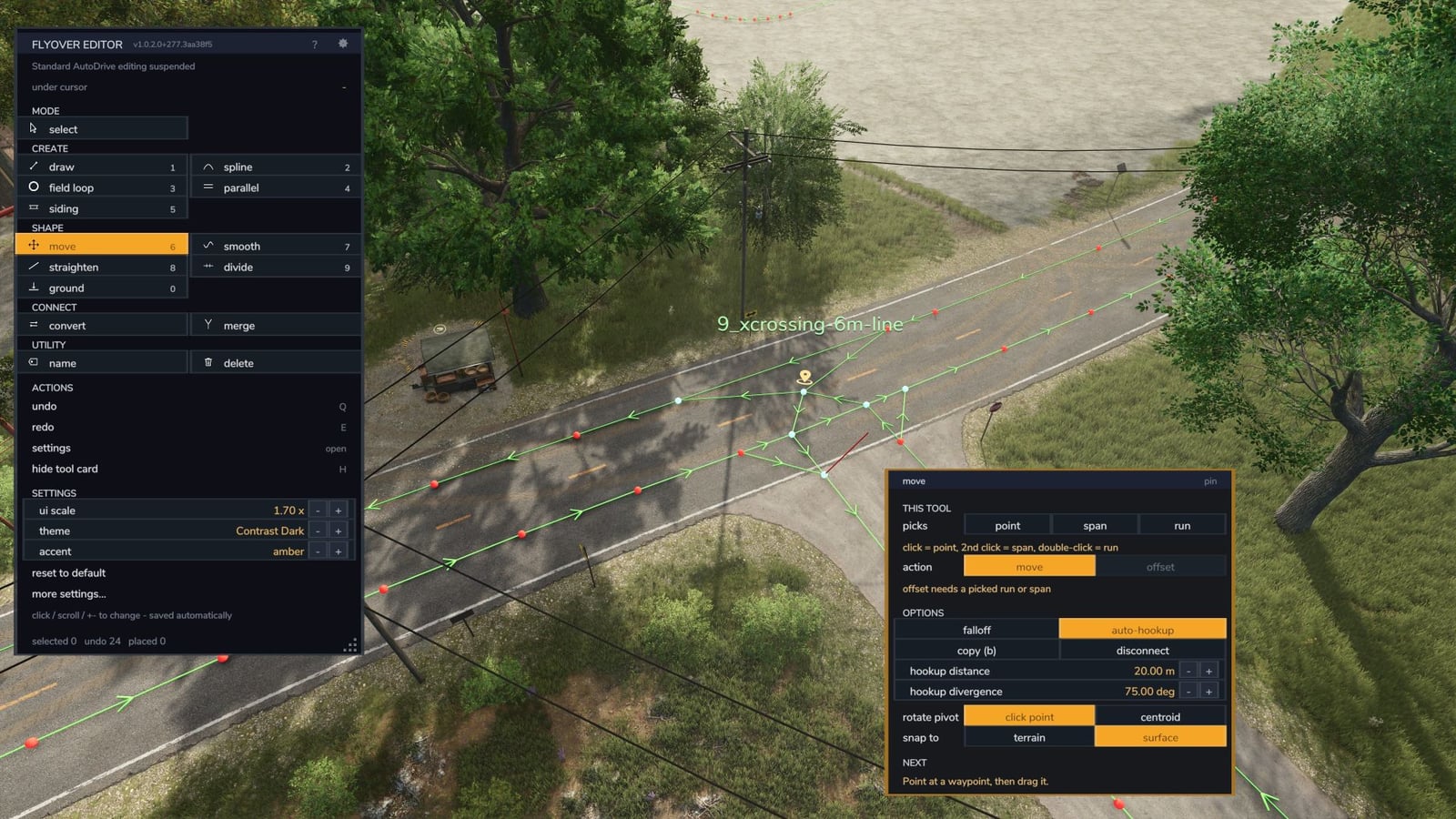
- Move: drag a point, span, run or selection. Falloff gives a stretch a smooth bend, and the card includes copy, disconnect, offset, rotate and auto-hookup.
- Smooth: ease out little kinks in a stretch, or rebuild the stretch with even spacing.
- Straighten: drop points that are close to a straight line, while real corners and junctions remain.
- Divide: add waypoints at even spacing along a span or run.
- Ground: put points that are floating or buried back on the surface, including shed floors and bridge decks.
Connect
- Convert: set direction, two-way, one-way, other way, reverse, and priority for one point or a whole run.
- Merge: bring two parallel lanes together into one shared track.
- Junction (BETA): use one right-click to clear and rebuild the turns at a road junction.
Utility
- Name: name a waypoint and turn it into an AutoDrive destination.
- Delete: take out a point, a complete run between junctions, or a selection.
Select mode
A click on a point opens its menu. Click a second point to grab the span between them, or double-click to grab the whole run between junctions. Select a set with a box, circle or freehand shape, or use Ctrl-click. When you choose a tool from a menu, its card opens right there.
Look and help
- Tool cards offer toggles, choices and numbers that you can type, scroll or step through. Anything that cannot apply at the moment is greyed out.
- UI scale from 0.70x to 2.00x, 7 colour presets, 7 accent colours and a colour editor.
FlyoverResetThemeputs it all back to default. - The ? button, or /, gives help for the tool you are holding and opens the full in-game manual.
- English and Deutsch are complete. Brazilian Portuguese is a first draft, and native speakers are welcome to help.
Compatibility
- Uses only AutoDrive’s own functions. AutoDrive’s files are not changed.
- Its settings live in modSettings and never touch AutoDrive’s config or your savegame.
- Single player only.
- Requires
FS25_AutoDrive, tested with 3.0.1.4. Do not run it next to a changed AutoDrive build that has its own flyover editor built in.
Installation
Drop FS25_ADFlyoverEditor.zip into your FS25 mods folder and enable it together with FS25_AutoDrive.
Feedback, bugs and ideas: Discord or GitHub https://github.com/huskermcdoogle/FS25_ADFlyoverEditor/issues
YOU NEED: Autodrive
Changelog
- V1.0.3.4
https://github.com/huskermcdoogle/FS25_ADFlyoverEditor/blob/main/CHANGELOG.md - V1.0.3.3
https://github.com/huskermcdoogle/FS25_ADFlyoverEditor/blob/main/CHANGELOG.md - V1.0.2.1
Quick update with a few bug/accessibility fixes, plus backend hygene around the new field loop function in the Autodrive 3.0.1.4 release that just came out. https://github.com/huskermcdoogle/FS25_ADFlyoverEditor/releases/tag/v1.0.2.1