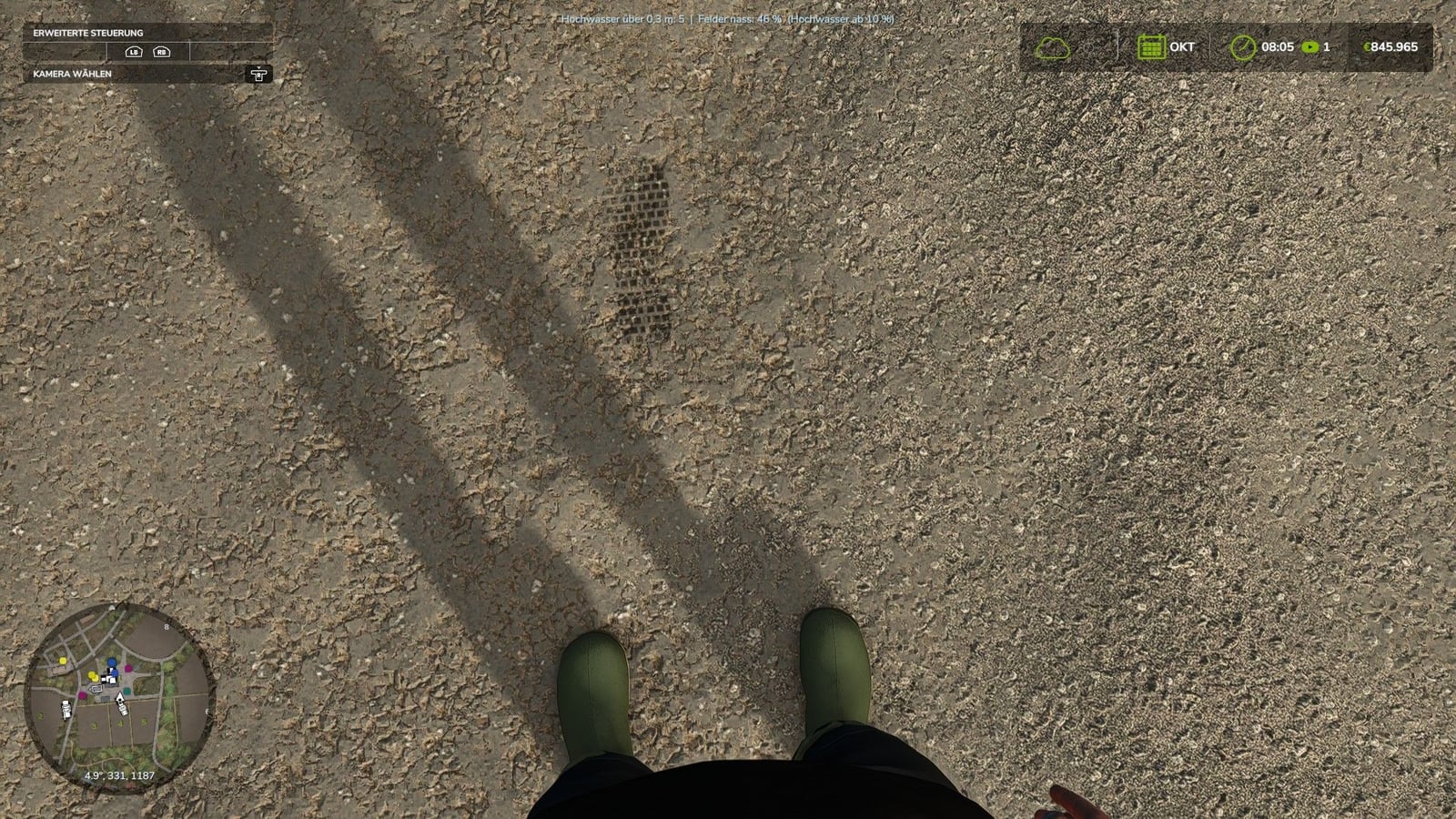
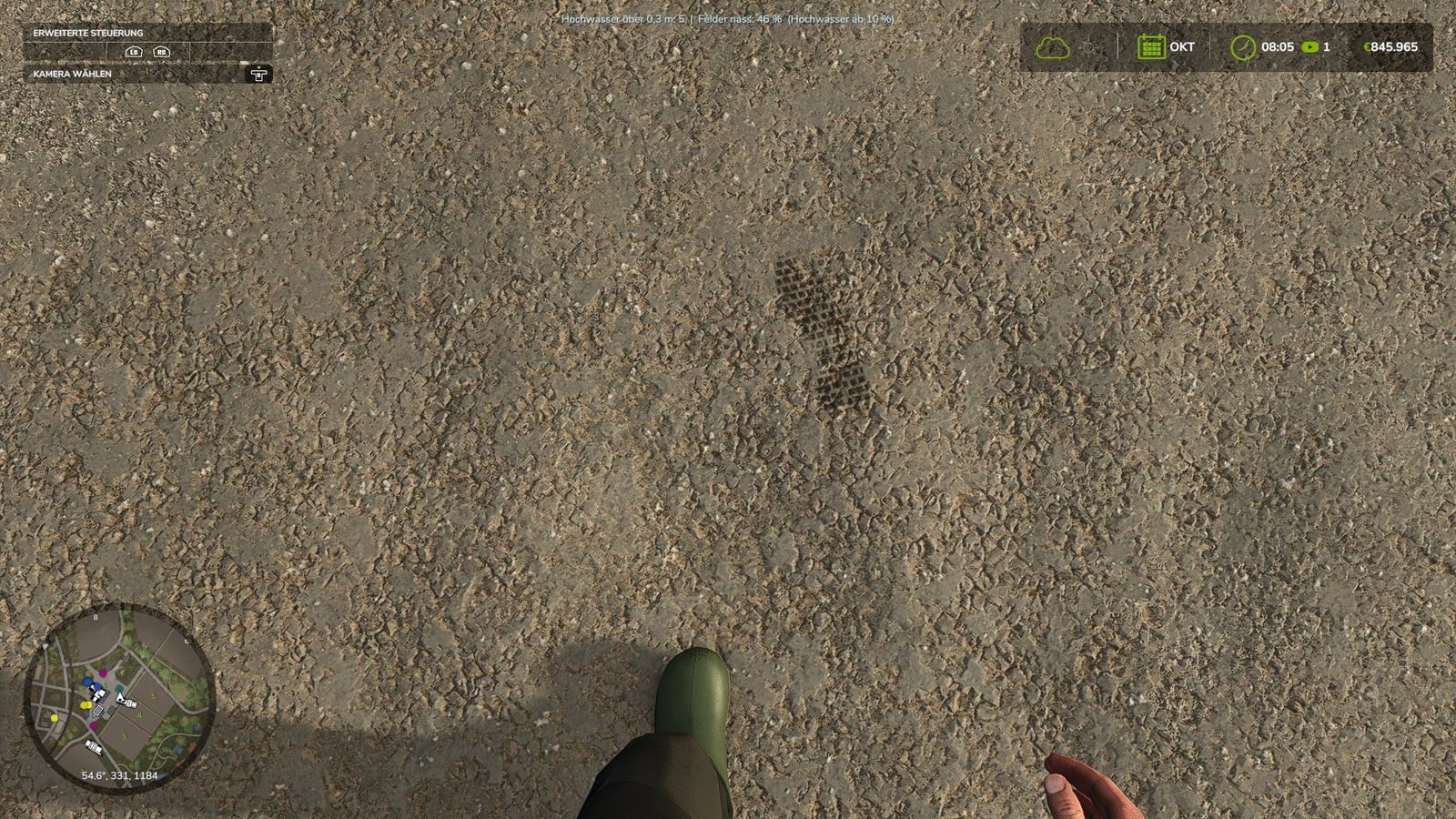
Want your character to leave real tracks while working around the farm? Realistic Footsteps adds dynamic footprints to Farming Simulator 25. Your tracks react to the terrain, what you are wearing, how you move, and the current weather. That includes soft soil, cultivated fields, grass, mud, manure, and snow, so walking around the map feels more connected to the ground.
Features
- Your footwear gets one of five sole patterns: work boots, hiking boots, rubber boots, sneakers, or leather or cowboy boots.
- The avatar’s current outfit is checked automatically, and the matching sole pattern is assigned for you.
- Soft soil, cultivated fields, grass, mud, manure, and snow can all give footprints different depths and characteristics.
- On soft ground, your character can sink in by approximately 2 to 10 cm, depending on the conditions. The actual map elevation does not change permanently.
- As you walk, mud and soil stick to the soles of the boots and stay there.
- Brown, red, or sandy soil colors can transfer to other surfaces. Dirty footprints may then show up on asphalt, concrete, and indoor flooring until the soles become clean again.
- The mod detects bodies of water and water-filled tire ruts. You will not leave footprints on water, and walking through water washes mud and dirt off the soles.
- Step into a vehicle with dirty, wet, or snowy boots and up to eight imprints can appear on the cab floor. They remain there until the vehicle is washed or otherwise removed.
- Rain slowly clears footprints that already exist. Fresh snow covers older tracks, while sun and wind dry and fade them according to the conditions.
- The footprints are generated locally, meaning each mark needs no extra network event. Multiplayer is supported without additional network traffic.
- Weather-dependent fading, optimized rendering, and reused imprint objects help keep performance stable while you play.
Controls:
Toggle footprints on/off: Ctrl + Shift + F
This key combination can be changed in the controls menu.
Console commands:
fsFootsteps, control footstepsfsFootstepsClear, remove existing footstepsfsFootstepsDebug, debug functionsfsFootstepsInfo, display informationfsFootstepsSet <name> <value>, change settingsfsFootstepsReload, reload settingsfsFootstepsWaterScan, check water detection
Configuration file: modSettings/FS25_realistic_footsteps.xml
Changelog
- V1.0.1.0
This update adds five authentic sole designs: work boots, hiking boots, rubber boots, sneakers, and leather or cowboy boots. The avatar’s current outfit automatically determines which one is used. Dirt can now transfer onto asphalt, concrete, and indoor flooring. Rain, fresh snow, sun, and wind also bring dynamic weather effects to the footprints. Imprint objects are reused efficiently to save performance, and optimized rendering avoids unnecessary, constant recalculations.