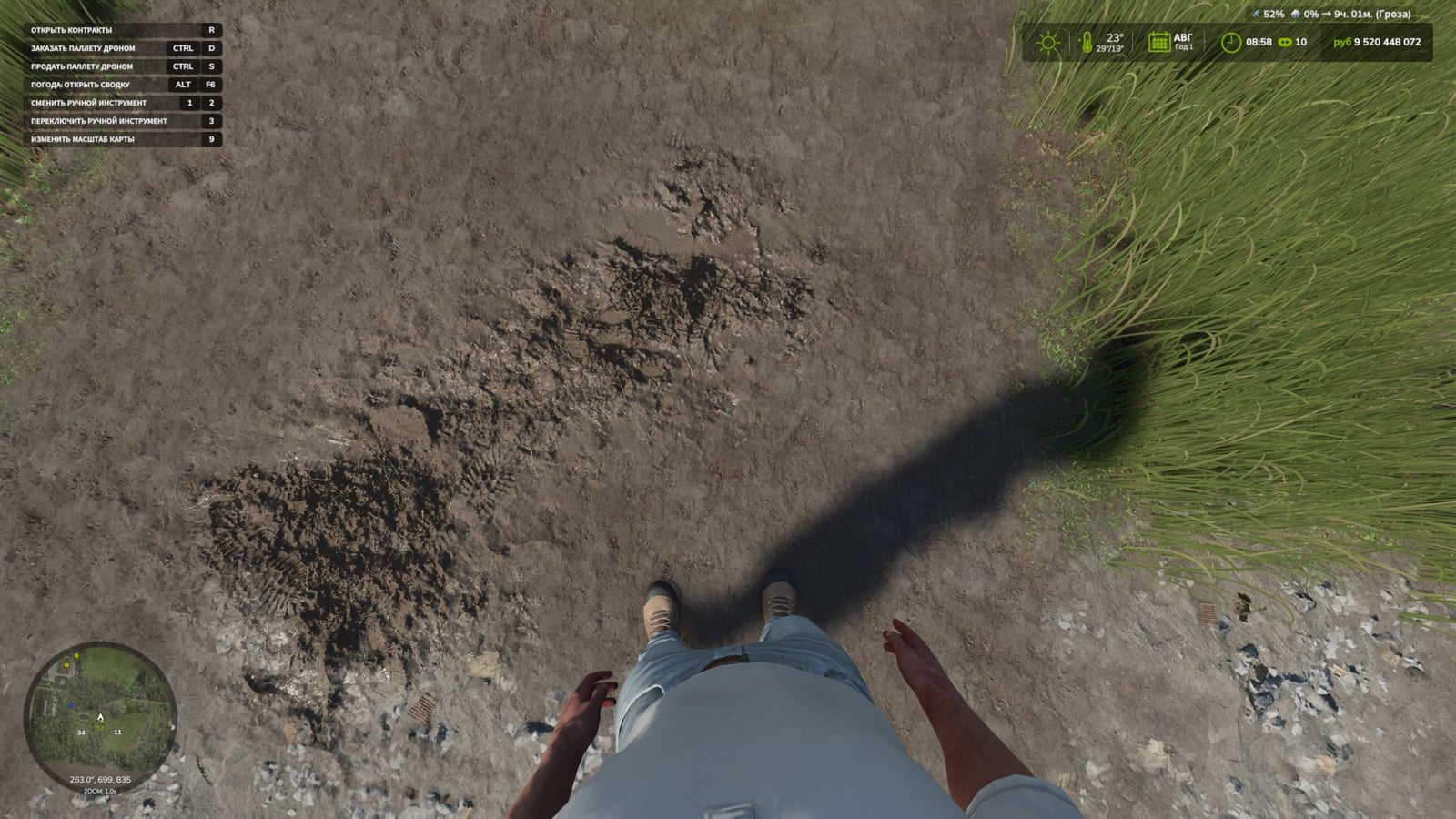
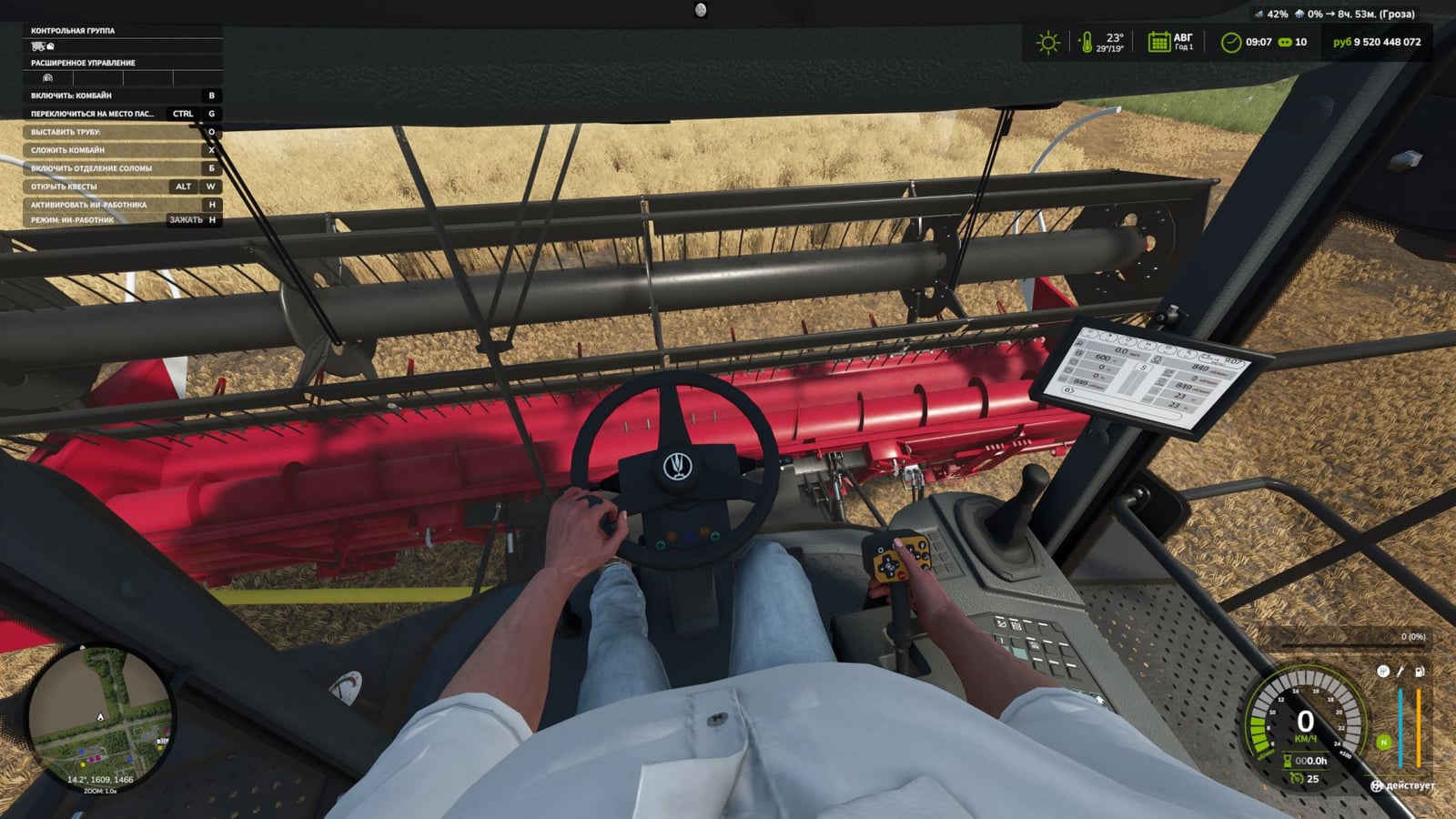
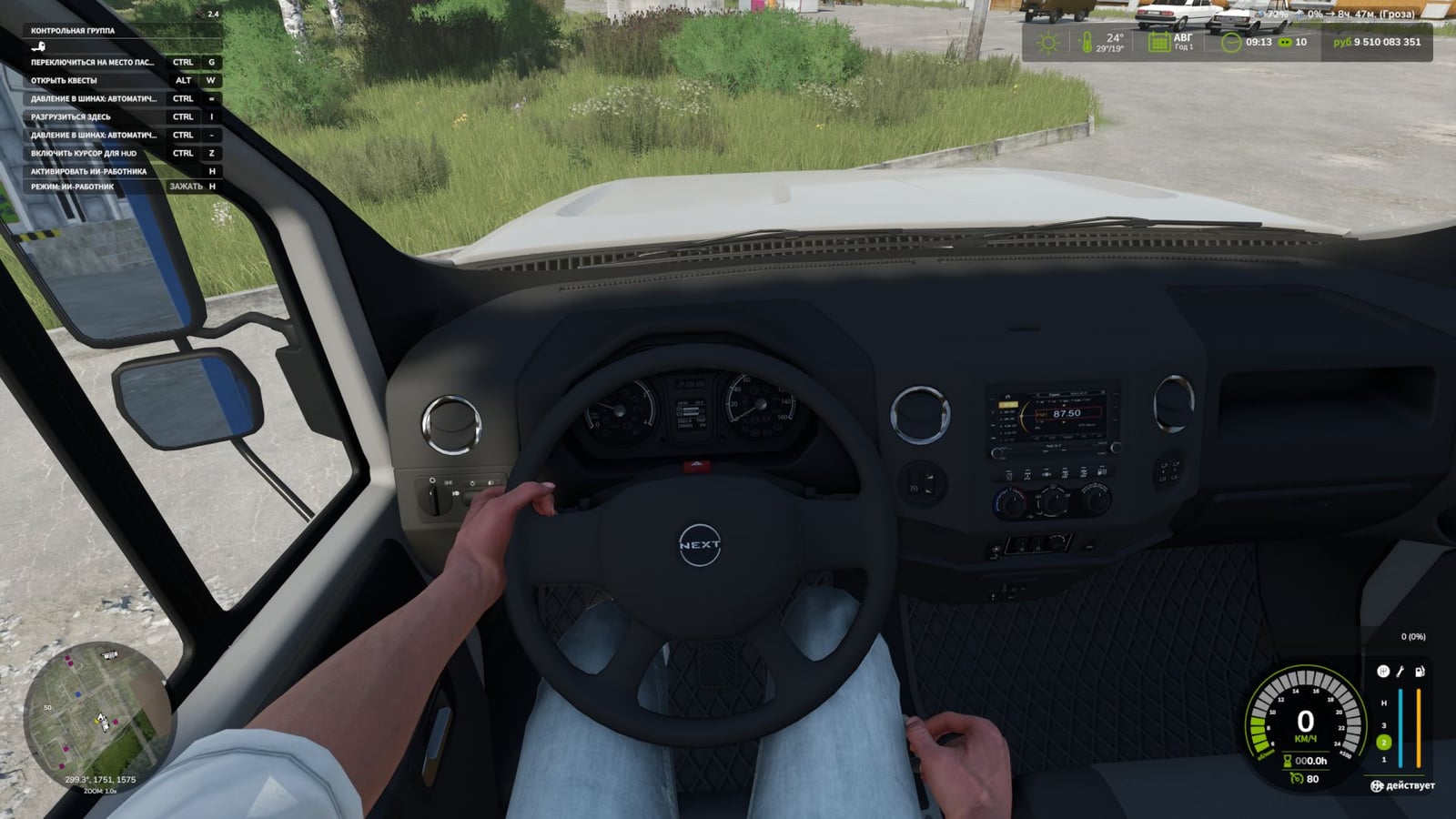
With First-Person Player Body, you get a “full” character display while playing in first-person mode in Farming Simulator 25. Vehicles feel more natural too, because the first-person view shows the standard seated driver model and follows the seated character’s eye animation and movements.
Features
- On foot
- You can see the player body.
- The camera sways from side to side.
- In vehicles
- The driver body is visible.
- Choose the standard camera position or eye level.
- The camera follows the driver’s animation.
- Look down and you can see the animated player body, including the legs and arms. The character’s movements are displayed correctly together with the camera.
- The head stays behind the camera, keeping it out of the way while still helping create the shadow.
Use these controls to move the camera in standard mode, or move the whole character in eye-level mode:
Rctrl + Arrow keysRAlt + Arrow keys
Rctrl + h – adjust the position of the hands on the steering wheel.
Changelog
- V1.2.0.0
- In vehicles, pressing RCtrl + H now lets you adjust the steering wheel hand position as you want by controlling the arm bones. This can be changed in the settings.
- V1.1.0.0
- Spanish translation added (Pericops).
- The hand takeover mode was fixed. When one hand switches a lever, it now takes over the steering wheel again after returning. This issue should no longer occur.
- V1.0.9.0
- With the vehicle set to “standard” mode, only the camera moves with RCtrl+arrow keys and RAlt+arrow keys. When “at eyes” is selected, the character’s butt bone moves instead.
- Hand interception improved.
- Minor fixes included.