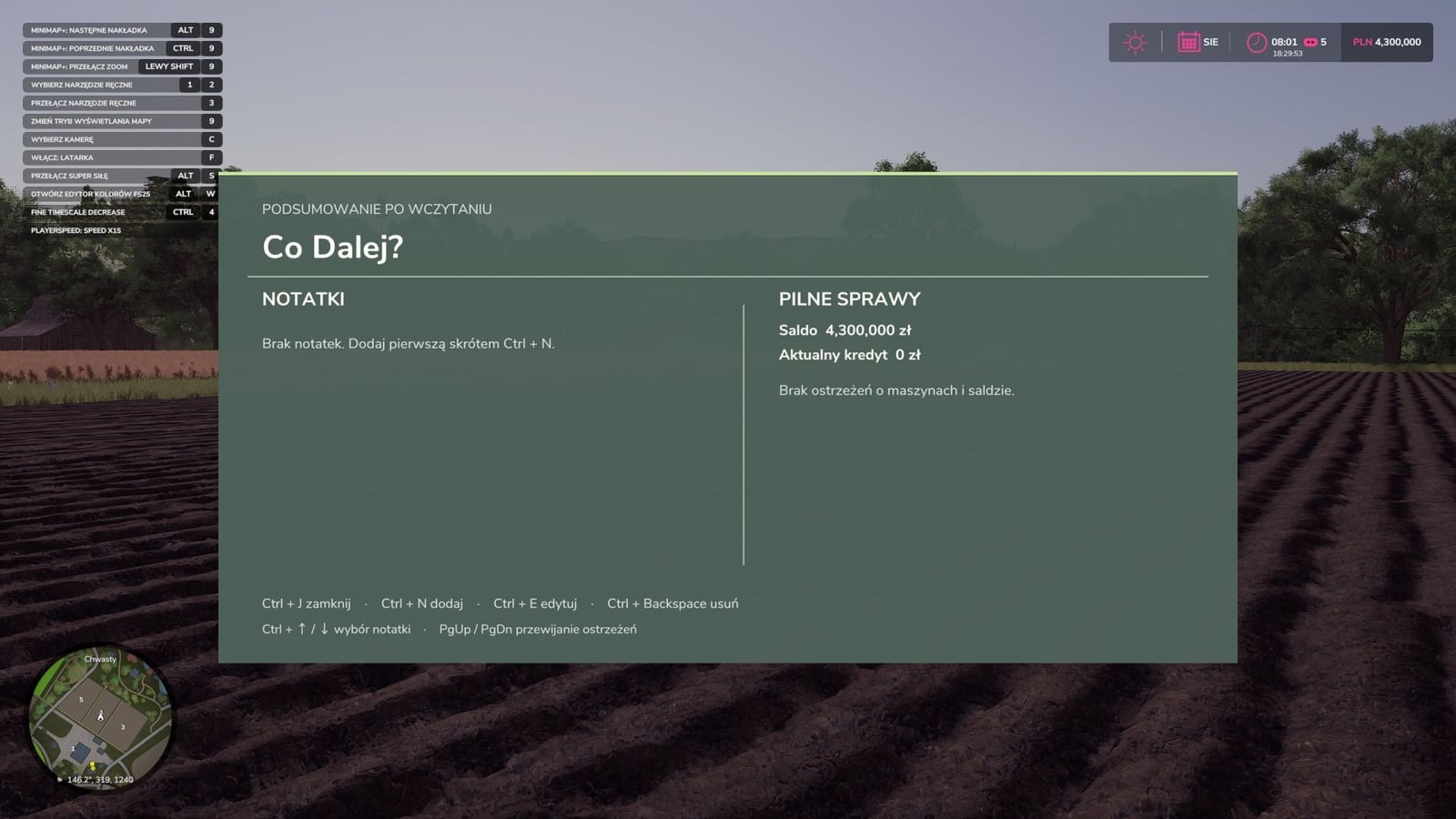
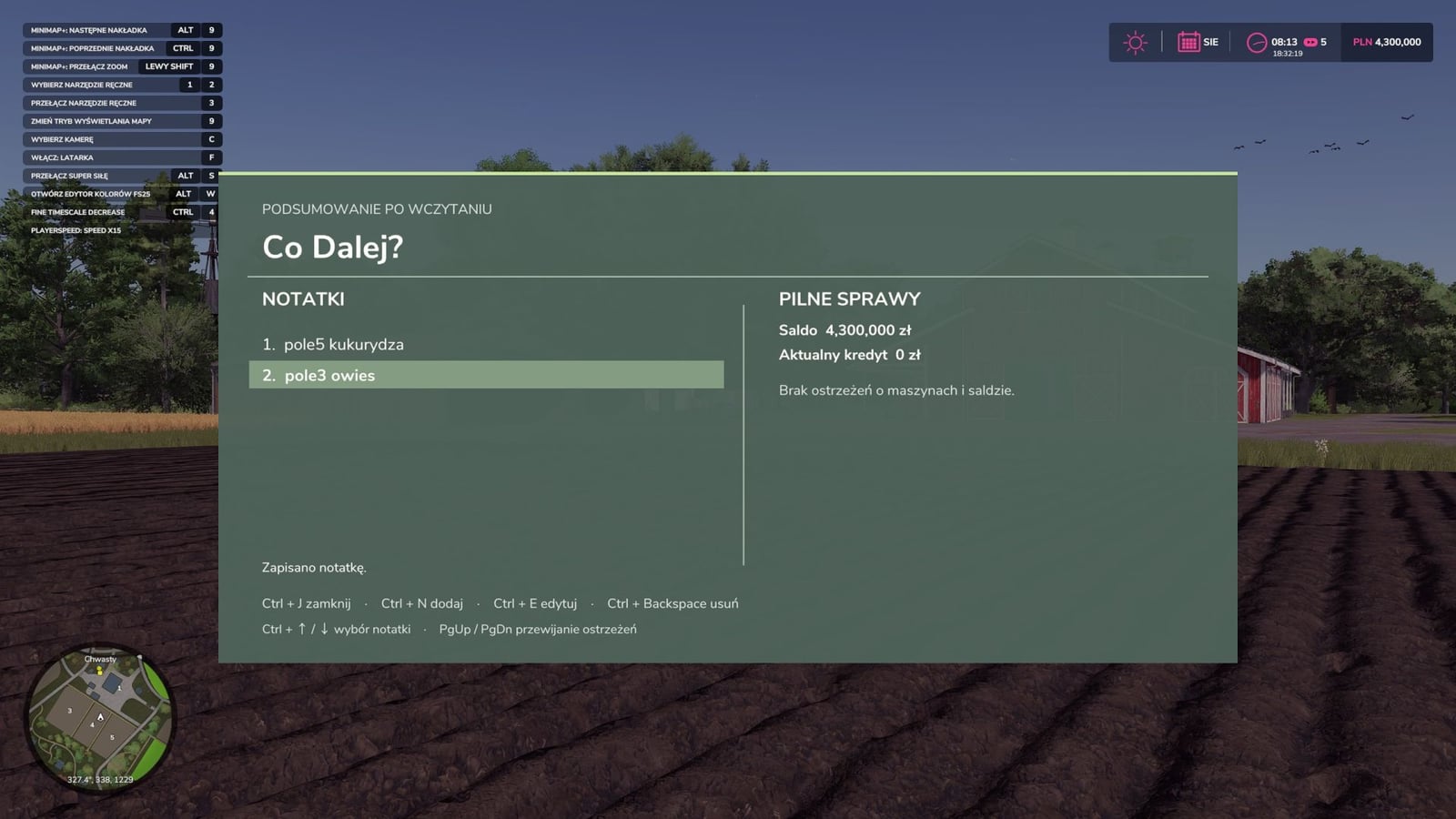
With What Next? in Farming Simulator 25, you get a notebook that pops up a few seconds after loading your career. It shows your farm warnings and the jobs you want to tackle. That makes it easier to jump back into a save after you have been away for a few days and quickly see where you left off.
Features
- Plan the next session with notes like “Lime field 12” or “Sell rapeseed when the price exceeds €500”.
- Need to change something while playing? Add, edit and delete notes right there.
- Your notes stay with the career in a separate
coDalej.xmlfile, giving every save its own list. - These are reminders for reading only. The mod does not watch prices or carry out saved tasks.
- Machines with fuel or charge below 15%.
- Equipment damaged by more than 60%.
- See the farm’s current balance, plus a warning if it falls below zero.
- Check the current loan amount.
Controls
| Shortcut | Action |
|---|---|
| Left Ctrl + J | Open or close the panel |
| Left Ctrl + N | Add a note |
| Left Ctrl + E | Edit the selected note |
| Left Ctrl + Backspace | Delete the selected note |
| Left Ctrl + ↑ / ↓ | Select a note |
| PgUp / PgDn | Scroll through the warning list |
| Enter / Esc | Confirm or cancel the entry while editing |