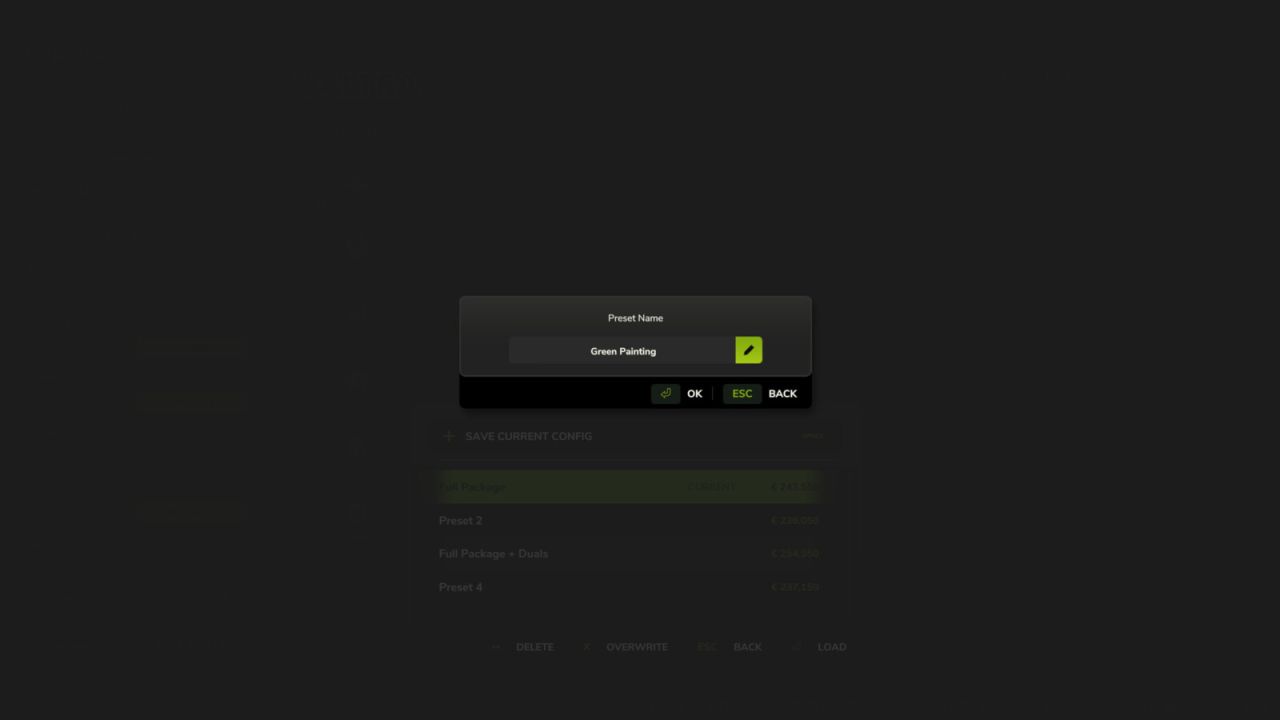
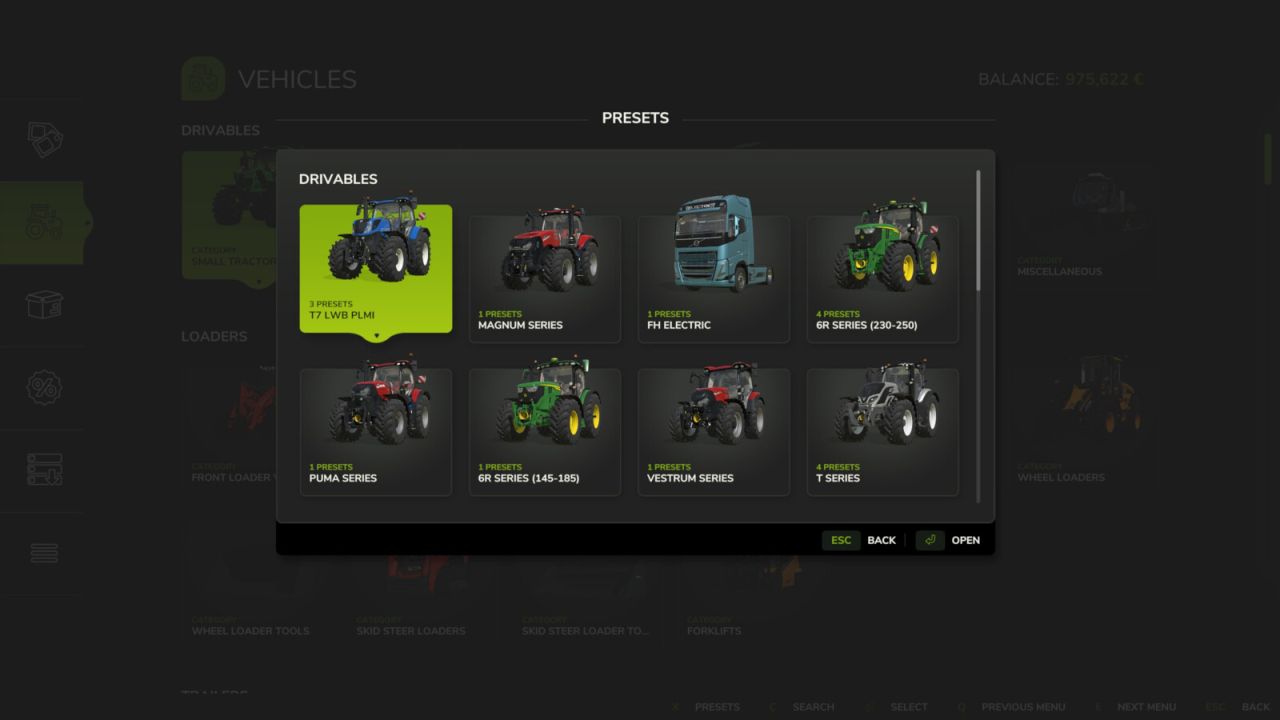
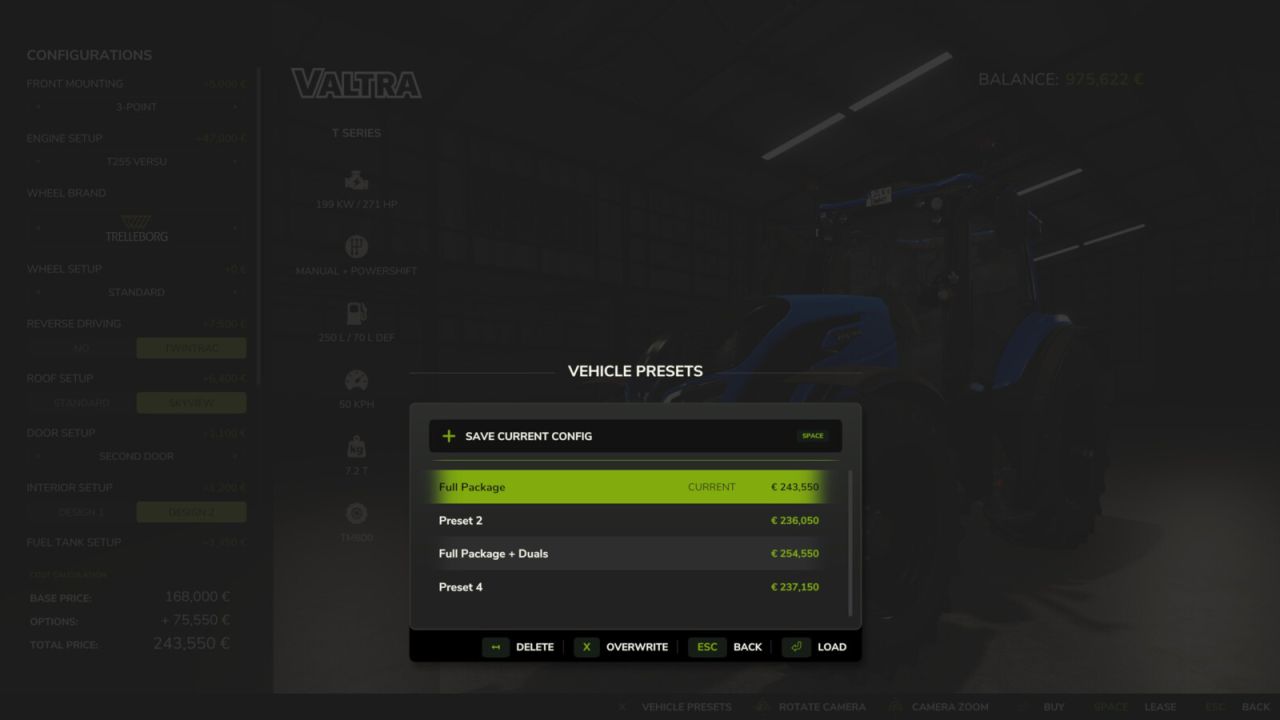
Add a touch of convenience to your game by saving your favorite vehicle configurations. Instead of manually configuring complex setups with colors, wheel brands, and engine options every time you buy a vehicle, you can now save them as presets for quick and easy access.
Features:
– Save up to 10 customized presets per vehicle directly from the shop configuration screen.
– Supported configurations include base variants, multiple custom colors, and material changes.
– Instantly apply, overwrite, or delete your saved configurations.
– Browse all accumulated presets organized by vehicle in the global browser.
Hotkeys:
– Press ‘V’ to open the “All Presets” browser directly from the store pages.
– Press ‘V’ to open the “Presets” dialog in the shop configuration screen.
V1.0.2.1
– Fixed presets not being recognized when the mod folder name contains ‘FS25_’ in its path.
– Improved preset storage with relative paths to survive mod folder changes (1.0.2.0).
– Removed automatic deletion of presets for uninstalled mods due to the changes above (1.0.2.0).
– Added ability to change the keybind for opening preset dialogs (1.0.1.0).