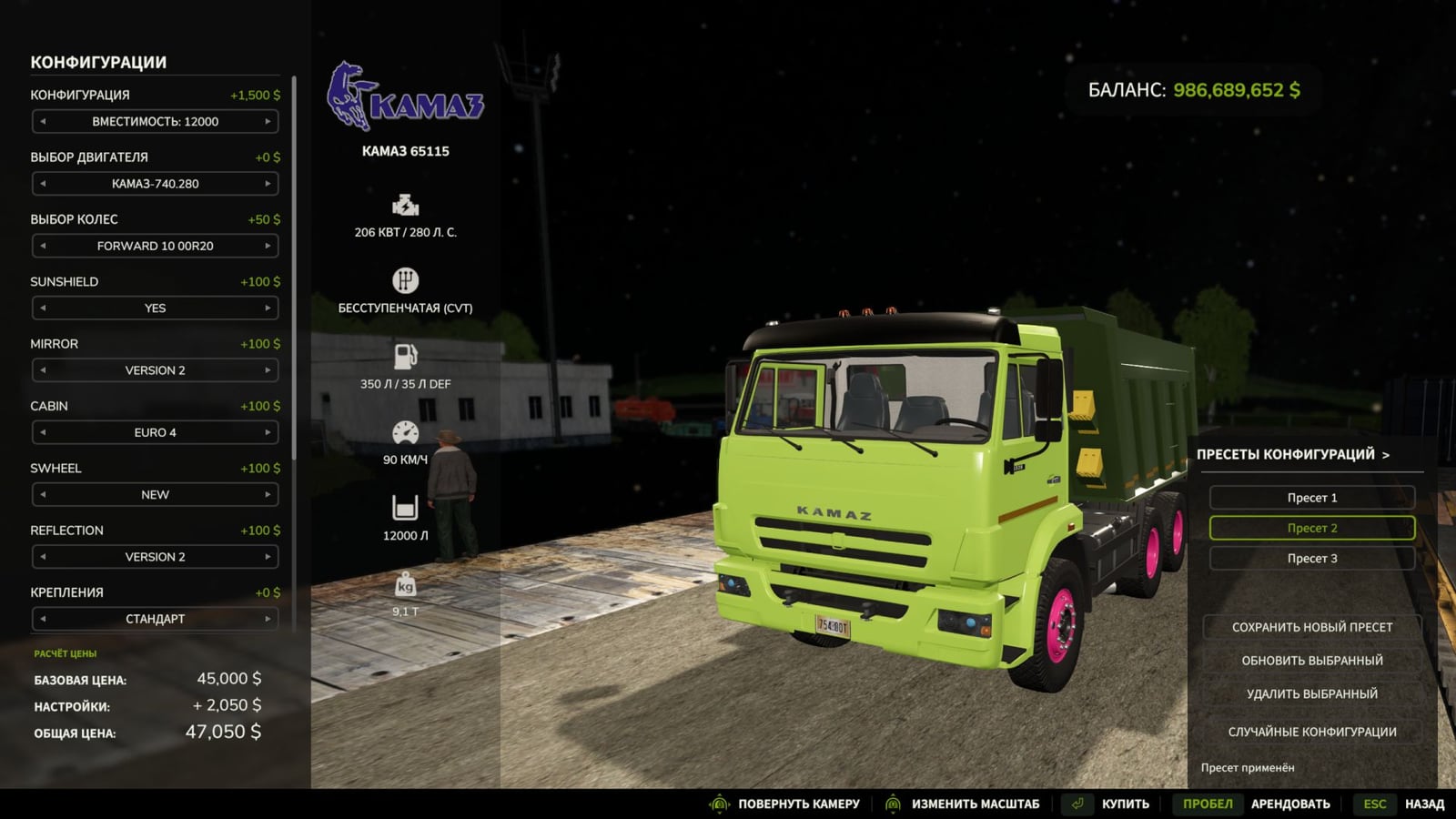
With Equipment Configuration Presets, you can build an equipment setup once, save it, and bring it back in the shop with a single click. That makes trying different setups and getting back to a favorite variant easy.
Features
- Make multiple named presets, kept separately for each equipment model.
- Keep your selected colors too, including custom shades and materials.
- Pick what you want from a handy list that you can scroll through quickly.
- Change saved presets later or remove them when you no longer need them.
- Hit the random configuration button to try a fresh variant, then save the result you like.
- Applying the settings also updates the equipment price and preview automatically.
- Your presets stay saved between game sessions and work on different maps as long as they are in the same profile.
- New equipment in the shop is supported, including modded equipment using the standard configuration system.
- License plates are not saved in presets!!!
- After an author changes the configuration options on third-party equipment, you may need to update its presets.
How to use
Configure your equipment in the shop, open the presets panel, and click “Save new preset”. Enter a name, then next time you buy that model, choose the saved variant from the list.