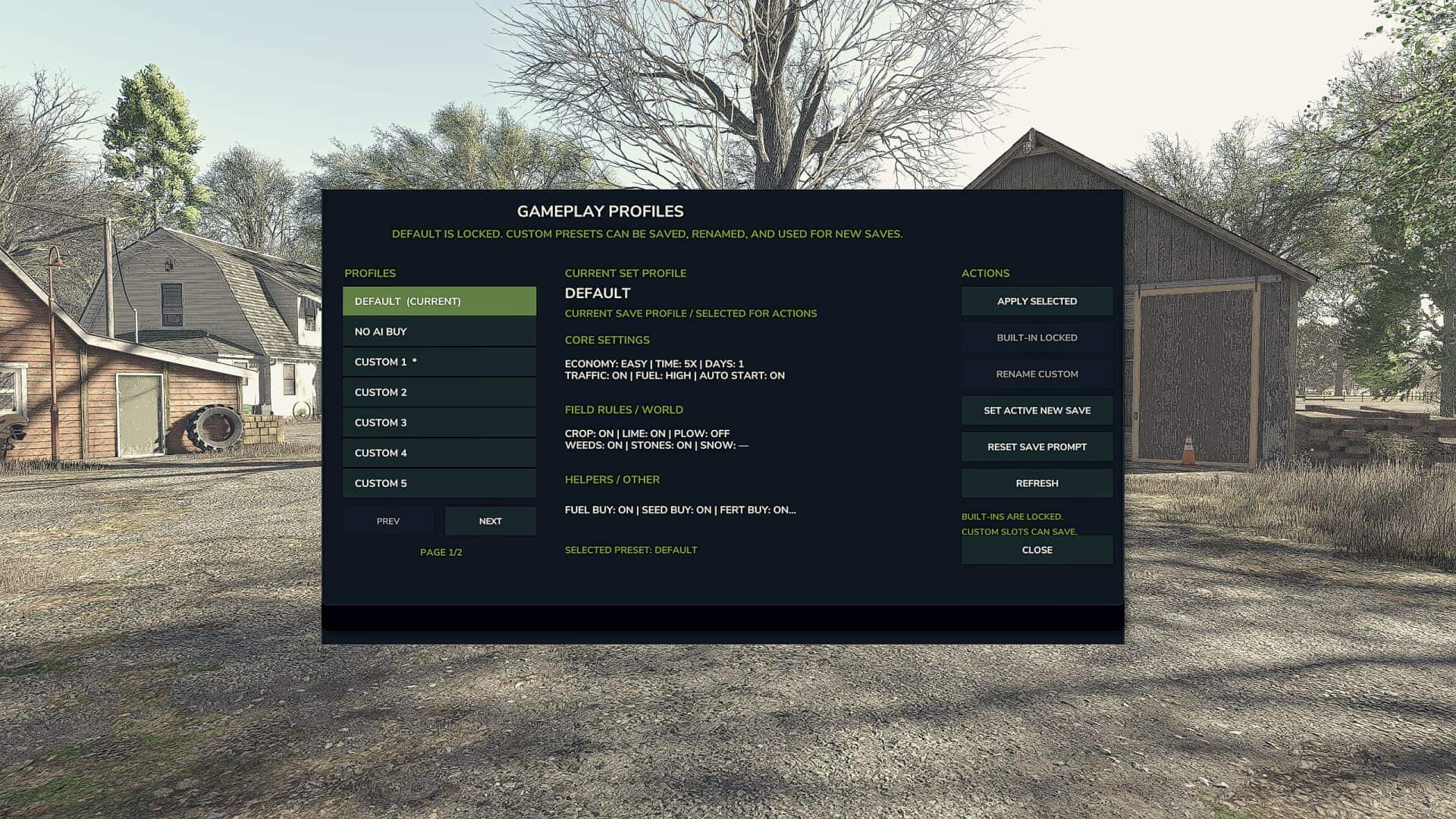
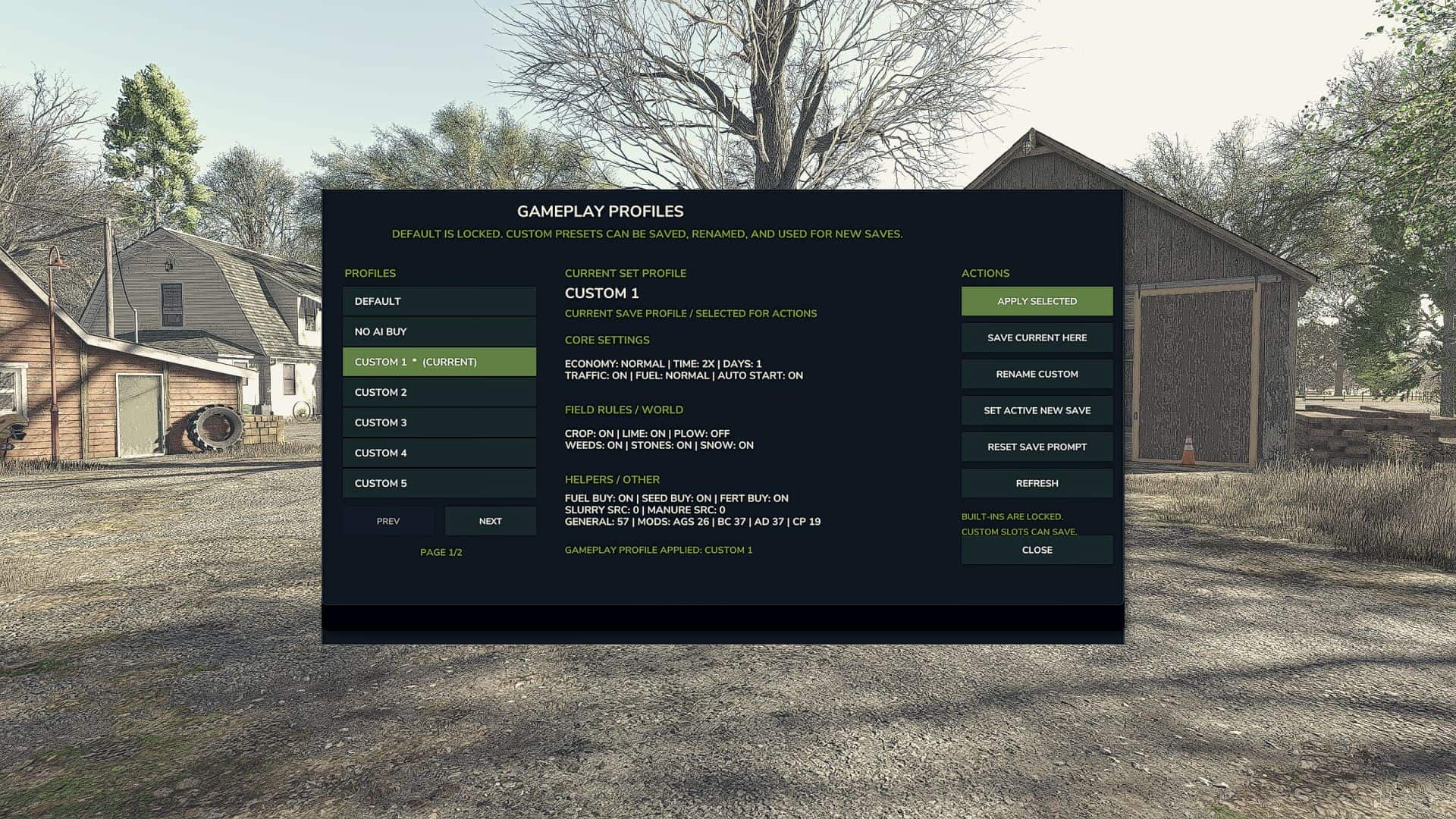

Save Gameplay Settings lets you create and apply gameplay-setting profiles without manually reconfiguring everything each time you start or load a save.
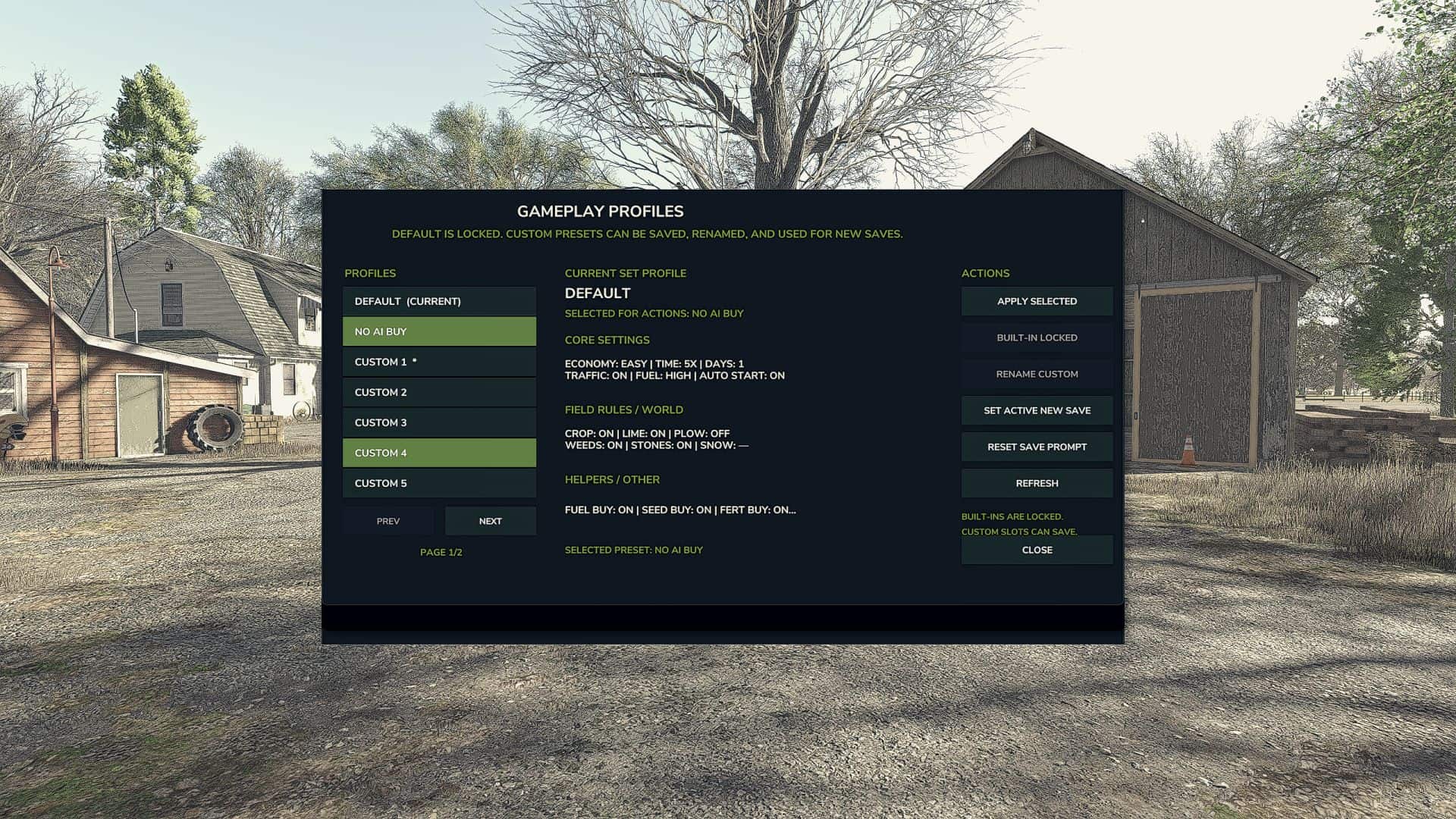
The mod includes built-in profiles and also allows you to create custom profiles containing your preferred gameplay settings. Profiles can be renamed, updated, deleted, and applied through a compact mouse-controlled menu.
Features
– Save multiple custom gameplay-setting profiles
– Quickly apply saved settings
– Built-in Default and No AI Buy profiles
– Shows the currently active profile
– Restore supported mod settings to their defaults when applying a built-in profile
– Optional prompt when loading a save
– Compact mouse-controlled interface
– Profile data is saved between sessions
– Multiplayer support is currently experimental
– Supported Mods
Save Gameplay Settings currently includes support for:
– Additional Game Settings
– Better Contracts
– AutoDrive
– Courseplay
Supported mod settings are saved with custom profiles where possible. Applying one of the built-in profiles resets supported mod settings to their original defaults.
Beta Notice
This is a public beta release intended for testing.
Some settings may behave differently depending on the map, game version, multiplayer environment, or versions of supported mods. Please report any problems and include your Farming Simulator log.txt file when possible.
Controls
– Open the Save Gameplay Settings menu using the configurable key shown in the game controls menu.
– All menu operations are designed primarily for mouse use.
Please report:
– Settings that do not apply correctly
– Settings that do not remain saved
– Conflicts with other mods
– Problems when loading a save
– Multiplayer synchronization issues
– Additional mods you would like supported
Support is available through Pluto’s FS25 Mod Support.