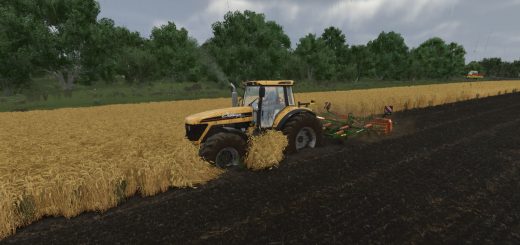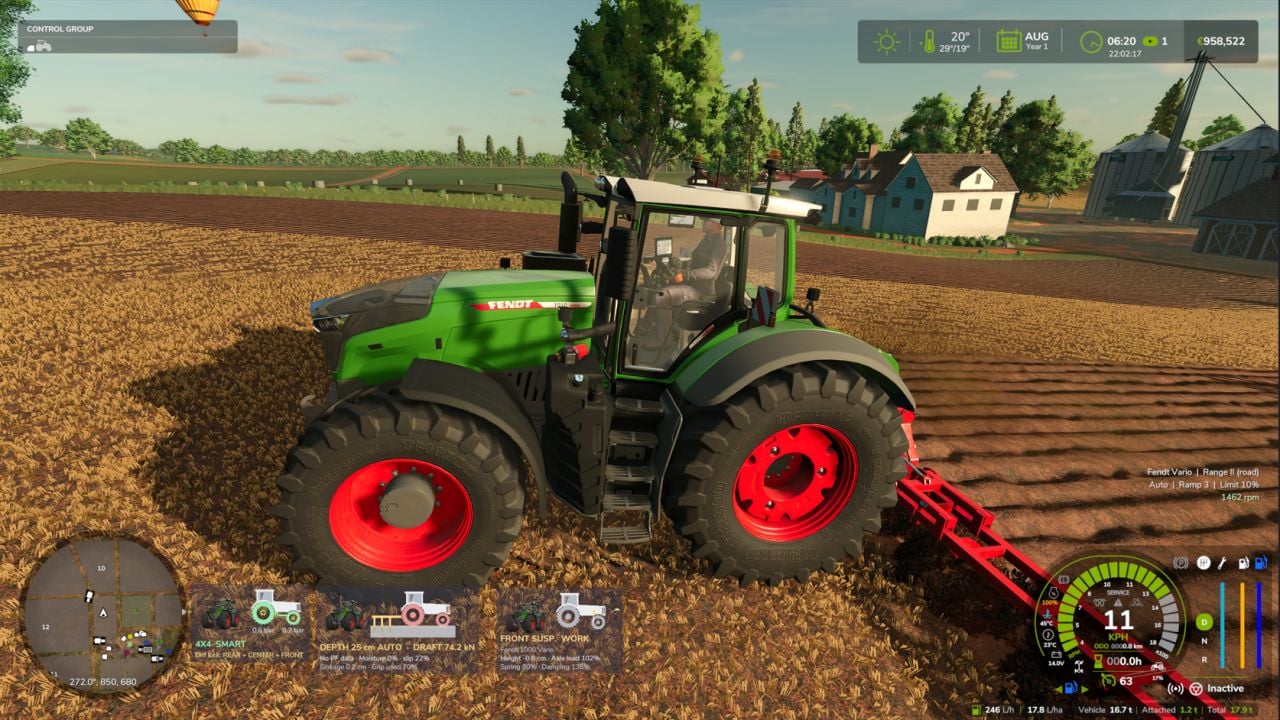
This gives your tractor realistic CVT, engine and transmission management, plus a hand throttle, power-split efficiency and hydraulic load response. It makes the way the machine drives and pulls matter more.
Features
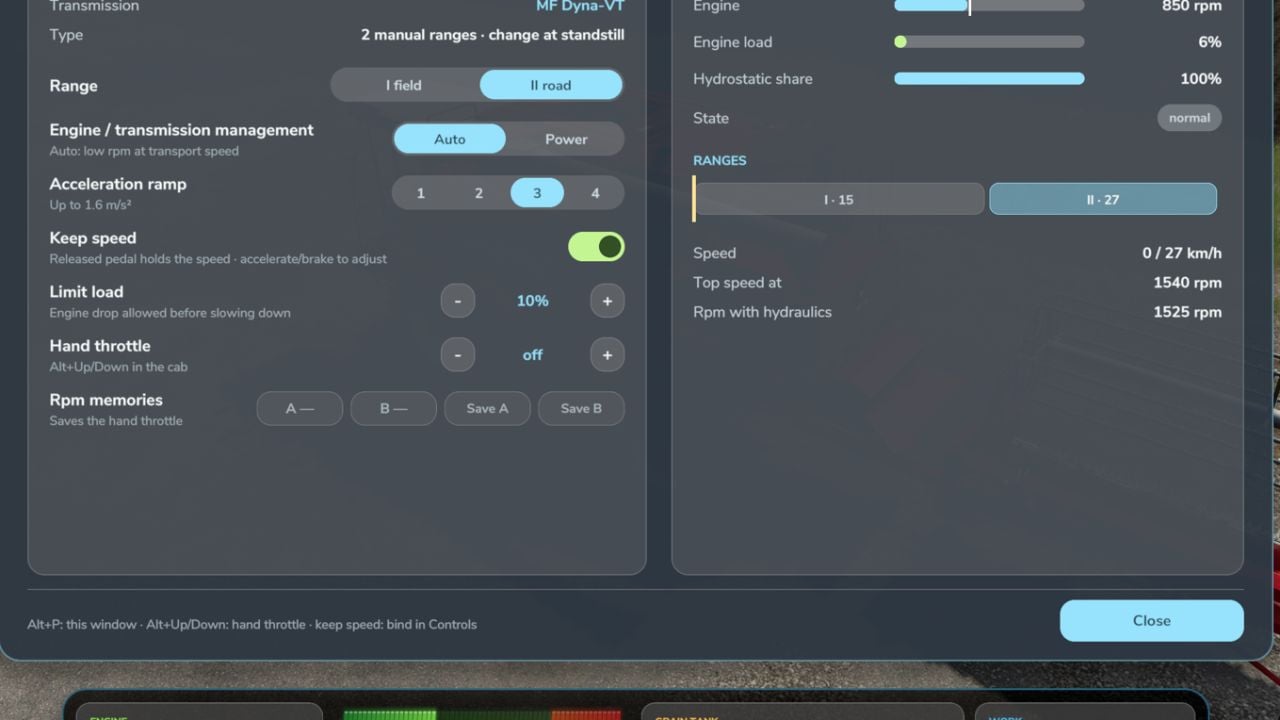
- CVT behavior is realistic for each brand. Fendt Vario and MF Dyna-VT have 2 manual ranges, field and road, and you can change them only at a standstill. CVXDrive on Case IH, Steyr and New Holland, along with JD AutoPowr, CLAAS CMATIC, Deutz TTV, Valtra Direct and Kubota KVT, has 4 automatic ranges with almost unnoticeable shifts.
- Pick Auto for economy and low rpm at transport speed, or use Power for engine and transmission management. You can also limit load and choose acceleration ramps 1-4.
- You get a hand throttle with two rpm memories, A and B. They are saved with the savegame, just like on real tractors.
- Power-split efficiency means the hydrostatic part has more losses, and that shows in pulling force and fuel use.
- With the PTO working, the engine drops a little when it is under load instead of being locked at PTO rpm.
- Hydraulics bring the engine rpm up for tipping, loader work, linkage and folding. Afterward, the engine returns to idle.
- Use
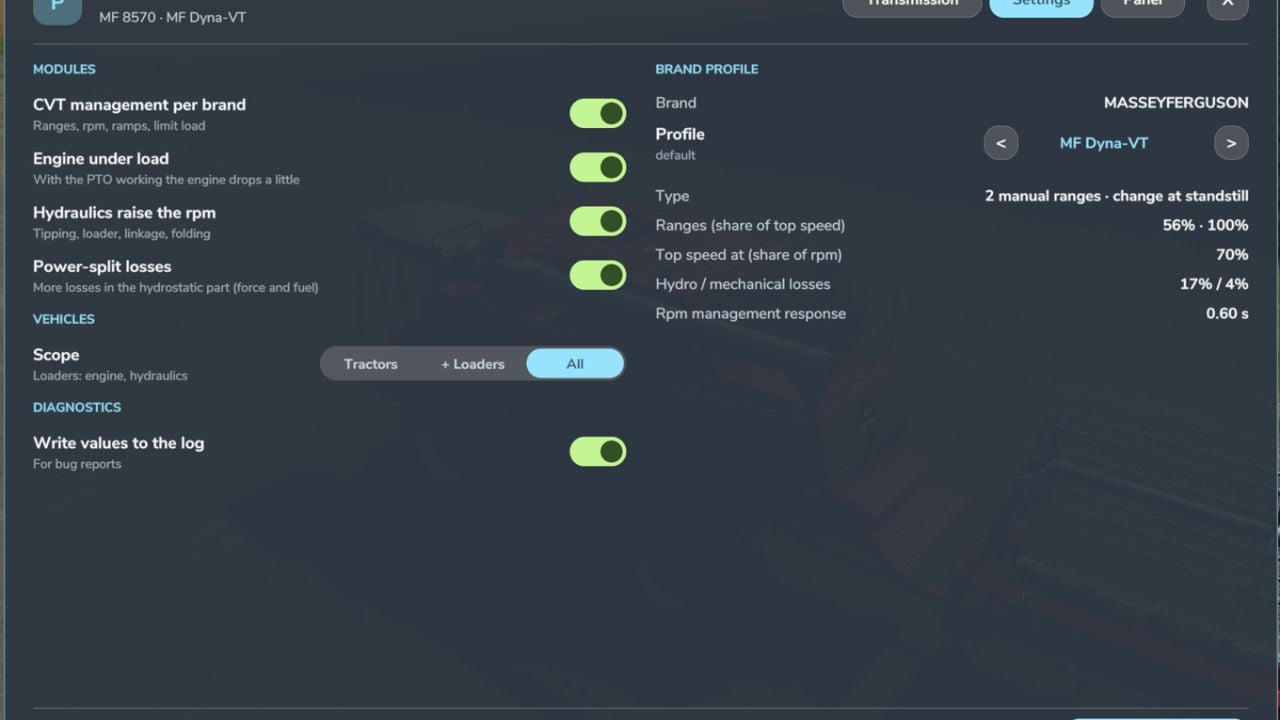
Left Alt + Pto open the own window. The Transmission tab gives you live rpm and target, engine load, efficiency, hydrostatic share and a range strip. In Settings, handle modules, which vehicles, the CVT profile per brand and applying everything at once. The Panel tab lets you set on / off, text size and mouse movement. - The CVT module switches itself off whenever CVT Addon, RealismAddon Gearbox or VCA is active.
- Zasty HUD puts the range and hand throttle on display. When the HUD is active, the panel hides.
- Multiplayer supported.
KEYS (default)
Left Alt + P: Real Powertrain windowLeft Alt + Up / Down arrow: Hand throttle (hold)
Those are the default keys. If the game or another mod is already using one, head to Options > Controls and set the key you want instead, so conflicts are avoided.
Changelog
- V1.1.1.0
- New: Keep speed, a community request. Let go of the pedal and the tractor holds the speed it had, like the drive lever on a real CVT tractor. Accelerate to go faster, brake to slow down, then release again and the new speed stays held.
- It works going forward and in reverse. Going forward, it uses the game’s cruise control. In reverse, the mod presses the pedal for you and adjusts it to keep the speed. It lets go if you accelerate, brake, use the cruise control keys or the tractor stops.
- Once keep speed lets go, your own cruise control speed comes back.
- Turn it on or off in the window at
Left Alt + P, on the Transmission tab. It is saved per player inmodSettings. - On the panel, you see KS / KS active. The window also shows it as a chip.
- Multiplayer supported.
- IMPORTANT: Keep speed has NO default key. To turn it on or off while driving, bind a key under Options > Controls > “Keep speed (on/off)”.
- Keep speed works with CVT management. If it does not work on a combine or another machine with a CVT, open the mod window using
Left Alt + P, go to Settings > Vehicles and select “All”. By default, only tractors are managed.