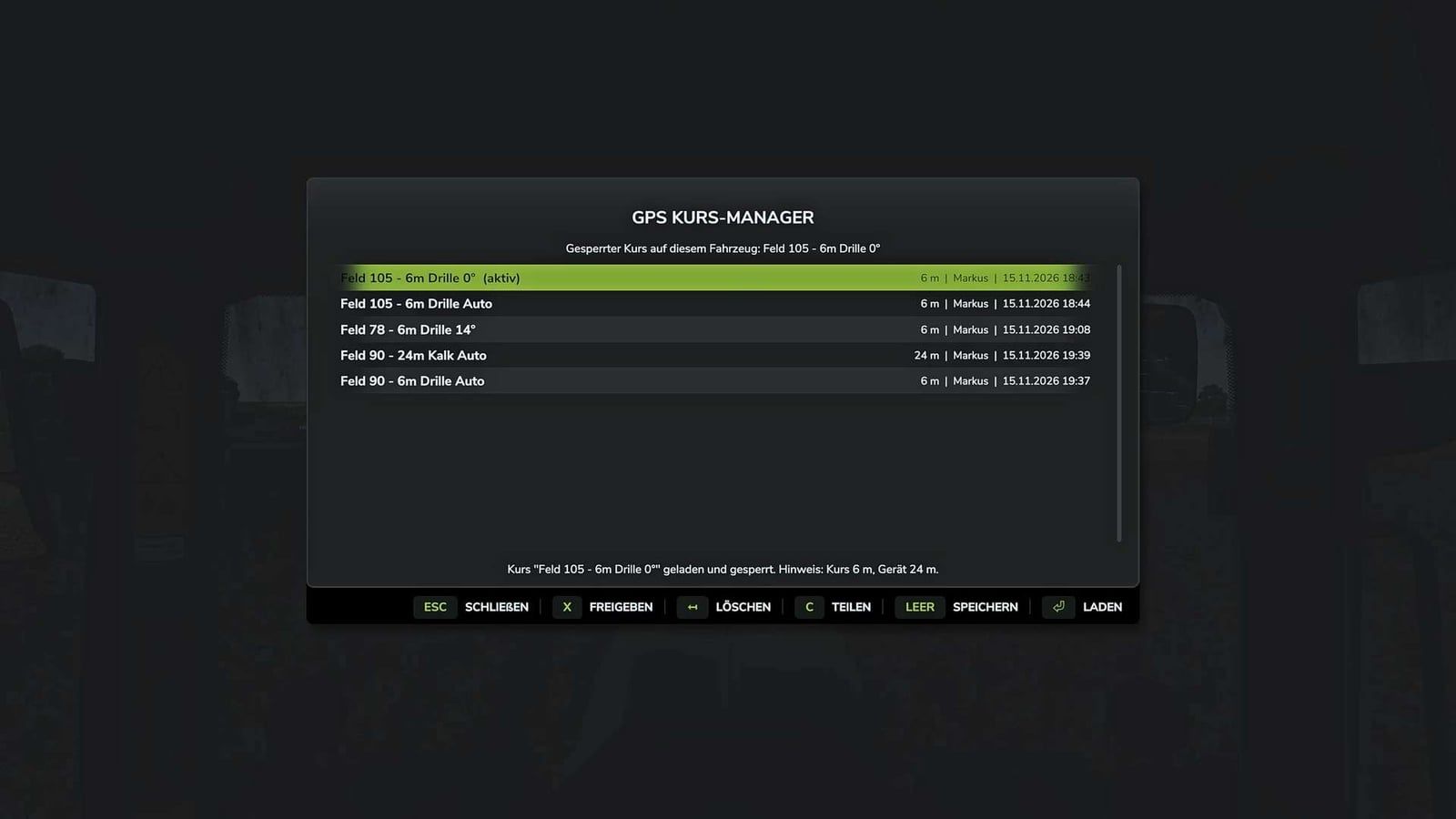
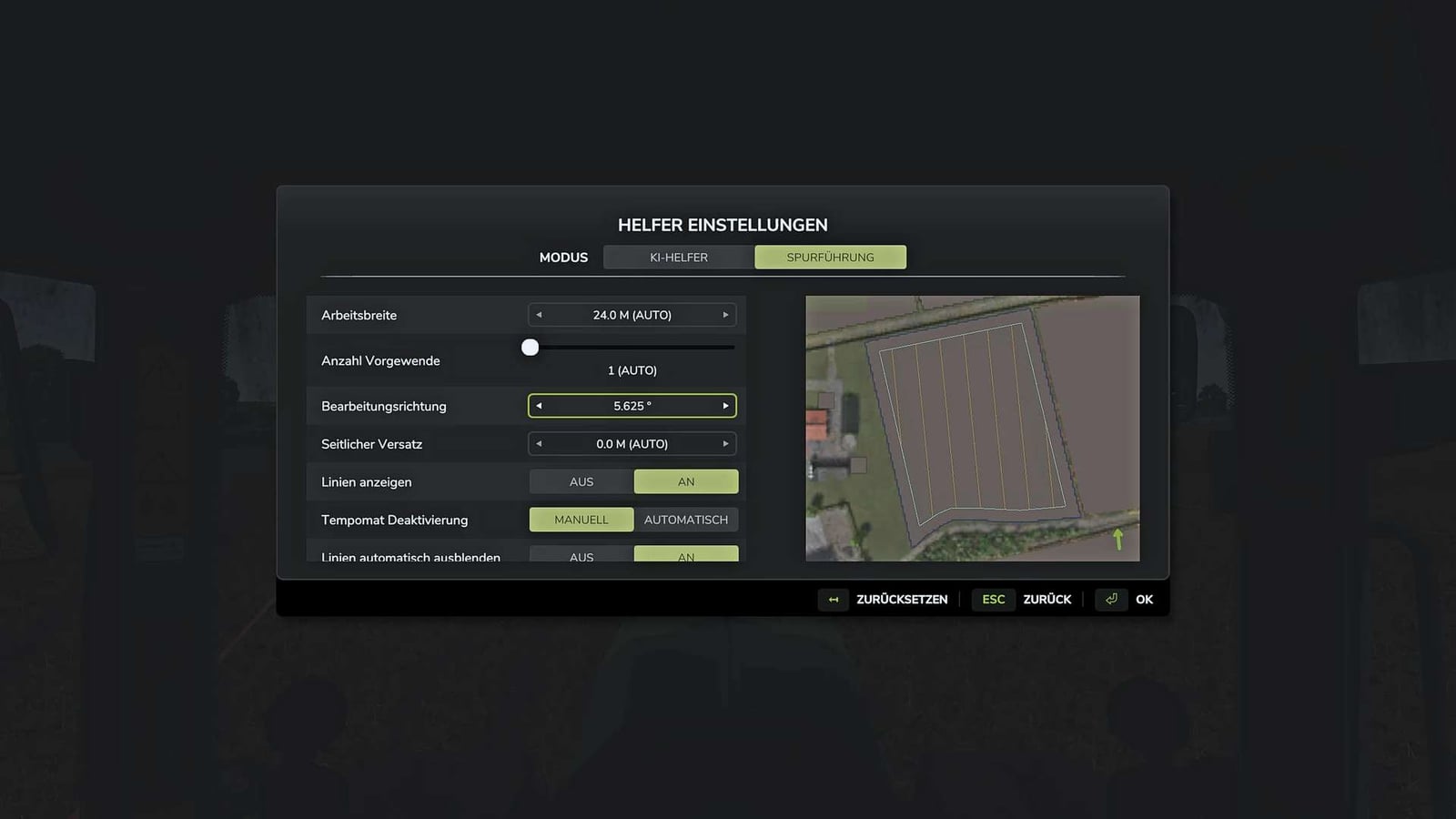
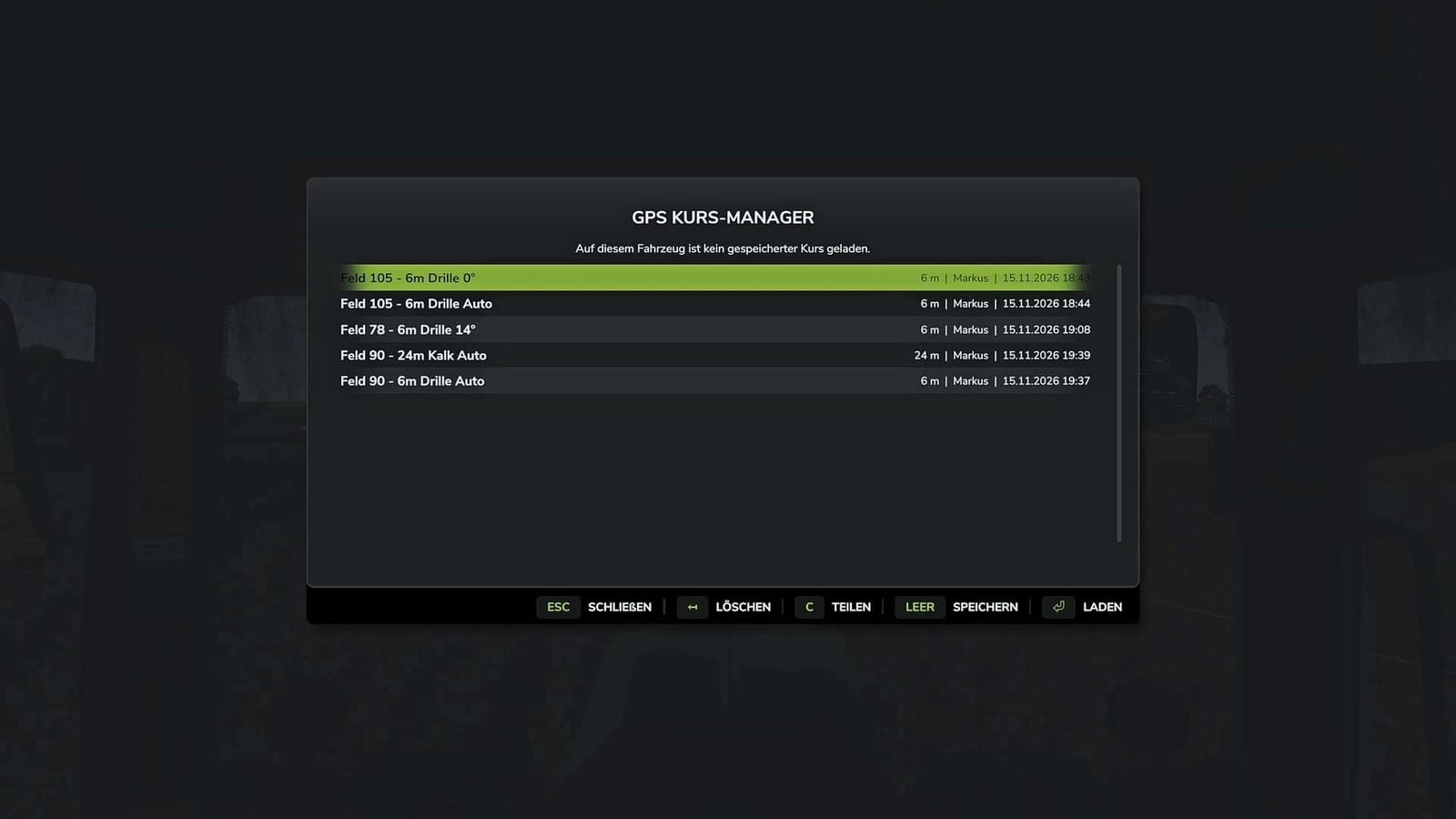
With GPS Course Manager, you can view, save, load, share, delete, and release GPS courses. Every course is linked to a specific farm, and it stays locked in the situations explained below.
Features
- Even on foot, or in a vehicle without a guidance system, you can open the list, share courses, and delete them.
- Jump into a tractor with a guidance system to save, load, or release courses.
- Once a course is loaded, it stays active while you are on the current field.
- Drive to another field and the game (Giants engine) takes care of things there as usual. Come back to the original field and the course you loaded before is available again.
- The lock is still there after a server restart.
- Courses belong to a specific farm. Every player in that farm can view, load, and delete them from any tractor associated with the same farm.
- Other farms cannot see the courses. The server checks who can access them.
- The working direction in the Giants dialog can now be set in 1° steps, from 0-179°.
- Use it together with
FS25_gpsAngleExtensionand both lists are merged. That includes every whole-degree value plus map-based angles such as 22.5°. There are no conflicts.
Installation
Drop FS25_GPSKursManager.zip into your mods folder. If you run a dedicated server, upload and activate it through the web interface.
For multiplayer, every player needs the mod installed. The server distributes it automatically.
Key Binding
Head to Options > Controls and set a key for “Open GPS Course Manager.” The mod has no default key assigned.
You can use that key on foot and while sitting in a vehicle.
Usage
Save: Get the guidance system active and show a course in the field. Open the window, choose “Save,” then type in a name.
If that name is already in use, the game asks you to confirm the overwrite.
Load: Select a course in the list and press “Load.” It goes onto the current tractor and becomes locked.
Make sure an implement that supports the guidance system is attached.
Delete: Select the course, choose “Delete,” and confirm it.
Share: Select the course, choose “Share,” pick the target farm, and click “OK.”
The other farm gets its own copy, so later edits to the original course are not synced.
When the target farm already has the same course name, it is automatically changed to “Name (Farm Name).”
Players from that farm who are online get a notification.
Release: Use this to remove the lock and let the Giants guidance system do its own calculations again.
Only “Release” removes the lock. For example, if you change implements and click “OK” in the Giants guidance system dialog to select the guidance mode again, the course stays active and a notification is displayed.
What “Locked” Means
Normally, the Giants system recalculates the course when the implement’s working width changes. With a loaded course, it stays active as long as you remain on the current field.
Move to a different field and the game (Giants engine) handles the operations there as usual. Return to the original field and the previously loaded course becomes available again.
The lock continues even after the server has been restarted.
Farm Association
A course is always tied to one specific farm. Any player belonging to that farm can view, load, and delete the course from any tractor associated with that farm.
Other farms cannot see these courses, because the server manages the access validation.
Storage Location
The file <Savegame folder>/gpsCourseManager.xml is written when you save a course or save the game state.
If the savegame is new and has never been saved before, the file appears only after the first save.