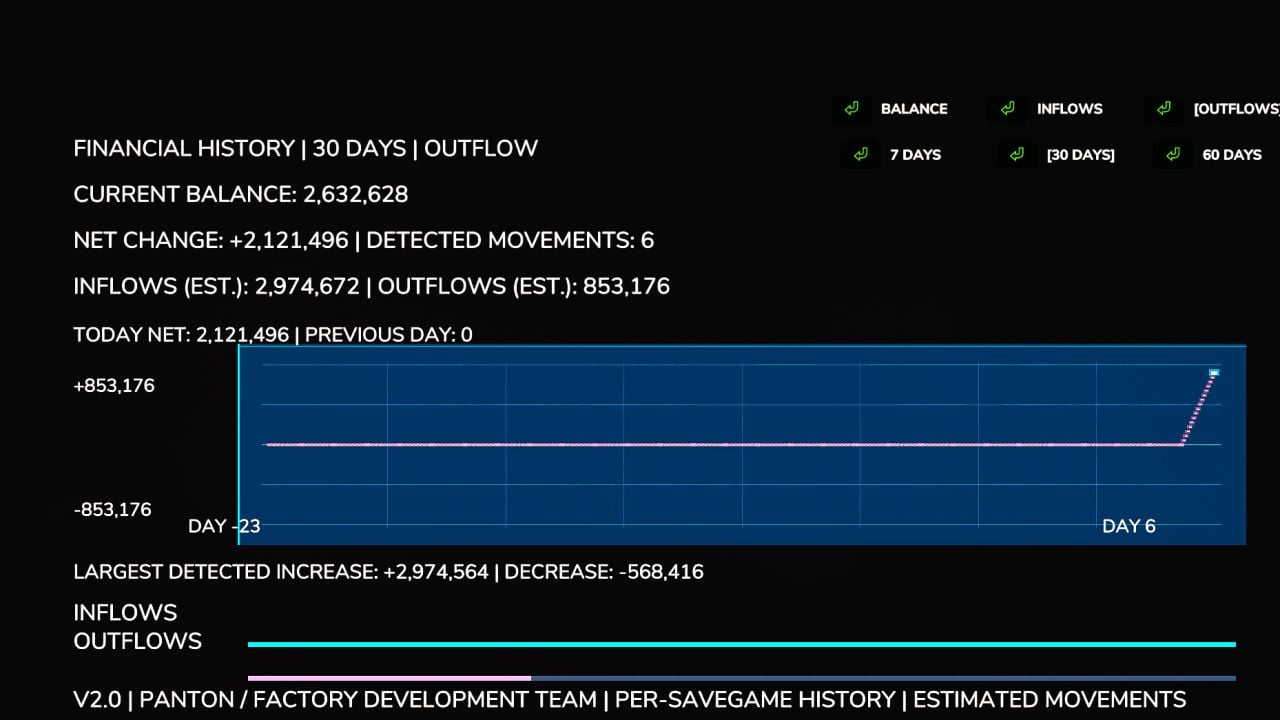
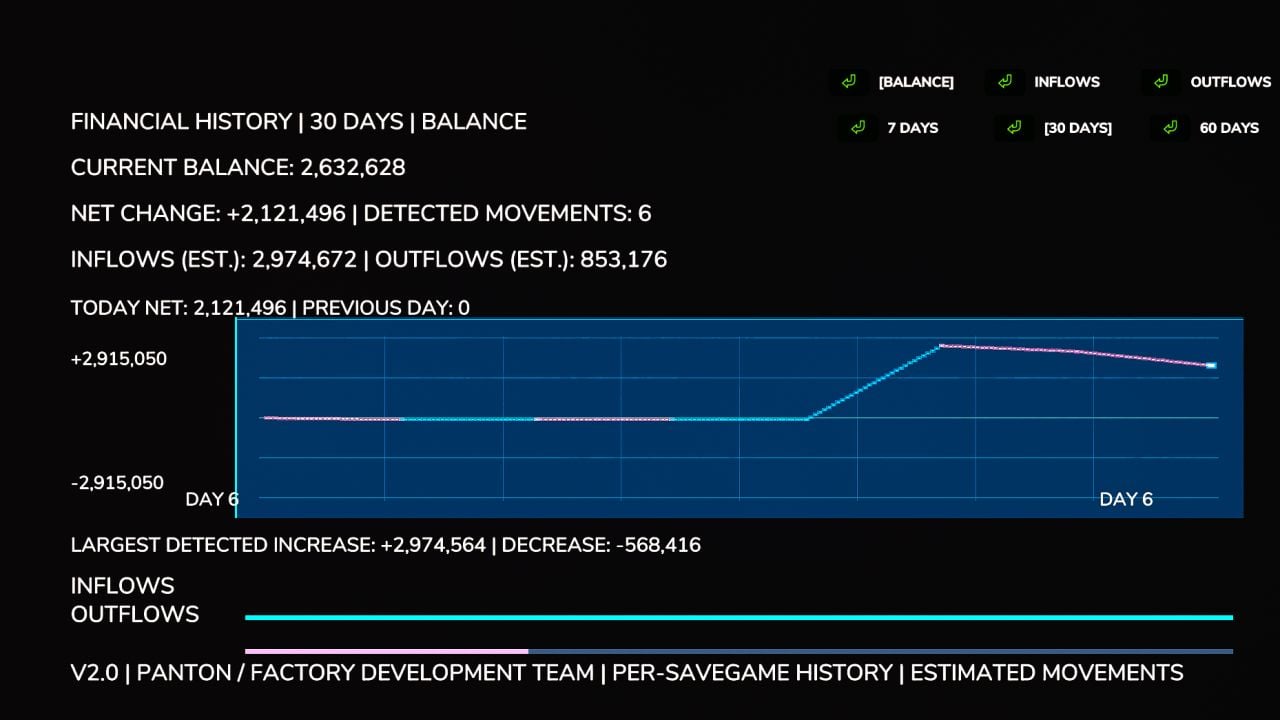
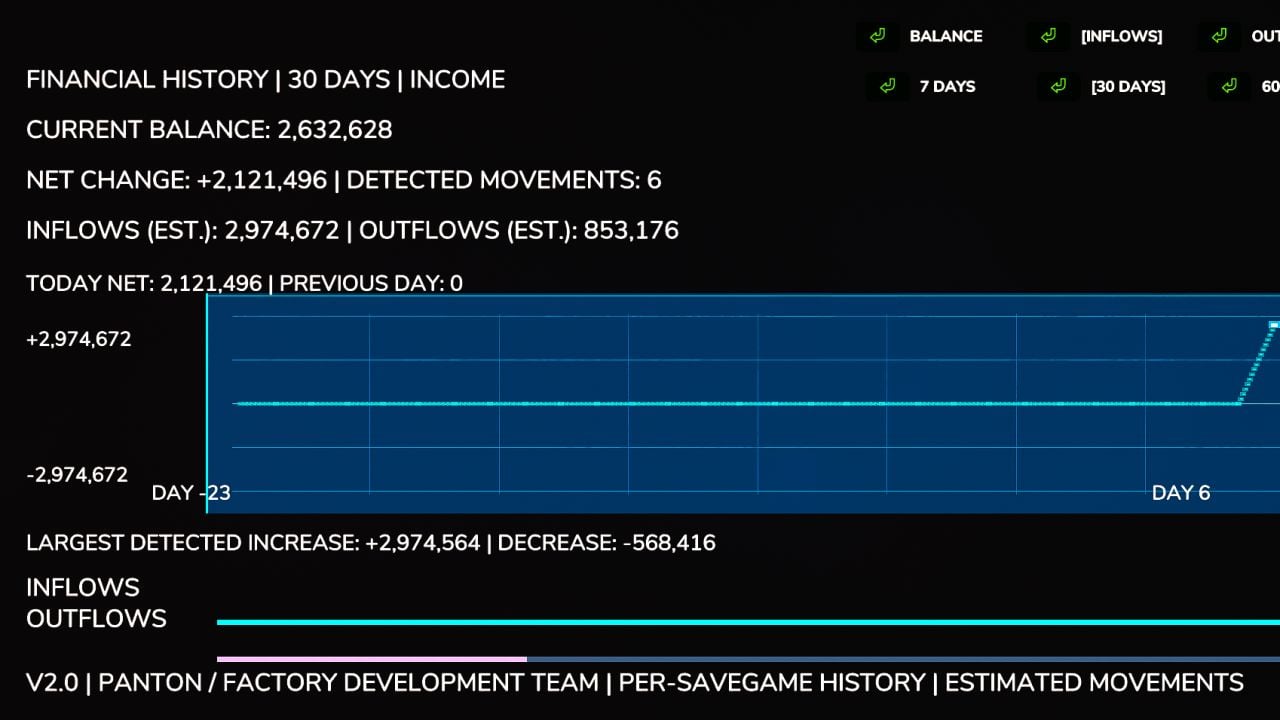
Want a clearer look at your farm’s money? Financial Dashboard puts a dedicated financial overview right into the Farming Simulator 25 in-game menu. You get a clean interface that is easy to read, plus a way to watch how your money changes over time.
Features
- Live Financial Graph: Follow your farm’s balance on a visual graph that reacts when money is gained or lost.
- Zero-Centered Tracking: The balance you start with becomes the baseline, so the money already in your account is not counted as profit by mistake.
- Color-Coded Performance: Cyan/green marks positive financial movements, and pink/red marks negative ones.
- 7-30/60-Day Views: Pick between two selectable history windows.
- Current Balance: Check the funds your farm has available straight from the dashboard.
- Estimated Inflows and Outflows: See the money gained and spent that has been detected.
- Largest Transactions: Find the biggest detected balance increases and decreases.
- Integrated Menu: The dashboard has its own tab in the FS25 pause menu, so it is available there directly.
Important Information
Financial Dashboard watches balance changes for the gameplay session you are currently playing. The historical graph data does not carry over between game sessions.
This dashboard follows changes in your farm’s balance instead of sorting every individual transaction into categories. Its inflow and outflow numbers are estimates based on the balance movements it detects.
Your initial financial baseline is created when you open the dashboard for the first time.
Compatibility: Farming Simulator 25, PC. Designed and tested for single-player use. Multiplayer and dedicated server compatibility have not been verified.
Multiplayer compatible.
© 2026 Panton (Factory Development Team). All rights reserved.
Financial Dashboard 2.0 is an independently developed mod for Farming Simulator 25.
Changelog
- V2.1.0.0
Addedlicense.txt(Copyright / takedown’s).
A small patch now fixes issue’s related to the menu.
Future update’s include New Icon, Redefined Line’s & Text. - V2.0.0.0
Your financial history can now persist. Each savegame stores its own financial records and brings them back after the game restarts.
Financial tracking begins automatically while a savegame loads, without you having to open the dashboard first.
Balance, Inflows, and Outflows now have separate graph modes.
The 7-day history view was added beside the 30-day and 60-day choices already available.
You can now see daily net financial change statistics, including a comparison with the previous in-game day.
Estimated total inflows and outflows were added from detected balance changes.
The largest detected financial increase and decrease are now recorded.
Balance changes from compatible external mods, including money trainers, are now detected.
The graph received a modern blue financial-terminal appearance.
Refined gridlines, clearer trend lines, and highlighted endpoints make the graph easier to read.
Graph scaling now shows both positive and negative financial movements more effectively.
Inflow and outflow indicators were redesigned using thinner bars and less intrusive colors.
Graph labels, text sizing, and spacing were improved to avoid overlapping information.
Older records are now cleaned up automatically through improved financial history management.
New balance changes show in live financial tracking without waiting for the next in-game day.
Fixed financial history disappearing after closing or restarting Farming Simulator 25.
Fixed incorrect financial history loading caused by farm ID handling.
Financial history saving was integrated with the game’s save process to fix savegame persistence issues.
Overlapping labels and statistics in the graph layout have been fixed.
Visual inconsistencies from the graph redesign have been fixed.
The existing ESC menu, sidebar navigation, and Save/Quit functionality remain compatible.
Updated the mod version from 1.0.0.0 to 2.0.0.0.
The mod description and documentation now reflect the new financial tracking features.
Each savegame now keeps financial history in a dedicatedfinancialDashboard.xmlfile.