
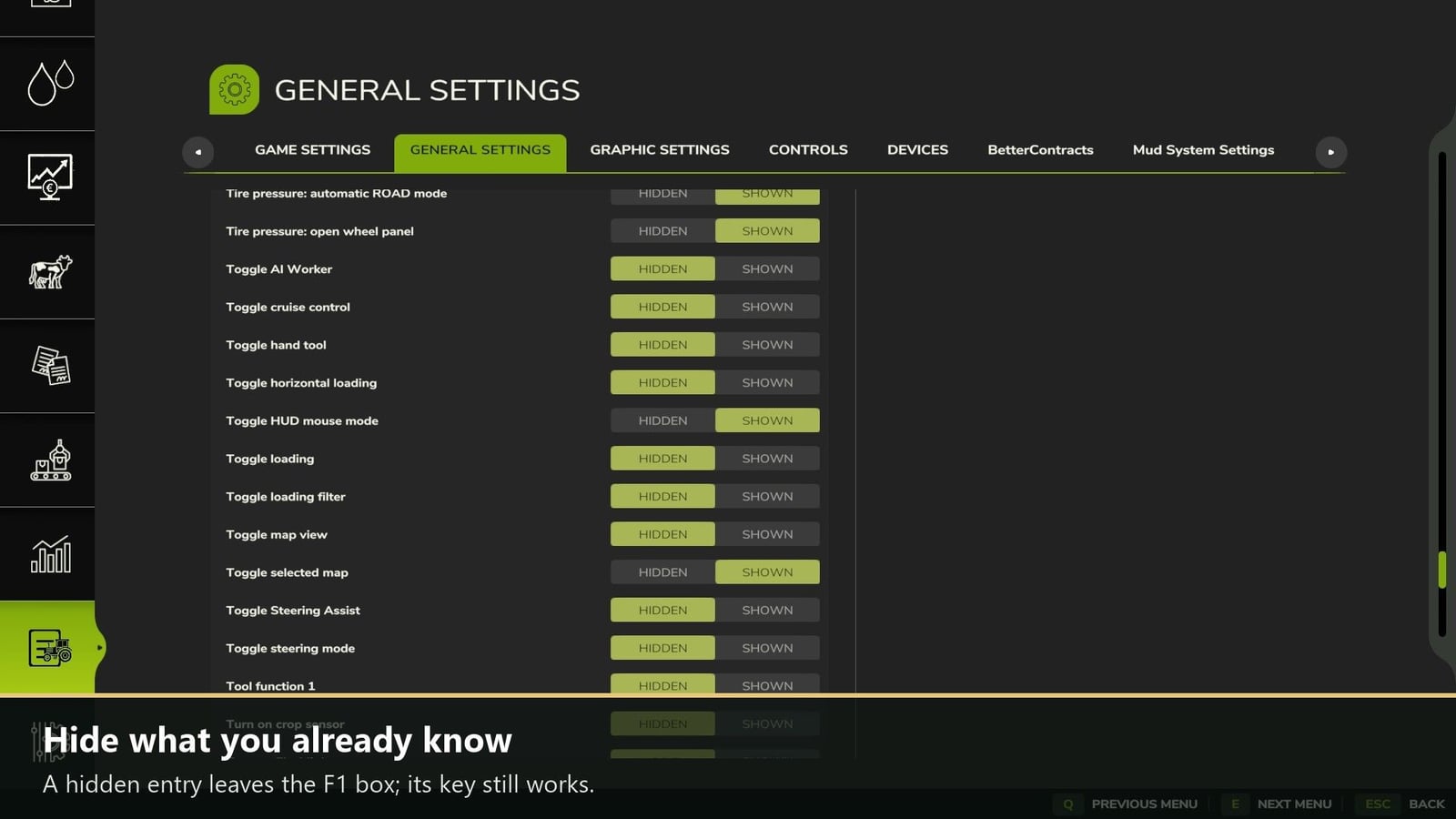
With F1 Toggle, you choose what you want to see in the F1 help box. Hide an entry there, and only the display is affected. The key still works, so you stay in control while playing.
Features
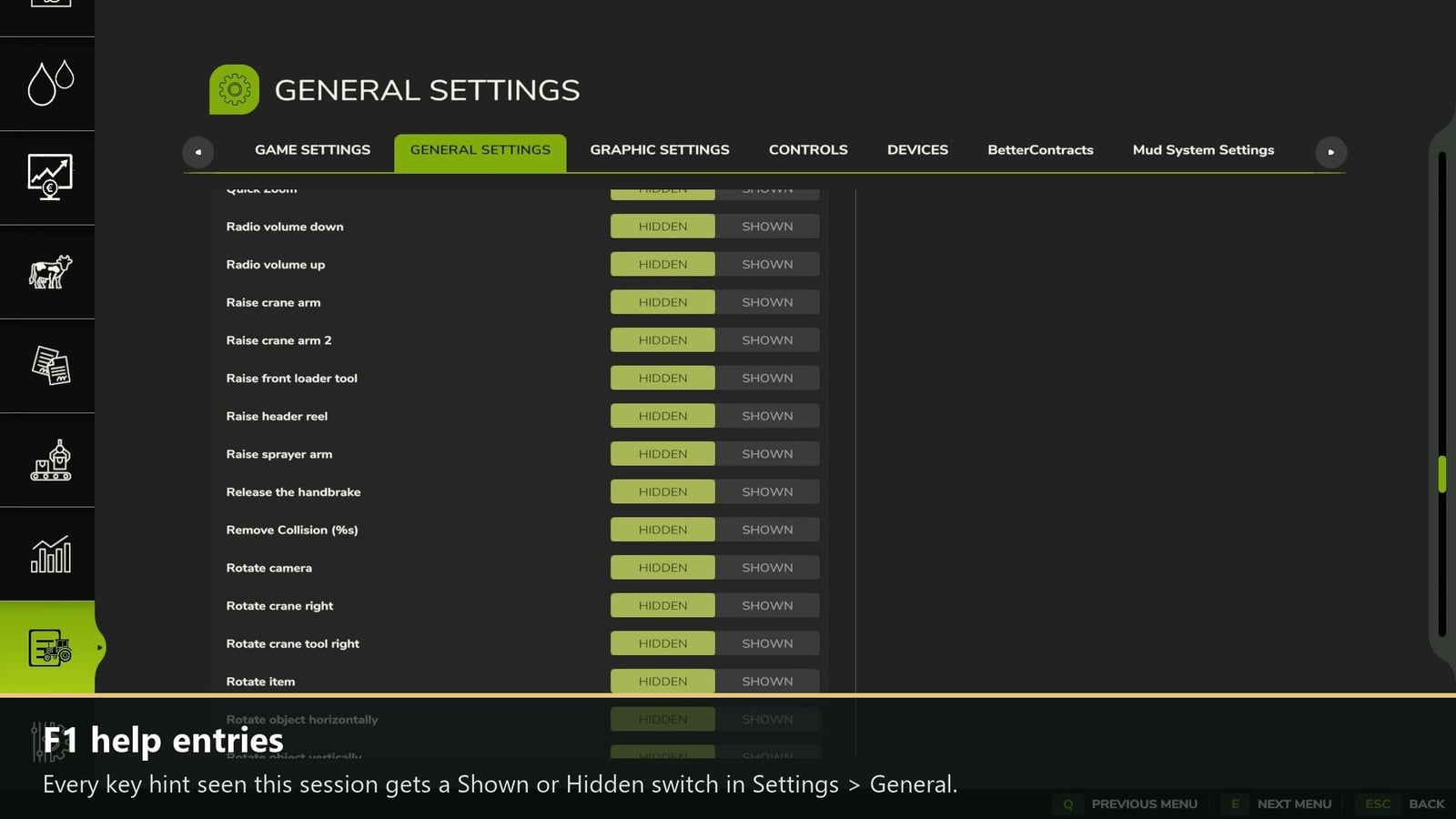
- All key hints you have seen in the current session are collected here, whether they come from the base game or from mods.
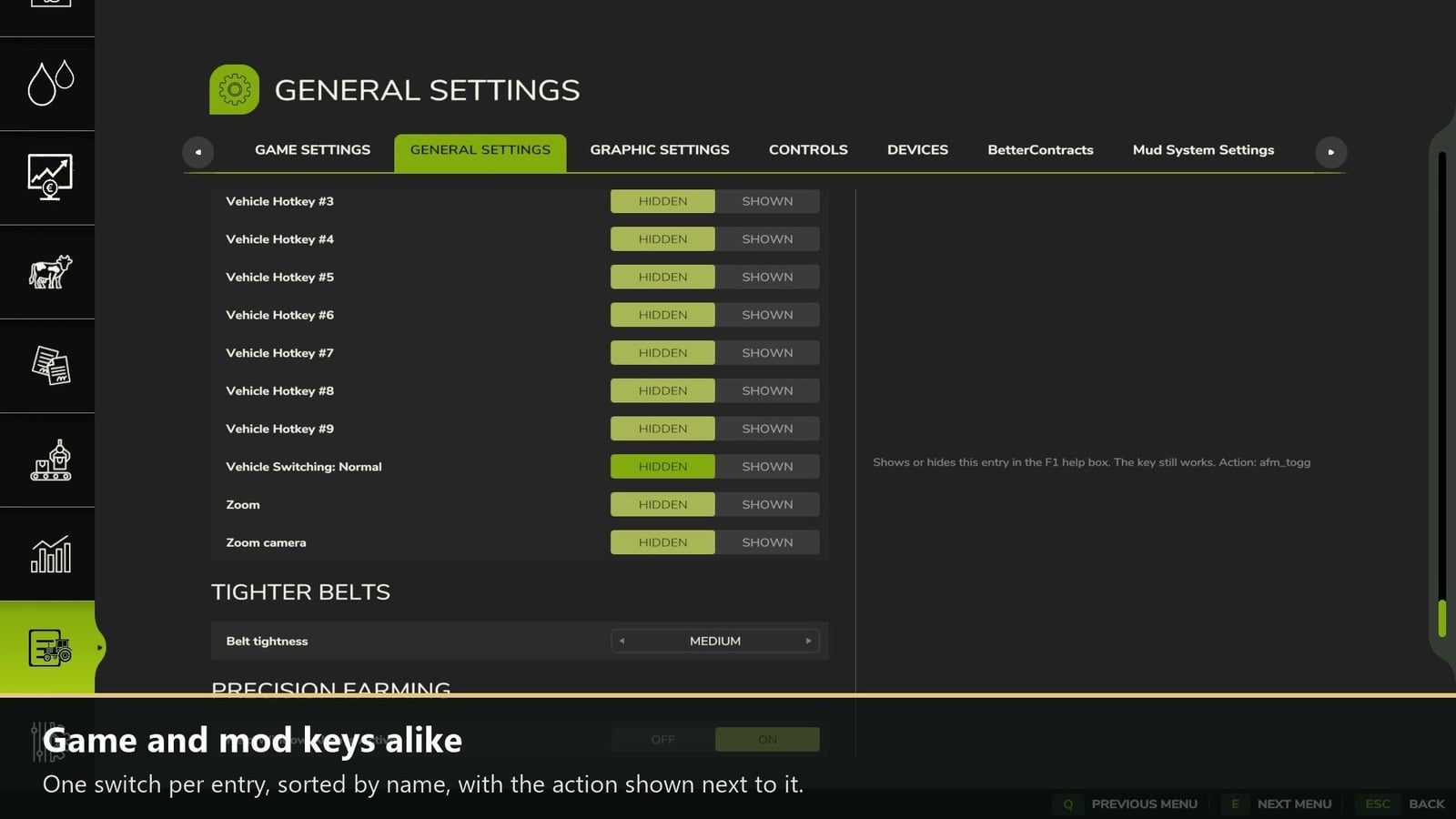
- Every entry gets its own Shown / Hidden switch. The names are sorted, and the matching action appears next to each one.
- Keep your choices across all savegames in
modSettings/FS25_F1Toggle/F1Toggle.xml. This file also records every entry seen so far, and you can sethidden="true"there too. - Check the console with
f1tListto list the entries. Usef1tShowAllwhen you want everything visible again. - You can use it in single player and multiplayer.
How to use: open ESC > Settings > General, scroll to “F1 help entries”, and switch an entry to Hidden. It then disappears from the F1 box.
Changelog
- 1.0.0.2: The mod list now shows the author as DTM Mods, Fennell.
- 1.0.0.1: New mod icon.
- No gameplay changes.