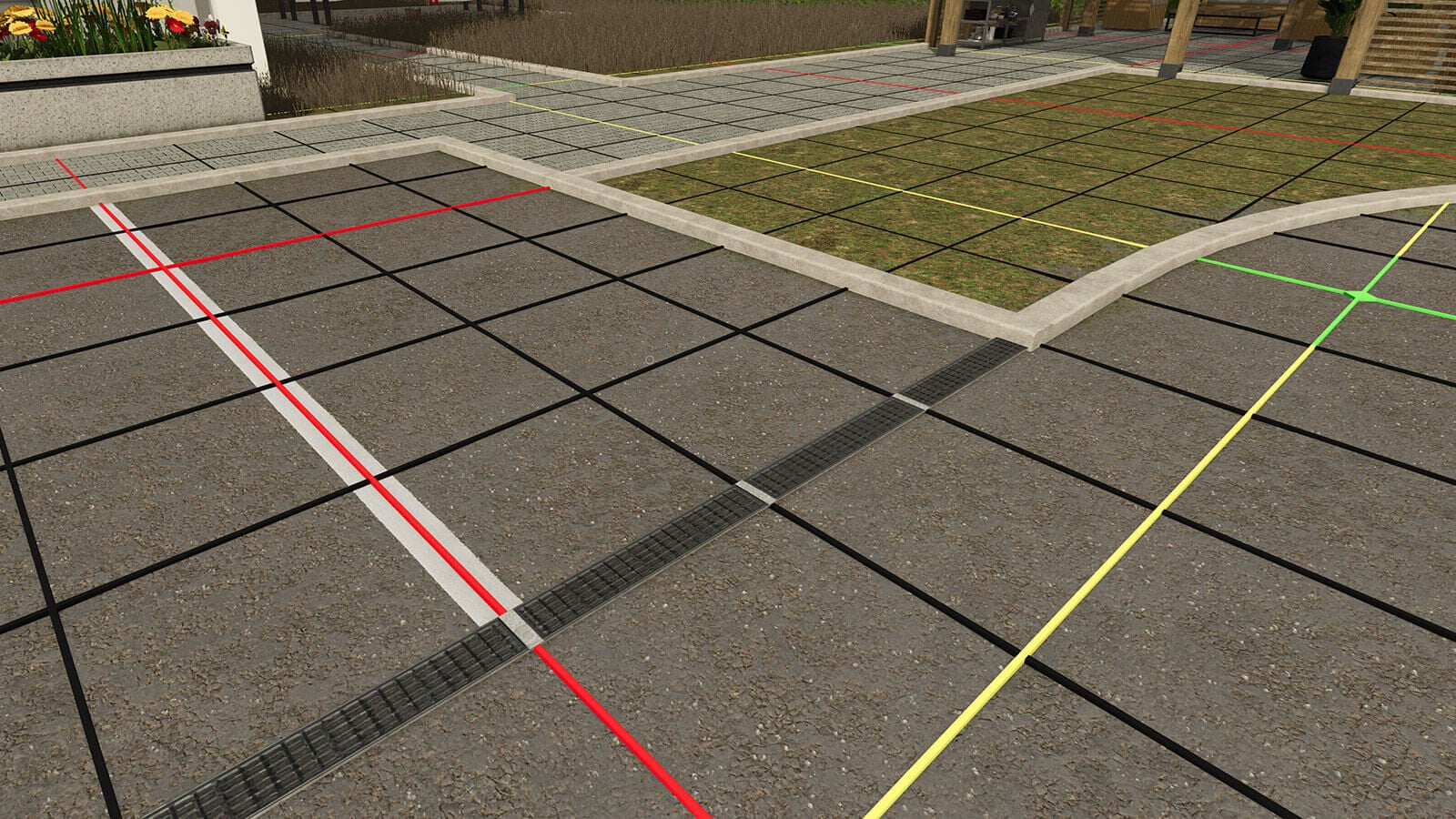
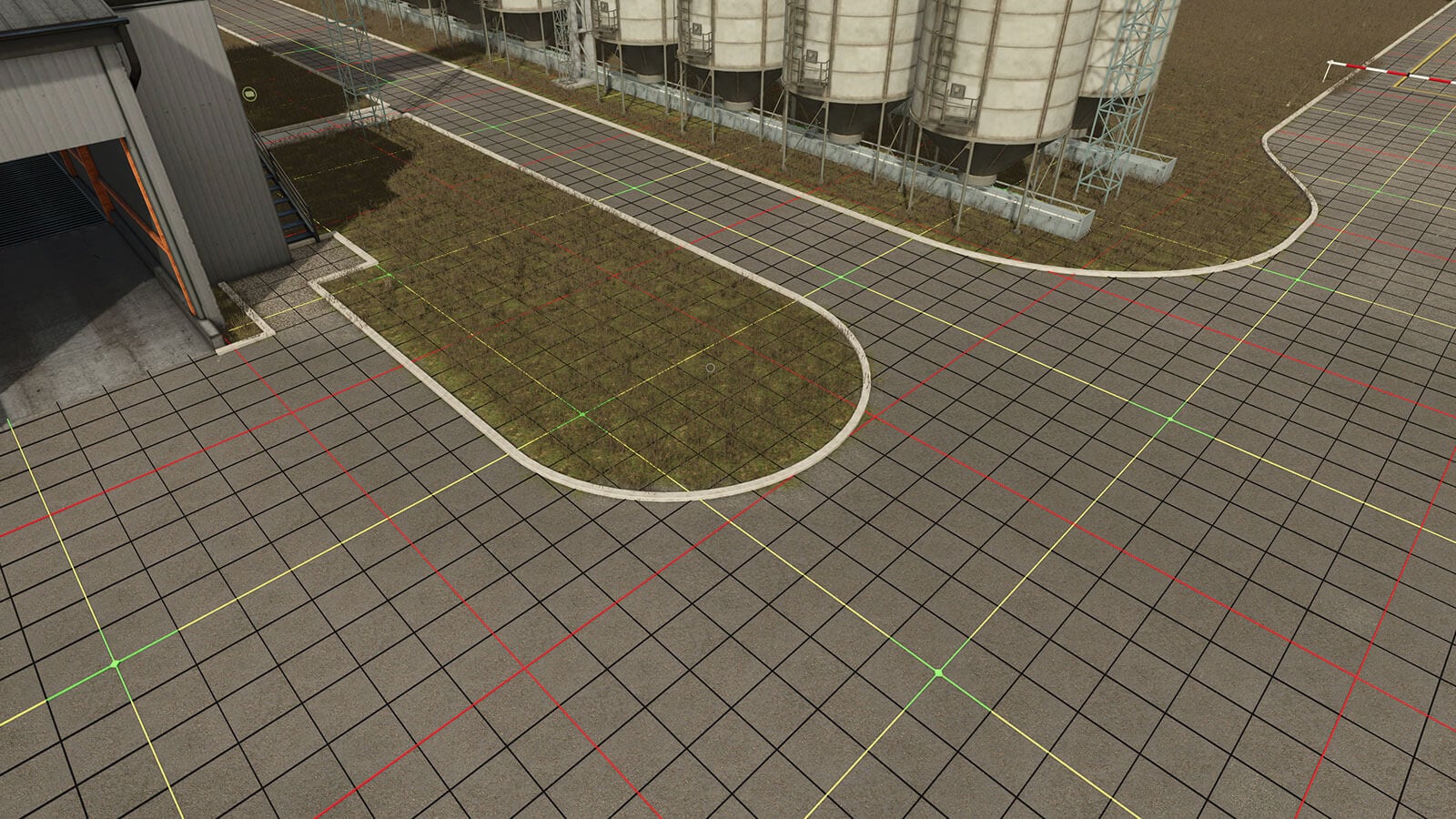
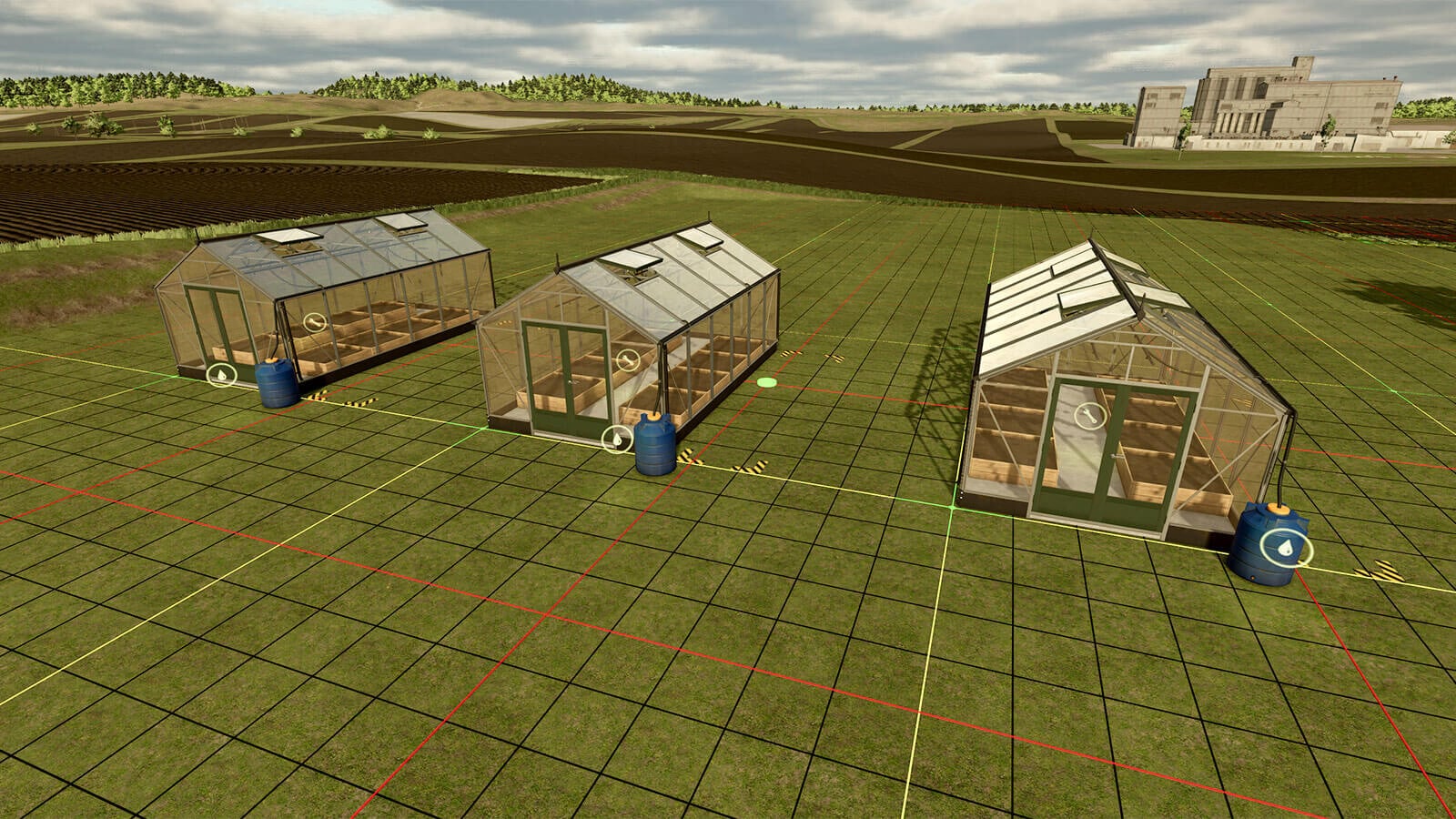
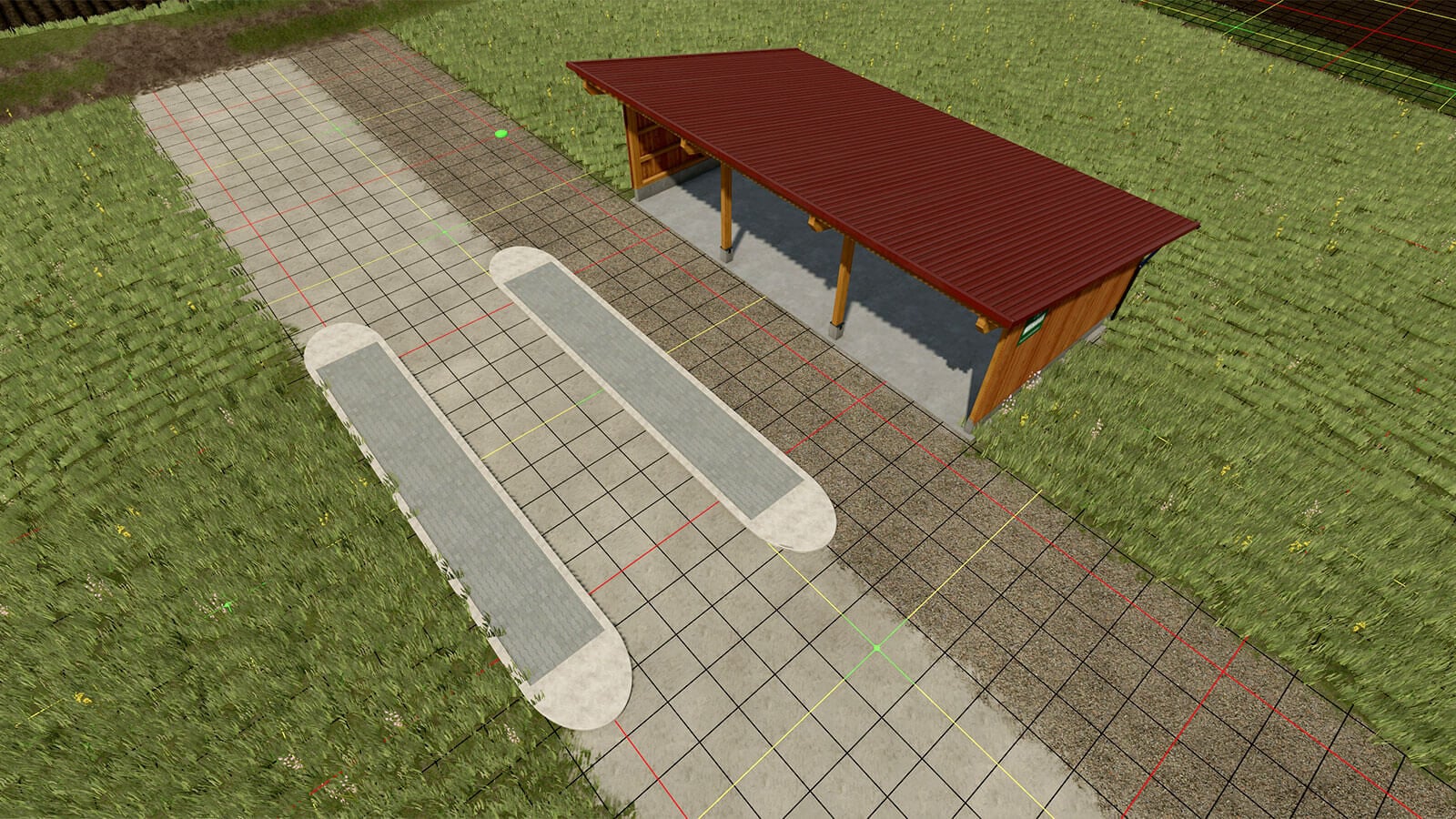
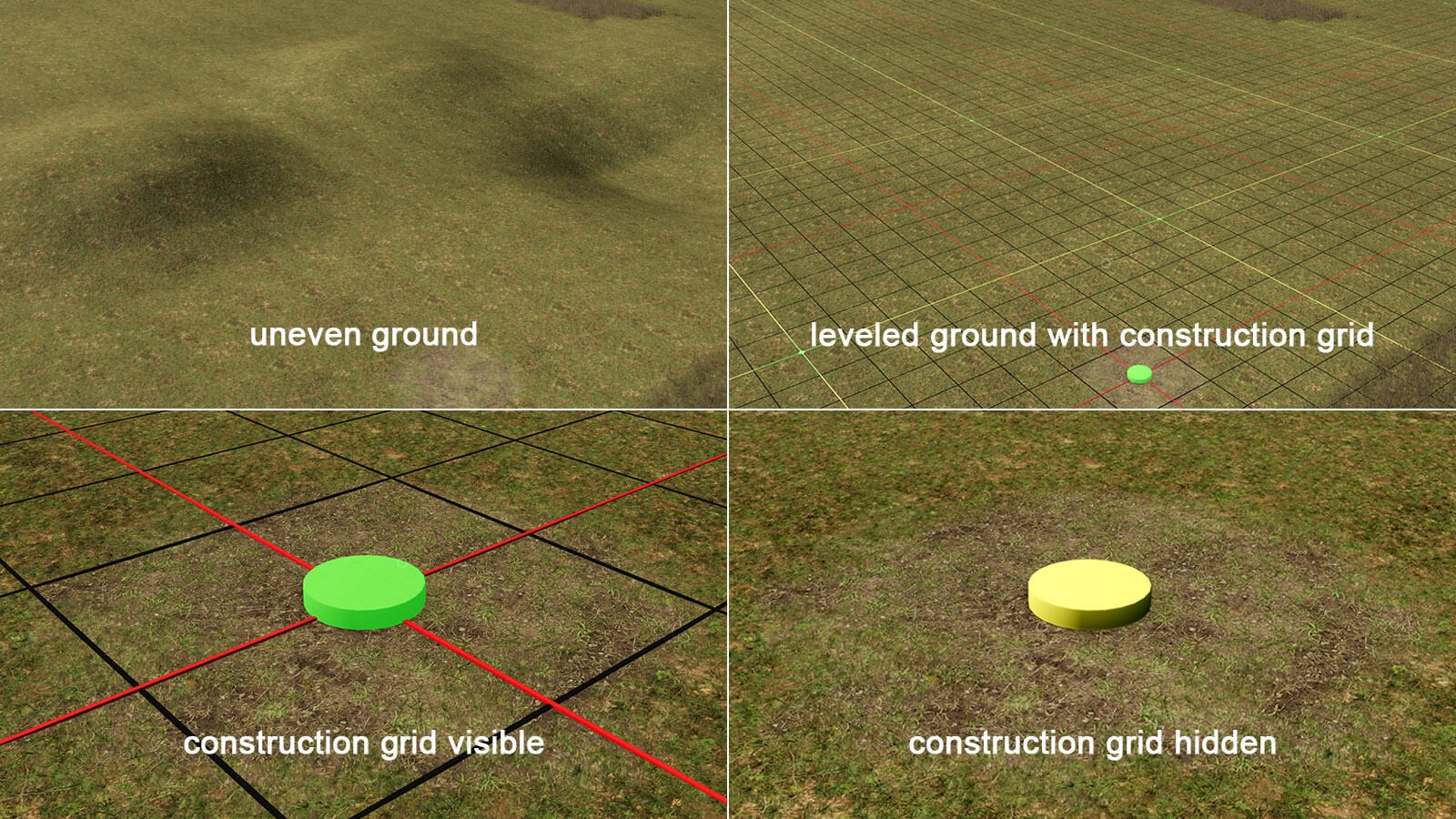
Want to line up buildings and other objects without guessing? This modification gives you six placeable construction grids for precise placement. You can pick every variant in 20×20 meters, 40×40 meters, 80×80 meters or 100×100 meters, while each smallest grid unit is 1×1 meter. That gives you a clear way to work with your builds.
Features
- After you place a grid, head to the central grab point to show or hide it. You can sell it again from the construction menu too.
- Variant 1: Grid fixed at 90°. This option stays at 90° all the time, so it cannot be rotated. It sits flat above the terrain and leaves the terrain unchanged.
- Variant 2: Grid fixed at 90°, with terrain adjustment. It has the same 90° setup as Variant 1, but it levels or flattens the terrain underneath if terrain modification is allowed.
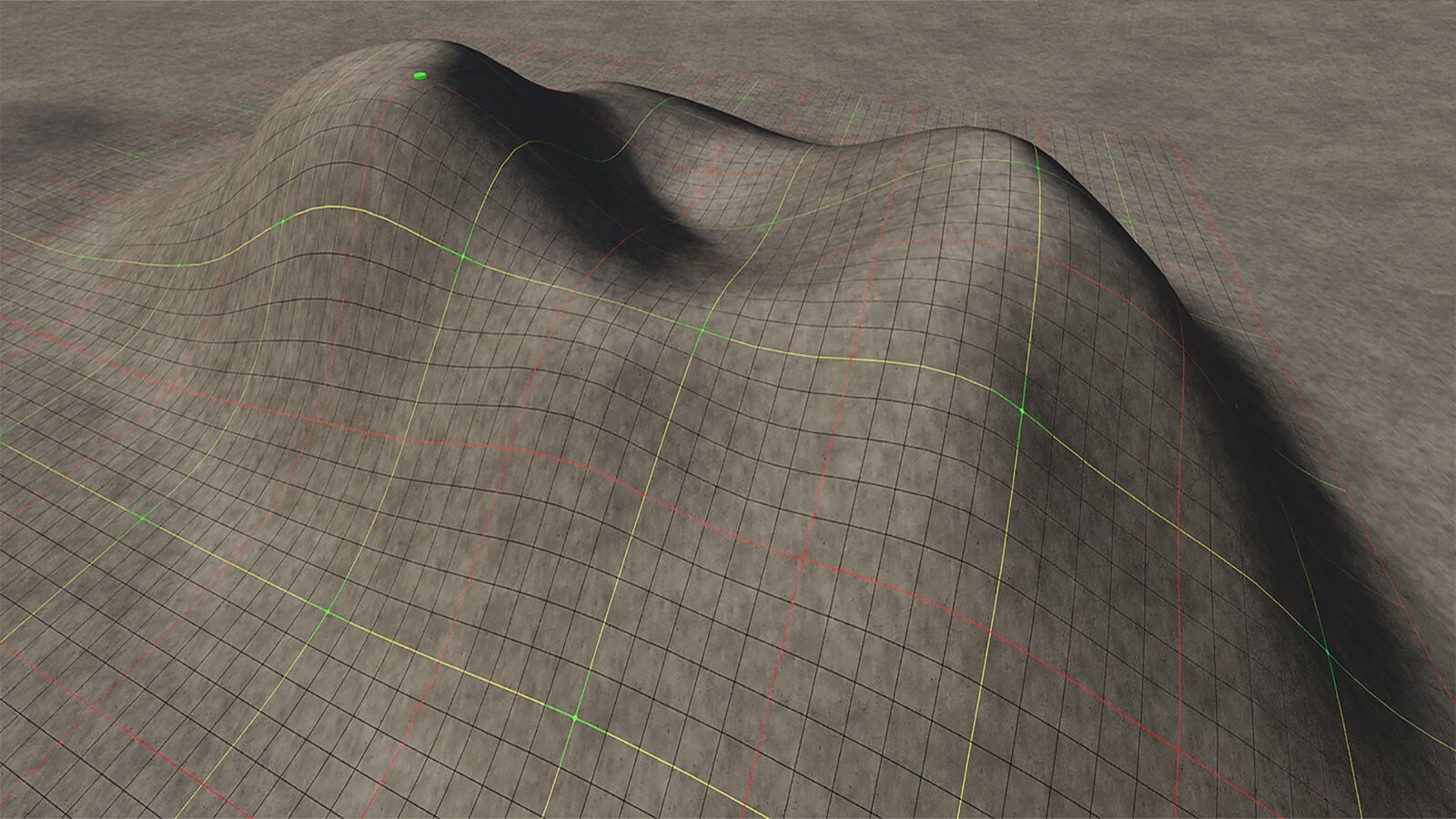
- Variant 3: Grid fixed at 90°, follows the terrain. The grid stays fixed at 90° like Variant 1, then automatically follows the ground heights. The terrain is not modified.
- Variant 4: Rotatable grid, in 15° steps. Turn the grid in 15° steps while keeping it flat above the terrain. It does not modify the terrain.
- Variant 5: Rotatable grid, in 15° steps, with terrain adjustment. This one works like Variant 4, with the added terrain leveling or flattening beneath the grid when terrain modification is allowed.
- Variant 6: Rotatable grid, in 15° steps, follows the terrain. Rotate it in 15° steps like Variant 4, while it automatically adapts to the ground heights. The terrain remains unchanged.
Specifications
- Grid sizes: 20×20 meters, 40×40 meters, 80×80 meters and 100×100 meters
- Smallest grid unit: 1×1 meter
- Shop category: Decoration -> Miscellaneous
- Price: $1
How to select the size: Choose the grid in the construction menu, then use the displayed input for “Configure” to select its size. On PC, the default input is the F key. The key binding shown can change with your input device and key configuration.
Changelog
1.1.0.0
- Size selection: You can now choose all variants in four sizes through “Configure” in the construction menu, 20×20 meters, 40×40 meters, 80×80 meters and 100×100 meters.
- Two new variants added, also with size selection: “Grid fixed at 90°, follows the terrain” and “Rotatable grid, in 15° steps, follows the terrain”.