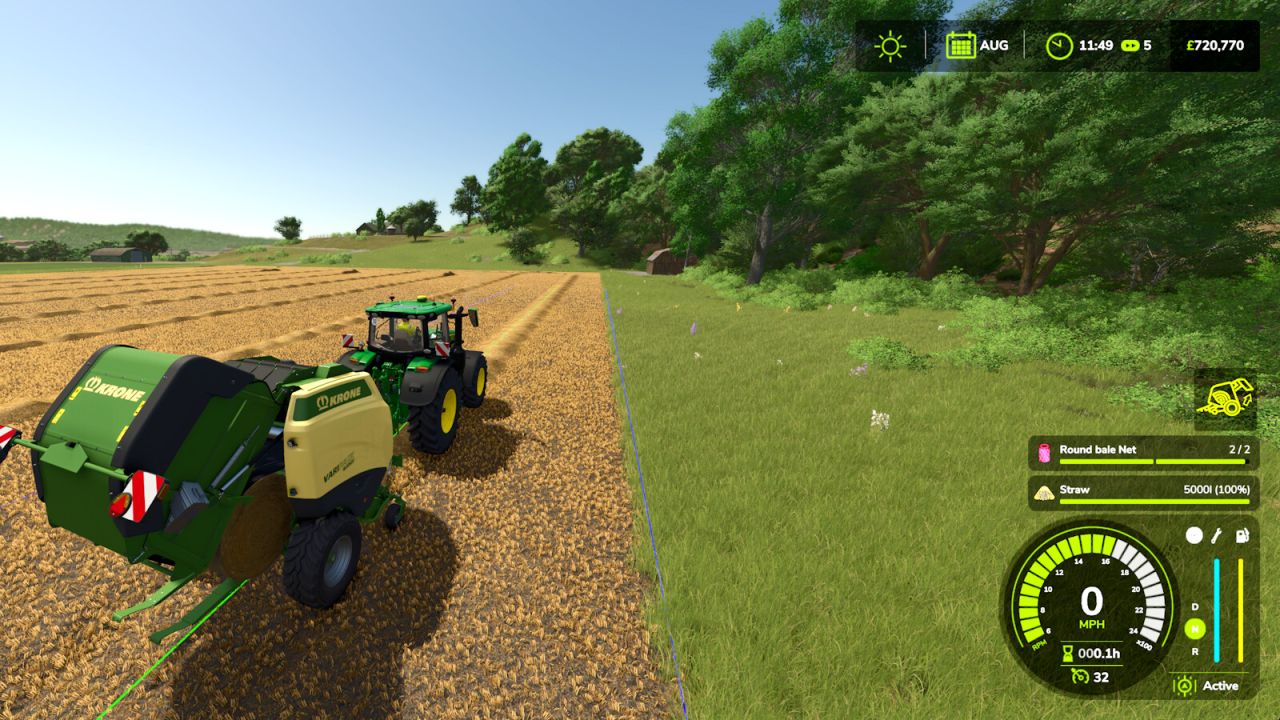
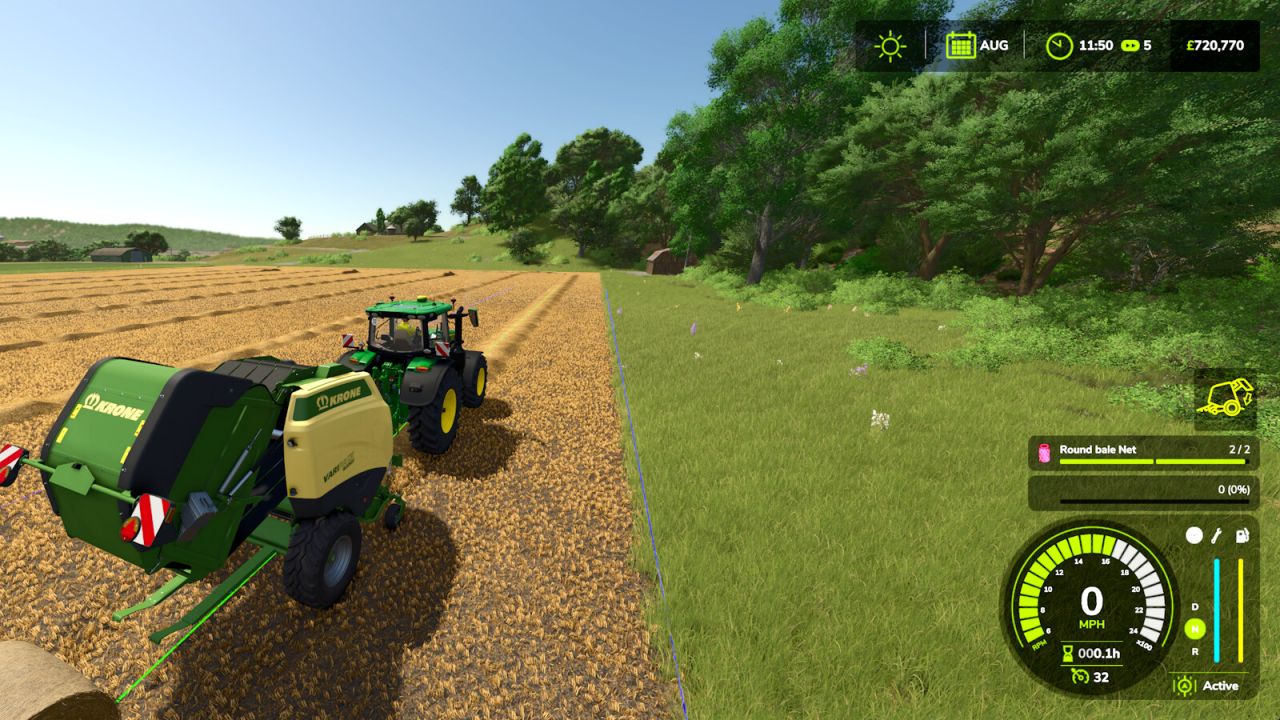
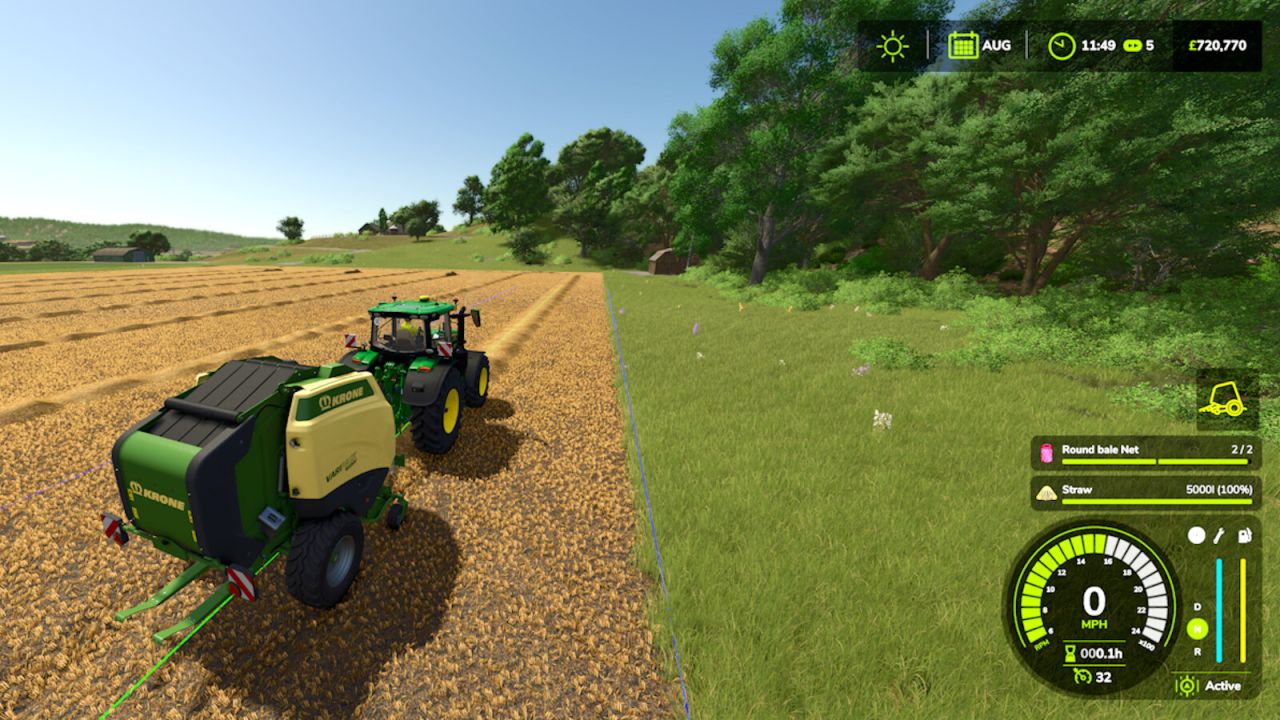
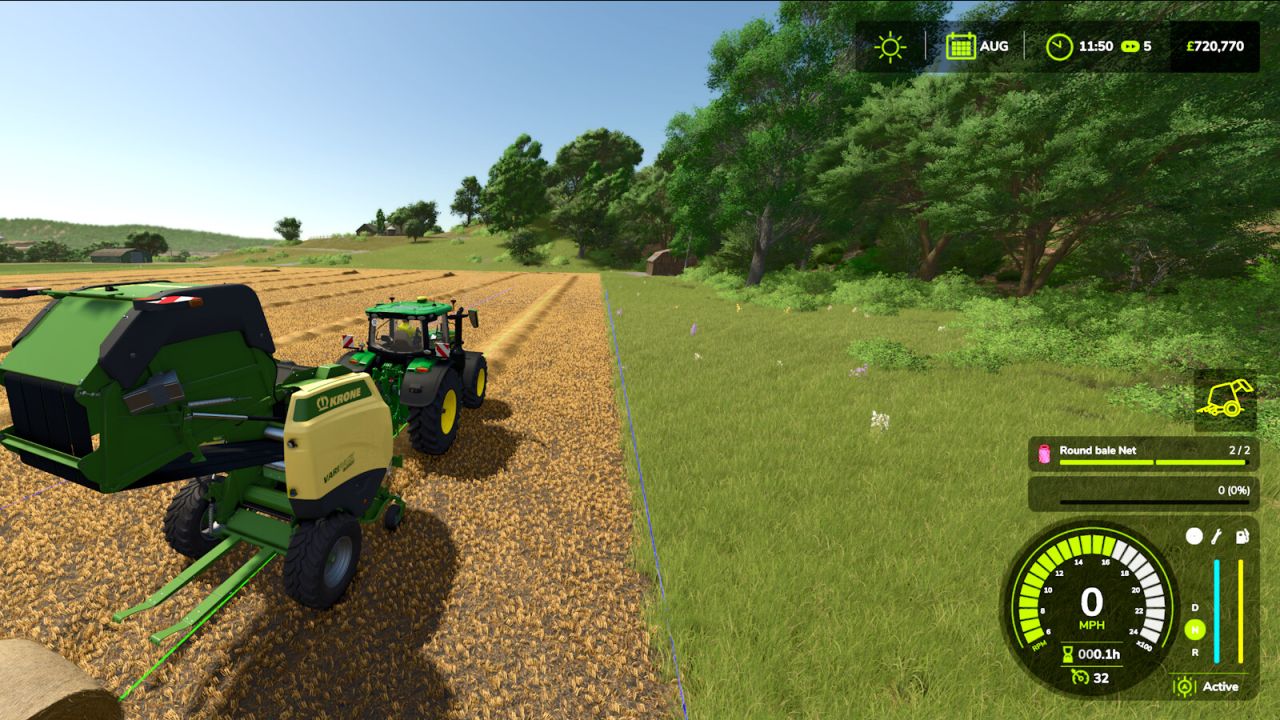
Smart Baler Door HUD adds a visual baler hatch indicator near the vehicle HUD. Designed for round balers, it helps you see the rear hatch state: closed, opening, bale ejected, closing, closed without needing to look behind. Ideal for first-person and in-cab gameplay.
This mod works best with the HUD scale set to 100%. If you prefer a different HUD percentage, you can reposition the HUD using the following keys: (Remember to have Num Lock turned off)
– Shift + Numpad 8 – Move HUD Up
– Shift + Numpad 2 – Move HUD Down
– Shift + Numpad 4 – Move HUD Left
– Shift + Numpad 6 – Move HUD Right
– Shift + Numpad 5 – Save Position
“Save Position” stores the coordinates of your repositioned Baler Door HUD so next time you load in the position will be where you last placed it.