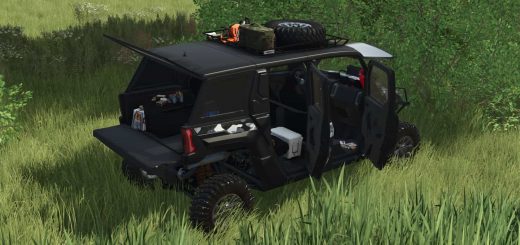
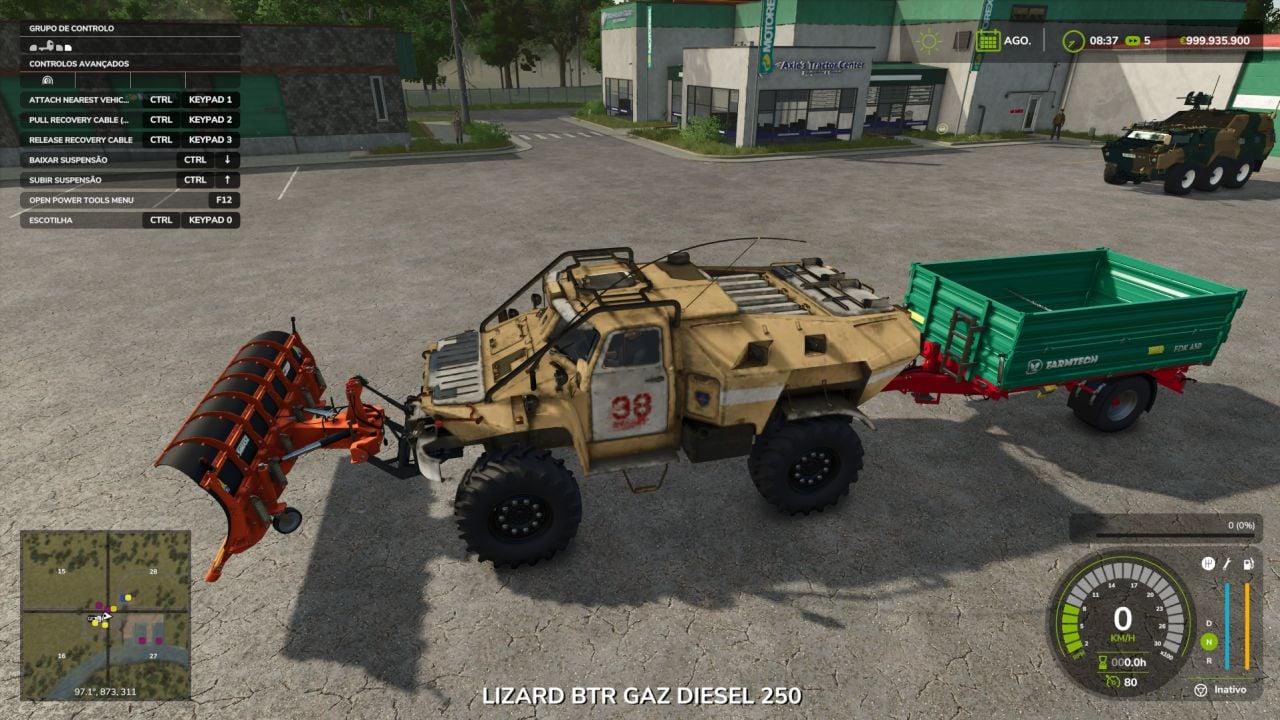
Want a vehicle that can jump between different jobs in Farming Simulator 25? The Lizard BTR GAZ 4×4 brings a military-style ride to FS25 for agriculture, forestry, recovery work, towing, snow clearing and airport support operations. You can use it for a lot of different jobs, then switch to another setup when the next task comes up.
Features
- 4×4 all-wheel drive.
- Front Ackermann steering.
- Adjustable suspension from minus 40 cm to plus 40 cm.
- Suspension adjustments in 5 cm increments.
- Animated suspension components.
- Animated side doors.
- Animated rear ramp.
- Opening roof hatch.
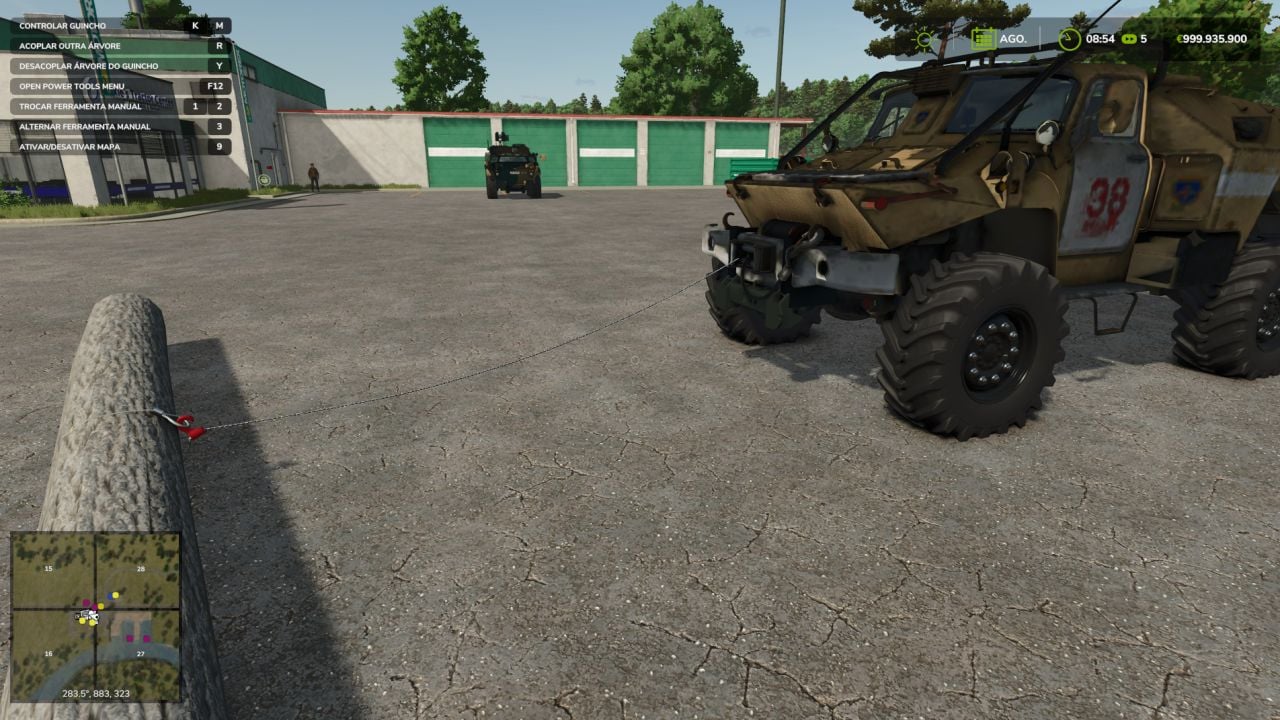
- Functional front forestry winch.
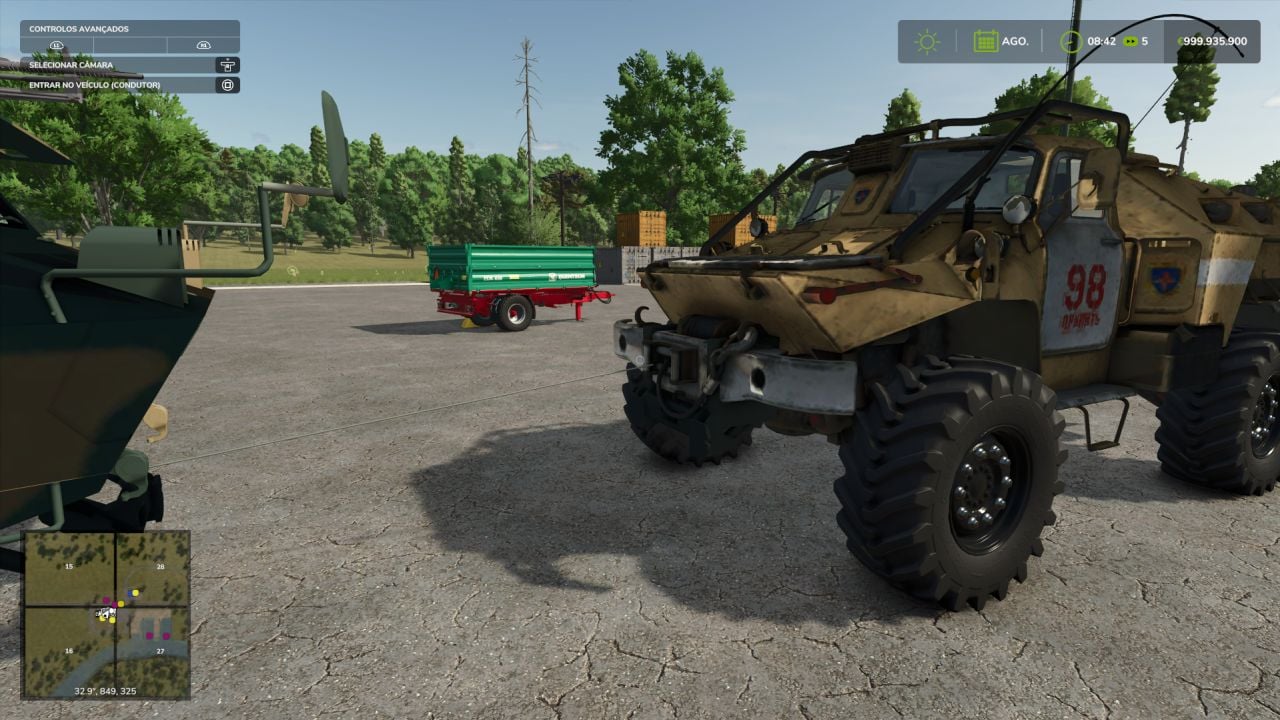
- Vehicle recovery system using a cable.
- Rear trailer connections.
- Compatible trailer towing for vehicle transport.
- Compatible trailer towing for log transport.
- Support for agricultural trailers.
- Detachable front hydraulic linkage.
- Support for compatible front-mounted implements.
- Snow clearing with compatible snow ploughs.
- Detailed military interior.
- Driver and passenger positions.
- Animated steering wheel and driver controls.
- Functional dashboard instruments.
- Exterior mirrors.
- Automatic windscreen wipers during rain.
- Functional vehicle lighting.
- Custom Caterpillar C15 diesel engine sound.
- Horn and air brake sounds.
- Diesel consumption and refuelling.
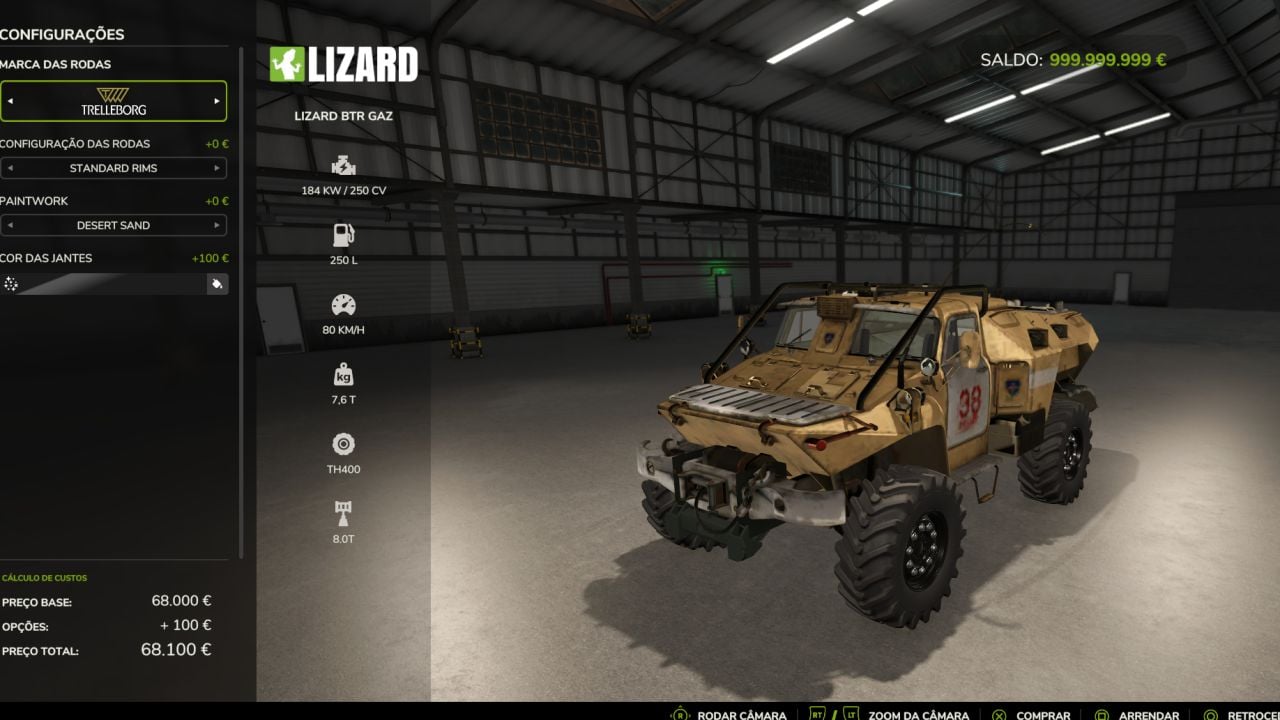
- Selectable vehicle paint configurations.
Vehicle and log transport
- The BTR GAZ can tow compatible trailers, so you can transport vehicles, agricultural materials, equipment and logs.
- Use suitable transport trailers for vehicle transport.
- Compatible forestry trailers handle log transport.
- Rear towing connections work with different compatible trailer types.
Front winch and vehicle recovery
- The BTR GAZ comes with a functional front forestry winch.
- Forestry winch cable length: 30 metres.
- Maximum supported tree mass: 8 tonnes.
- Maximum attached logs: 3.
- There is also a separate recovery system for connecting a cable to compatible vehicles.
- Vehicle recovery range: Up to 30 metres.
- Some vehicles can be recovered without a conventional trailer hitch.
- Keep the engine running during recovery operations.
Snow clearing and front equipment
- You can buy the detachable front hydraulic linkage separately in the vehicle shop.
- Once attached, the front linkage lets you use compatible front-mounted equipment.
- That includes snow ploughs and other supported implements.
- Purchase the hydraulic linkage separately, then attach it to the front of the BTR GAZ.
- Front hydraulic linkage price: 1,500 EUR.
Adjustable suspension
- The vehicle has a custom system for changing suspension height.
- Maximum lowering: 40 cm.
- Maximum raising: 40 cm.
- Adjustment increments: 5 cm.
- You can adjust the suspension while travelling below 3 km/h.
- Height adjustments also work with compatible equipment attached.
Animated components
- Left side door.
- Right side door.
- Rear access ramp.
- Roof hatch.
- Animated steering wheel.
- Animated accelerator pedal.
- Animated brake pedal.
- Animated clutch pedal.
- Animated gear selector.
- Automatic windscreen wipers.
Interior and dashboard
- Detailed original interior.
- Central dashboard instruments.
- Functional steering wheel.
- Animated driver controls.
- Speed indication.
- Engine RPM indication.
- Fuel level indication.
- Engine temperature indication.
- Driver and passenger positions.
Lighting and sound
- Functional headlights.
- Direction indicators.
- Brake lights.
- Reversing lights.
- Horn.
- Compressed-air brake sounds.
- Custom Caterpillar C15 diesel engine sounds.
- Automatic windscreen wipers during rain.
Paint configurations
- Original paintwork.
- Military green.
- Desert sand.
- Woodland camouflage.
Controls
Left Ctrl + Numpad 7: Open or close left side door.Left Ctrl + Numpad 9: Open or close right side door.Left Ctrl + Numpad 8: Open or close rear ramp.Left Ctrl + Numpad 0: Open or close roof hatch.Left Ctrl + Numpad 1: Connect recovery cable to a compatible vehicle.Left Ctrl + Numpad 2: Pull recovery cable.Left Ctrl + Numpad 3: Release recovery cable.Left Ctrl + Up Arrow: Raise suspension.Left Ctrl + Down Arrow: Lower suspension.- Standard FS25 controls are used for driving, lighting, trailer connections, forestry winch operation and refuelling.
Specifications
- Brand: Lizard
- Model: BTR GAZ 4×4
- Price: 68,000 EUR
- Engine power: 250 HP
- Maximum speed: 80 km/h
- Fuel type: Diesel
- Fuel capacity: 250 litres
- Vehicle mass: 6,852 kg
- Length: 6.12 metres
- Width: 3.31 metres
- Height: 3.31 metres
- Drive configuration: 4×4
- Suspension adjustment: Minus 40 cm to plus 40 cm
- Forestry winch range: 30 metres
- Vehicle recovery range: 30 metres
- Version: 1.0.0.18
- Game: Farming Simulator 25
- Multiplayer: Configured as supported
Installation
- Drop the ZIP file into your Farming Simulator 25 mods folder.
- Choose the Lizard BTR GAZ in the mod selection menu to activate it.
- Purchase the vehicle in the in-game store.
- The detachable front hydraulic linkage is purchased separately.
Important information
- Vehicle transport requires a compatible transport trailer.
- Log transport requires a compatible forestry trailer.
- For snow clearing, use a compatible front-mounted snow plough.
- The vehicle recovery system works with supported vehicles and is separate from the forestry winch.
- The vehicle is not configured for amphibious operation.
- If errors or warnings appear, report them in the comments and include the relevant
log.txtmessages.