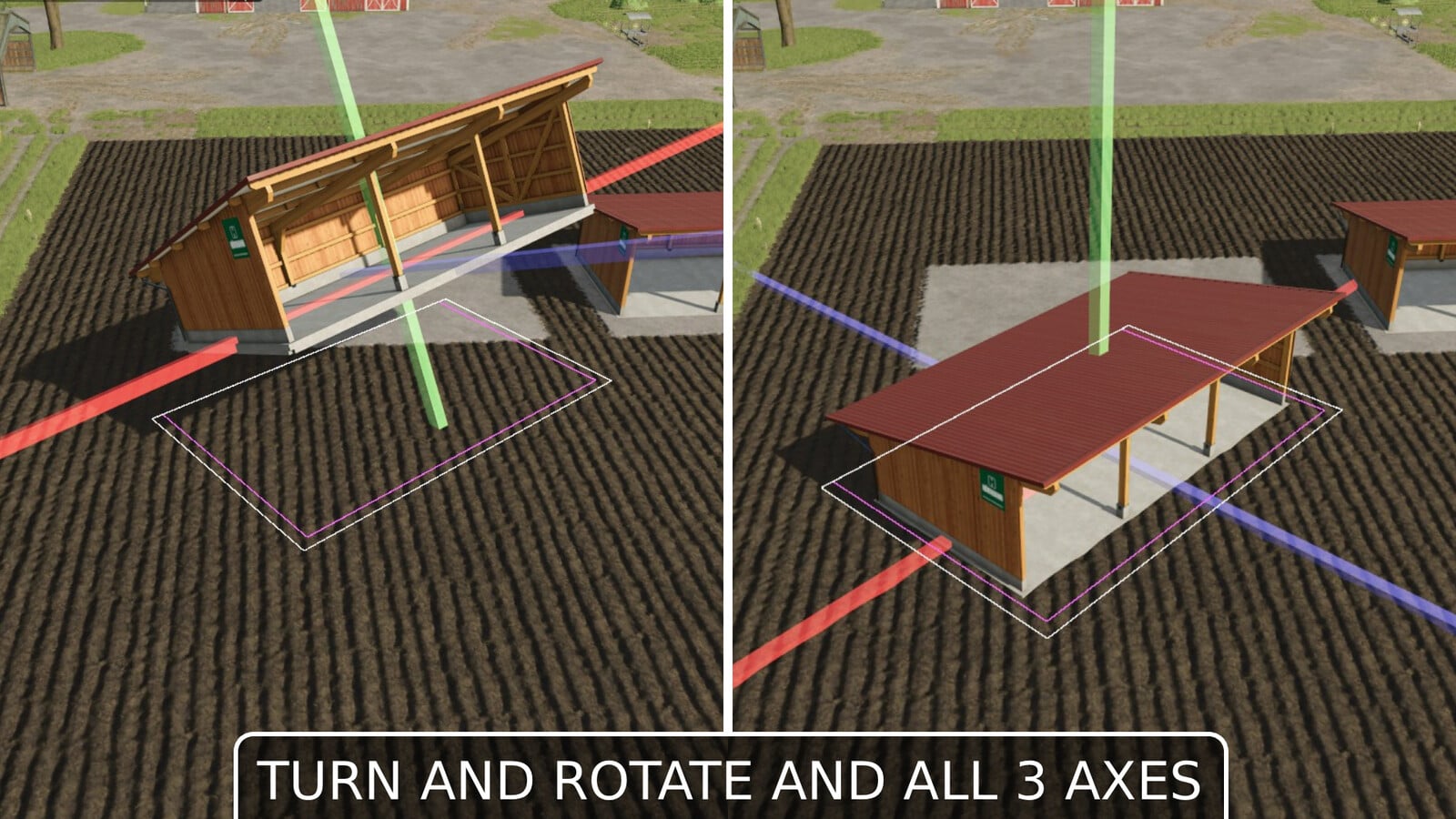
Need to shift a placed object around your farm? This mod lets you move it on all three axes, X, Y and Z, and rotate it around every one of them. That makes rebuilding and lining things up much more hands-on.
Features
Usage:
- Bring up the construction screen with Shift+P, the default shortcut
- Click the placed object you want to work on
- Hit the Move button
- Left-click one of the 3 axes shown in green, blue or red, then move the mouse > the object follows that selected axis
- Right-click any of the 3 axes and move the mouse > the object’s rotation changes around that axis
- Use B to toggle free mode, just like while buying: off, which is the default, levels and paints the ground at the new spot and adds earthwork costs; on moves the object while leaving the ground unchanged
- To confirm, click the placeable object once more or press the Escape key; a final confirmation prompt appears
- If you change your mind during editing, press Escape to reject or undo the change
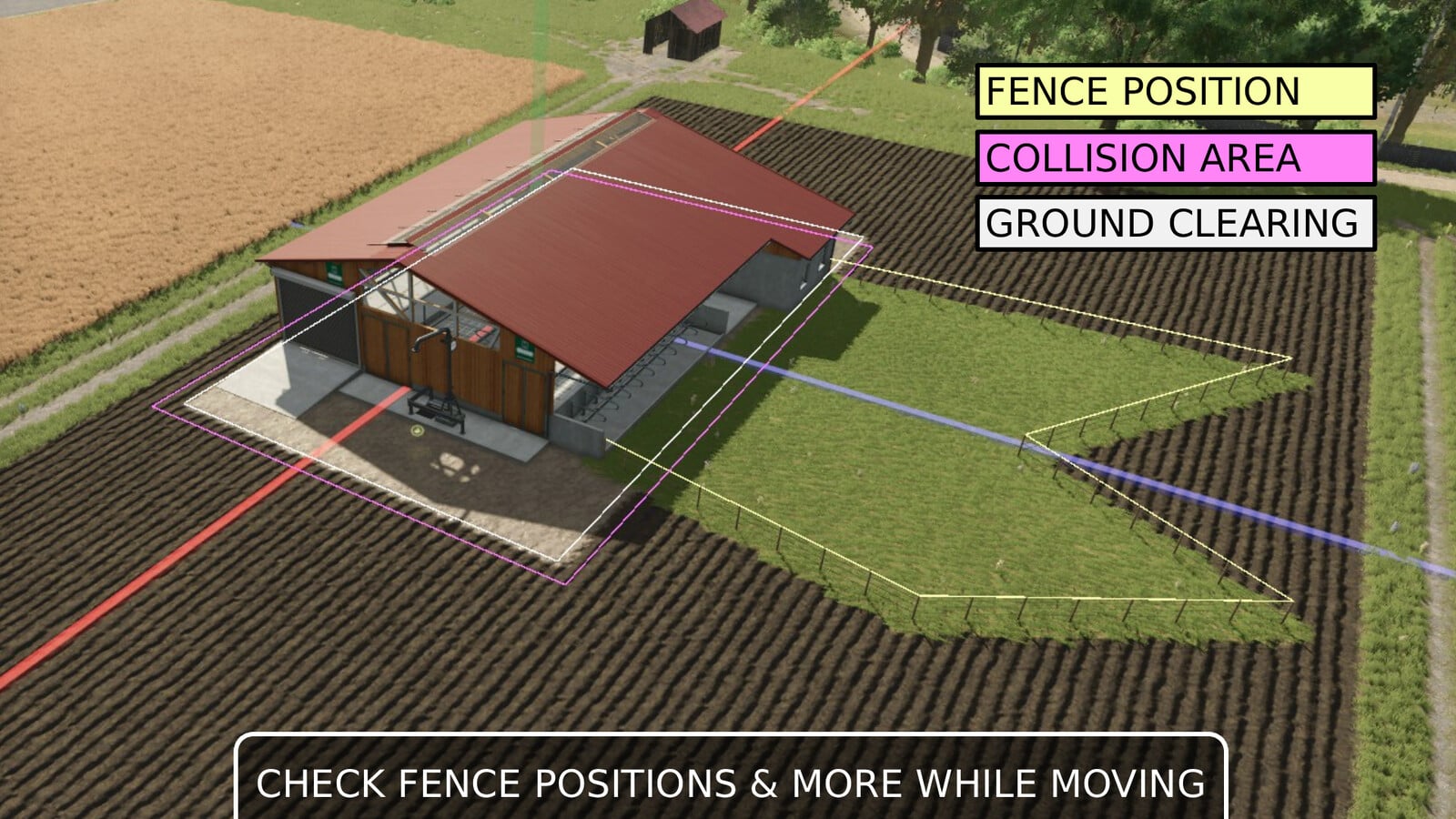
Guides are enabled by default, so these markings show up while you work:
- White line frame: The area for leveling and texturing
- Pink line frame: The collision area, which is not available in free mode
- Yellow line frame: The fence path, visible only when moving
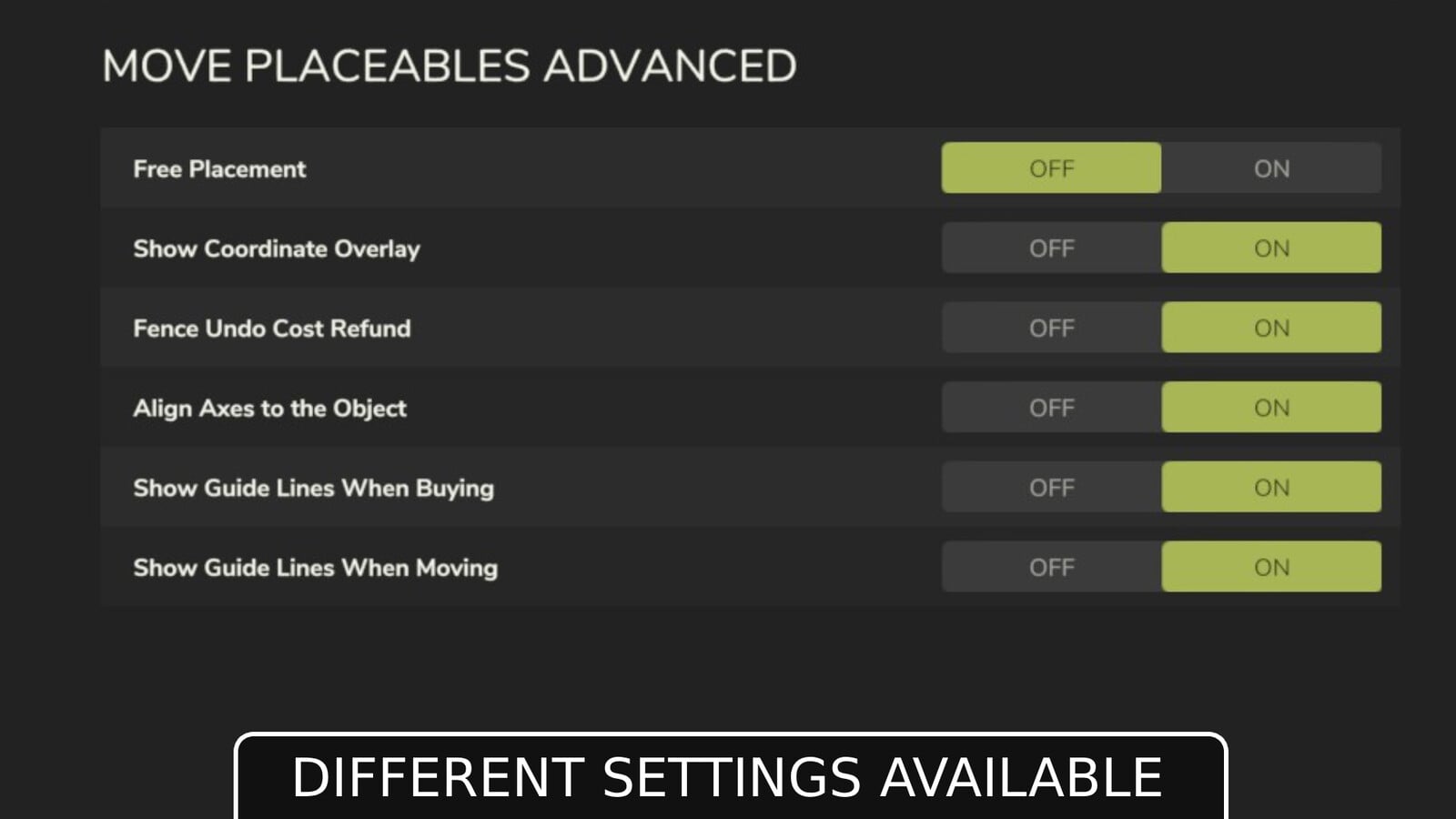
You can find the mod options in the menu under General Settings:
- Free Movement: Turn this on to move objects without any cost.
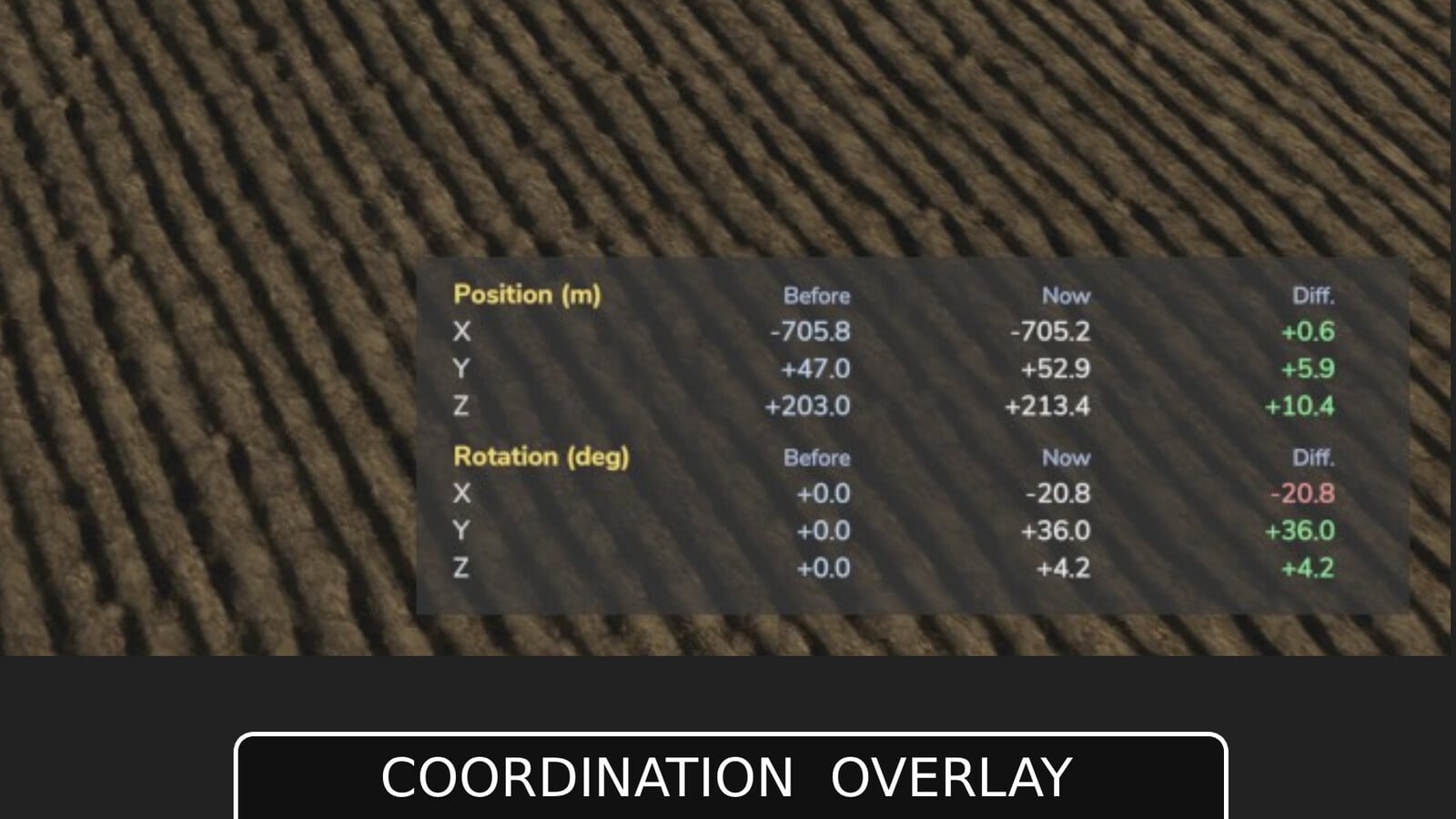
- Show Coordinate Overlay: While moving, an overlay displays the start and current coordinates, position and rotation.
- Fence Undo Cost Refund: When enabled, undoing the last husbandry fence segment gives its cost back.
- Align Axes to the Object: With this enabled, the move gizmo starts out aligned to the object’s own axes instead of the world axes.
- Show Guide Lines When Buying: Colored guide lines appear while you buy or place an object, including the collision area and ground clearing area.
- Show Guide Lines When Moving: Colored guide lines appear while you move an object, including the collision area, ground clearing area and fence outline.
This new mod replaces the old one and cannot be used with it. If you are using FS25_RearrangePlaceables.zip, delete that file before you use Move Placeables Advanced.
Changelog
Version 2.4:
- NEW: Press B to toggle free mode while moving placeables, just like when buying
- Free mode off, the default: The ground at the new spot is leveled and painted with the ground texture, while the area is cleared of field, weeds, stones, decoration and bulk material; earthwork costs are added to the moving price
- If the ground cannot be adjusted, for example because something blocks it, you are asked whether to move the object without ground adjustment
- Free mode on: The object moves without changing the ground, the behavior used previously
- Fixed: Pallet spawn areas, for example greenhouses, production points, beehives, husbandries and pallet/vehicle buying stations, now move along with the object
- White guide lines for ground changes are drawn slightly higher, keeping them visible where they overlap the pink lines
Version 2.3:
- The “Fence Gate Fix” is gone because Giants has since fixed this in the base game
- The gizmo axes now use the corrected colors
- NEW: In non-free mode, collision detection areas are shown by white lines when you purchase new placeables and when you move them
- NEW: Ground adjustment areas, leveling and texturing, are shown by pink lines when purchasing and moving new placeables
- NEW: You can choose whether guide lines are shown when buying or moving placeables
Version 2.2:
- Added an option that decides whether the axis shift lines up with the object’s axes or the world axes
- Default: Object axes, not world axes as before, check last Screenshot
Version 2.1:
# New Features
- Move an animal barn and its pasture fences move too, with yellow lines showing them
- Fences automatically follow the new ground level when you move them
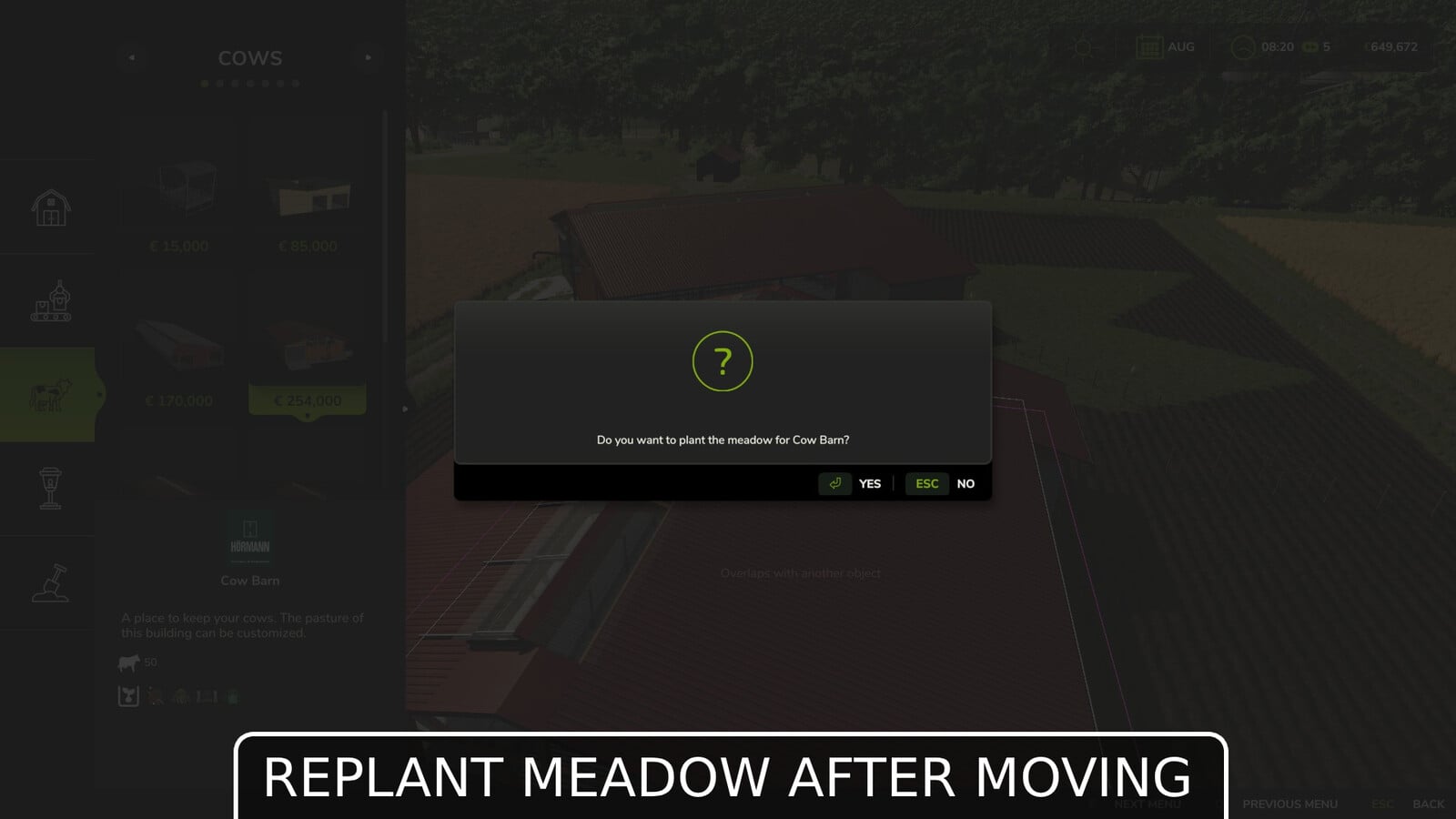
- Once an animal pen has been moved, you are asked if a new pasture should be created inside the fenced area
- Map hotspots and teleport points for production facilities, animal pens and other objects now move and update correctly too
- Refund for barn/fence construction: Undo the last element and its cost is refunded as well
- Configurable in the game settings, menu, default: enabled
# Bug Fixes
- Fixed collision areas while moving placeables and the immediate release of the old collision areas
- Fixed multiplayer synchronization issues affecting pastures, fences and animal displays
- Pre-placed map placeables that you move are now saved at the new position and load correctly with the save game, using a separate XML in the save game
- Multiplayer
# Base Game Bug Fixes, Starting with Game Version 1.18
- In rare cases, fence gates float or sink into the ground after loading a save file
- Every fence gate is repositioned at startup and adjusted to the terrain height
Version 2.0.0.0:
- Completely new code was introduced
- Various minor bugs were fixed
- Various logic optimizations were made
- Pre-placed map objects can now be repositioned without errors
- A setting for repositioning costs was added
- An overlay now shows before, after and diff for the object’s alignment and rotation, and you can disable it in the settings