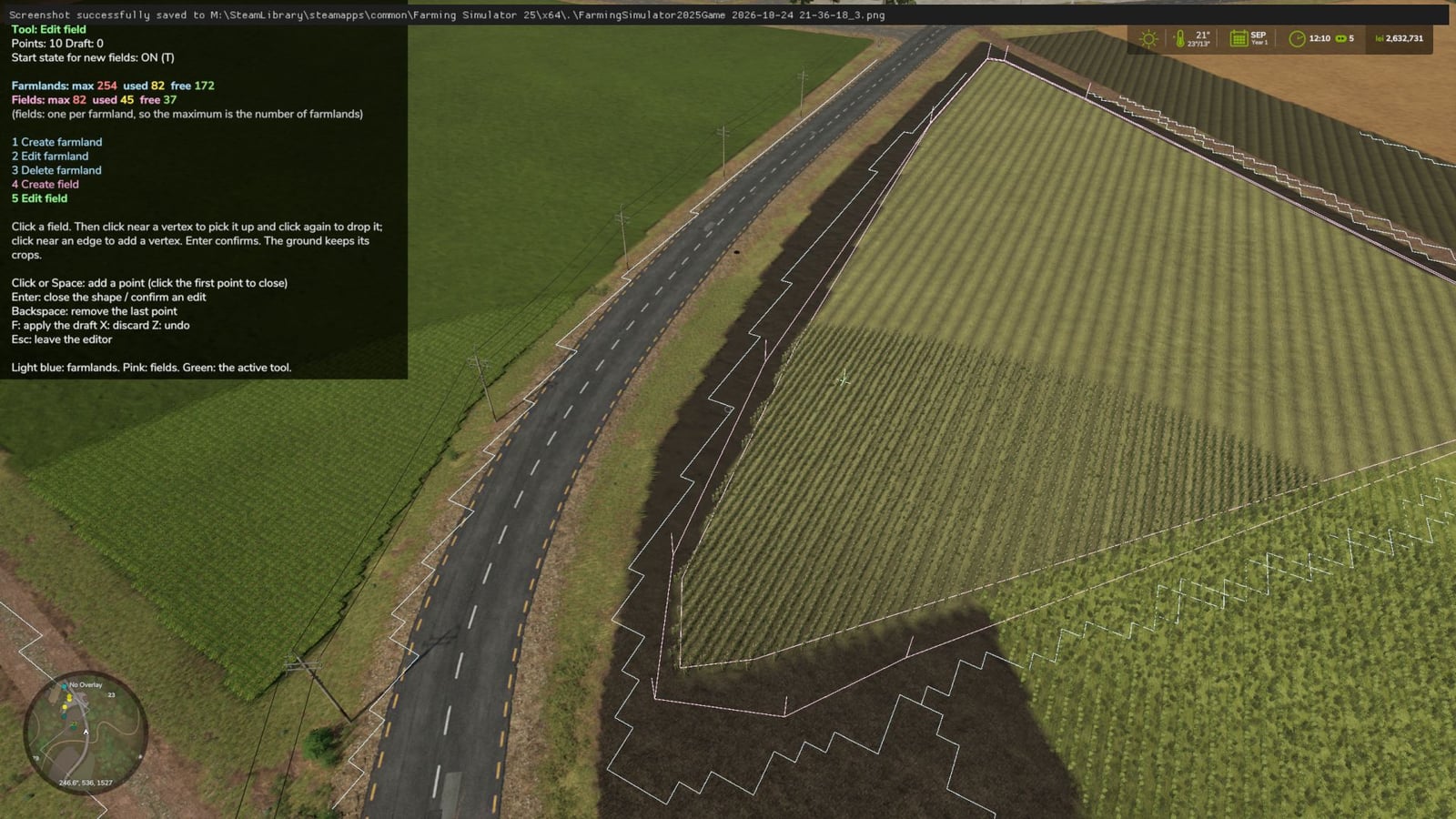
With Farmland Splitter, you can reshape your map right in the game. Redefine, cancel, create, modify, or delete farmlands and field boundaries within the available ID limits. Your edits go into the savegame folder, so the original map files stay untouched. That makes it handy when you want to build up a custom map project or tune a career save heavily.
Features
- Single Player and PC only.
- Change farmlands and field boundaries while you are in-game.
- Edits are safe and non-destructive because they are saved in the savegame folder.
- Clean menu that explains itself.
- Useful for custom map projects or career saves with lots of personal tailoring.
How to Use
- Bring up the menu with
Right Shift + Right Ctrl + F12. - Follow the controls on-screen to adjust your farmlands.
- Hit the
Fkey when you want to apply an edit. Every modification waits until you press theFkey. - Use
Escwhen you are ready to close the menu.
In Development
- In-game Pedestrian and Traffic Spline Creator.
- Savegame-to-Map Compiler, a lightweight standalone tool that automatically puts saved game edits directly into a publishable map file.
Changelog
- BETA 2
Beta 0.0.6.0What’s Changed:
Tools and Keybindings, Keys 1-5:
1. Create farmland
2. Edit farmland
3. Delete farmland
4. Create field
5. Edit fieldCutting and extending are removed now. The dedicated “delete field” option is also gone, so a field can only be deleted together with its parent farmland.
Colors:
Farmland: Boundaries, drawn shapes, deletion markers, and everything else connected to farmlands appear light blue.
Fields: Everything connected to fields appears pink.
Active Tool and Cursor: Displayed in green.Counter UI:
Farmlands: You will see Farmlands: max [MAX] used [USED] free [FREE]. One example is max 254 in red, used 244 in yellow, and free 10 in green.
Fields: The exact same format is used here. The maximum limit is equal to the number of farmlands, since one farmland can contain at most one field.