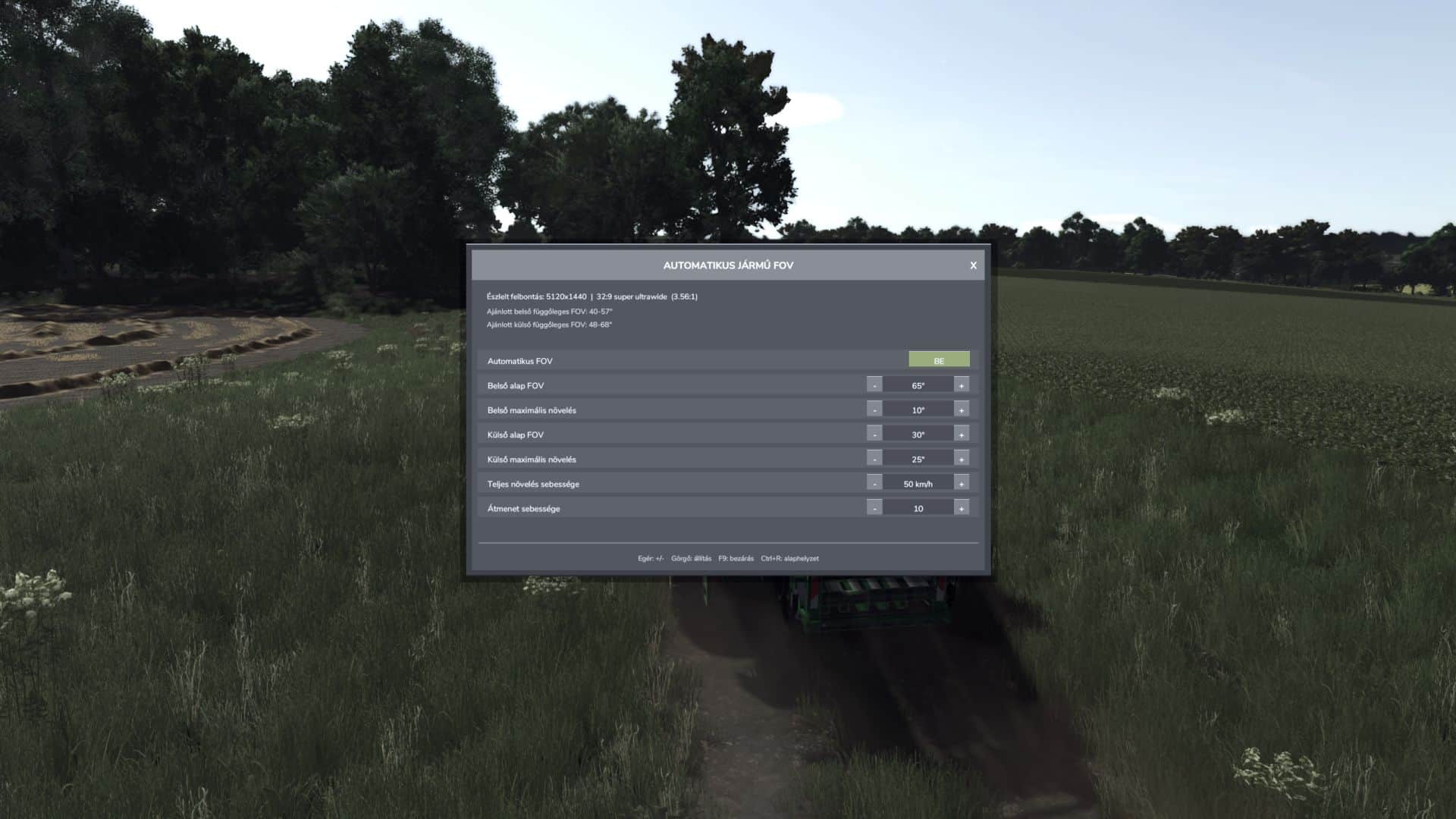
Automatic Vehicle FOV smoothly changes the vehicle camera field of view according to speed. Inside and outside cameras have separate base FOV and maximum boost values.
Features:
– Automatic, speed-dependent inside and outside vehicle FOV.
– Smooth camera transition without sudden jumps.
– Automatic screen resolution and aspect-ratio detection.
– Recommended inside and outside vertical FOV ranges.
– Separate manual inside and outside FOV mode.
– Compact mouse-operated settings panel with clickable minus/plus controls and mouse-wheel adjustment.
– Every change is applied immediately and saved automatically; there is no APPLY button.
– Resolution-based FOV ranges are advisory only and never overwrite the selected values.
– Settings are stored in the common FS25 user profile and loaded again on the next start.
– Client-side multiplayer operation; other players’ cameras are not modified.
Controls:
– F9: open or close the settings panel.
– Mouse: use the ON/OFF, minus, plus and close buttons.
– Mouse wheel: adjust the value under the pointer.
– Escape: close the panel and restore normal mouse control.
Settings file:
– Documents/My Games/FarmingSimulator2025/modSettings/FS25_AutomaticVehicleFOV.xml
– Version 1.3.0.0 also repairs an empty settings file by writing the current/default values on load.
V1.3.0.0
– Fixed XML settings persistence. Version 1.2.9.0 incorrectly created an empty settings file.
– Settings are now loaded correctly on the next game start.
– Every mouse adjustment is applied immediately and saved automatically.
– Removed the Apply button and its associated behavior.
– Removed keyboard-based value adjustment and reset controls.
– F9 still opens and closes the settings panel.
– Resolution-based FOV ranges are informational recommendations only.
– Updated the README to reflect the mod’s actual behavior.