The Extended FieldToolkit expands the standard GIANTS FieldToolkit with a wide range of new features and an improved debug view, making it significantly easier to create and manage fields.
FEATURES:
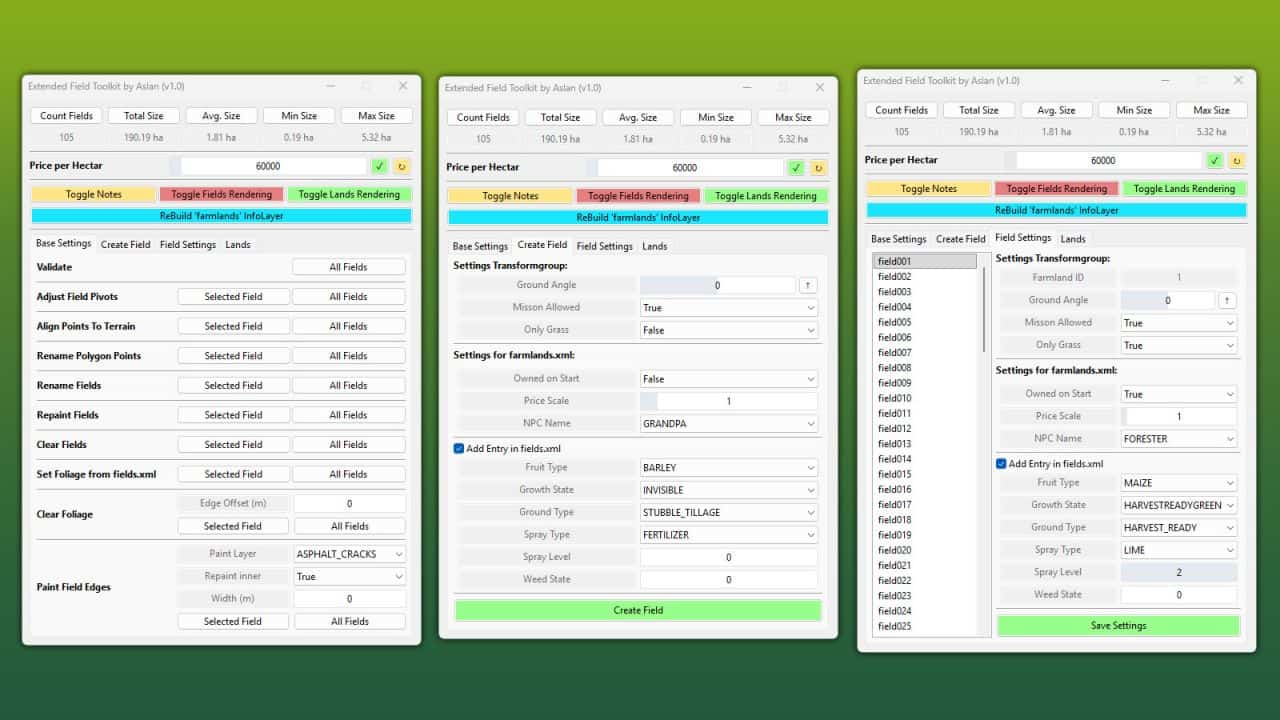
– Create or edit fields entirely through the UI
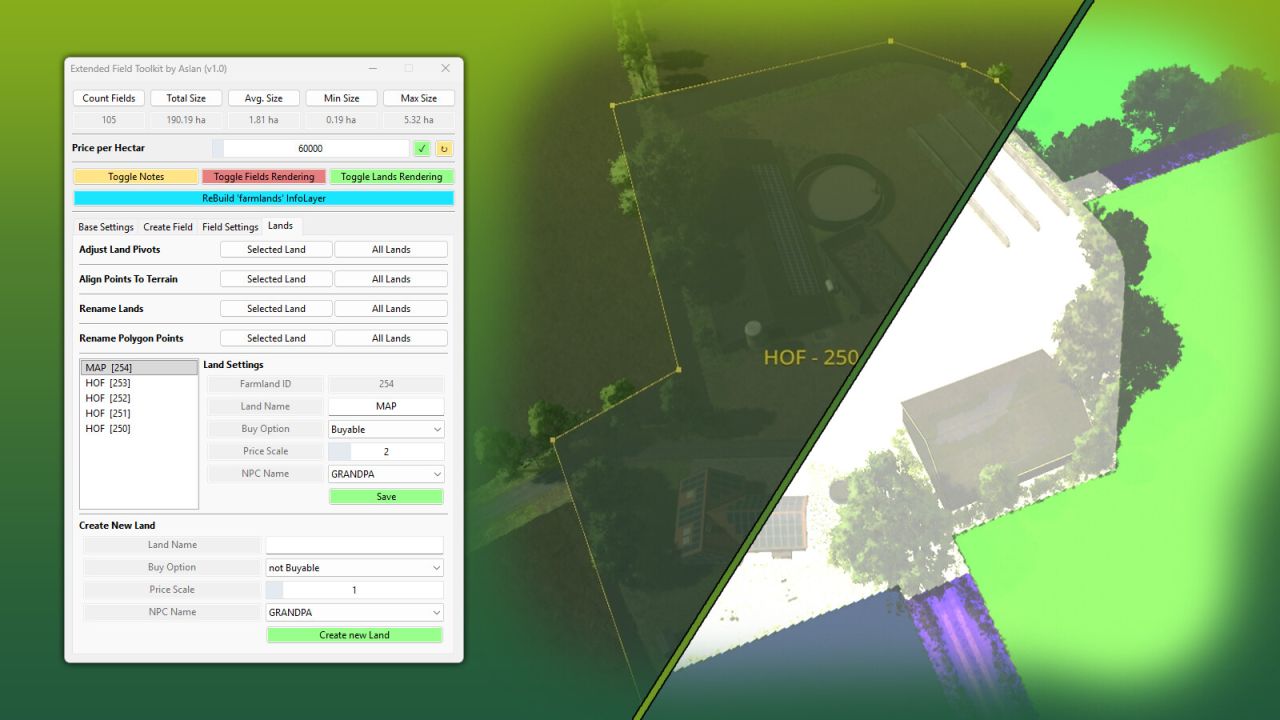
– Create and manage land parcels (e.g. farms, forests, lakes, etc.)
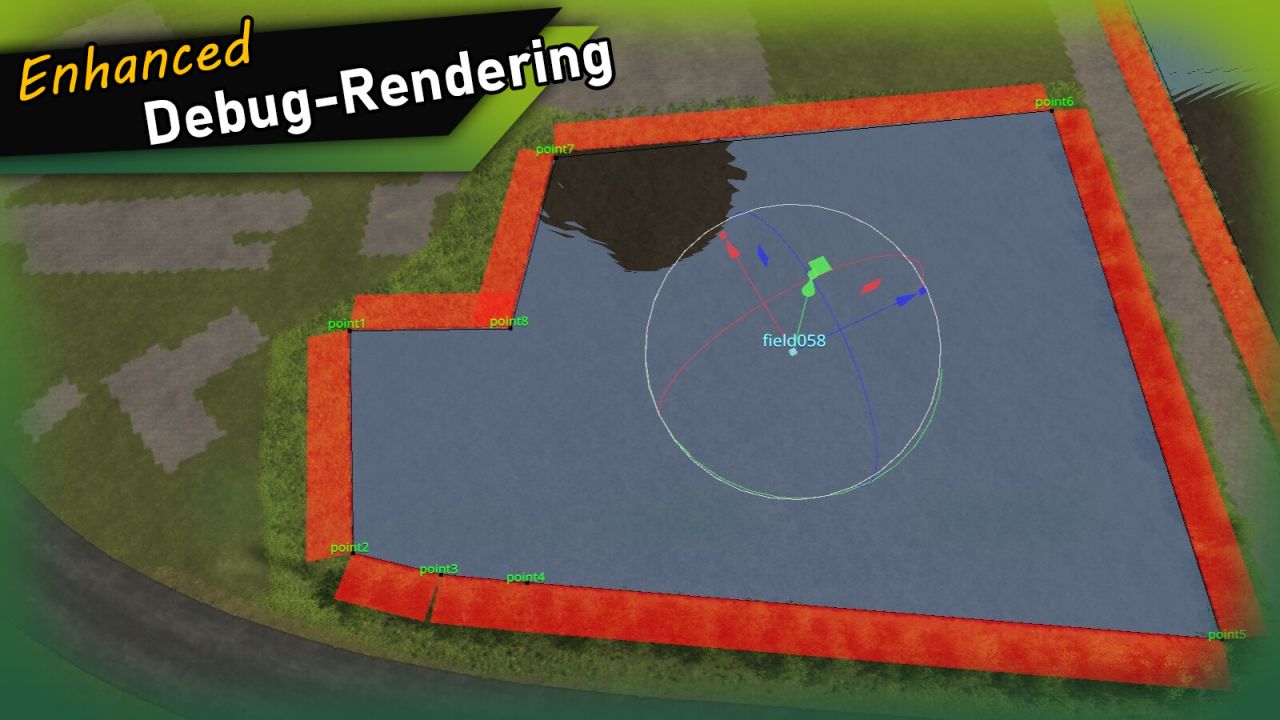
Debug View
– Field names are rendered in the 3D viewport at each field’s pivot position
– Polygon points and names are shown for the selected field
– Duplicate polygon vertices are highlighted
Tools
– Validate Fields: Checks all fields for misconfiguration, InfoLayer overlaps and missing attributes – with a clear [OK] / [WARNING] / [ERROR] output
– Adjust Field Pivots: Moves each field’s TransformGroup pivot to the area centroid of its polygon (correct even for concave fields)
– Set Foliage from fields.xml: Paints the fruits defined in fields.xml directly onto the fields
– Repaint Fields: Repaints all fields into the farmlands InfoLayer
– Clear Fields: Removes all fields from the farmlands InfoLayer
– Clear Foliage: Removes foliage from fields, with an optional configurable edge offset
– Paint Field Edges: Paints a chosen terrain texture along field borders, optionally inwards as well
– Rename Fields: Renames all fields with a consistent 3-digit numbering
– Align Polygon Points: Aligns all polygon points to the terrain height
– Field statistics (total area, field count) are displayed at the top of the window
INFO:
On first launch, the tool automatically adds the userAttribute “farmlandID” to all fields that don’t already have it. This attribute is used to determine farmland ownership and replaces the name-based approach used by the standard FieldToolkit.
Installation:
1.) Navigate to the GIANTS Editor AppData path. Default: “C:Users[USER]AppDataLocalGIANTS Editor 64bit 10.0.XXscripts”
2.) Copy the file “FieldToolkitExt.lua” from the prefab into the scripts folder.
3.) The script will then be available in the GIANTS Editor via the menu bar under “Scripts”.