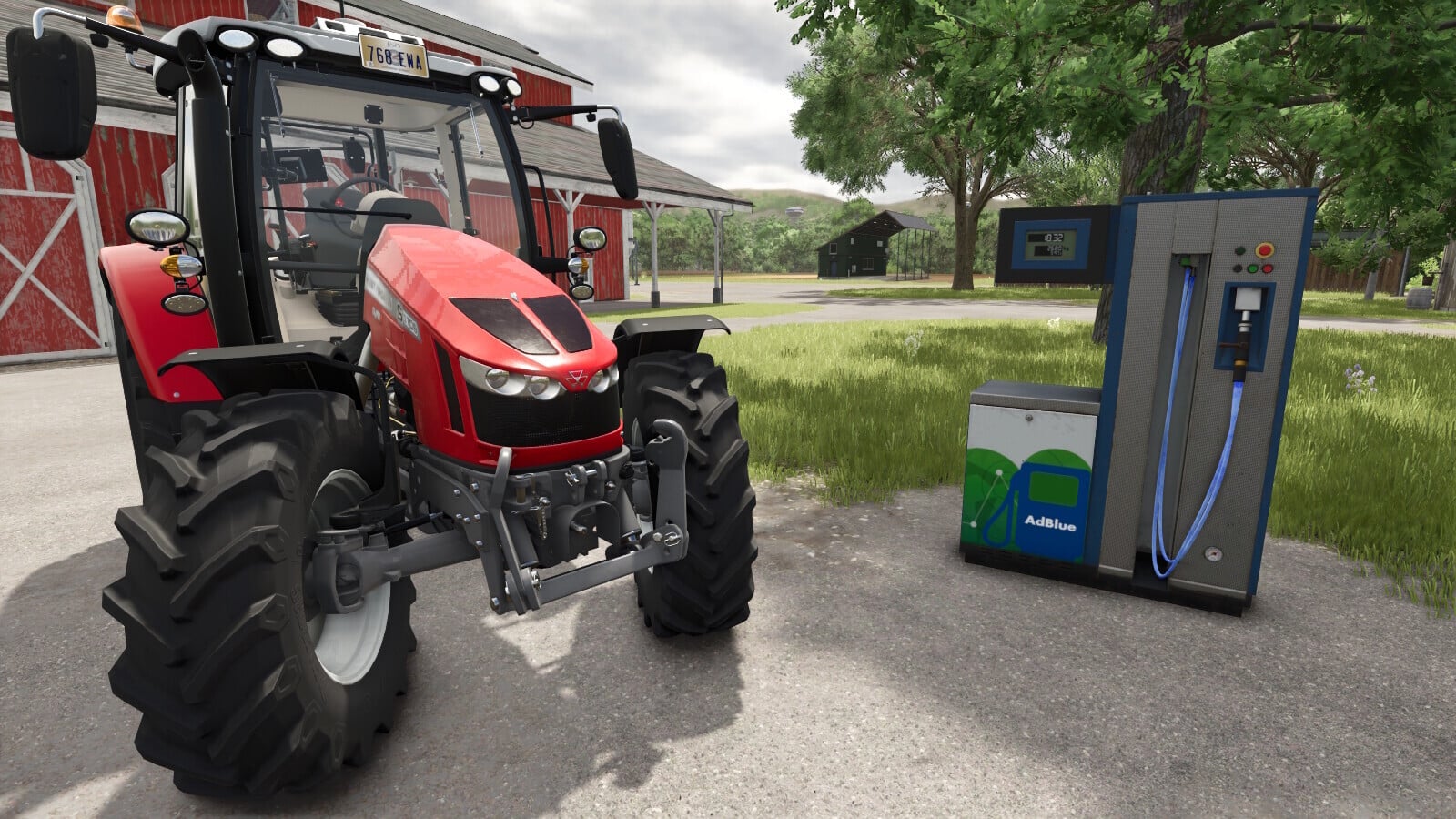
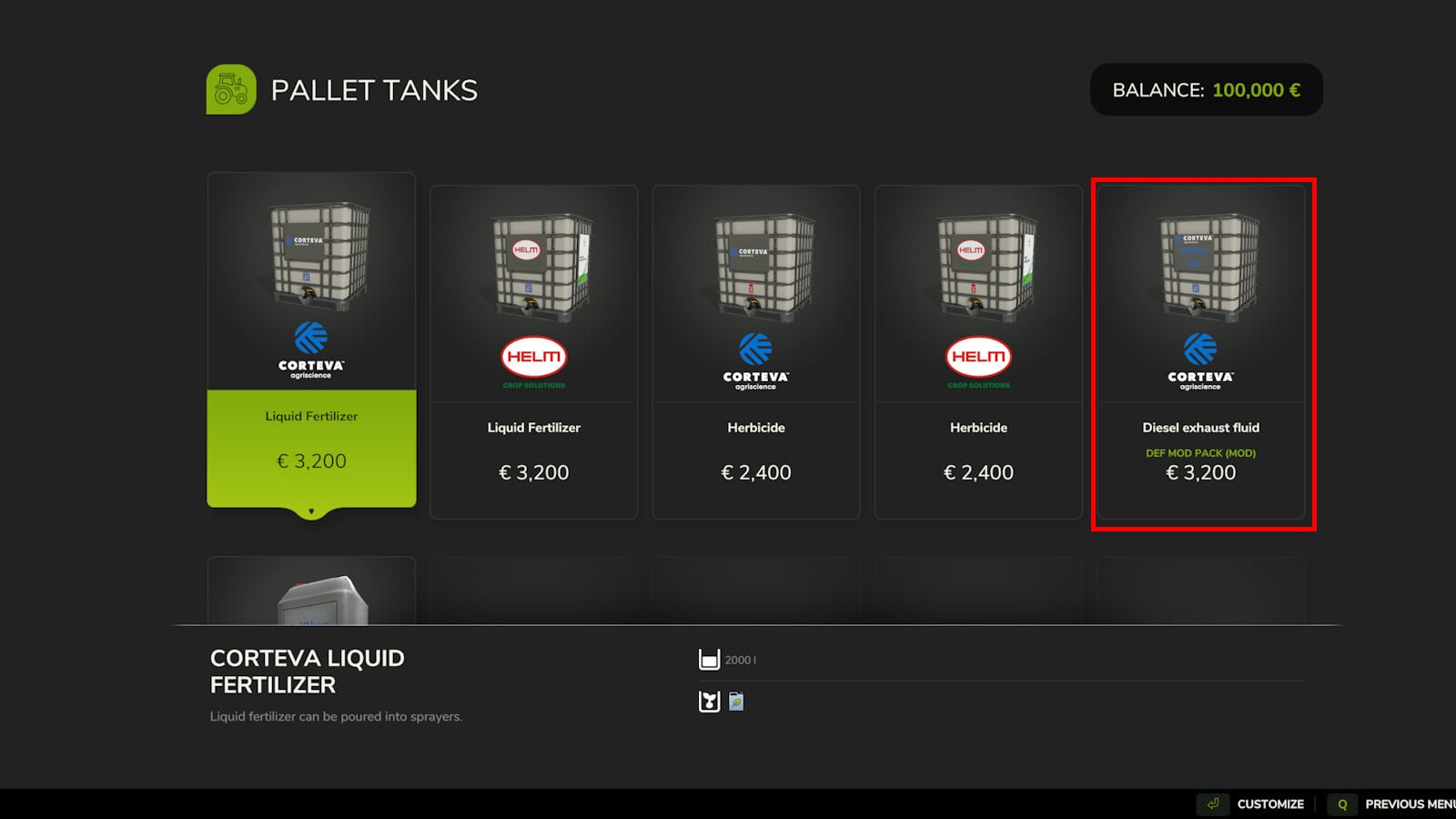
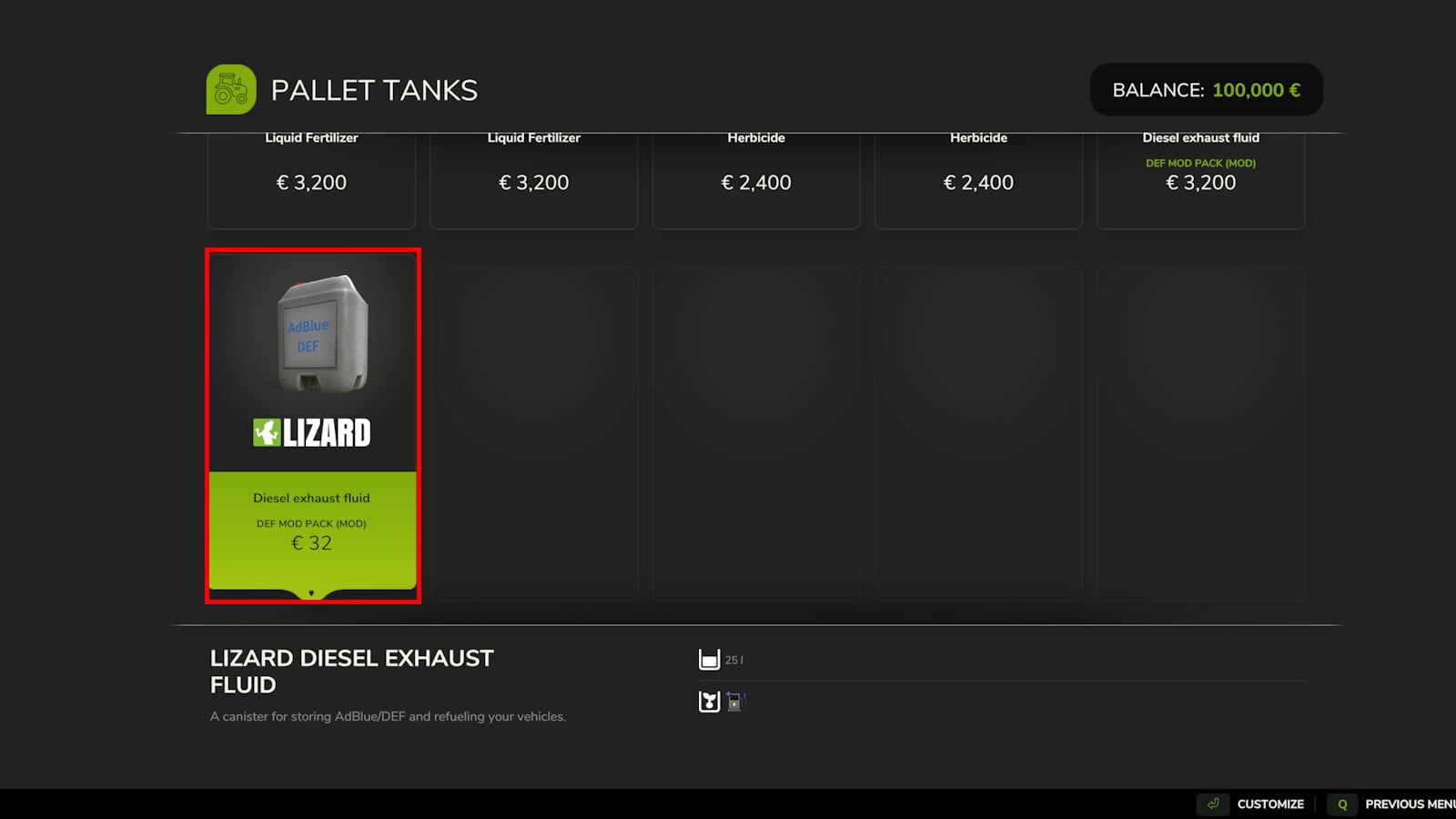
You can bring DEF functionality into Farming Simulator with this mod. The supplied objects let you refill DEF, so the system is ready to use while you are working with your machines.
Features
- Want the AdBlue/DEF display somewhere else? Press CTRL + Y, then move it with the mouse.
- In position mode, the green triangles let you pick a different display design.
- Change designs with CTRL+U, or use the arrows shown in position mode.
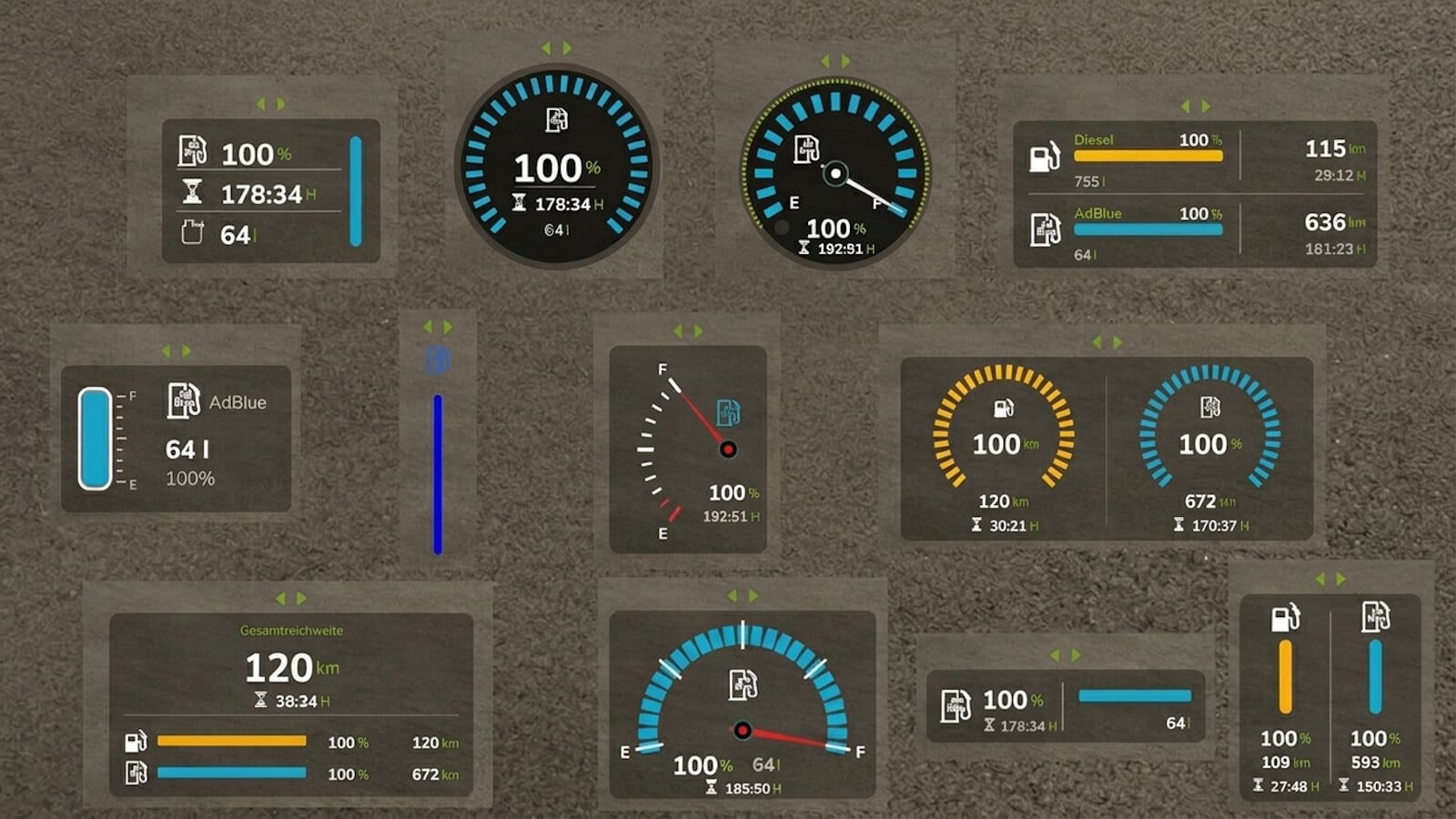
- New HUD designs: all of the old bitmap designs were replaced with 12 new ones in the colors used by the game HUD.
- 8 AdBlue designs: Vertical (default), HUD Gauge, HUD Rows, HUD Strip, HUD Bar and two needle instruments like classic fuel gauges (E – F): HUD Needle gauge, HUD Needle gauge round (with warning lamp) and HUD Needle gauge vertical (narrow, like a dashboard fuel gauge).
- 4 combined Diesel + AdBlue designs with range in km: HUD Duo Bars, HUD Duo Rows, HUD Duo Gauge, HUD Duo Total (with total range).
- “HUD Bar” has no background and matches the game HUD bars in size and colors (icon + 6 x 130 px bar). That means you can drag it beside the diesel bar on the HUD while using position mode.
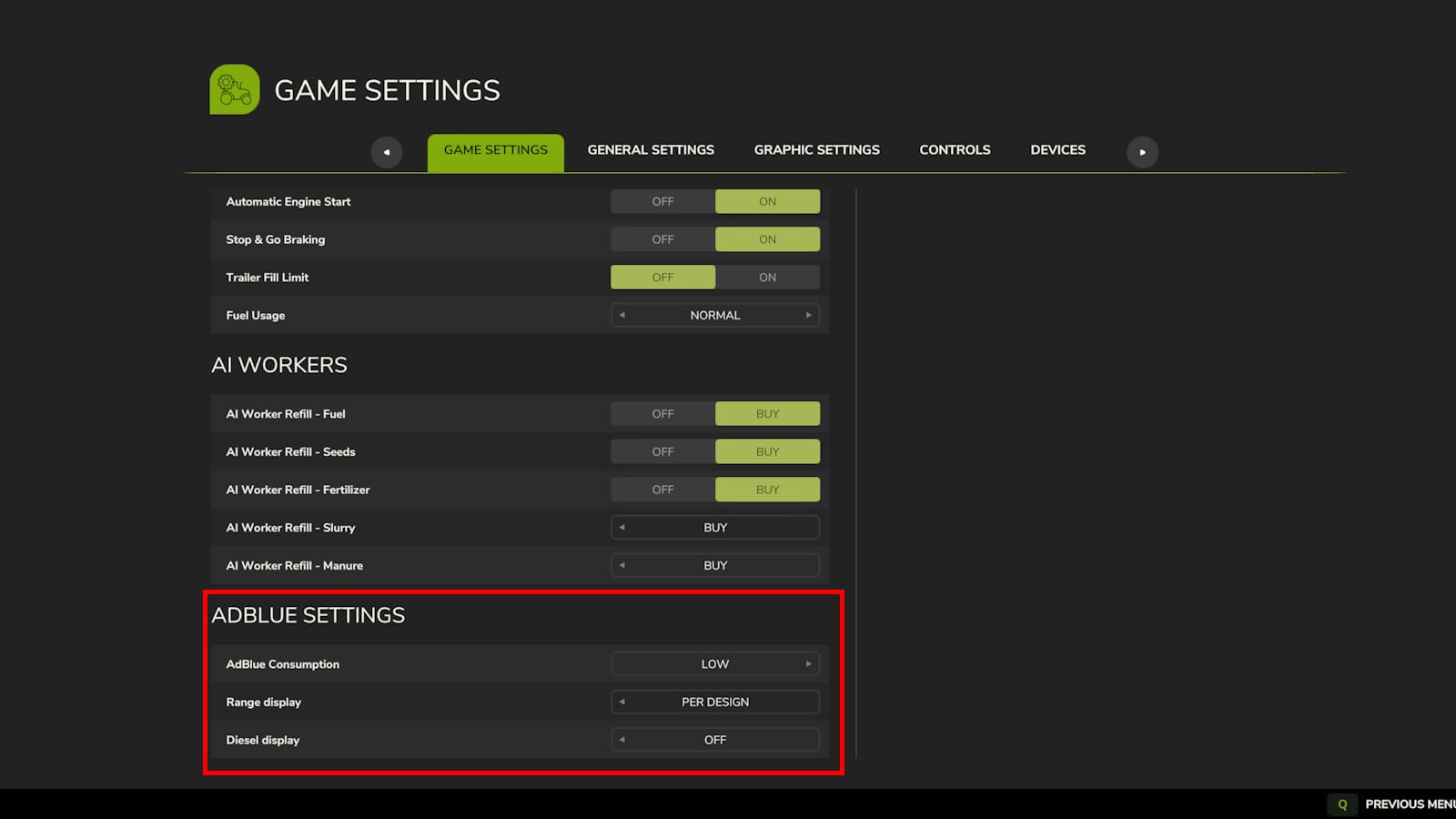
- Use the new “Range display” option under Settings > AdBlue to show remaining range as time, in kilometres, or based on the design. The fuel icon keeps the original game style, while the AdBlue icon was redrawn. Designs that looked alike, Round, Range, Needle gauge km, were removed.
- Range display in hours:minutes and in km (km = remaining time x average driving speed). It works like a truck on-board computer: the remaining time uses average consumption from the last ~90 seconds and refreshes every 10 seconds, so the values do not keep jumping; just after engine start, “–” is shown for the first 10 seconds.
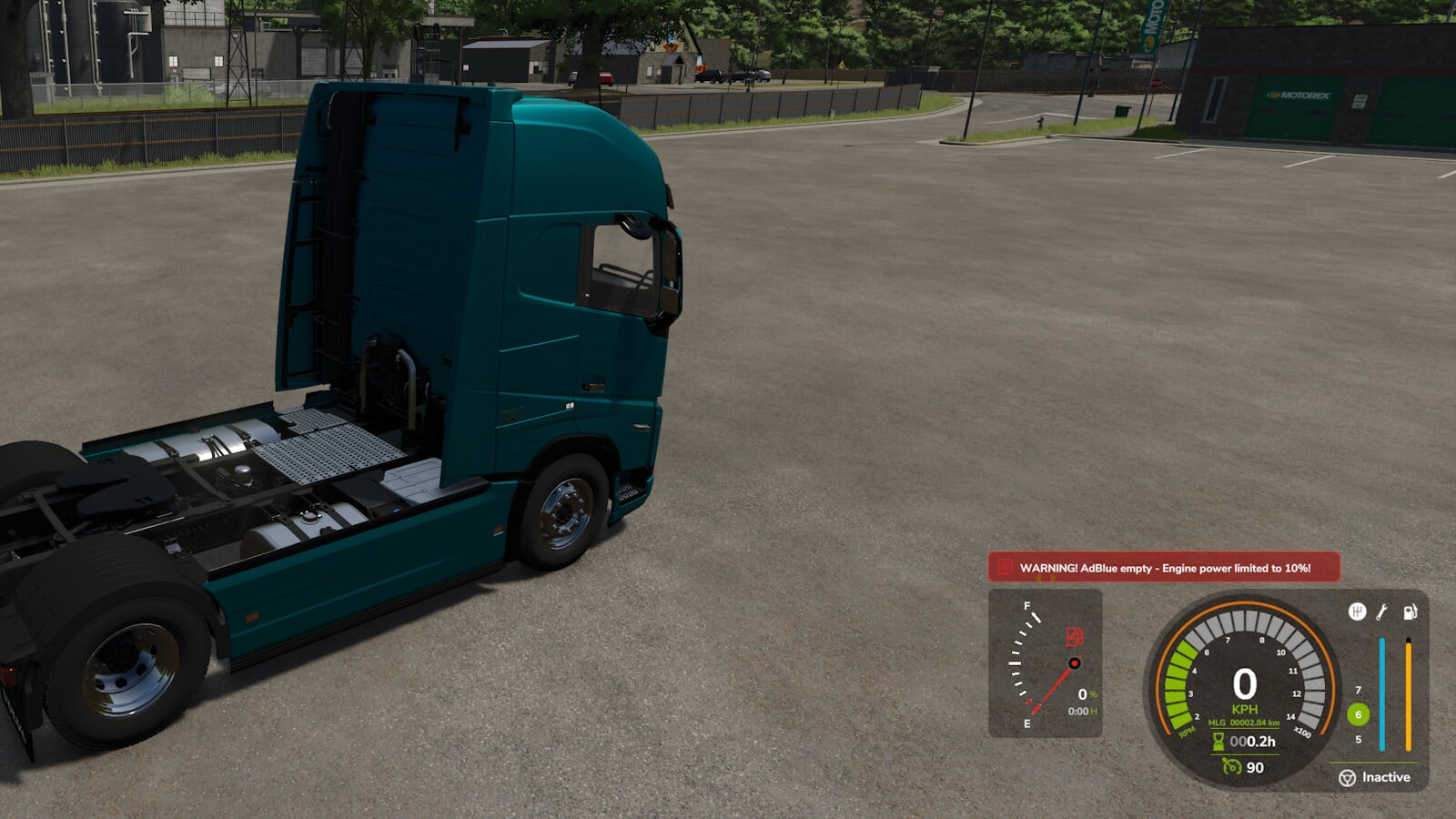
- If the tank runs empty, a new warning banner appears in the same style.
- The colors and panels now fit the Air Brake mod / GIANTS look (colors converted to the game color format, black panel without border, AdBlue always blue).
- The “Diesel display” setting can be switched On / Off. Turn it off and the combined Diesel + AdBlue designs show AdBlue only.
- The design arrows now have the Air Brake mod look: same light green (unit color of the game HUD), same size, and centered above the display.
- You only see the design arrows in position mode, or while the mouse cursor is visible.
- AdBlue consumption has been reworked. Engine load now affects consumption realistically, and everything is fully synchronized in multiplayer.
- In-game AdBlue settings let you choose Low, Normal, High, or Custom usage levels.
- Type in a Custom value directly and it takes effect instantly, synchronized across all clients.
- When AdBlue is empty, the engine power automatically drops to 10 %.
- A clear HUD warning tells the player what is happening.
- There are multiple AdBlue display styles to use, including Classic, Modern, ExtraBar, Detailed etc.
- You also get a blinking warning for an empty tank, plus an improved percentage / fill-level display.
- Diesel and AdBlue remaining hours are now worked out and shown in real time, with multiplayer synchronization.
- The automatic 10 % refill is gone. Tanks save and load their exact fill levels instead.
- Engines keep a slight fluctuating load of 4 – 5 % at idle, giving idle behavior a more realistic feel.
- Event handling has been optimized, overhead reduced, and debug output cleaned up.
Canister
- Capacity: 25 liters
- Price: 32 $
IBC container
- Capacity: 2000 liters
- Price: 3200 $
DEF filling station
- Price: 5000 $
- Daily maintenance: 5 $
Fixes
- Reloading a savegame no longer makes the AdBlue display disappear.
- The empty-tank engine power limit now actually works, leaving about 10 % power. Before, it limited only the RPM.
- Multiplayer: changed consumption settings from clients are now passed on to all players.
- The standard design is correctly applied on a fresh install now, and its warnings are present.
- The position mode help text is visible again and no longer describes keys that do not exist.
- The position mode toggle no longer switches itself off again after you enter or leave a vehicle.
- Several smaller fixes were made for event registration, network traffic, and log spam.
1.2.1.1
- Small improvement for DEF consumption (Thanks to BigFood2307 for the fix)
1.2.1.0
This version brings various improvements and bug fixes.
You can now define custom key bindings for the AdBlue display in the configuration file.
1.2.0.0
The AdBlue consumption system was reworked.
- Consumption now scales realistically with engine load and stays fully synchronized in multiplayer.
New in-game AdBlue settings were added.
- Pick Low, Normal, High, or Custom usage levels.
- Enter the Custom value directly. It applies instantly and syncs across all clients.
Engine power limitation was improved.
- An empty AdBlue tank automatically limits engine power to 10 %.
- The player gets a clear warning in the HUD.
New HUD visuals and designs are available.
- You can use multiple AdBlue display styles, such as Classic, Modern, ExtraBar, Detailed etc.
- The update includes a blinking empty-tank warning and a better percentage / fill-level display.
Remaining range calculation was added.
- Diesel and AdBlue remaining hours are calculated and displayed in real time, synchronized in multiplayer.
Tank saving behavior was fixed.
- Automatic 10 % refill was removed, and tanks now save and load exact fill levels.
Idle engine load was added.
- At idle, engines keep a slight fluctuating load of 4 – 5 % for more realistic behavior.
General stability and performance improvements were made.
- Event handling is optimized, overhead is reduced, and debug output is cleaned up.