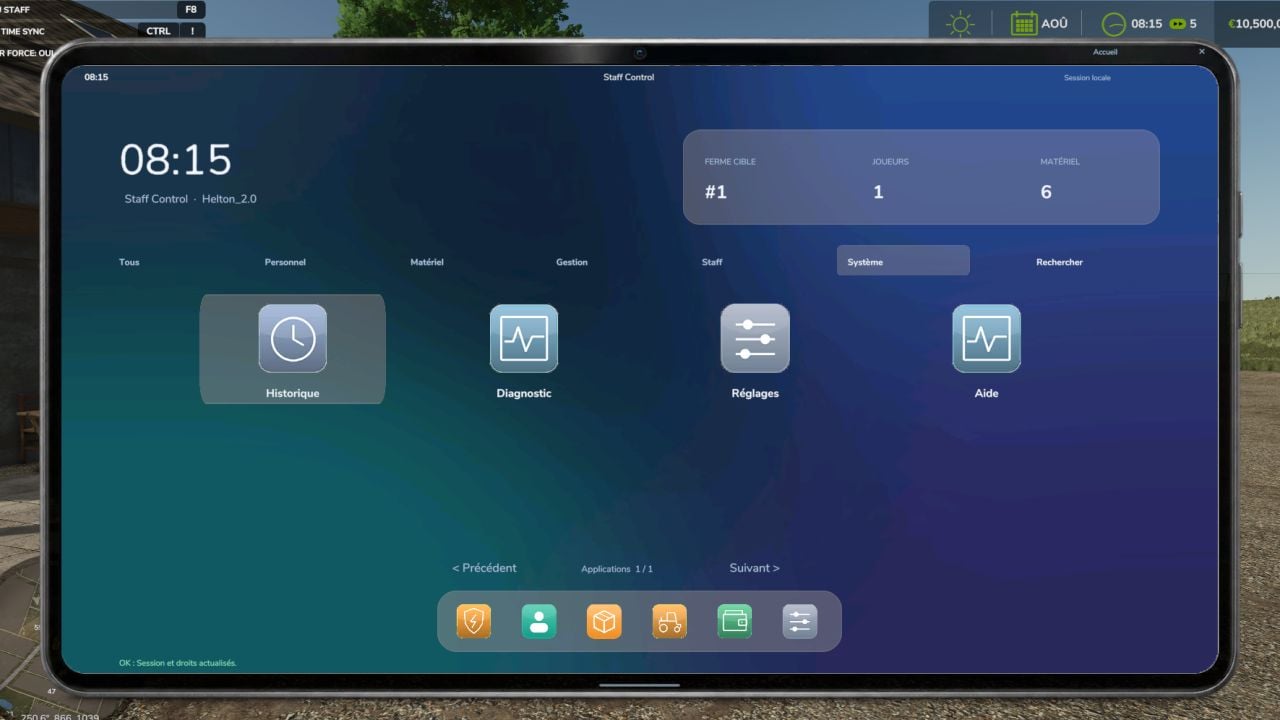
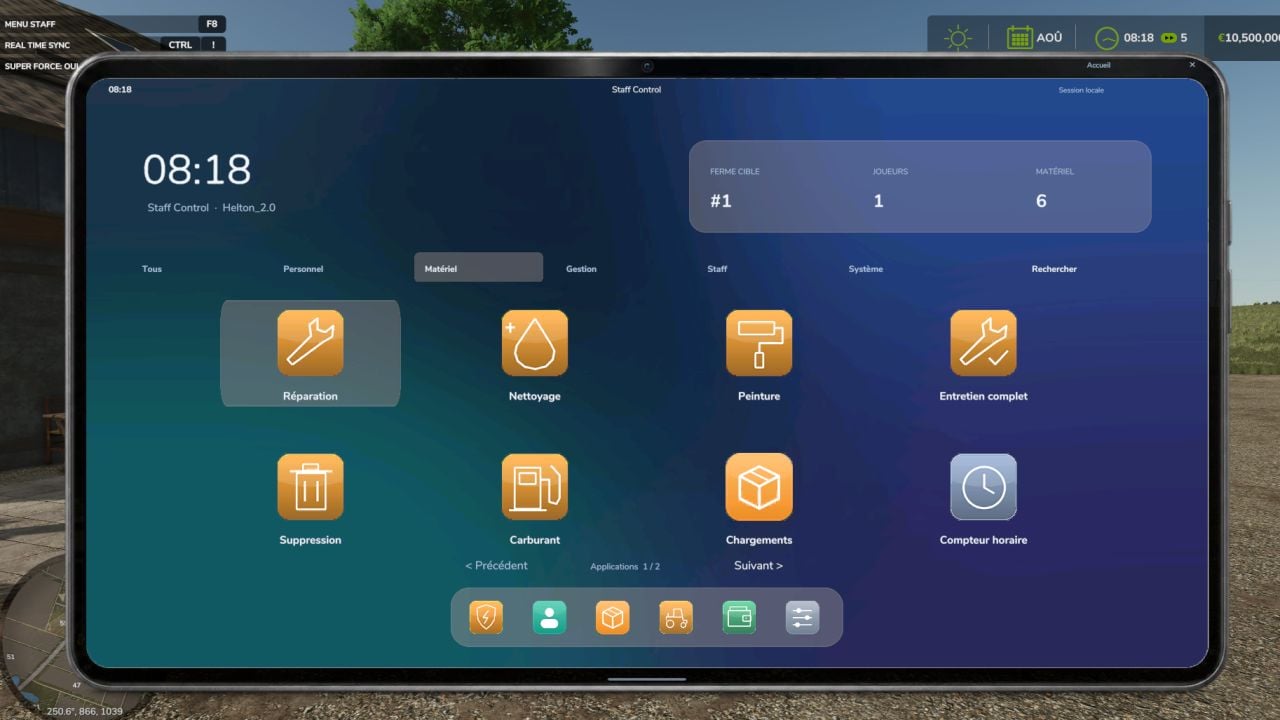
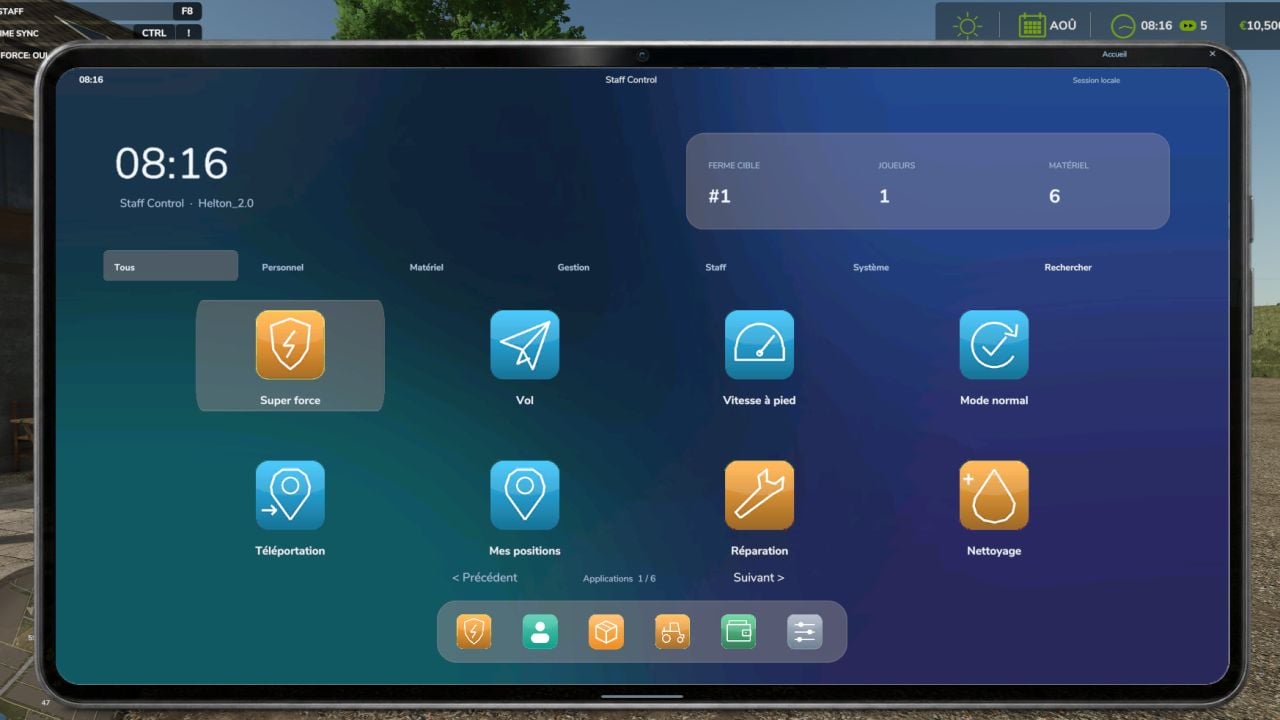
Staff Control puts administration tools for Farming Simulator 25 in one French-language interface. You can use it with your mouse or keyboard. Hit F8 to bring up the menu, then pick the category you need from the dashboard.
Features
PERSONAL TOOLS
- Handle compatible heavy objects with your own super strength.
- Let your character fly.
- Set movement speed to x1, x2, x4 or x8.
- Save three personal spots during the session.
- Teleport back to the position you had before the last teleportation.
VEHICLES AND EQUIPMENT
- Create vehicles and tools freely from the catalogue that is loaded.
- Choose the configuration you want from those available.
- Find things with search, categories and your session favourites.
- Repair, clean, refuel and restore paint.
- Handle compartments and compatible products.
- Transfer ownership or delete an item, with confirmation.
FARMS AND WORLD
- Add money or take it away.
- Set a balance and transfer money from one farm to another.
- Assign land and release it when needed.
- Adjust how fast time moves.
- Maintain a farm’s equipment globally.
- Create product pallets that are available.
STAFF ADMINISTRATION
- Give staff helper, moderator or administrator ranks.
- Rank assignment is kept for the host or GIANTS administrator.
- Work through reports with handling, internal notes and closure.
- Send announcements to everyone or private warnings.
- Use permission checks carried out on the server side.
- Keep the action log in the server log.
CONTROLS
Use F8 to open or close the menu.
Move around with the mouse or arrow keys.
Choose an option with Enter.
Use Esc to go back.
INSTALLATION
Drop FS25_StaffControl.zip into your mods folder, then activate it when you load the game.
In multiplayer, every player and the server need the same ZIP file.
BETA VERSION – PC
You can use it in single-player and multiplayer. The new tools still need full validation in-game and on a dedicated server.
Some functions rely on the hardware, installed mods and the game patch. Bans, weather and crop editing are not part of the mod.
If something goes wrong, report your game version, the steps to reproduce the problem and the errors found in log.txt.
Changelog
- BETA 2
- The design is now inspired by the FarmOffice billing tablet.
- The home screen has icons, a dock and pagination.
- It includes 41 specialized applications across Personnel, Equipment, Management, Staff and System.
- Search applications, navigate with the mouse and use keyboard shortcuts.
- Click through numeric and AZERTY keyboards.
- Texts are more readable, accent colors are adjustable and sensitive operations show confirmations.
- Personal tools
- Use super strength, flight and movement speed.
- Switch back to normal abilities.
- Teleport to players, vehicles or coordinates.
- Return to where you were before.
- Save or delete ten personal positions during the session.
- Equipment and vehicles
- Search base-game equipment and compatible mods by using categories and favorites.
- Select configurations before the equipment is created.
- Create pallets and set the quantity.
- Repair, clean, refuel and complete the maintenance.
- Manage compartments by filling and emptying them.
- Restore paint and adjust damage, dirt and the hour-meter.
- Transfer ownership or delete, with confirmation.
- Maintain and restore the paintwork on a farm’s fleet.
- Management and administration
- Choose a farm.
- Add or remove money, enter an exact balance and transfer funds between farms.
- Assign land or release it.
- Manage compatible production recipes and inventories.
- Change the time speed.
- Handle players, private warnings and announcements.
- Assign reports, add notes, close them and archive them.
- Manage ranks, server-side verified permissions and the action log.
- Fixes and optimization
- Navigation and clickable-area problems have been fixed.
- Button hover states and contrast are improved.
- Destructive actions stand out.
- Textures are optimized and the archive is cleaned up.
- Duplicate shortcut triggers are blocked.