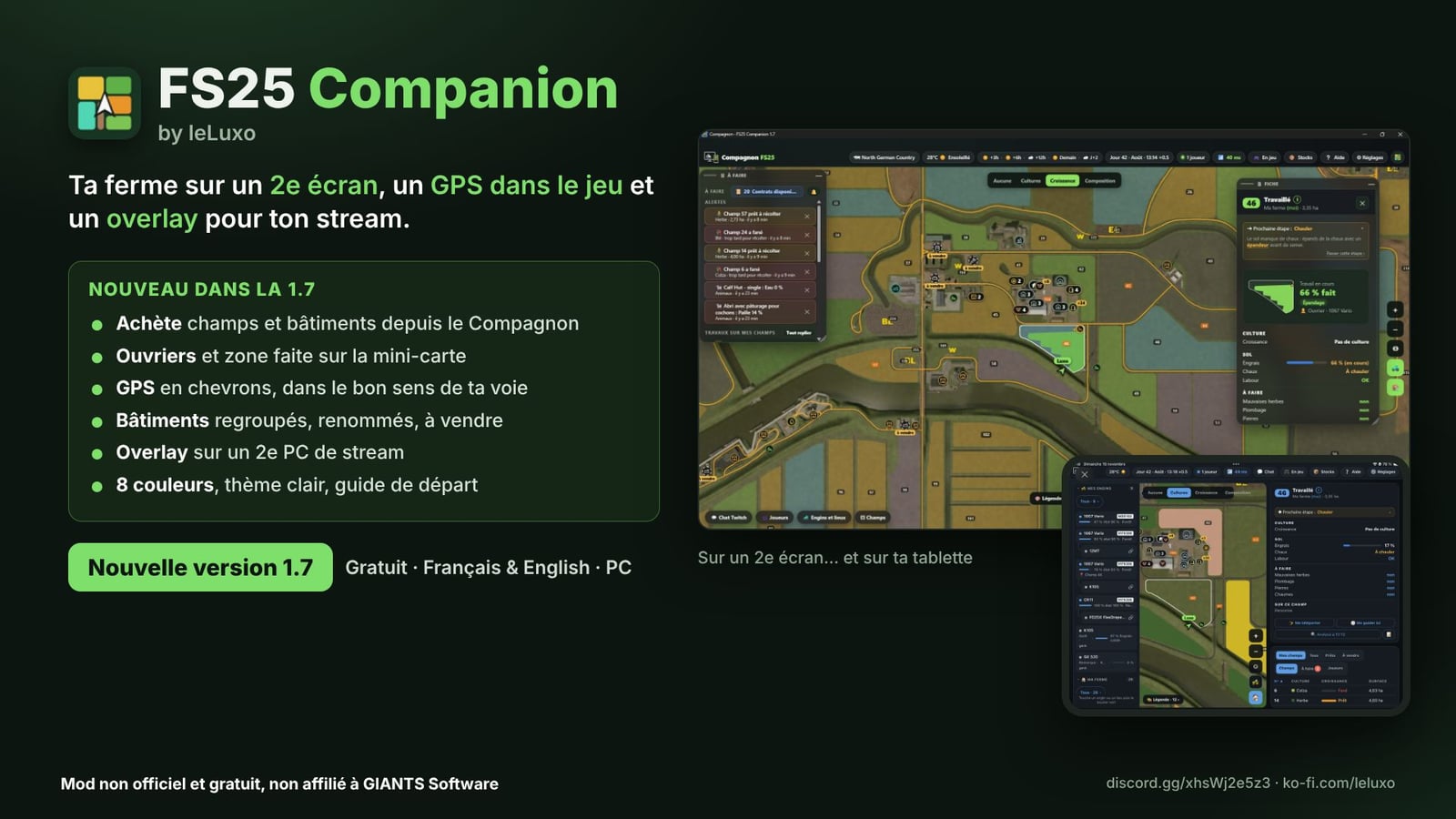
With FS25 Companion by leLuxo, you get a free in-game companion and stream overlay for Farming Simulator 25 on PC. It was formerly called FS25 Stream & Companion.
Important: The mod works with the free FS25 Companion application for Windows. Download the installer and the application handles installing and updating the mod automatically.
Features
Companion, tablet and second screen
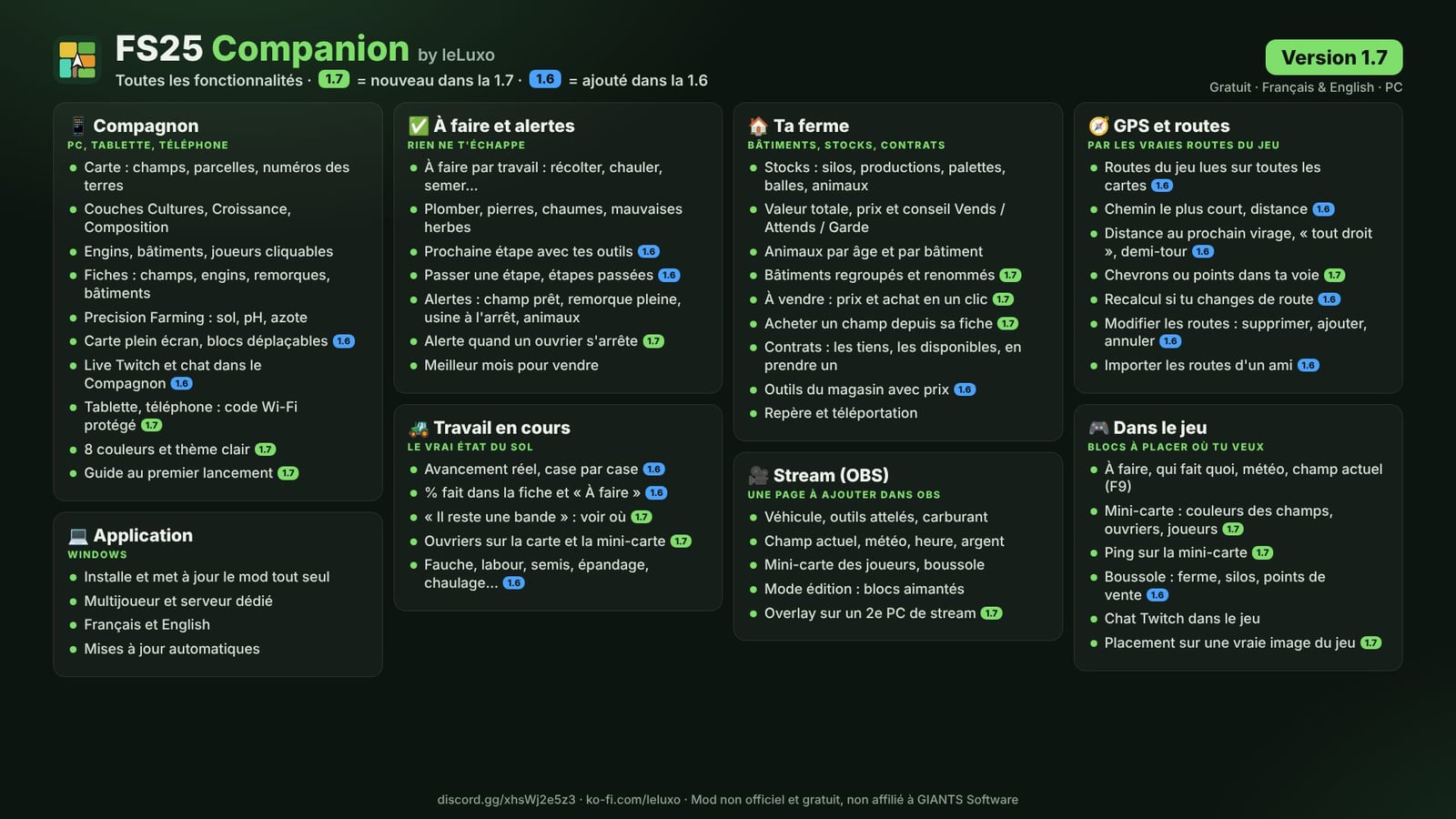
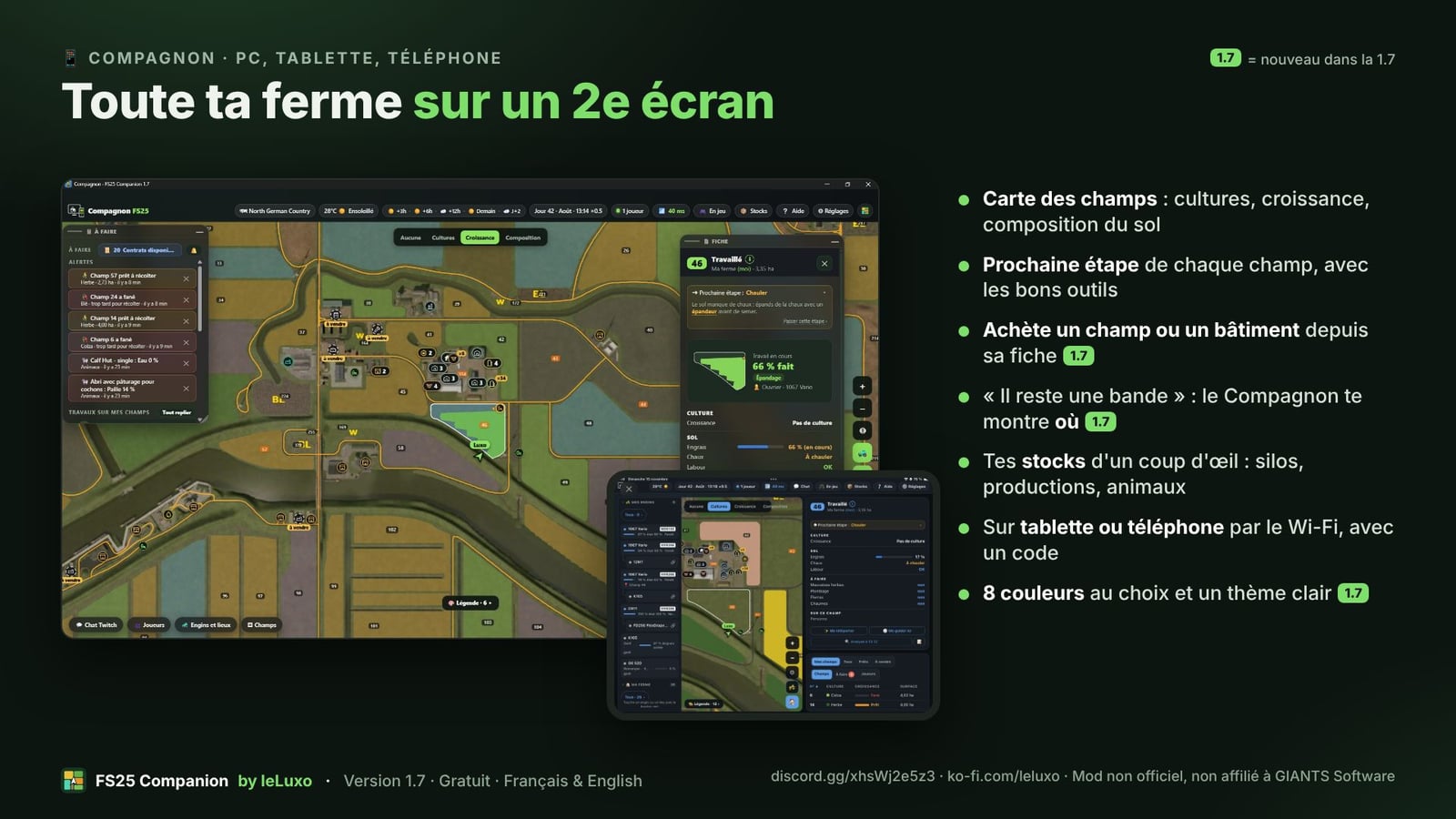
- Check out a map of your farm that looks like the one in the game, using Wi-Fi. Just scan a QR code.
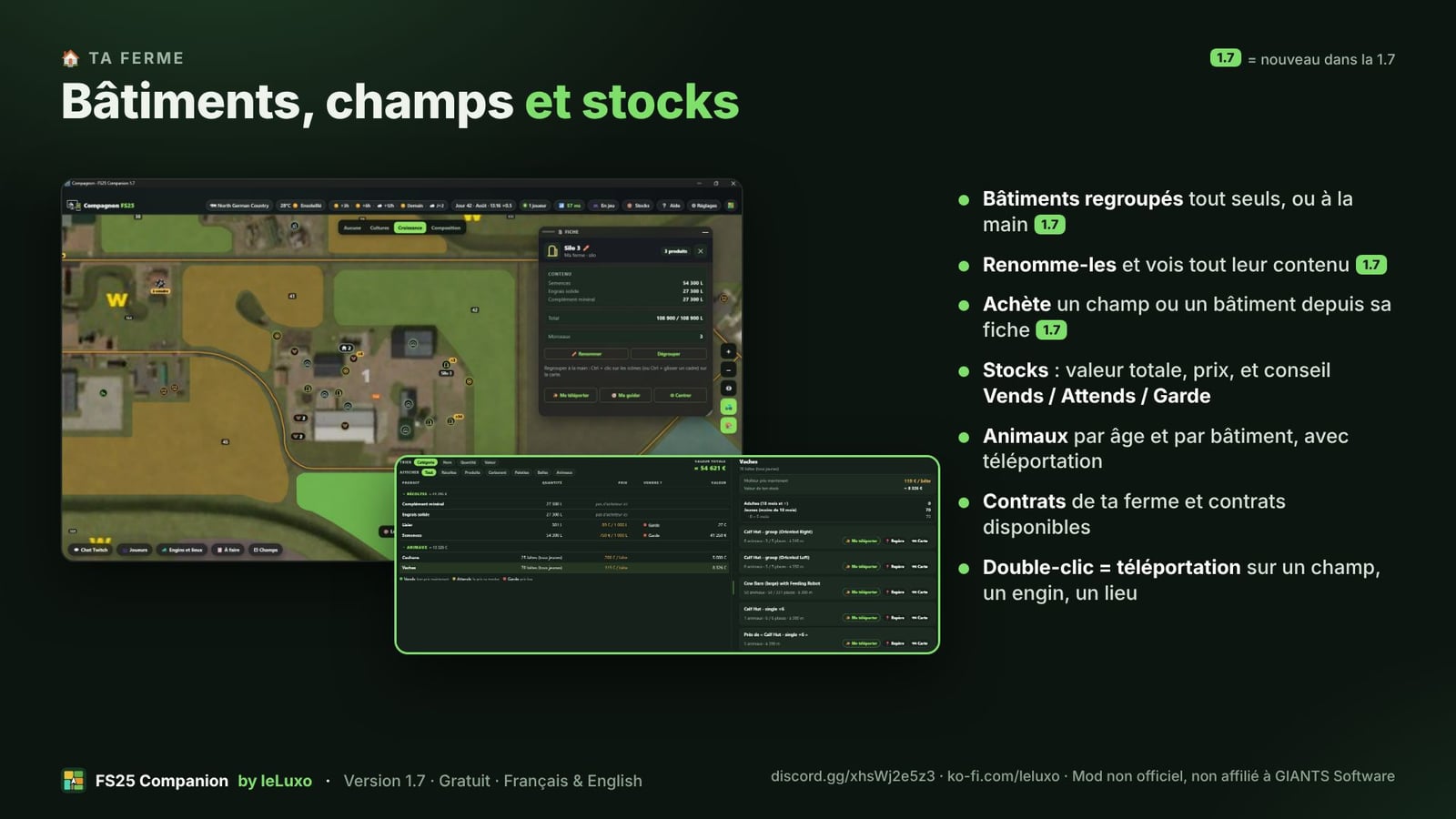
- Get information sheets for every field, building, vehicle, animal and silo, plus the stocks on your farm.
- Keep your “To do” list under control with alerts for a ready field, a full trailer, a factory that stopped, hungry animals and the best month to sell.
- See your farm’s contracts and the available contracts, then accept one straight from there.
- Set a marker for GPS via roads and let the route follow the map’s roads. You can edit the roads and share them with your friends.
- Look at sale prices and the “Sell / Wait / Keep” advice. Precision Farming also shows soil, pH and nitrogen, along with the next step for every field.
- See who is doing what in multiplayer and add your own notes to each field.
- Place markers, teleport to a field, vehicle, building or player, or even sleep.
- Buy a field or building from its information sheet. Buildings are grouped and renamed, and all their contents stay with them.
- Choose 8 colors and switch to a light theme.
In the game
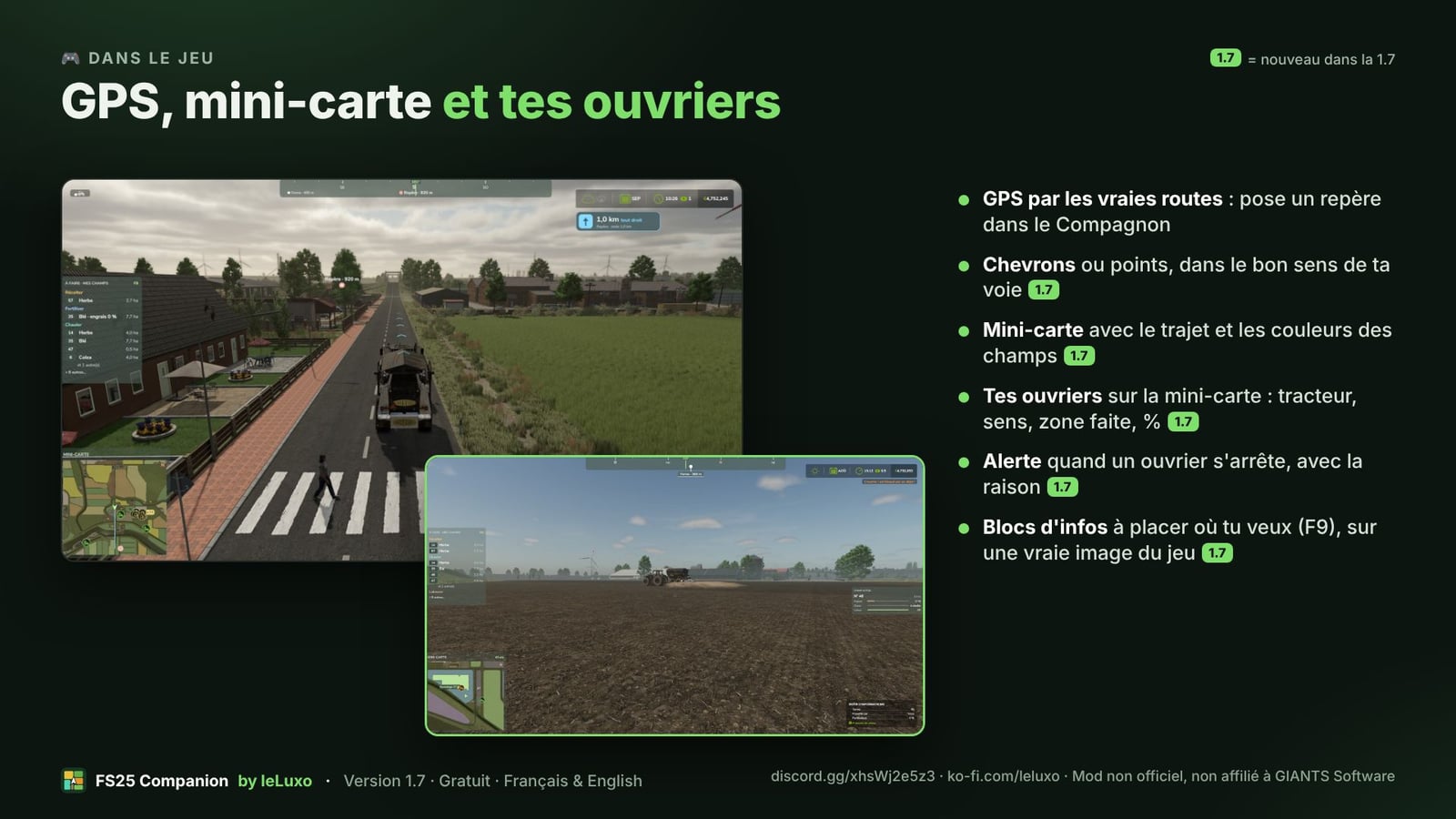
- Put information panels wherever you want. They can show to do, current field, weather, alerts, Twitch chat and the mini-map. Press
F9. - Use the GPS with chevrons or dots on the road. They point toward your marker in the right direction for your lane.
- Follow your workers on the mini-map, including the tractor, completed area and %, field colors, other players and ping.
- Keep your fields, vehicles, players and marker in view with the compass at the top of the screen.
Stream, OBS
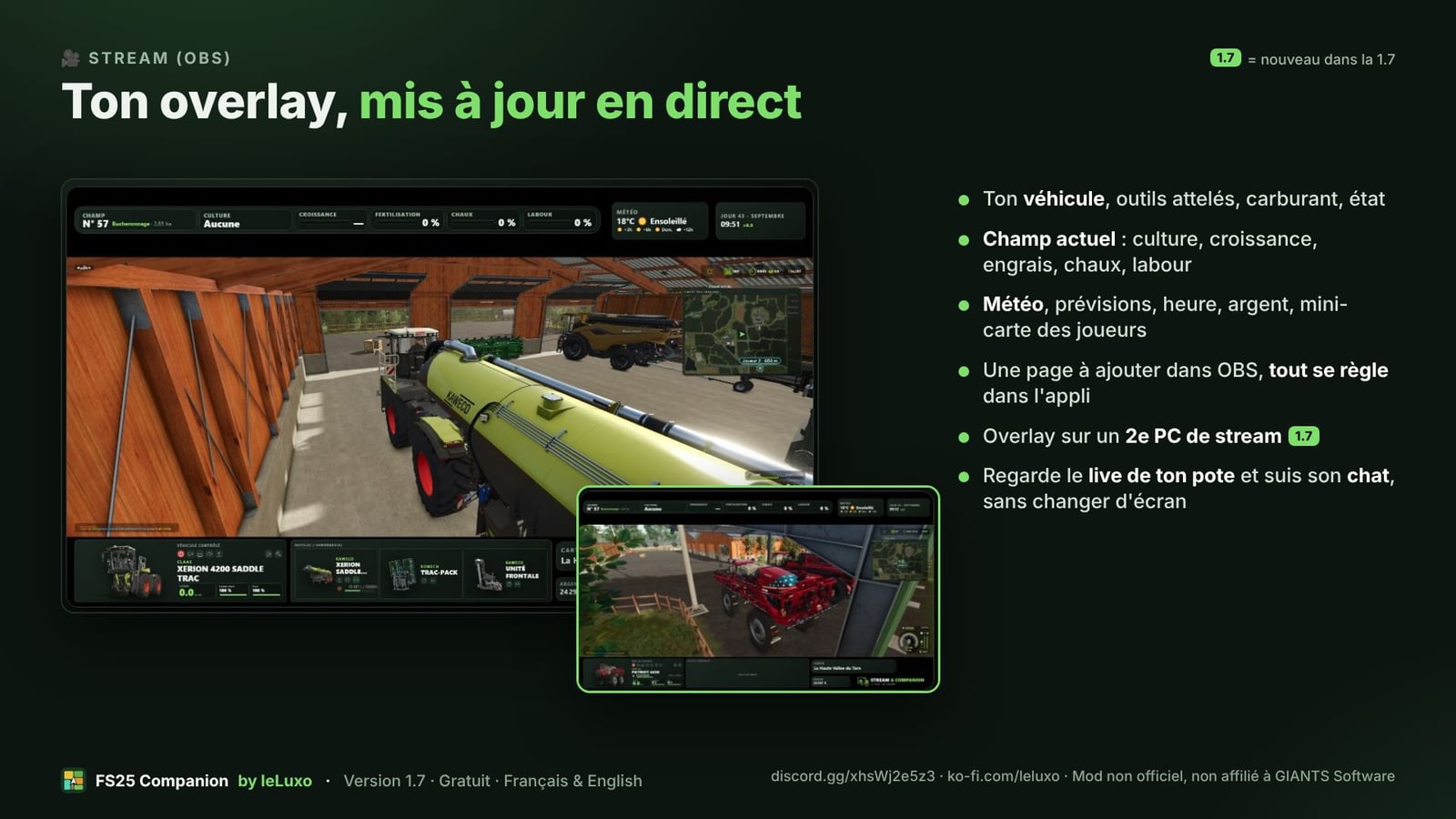
- Build a live overlay around your tractor and its tools, the field, weather, time and money. It also includes a mini-map with the GPS route and the compass.
- Move magnetic blocks with the mouse and choose between 3 layouts, in 1080p or 1440p.
- Run the overlay from a second streaming PC.
Streaming is not required. You can use the Companion and the in-game information perfectly well on their own.
- Play single-player or multiplayer, or use a dedicated server with the mod installed there too.
- PC only: PlayStation / Xbox players cannot join a server running the mod.
- The application updates automatically, supports French and English, and is 100% free.
- Tip: launch FS25 Companion BEFORE the game. Otherwise, the mod cannot be updated.
Help, bugs, ideas: Discord
Unofficial, free mod, not affiliated with GIANTS Software.
Changelog
- V1.7.0.0
- Open a field or building’s details page in the Companion to buy it. Fields and buildings for sale now show their price.
- Group buildings automatically or manually, rename them and keep all their contents together.
- The in-game minimap now includes workers, including the tractor, direction, completed area and %, field colors and numbers, other players and ping.
- If a worker stops, an alert explains why. When “There is one strip left”, the Companion shows where it is.
- Follow GPS with chevrons or dots that point in the correct direction of the track.
- Place game blocks over a real image of the game and adjust them with the keyboard arrows.
- Use the overlay on a second streaming PC.
- Pick from 8 colors, use the light theme, follow the guide on first launch, organize settings and protect the Wi-Fi code.
- Lots of fixes.
- Tip: launch FS25 Companion before the game, otherwise the mod cannot be updated.
- Dedicated server users must install mod 1.7.0.0 on the server.
- V1.6.0.0
- GPS via roads gives you a route in the Companion and blue points on the road in the game. Routes can be edited and shared with your friends.
- The in-game minimap can show the GPS route on the stream’s minimap, if you want it to.
- See soil, pH and nitrogen in the field information through Precision Farming.
- Press the “Analyze” a field button to get a yield bonus identical to the game and check the next step with your tools and those from the store.
- Stock details show prices, “Sell / Wait / Keep” advice and the total value of your farm.
- Twitch chat has filters, places new messages at the top and fits into a small window on the tablet.
- Use the full-screen map mode and the clearer compass, with fixes that include balers and wrapping.
- Dedicated server users must put mod 1.6.0.0 on the server.
- V1.5.0.0
- FS25 Companion 1.5, formerly FS25 Stream & Companion, has the new name, and the app now speaks French and English.
- The Companion gives you a game-like map with all fields, plots without fields, land numbers and joined fields. Vehicles and buildings can be clicked, while markers, “Go there”, farm inventories, draggable columns and sleep are available too.
- Your farm’s contracts show up in “To do” with notifications. You can check available contracts and “Take” one directly from the Companion.
- In the game, find the compass at the top of the screen, Twitch chat from your live stream and “Current field” as either a list or tiles.
- For the stream, use editing mode with magnetic blocks and alignment, plus the compass in the overlay.
- Warning: the mod has been renamed,
FS25_Companion.zip, 1.5.0.0. In multiplayer, the server must have this zip, and the oldFS25_StreamDashboard.zipmust be removed. The app does this automatically on your PC.