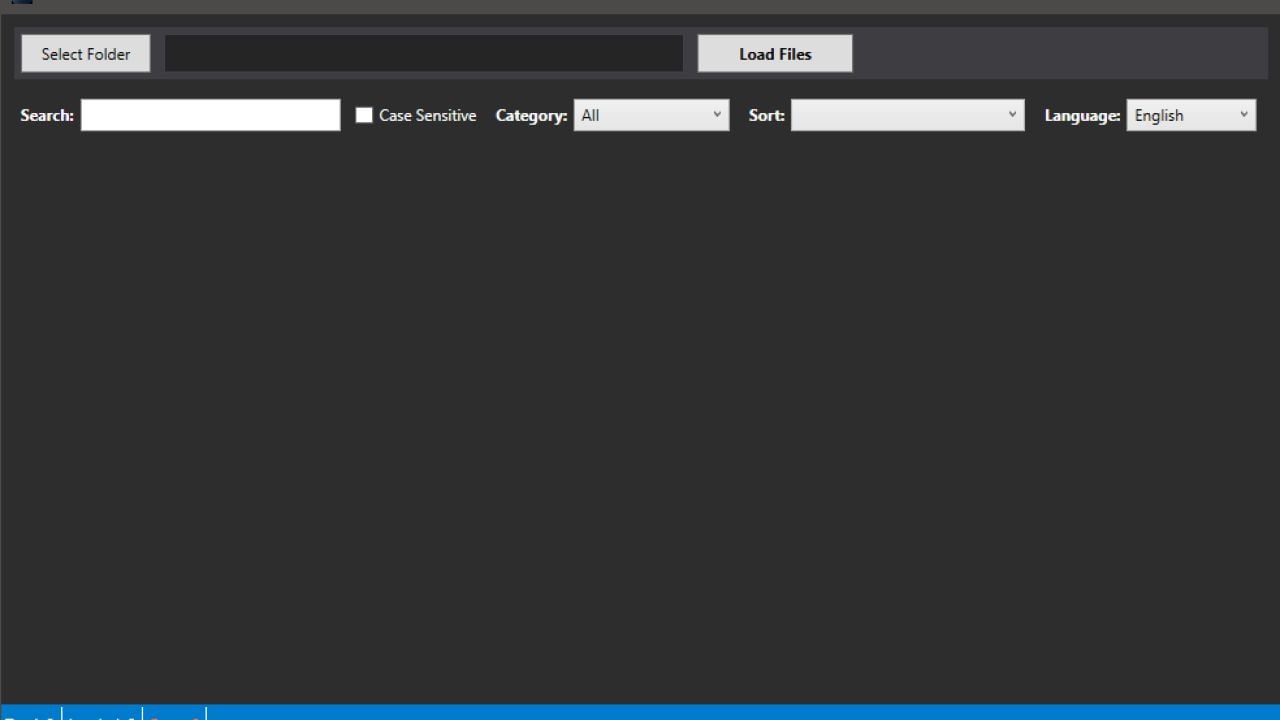
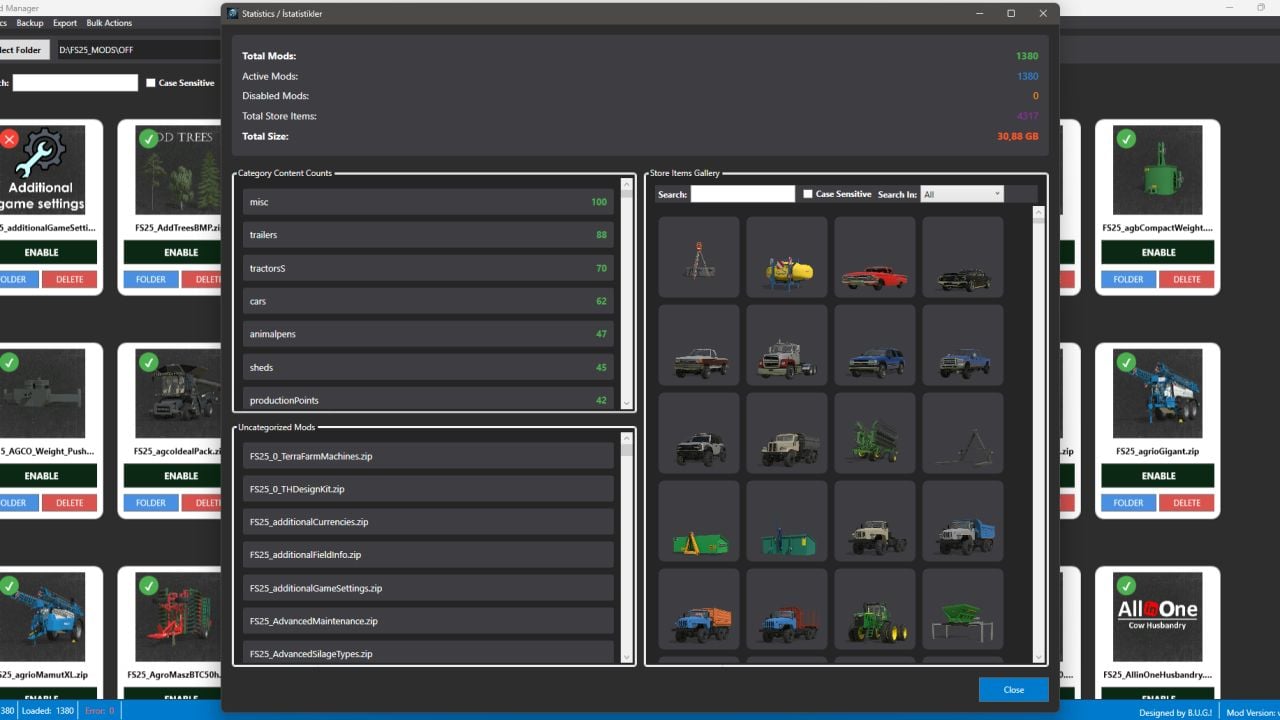
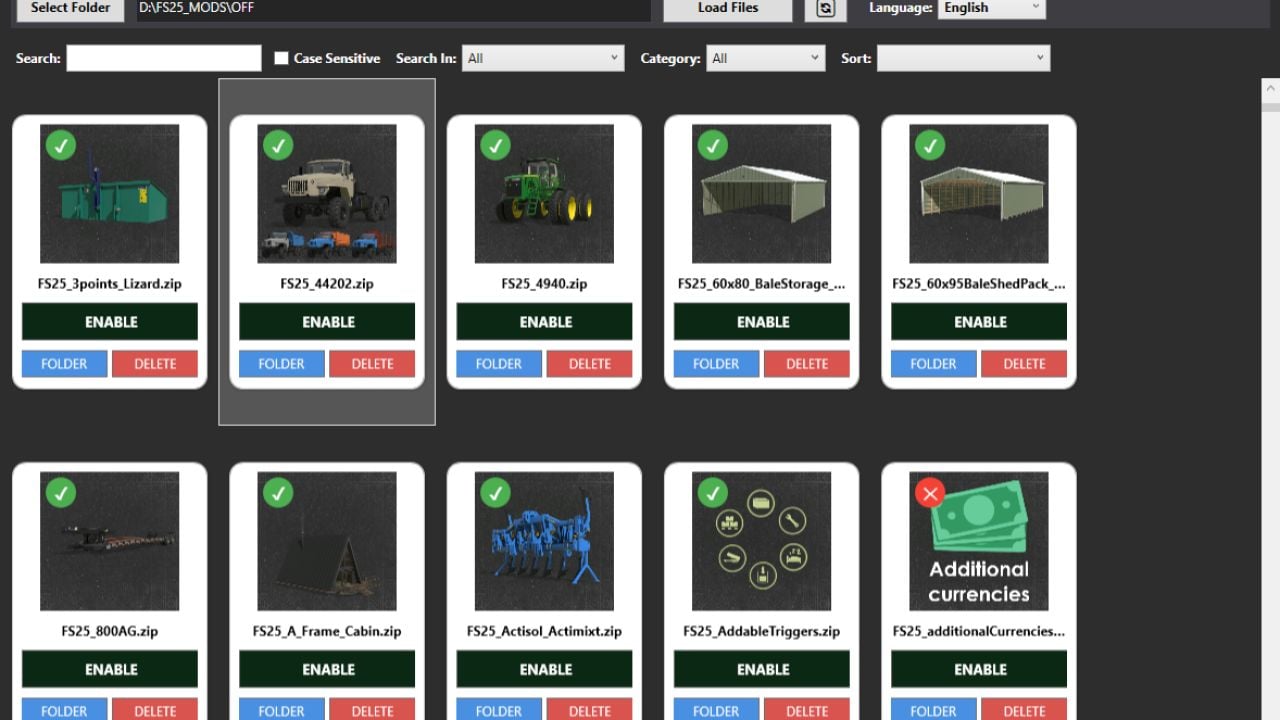
BUG ModManager V4.0 is a Mod Manager made with AI assistance from Gemini and Claude. It was developed and tested for FS25, and it should work with all Farming Simulator games that use this structure.
Behind the scenes, it works with the storeData data in modDesc.xml and the XML files inside the storeItems folder.
Features
- First, pick the folder containing your MODs from the left menu.
- Choose “Load Files”, then wait for the files to show up. After the mods are listed, you will get a warning. Click “OK” and keep going.
- Every mod comes with ACTIVE and EDIT options. ACTIVE tells you the current status.
- Press ACTIVE once to DISABLE the mod. Its ZIP extension changes to
.zip_BAK. You can still see the mod in Mod Manager, but it is disabled in the game. - Close and open the program again to see disabled mods and reactivate them.
- EDIT lets you see the XML files in
storeItemsinsidemodDesc.xml. Those files are the mod’s in-game store items. - You can change the Name, Brand, Lifespan, Price, and Power status of store items.
- As soon as you edit one of these fields, SAVE becomes active. Press SAVE to change the matching field in the mod.
- There are no controls on the input fields. A special character or letter entered where a number is needed can make the game ignore the value or break the mod.
- ACTIVE turns the relevant storeItem field in the
storeItemssection ofmodDesc.xmlinto a comment line in the code. The game store cannot see or display that file anymore, and the original state can be brought back. - Mods with multiple store items let you remove items one at a time. So, when a mod has a tractor and a trailer, you can remove either the tractor or the trailer from the store.
- Remember to use SAVE after each operation in the EDIT window.
- EDIT is active when the
storeItemssection is inmodDesc.xml. Without that section, this code is deactivated. - Two languages are included. The top right menu lets you switch the default language to Turkish or English.
Changelog
V4.0.0.0
Game Update 1.25
- XML validation now matches the FS25 1.25 schemas.
- COLOMBO and SOLA brands, Brahman cattle, new store images and game translations are included.
- DLC map previews have been updated.
Edit
You now have many new editable XML fields, including:
- Store visibility, selling and renaming options
- Configuration prices
- Fill speeds, AI loading and fill limits
- Bale consumption, wrapping and automatic drop
- Braking, steering, power consumption and turning settings
- Work speeds and animation speeds
- Sprayer, forage wagon and combine options
- Silo extension capacity
- Engine start duration and differential settings
- Great Demand support for selling stations
Game Store Items
The game’s own items are now editable:
- Vehicles
- Hand tools
- Placeables
Enable “Game Store Items” in Settings. This opens a separate store-item browser with search, sorting and filters.
You can edit game items like mods, including:
- Vehicle settings
- Custom HUD
- Hybrid drive
- EV and bicycle sounds
- Notes and health score
Game files use a double-backup system. “Restore Original XML” brings back the untouched original file.
Savegame Manager
Savegames are now organized into dedicated tabs:
- Settings
- Vehicles
- Economy & Products
- Savegame Files
- Mods
Economy & Products
New tools give you:
- 12-month product price charts
- Editing monthly prices
- Storage and silo product editing
- Animal count, age, health and reproduction
- Full-herd healing
- Daily income and expense charts
Savegame Files
You can safely edit more values, such as:
- Farm colors and names
- Player permissions
- Contract rewards
- Used vehicle offers
- Vehicle age, value and operating hours
- Production line status
Vehicles
The new vehicle savegame settings are:
- Fuel usage
- Dirt interval
- Stop & Go braking
- Trailer fill limit
- Automatic engine start
- Vehicle repair, cleaning and refilling
- Leased vehicle support
Farmland Map
Savegame data on the map now looks much closer to the in-game map:
- Crops and growth stages
- Farmland numbers
- Weeds, fertilizer, stones and lime
- Vehicles
- Buildings
- Bales
- Uncollected collectibles
- Orchards
- Filter map layers, zoom to objects and manage vehicles directly.
- Reset selected vehicles to the shop.
- Move vehicles to an owned farmland.
Creating Savegames
Creating new savegames now happens asynchronously, while the rest of the program stays usable.
Improvements include:
- More accurate game-style career creation
- Correct starting presets
- Proper crop initialization
- Full Kinlaig and Catuaí DLC map support
- Better mod-map support
- Correct DLC requirements
- Fixed new-career settings
- Improved wizard stability
Other Savegame Improvements
- Added “Minutes since last rain”
- Missing mods are detected and can be removed or retained
- Savegames reload automatically after saving
- Every change is backed up before writing
3D View
The rendering side also gets major improvements:
- Original-resolution textures
- Full / Med / Low texture quality settings
- Detail textures now supported
- GPU textures are unloaded when the window stays in the background
- Correct shop configuration defaults
- Improved wheels, tracks, paint, logos and equipment variants
- Fixed dual wheels, belts, attached parts and misplaced vehicle components
- Improved tracked vehicles such as Quadtrac, 8RT and 9RX
- Better handling of hidden or zero-scaled parts
- Heavy vehicles no longer incorrectly tip forward
- Placeables now sit correctly on the placement ground
Version 3.3.5.0 changes:
- ModHub now includes a “Non Installed Mods” filter. It only shows mods that are not installed.
- The main menu has a filter for showing only mods with added notes.
- Performance and Speed Optimizations (Freezing Issues Fixed): Heavy disk operations such as saving, backing up, opening/compressing ZIP files, and editing details of large mod files will no longer cause the application screen to drop to “Unresponsive”. Additionally, the mouse cursor will show the waiting status.
- Most crashes caused by unexpected errors have been prevented. The application will no longer crash completely when searching on ModHub, switching between categories, pressing the refresh button, or when the internet connection is lost. In such cases, the application will continue to work safely and will show the error in the status bar or in an alert box.