AutoSwitch takes care of tire pressure and differential locks while you drive, so traction feels more realistic. It also lets Variable Tire Pressure, Enhanced Vehicle, MoreRealistic, Mud System Physics, Tractor Terrain Dynamics and AutoDrive work together, with none of those mods modified or disabled.
The goal is simple: make your game more realistic and more efficient.
Features
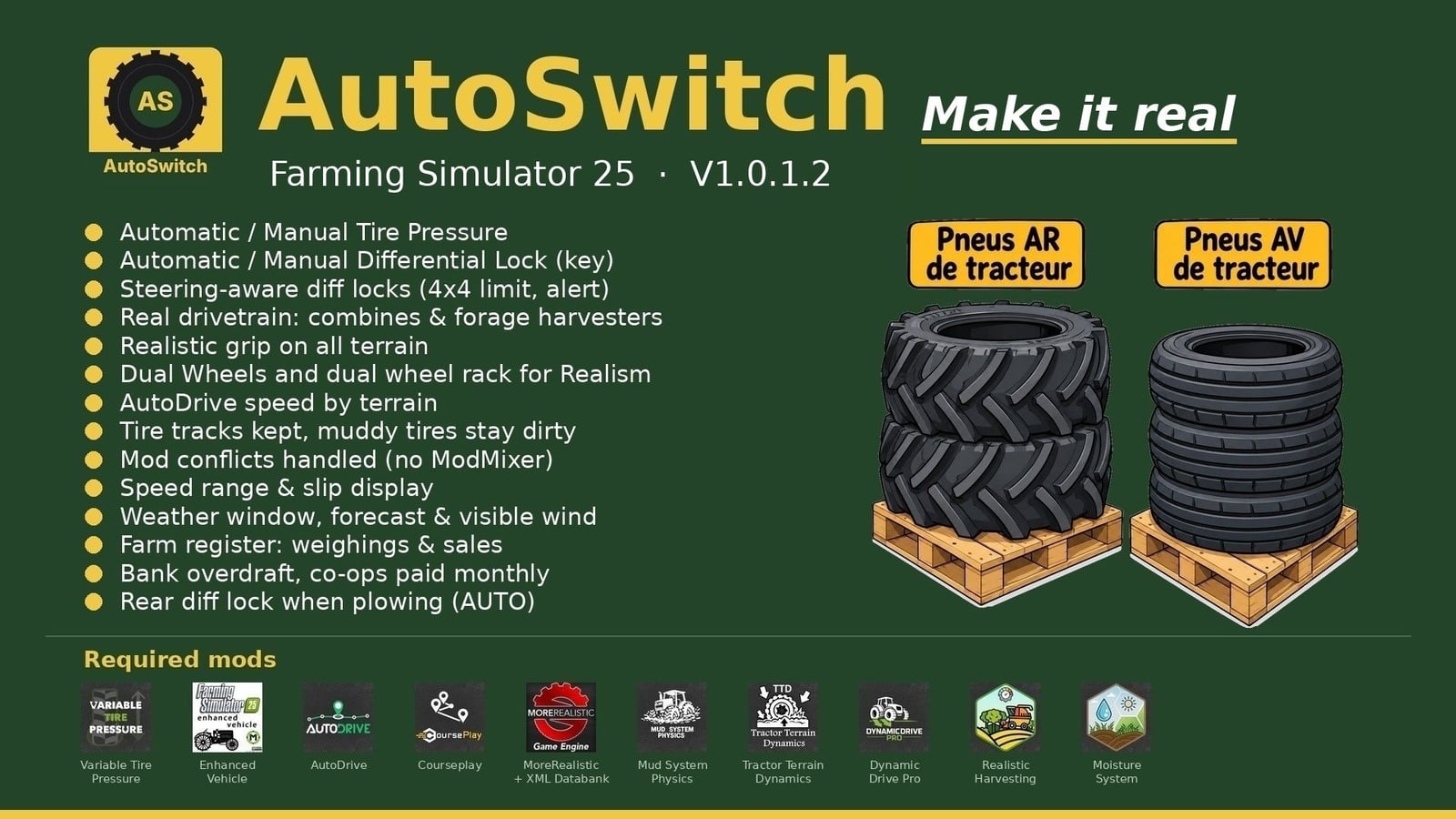
- Working with AutoDrive or Courseplay, you can lower tire pressure out in the field and raise it again on the road. If you drive yourself, choose Automatic or Manual mode.
- Enhanced Vehicle handles the differentials. The rear locks at 15 % slip and the front at 30 %, with the front setting adjustable. Asphalt and concrete use 2WD, and 4WD is used everywhere else.
- Plowing gets its own useful behavior in AUTO mode. Lower the plow and the rear differential locks. Lift it and the lock opens again.
- Press Right Ctrl + Up arrow for AUTO / MANUAL mode. MANUAL puts you in charge of the differential locks and 2WD / 4WD. Once a lock is engaged, it is never released, so the tractor slides in turns. AutoDrive or Courseplay changes you back to AUTO.
- Machines use their actual drivetrain setup. Combines, forage harvesters and 2WD machines show their own HUD icon, and only the axle that drives can lock.
- With 4WD, steering is 90 %. The locks release when the wheels are turned. If they cannot be released, you get the “Straighten the wheels” alert.
- MoreRealistic grip reacts to wet ground with 5 levels, a capped VTP field bonus and a differential-lock bonus. Built-in tire wear matters too: worn tires lose grip in the field but have a bit more grip on dry roads.
- Dual wheels use their real width with Mud System Physics. Mount them one tire at a time using the rear BKT 650/65R42 and front BKT 540/65R30 dual-wheel racks. Each tire takes 15 in-game minutes.
- AutoDrive can use different speeds for the field, track and road, changing in 2 km/h steps.
- Beside the speedometer, the display gives you the speed range, a top-down tractor view and the slip for each wheel. Move the blocks around with the mouse.
- The MSP to TTD bridge prevents double resistance. Wet paths can still be driven on, tire tracks remain in the savegame, and muddy tires keep their dirt.
- Press Right Ctrl + M to see current weather, the next 24 hours and the following days. The mini weather widget is next to the clock, and visible wind moves trees, crops and grass.
- The register opens with Right Ctrl + R. It records AutoDrive Addon weighings, farm sales, plus totals for each month and each product.
- Money management includes a bank overdraft with interest. Co-ops receive payment at the end of the month.
- You can adjust the opening hours. The shop runs from 8 am to 7 pm, and selling points are open from 6 am to 10 pm.
- Traffic cars in the game do not overtake tractors anymore.
- Set sleep for several hours or for several days.
- AutoSwitch sorts out mod conflicts, so you do not need ModMixer anymore.
- Sowing is protected, wheels trample grass, and implements stay still when stopped.
For the racks, place them first and park your tractor inside the rectangle. Green shows that it is positioned correctly. Get out, walk to the yellow marker and press Right Ctrl + I. Empty racks are used to unmount them. This is for single-player only.
Open Settings and look for the AUTOSWITCH tab. At the bottom, the required mods are shown, with a green OK or a red X.
Required mods:
- Variable Tire Pressure
- Enhanced Vehicle
- Autodrive
- CoursePlay
- More Realistic + XML Databank
- Mud System Physics 1.3.6
- Tractor Terrain Dynamics 1.0.3.7, only one TTD
- DynamicDrive Pro
- Realistic Harvesting
- Moisture System
Tire wear comes with the mod, so you do not need a tire mod.
Changelog
- V1.0.3.0
Tire wear is now built in, so no tire mod is needed anymore. It works wheel by wheel for all vehicles, trailers and tracks. You can see grip, radius and worn tread, while rubber tracks become smooth when they are fully worn.
The HUD shows wear in % for every wheel, with tires on attached tools and trailers listed below the tractor. Fit new tires at the workshop, and TTD uses this wear information.
When the savegame loads, Courseplay jobs resume at the waypoint where they stopped.
Total hectares are now shown in the Fields window. The mini weather no longer runs into the clock bar.
Forage harvesters get new HUD icons for 4×4 and 4×2. - V1.0.1.2
Plowing in AUTO mode locks the rear differential. This version also adds the AUTOSWITCH tab in Settings, opening hours for the store and sales points, twin wheels that can only be mounted via pallets, visible weather and wind, a weighing and sales log, a bank overdraft and cooperatives paid at the end of the month. Cars no longer overtake tractors.
Optional tire wear, with Use Your Tyres recommended: Real Physics – Tire Wear is no longer required. - V1.0.0.6
New in V1.0.0.58: TTD beta is recognized under its original name. The update also has AUTO / MANUAL mode, a real drivetrain, combine / forage harvester icons, Real Physics – Tire Wear, trampled grass, a report of mods not enabled and no more FPS drop with racks.
License CC BY-NC-SA 4.0.