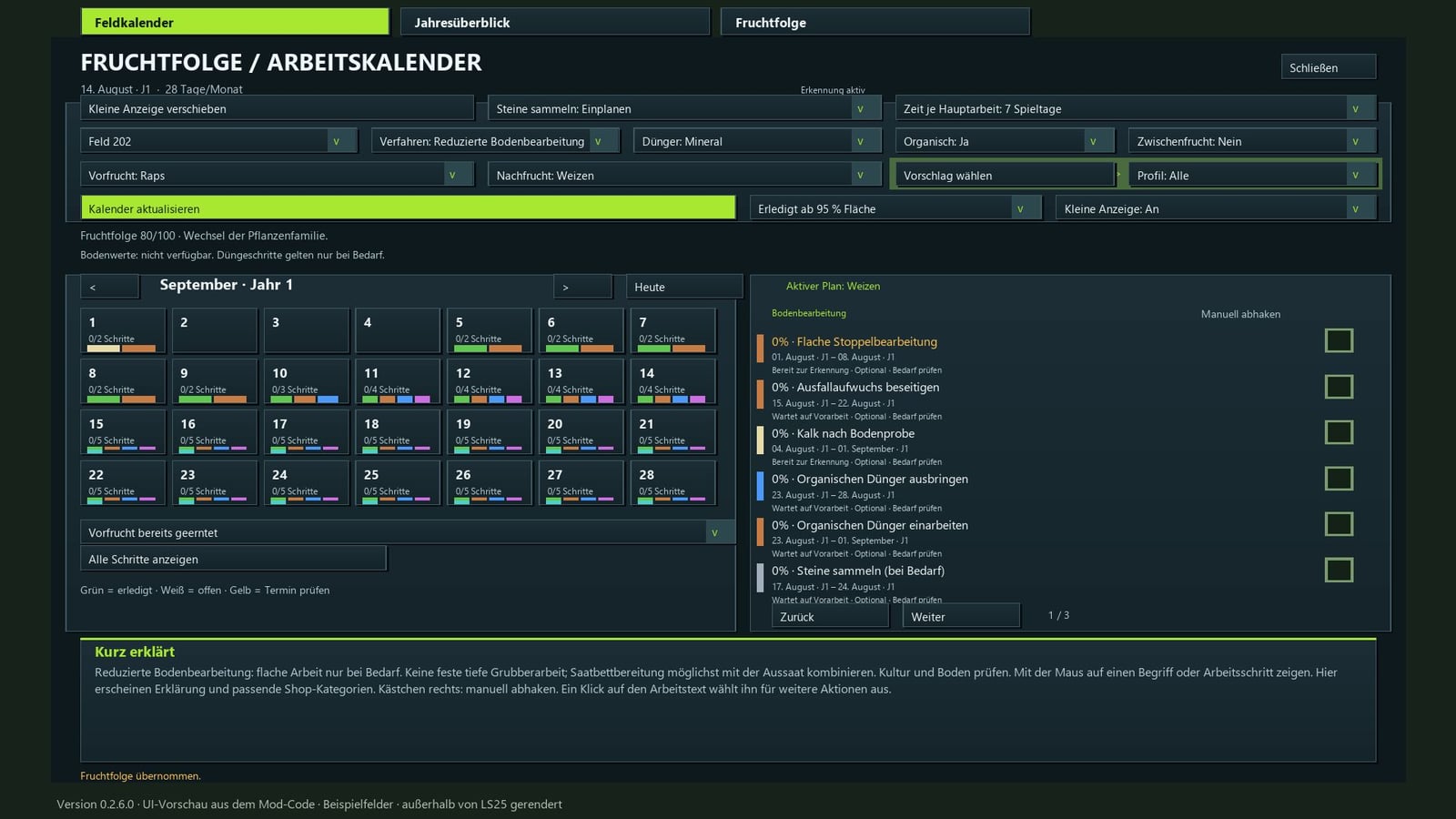
Playing with a minimum of 15-28 days per month? Then this calendar is built for your setup. It follows a realism-focused approach, including work steps that may not feel necessary for pure gameplay but do matter when you look at real agricultural practice.
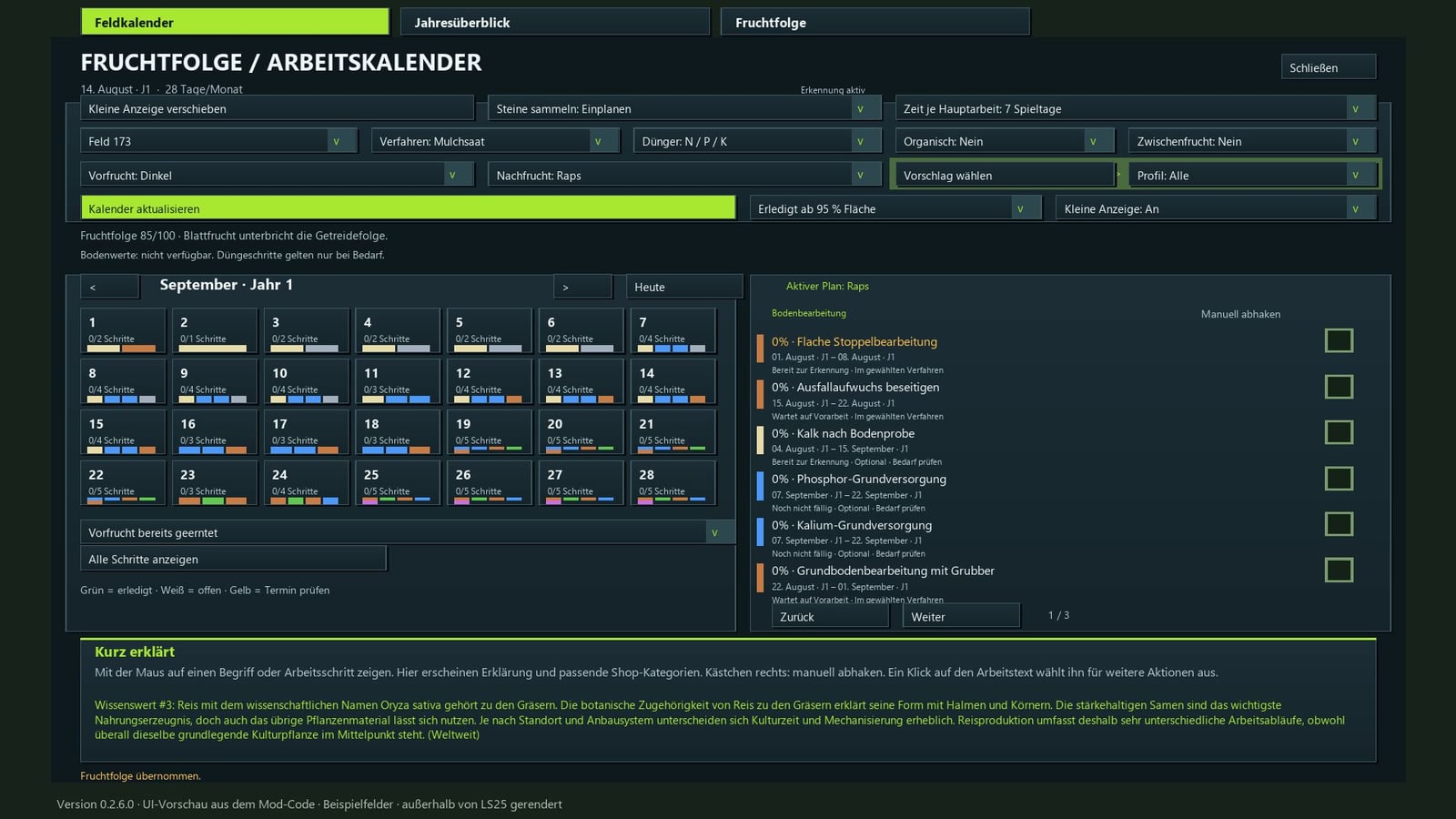
Crop Rotation & Work Calendar for FS25 gives you a clear way to plan what comes next on every field. Start with stubble cultivation, work through the field jobs, and plan right up to harvest. You get crop rotation scoring, a daily calendar, equipment recommendations, and automatic progress tracking in one place.
Features
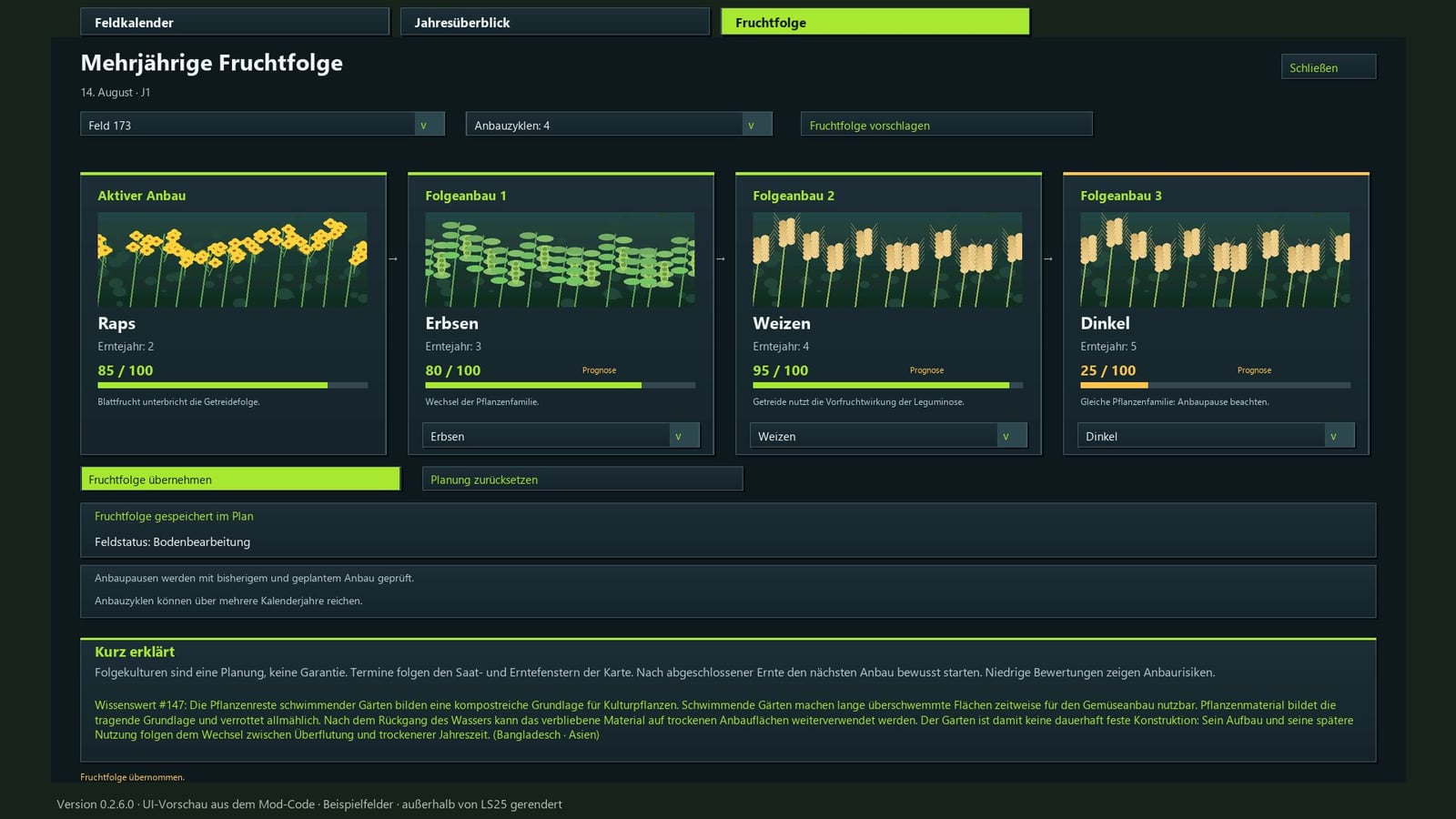
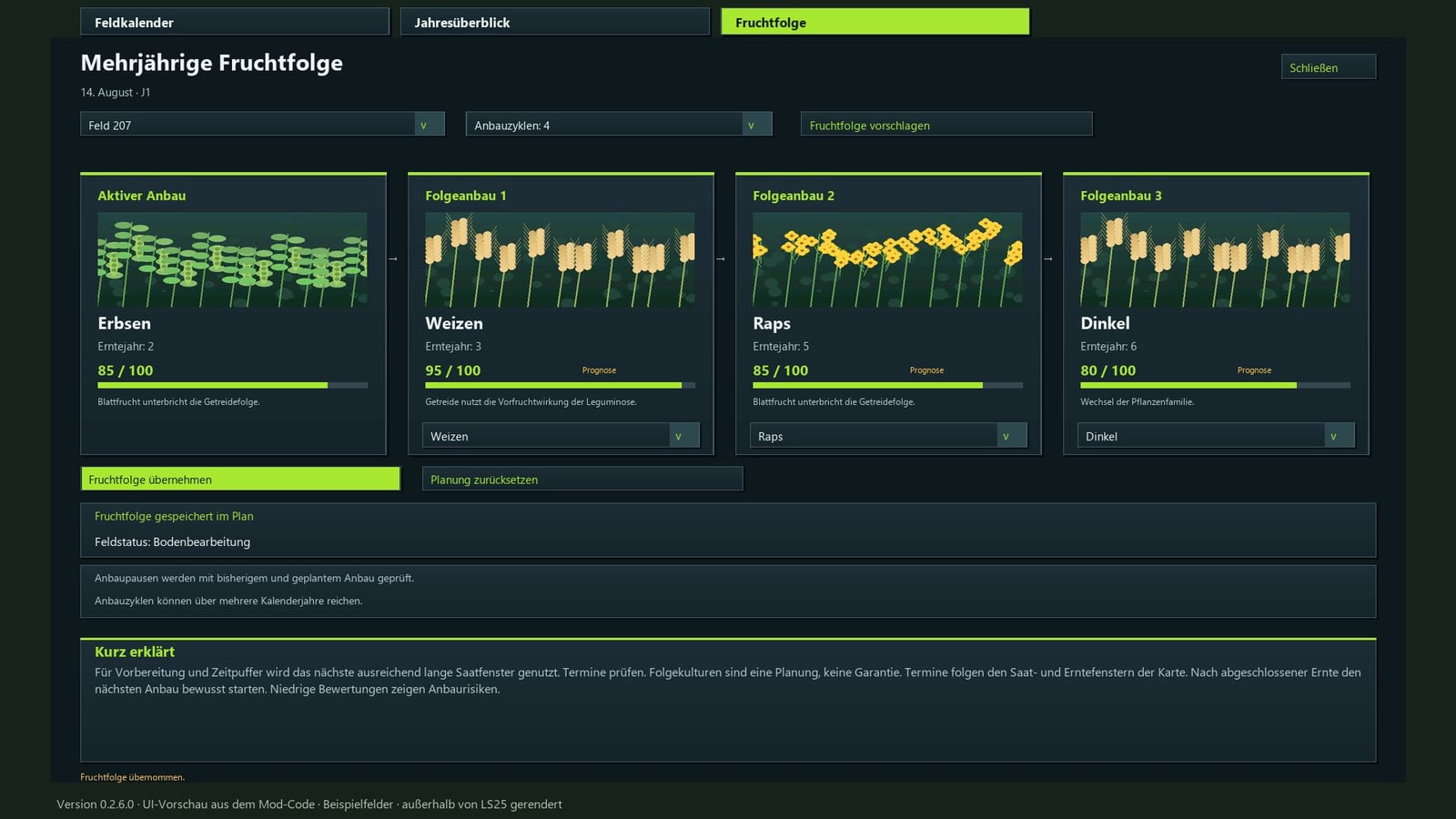
- Pick a field, choose the preceding crop, and then set the following crop for your rotation.
- The score can reach 100 points. It checks plant families, cultivation intervals, and the known cropping history of the field.
- Cultivation profiles narrow down the following crop choices. Pick “All” when you want to choose any available crop.
- The system also tells you how many crops score over 80 points in each profile.
- Use “Select Suggestion” to get a profile recommendation without changing the following crop you already selected.
- Your available workflows include mulch tillage, conventional plowing, and direct seeding.
- Crop choice and settings decide whether the calendar includes mulching harvest residues, cultivating stubble, and removing volunteer growth.
- It can also plan cultivating or plowing, optional stone picking, seedbed preparation, and sowing, depending on the crop and your settings.
- Liming and mineral or organic fertilization are included when appropriate, including incorporation into the soil.
- Cover cropping, rolling, weed control, and harvesting are also covered according to the crop and your settings.
- The calendar can remind you to monitor crops for diseases and pests. Specific pest treatment and spraying are not currently included.
- Some crops do not get every operation. Grassland and certain specialty crops instead receive simplified maintenance workflows.
- Set the month to 15-28 days and choose work windows of 3, 5, 7, or 10 in-game days.
- Waiting periods and buffer times are part of the schedule.
- Where possible, sowing and harvesting windows come straight from the map data. Otherwise, the calendar uses predefined standard values.
- Your daily view shows planned tasks, current progress, and overdue work.
- Click a day to filter the task list for that date.
- You still need to judge the weather, field accessibility, and what your crops actually need.
- Once field work is completed, the mod tracks it automatically, including jobs done by AI helpers.
- Working the same area again does not count as several completed passes.
- Choose 85%, 90%, 95%, or 99% of the field area covered as the completion threshold.
- Checkboxes let you confirm tasks yourself or reopen them later. That is useful when a field was already worked before you installed the mod.
- Mark optional steps as “Not applicable.”
- Keep mineral fertilizers together in one view, or split them into individual N, P, and K steps.
- Liming has its own independent tracking.
- You can include organic fertilization and stone picking in the schedule too.
- For “Realistic Soil & Fertilizer”, optional integration can display soil data. The external mod is not included and is not required for the calendar to function.
- No specific mandatory fertilizer application rates are calculated by the system.
- Open the dedicated “Quick Guide” and hover over technical terms or work steps to see explanations.
- Relevant shop categories and alternative equipment options appear in their own row.
- A small movable display stays visible outside the ESC menu and shows every pending task for the current day across your planned fields.
- The information section rotates through 350 agricultural facts at random, with background knowledge and details about the relevant country or continent.
- There are 18 languages available, including German, English, French, Polish, Czech, Ukrainian, and the Scandinavian languages.
- The mod helps with planning only. It does not change crop yields or actual soil values.
YOU NEED: Realistic Soil & Fertilizer
Changelog
- BETA 2
Changes since version 0.1.13 – status 0.2.6.0
Multiplayer and Dedicated Server: shared farm plans, progress and machine values with permission checks and synchronization.
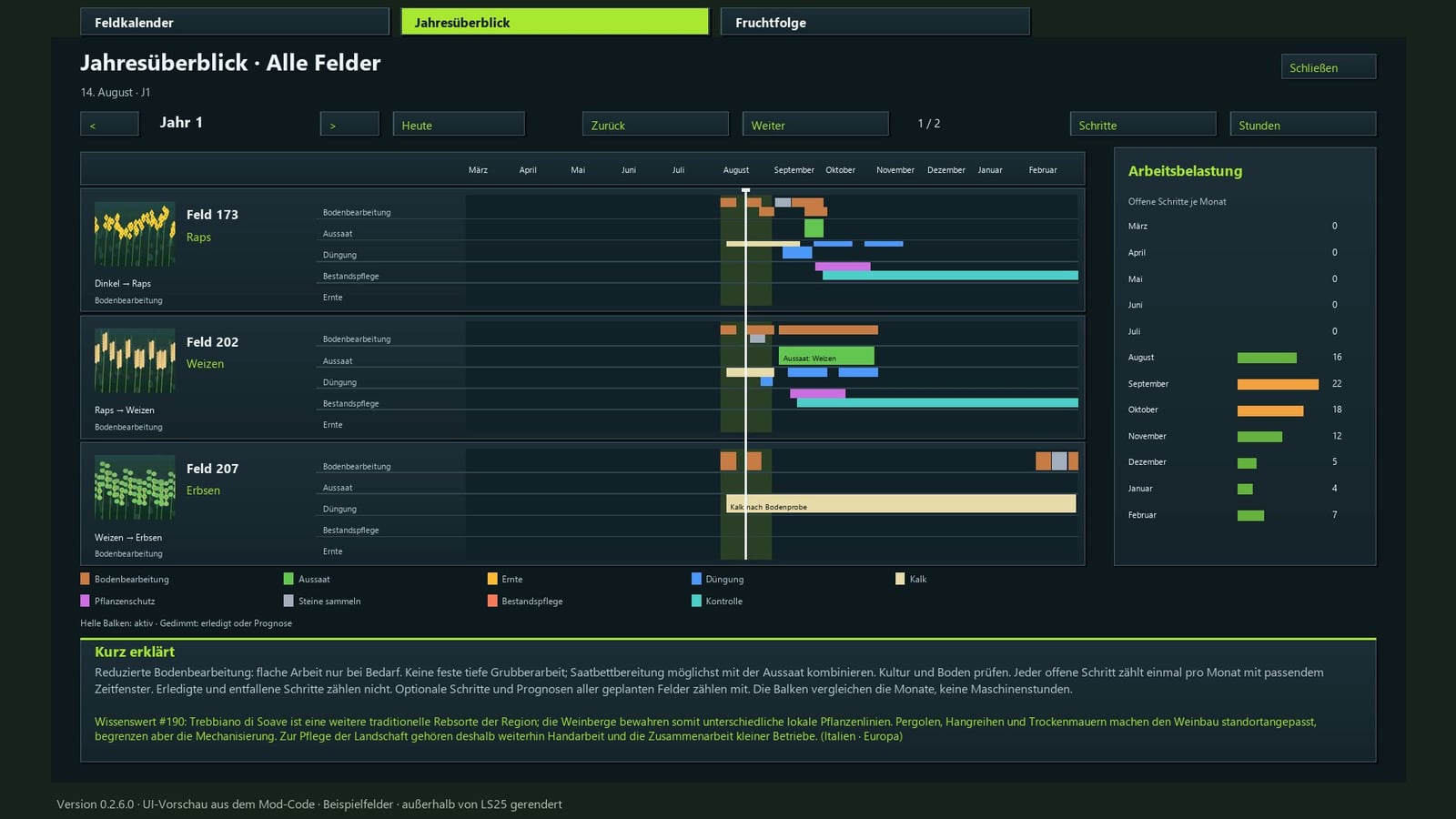
Annual overview and multi-year crop rotation added: ratings, suggestions, follow-up crops and complete display of upcoming field work in the field calendar.
Interface revised: colored work windows, separate bars for overlaps, day highlighting and corrected page and workload displays. The daily overview hides fields without upcoming work.
Plans, crop rotations, settings and work progress are saved immediately. Errors when restoring follow-up crops and profiles, as well as the jumping ESC menu cursor, have been fixed.
Field recognition improved: automatic retry attempts after errors and a waiting status for previous crops that have not yet been harvested.
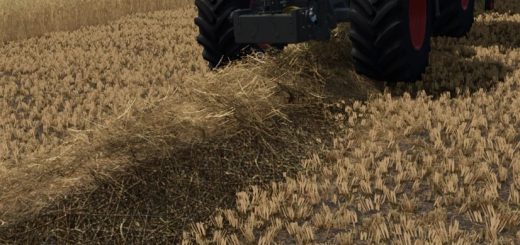
Visible volunteer growth added: random small plant and weed segments with gradually increasing target coverage of approximately 10-40%. Processed phases are not restarted when loading or changing the months. Restoring old distributions that remained empty is possible.
The calendar follows the game’s active sowing and harvesting seasons, including “Regional Crop Calendar”. Changes to the region automatically adjust open plans; existing progress is retained.
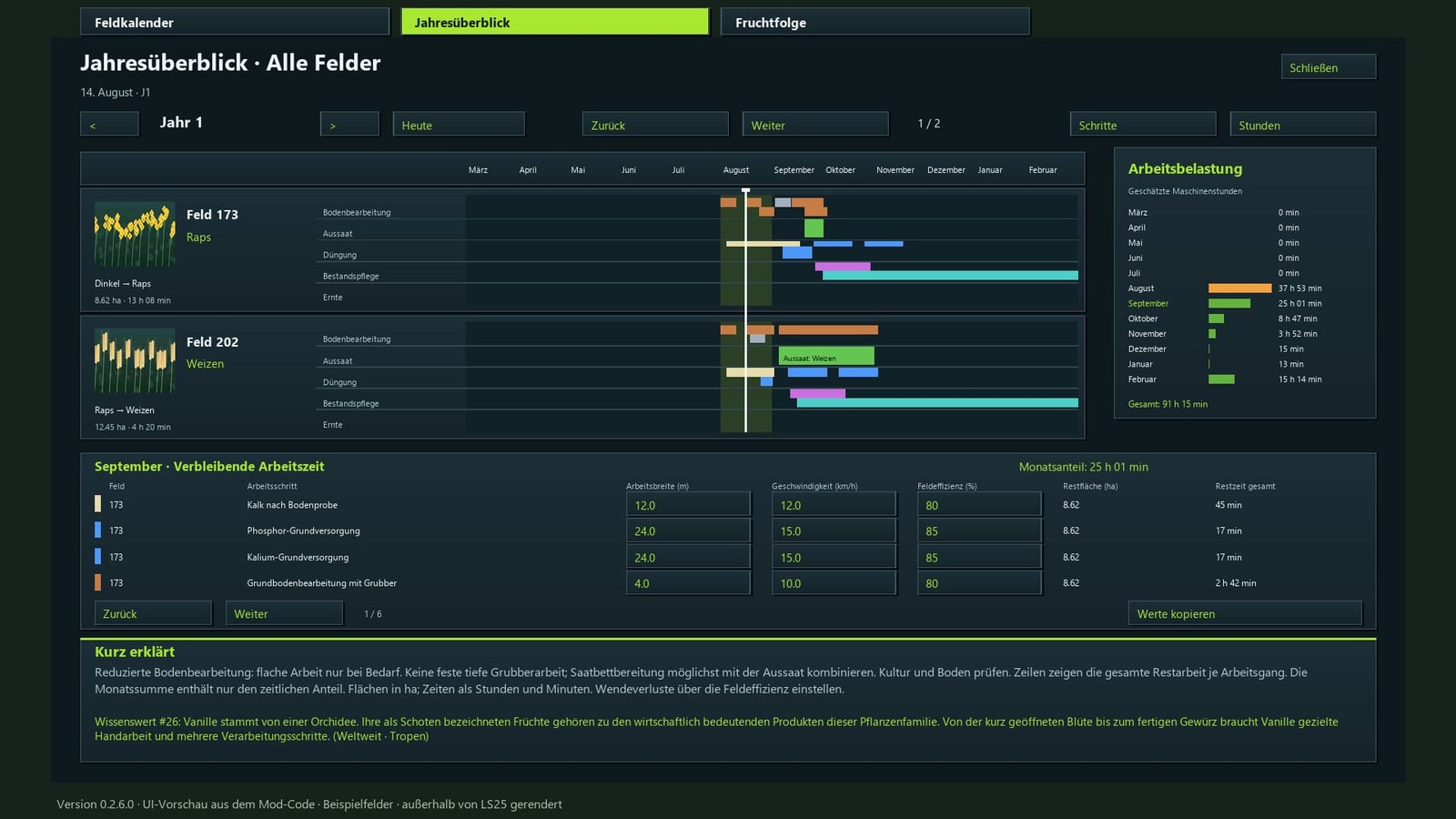
Machine hours per field and task added: edit and copy width, speed and efficiency directly in the work row. Areas in ha, remaining times in hours and minutes; monthly and annual totals take partial progress and multi-month tasks into account.
Map crops expanded: separate winter/summer varieties, forage and catch crops, as well as fruit trees with suitable profiles and equipment notes. 160 crop entries.
“Reduced tillage” added: shallow cultivation as required, without a mandatory deep cultivator pass or separate seedbed preparation pass. Direct seeding does not require blanket incorporation of organic fertilizer.
Annual display adapted to the in-game year. Crop assignments and equipment notes corrected; new features included in all 18 supported languages.