Your farm. Your mods. One control centre.
BXR Mod Manager is more than a mod manager: it is a clear, intelligent control centre for Farming Simulator 19, 22 and 25. It organizes mods into profiles, supports a safe game-launch workflow, and shows what is happening across your farm in real time – without constant searching or manual refreshing.
Mod management made simple
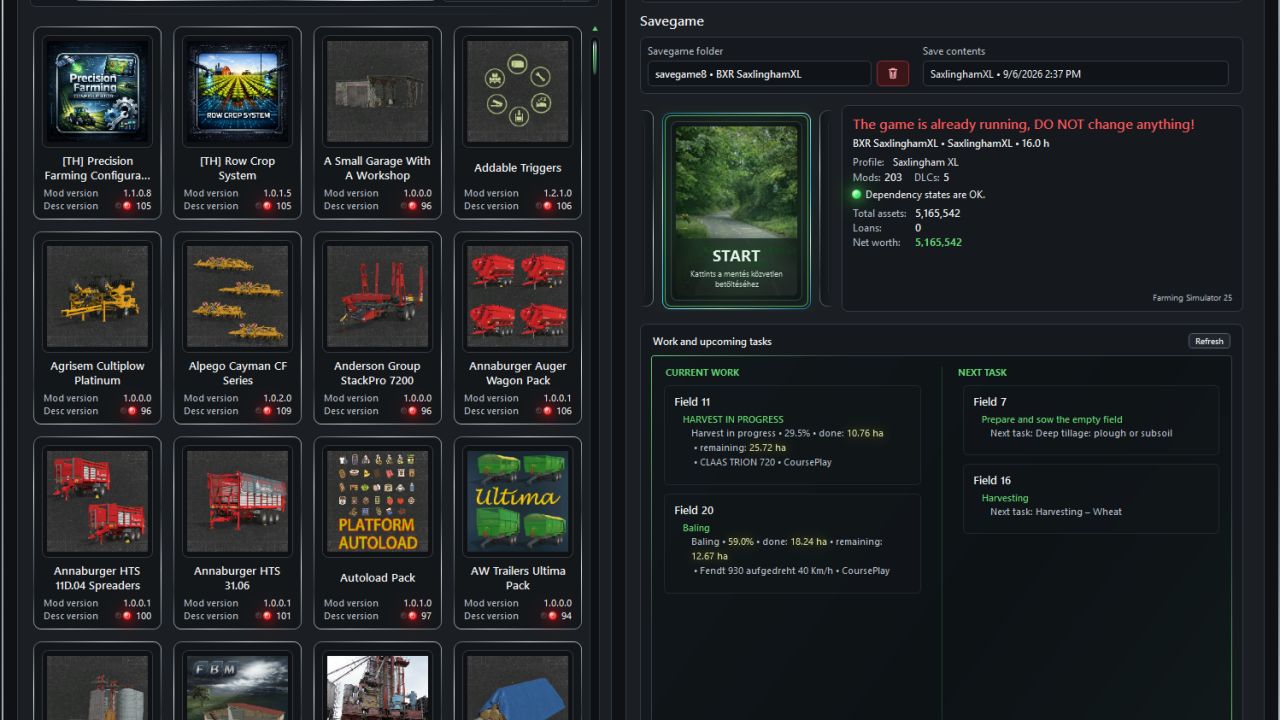
Organize mods into dedicated profiles, mark the tiles you need, then activate or deactivate them with one action. BXR separates profile mods from additional content, recognizes DLCs, and processes only files that have actually changed.
Live Farm – real information in one place
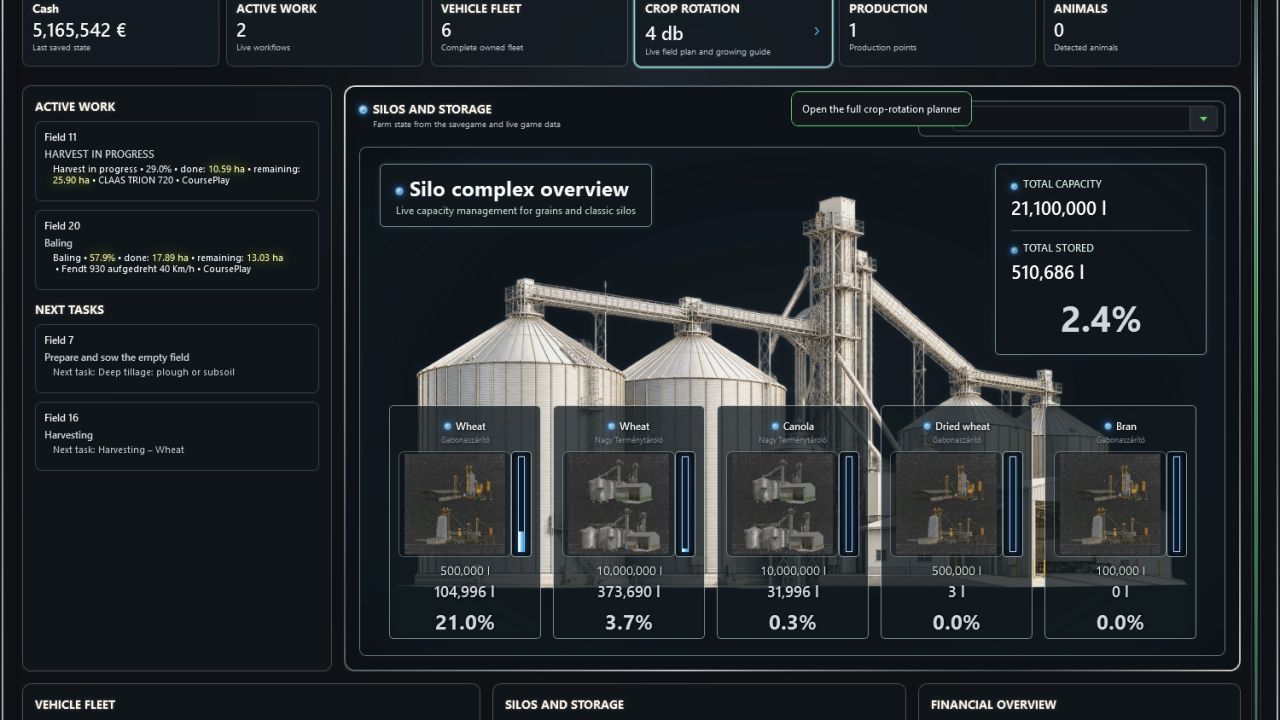
Track active field work, vehicles, finances, silos and storage facilities from one consistent live dashboard. A durable work code combines every pass of the same operation, even when another vehicle, implement, player, GIANTS AI worker or Courseplay takes over.
Striking visuals, efficient operation
Category-specific hero graphics, translucent inventory cards, chrome-inspired styling and focused light feedback turn the application into a modern control panel. Instead of continuous resource-heavy animation, event-driven updates let the program work when new data actually arrives.
More than a snapshot
– Persistent active-job tracking across restarts and equipment changes.
– Harvest completion based on the full expected yield with an accepted 3% loss threshold.
– Recognition of refuelling, service and AutoDrive detours without prematurely ending the active job.
– Crop-rotation planning with previous crops plus current and expected yield bonuses.
– Live silo and storage capacity with separate litre and item-count handling.
– Localized crop, material, product and animal names.
– Built-in GAME XML editor with a safe read-only mode while the game is running.
Mod and DLC management
– Different naming forms of official DLCs are resolved consistently, while profiles and savegames receive the identifier accepted by the game.
– DLC tiles show their own official artwork, actual version and the ModDesc version reported by the game.
– BXR automatically accepts the game’s download prompt for previously authorized missing content, waits for stable files and then continues the launch flow.
– Mod-library changes can be handled incrementally by processing only new, modified or deleted entries instead of rescanning the entire library.
– Tile marking is separate from profile activation. “Select all” and “Clear selection” only add or remove marks.
– The new “Activate / Deactivate” action moves marked tiles between “Profile mods” and “Additional mods”. It is unavailable when nothing is marked.
– Search fields include a clear button that immediately resets the current search.
Live Farm and work tracking
– Live updates are event-driven: a Bridge file change wakes the application, while an infrequent safety check handles missed file-system events.
– Only field, job, storage, vehicle and financial values that actually changed are applied, reducing polling and resource usage.
– Partially written live snapshots are not consumed: the program waits for a short quiet period and retries invalid states.
– Active jobs are verified from physical field state together with vehicle position, movement, engine state, implement and work provider.
– Every pass of the same field workflow accumulates under one durable work code. Switching between player, GIANTS AI, Courseplay, vehicles, implements or materials does not reset completed work.
– After a restart, live progress resumes from the preserved total instead of showing only the amount completed since the latest game load.
– Headland turns and verified refuelling, service or AutoDrive detours do not end a job prematurely. The recognized destination and distance can also appear on the job card.
– Harvest completion uses 97% of the full expected yield calculated from physical field samples and the local yield bonus, allowing no more than 3% final loss.
– Next tasks and the last valid live field state persist until the next application start and cannot be overwritten by older static savegame estimates.
– Vehicle names show both brand and model whenever the game data makes them available.
Crop rotation
– The “Owned fields” summary was replaced by an interactive “Crop rotation” block that opens a detailed full-page cultivation view.
– The last harvested crop is preserved and used when recommending the next crop.
– Every owned field shows its current and expected yield bonus as percentages. If the game provides no trustworthy value, BXR does not invent one.
Silos, storage and inventory
– The Storage page gained visual storage cards and later full storage-complex blocks with translucent backgrounds.
– A static category-specific hero image fills the Silos and Storage panel, with translucent crop cards displayed directly over the image.
– Categories separately cover grain and silos, root crops, bales, manure and slurry, crop-care/input materials, liquids, forage and bulk materials.
– The category selector includes categories that currently contain no data and keeps the user’s selection during temporary live-data refreshes.
– Capacity, stored amount and fill percentage are calculated from live data. Litre-based stock and item counts are kept separate.
– Positive quantities below one litre are shown as `<1 l`; bales are counted as items in every storage view and are excluded from litre totals.
Interface, feedback and compatibility
– The main window gained a consistent chrome frame and more unified panel styling. Continuous decorative motion and pulsing were removed to reduce resource use.
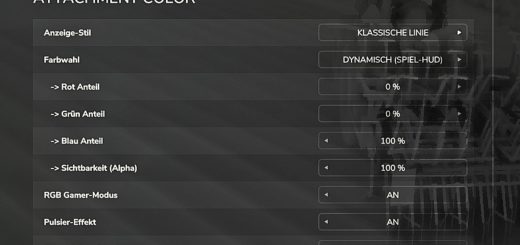
– Interactive controls use a compact, bright blue halo instead of a hover outline. Controls with a real active or selected state retain the light until that state ends. Mod tiles and language selectors keep their dedicated appearance.
– Changed values use a two-second yellow flash with a radial fade. Character size and font weight remain unchanged throughout the effect.
– Game crops, materials, products, animals and material categories are displayed in the selected interface language; for example, `Dried Wheat` becomes “Szárított búza” and `Bran` becomes “Korpa” in Hungarian.
– The FS19, FS22 and FS25 management pages are available. The GAME XML editor can also open while the game is running and is safely read-only in that state.
– Help now contains only usage guidance; user-visible functional and visual changes are maintained in a separate changelog.