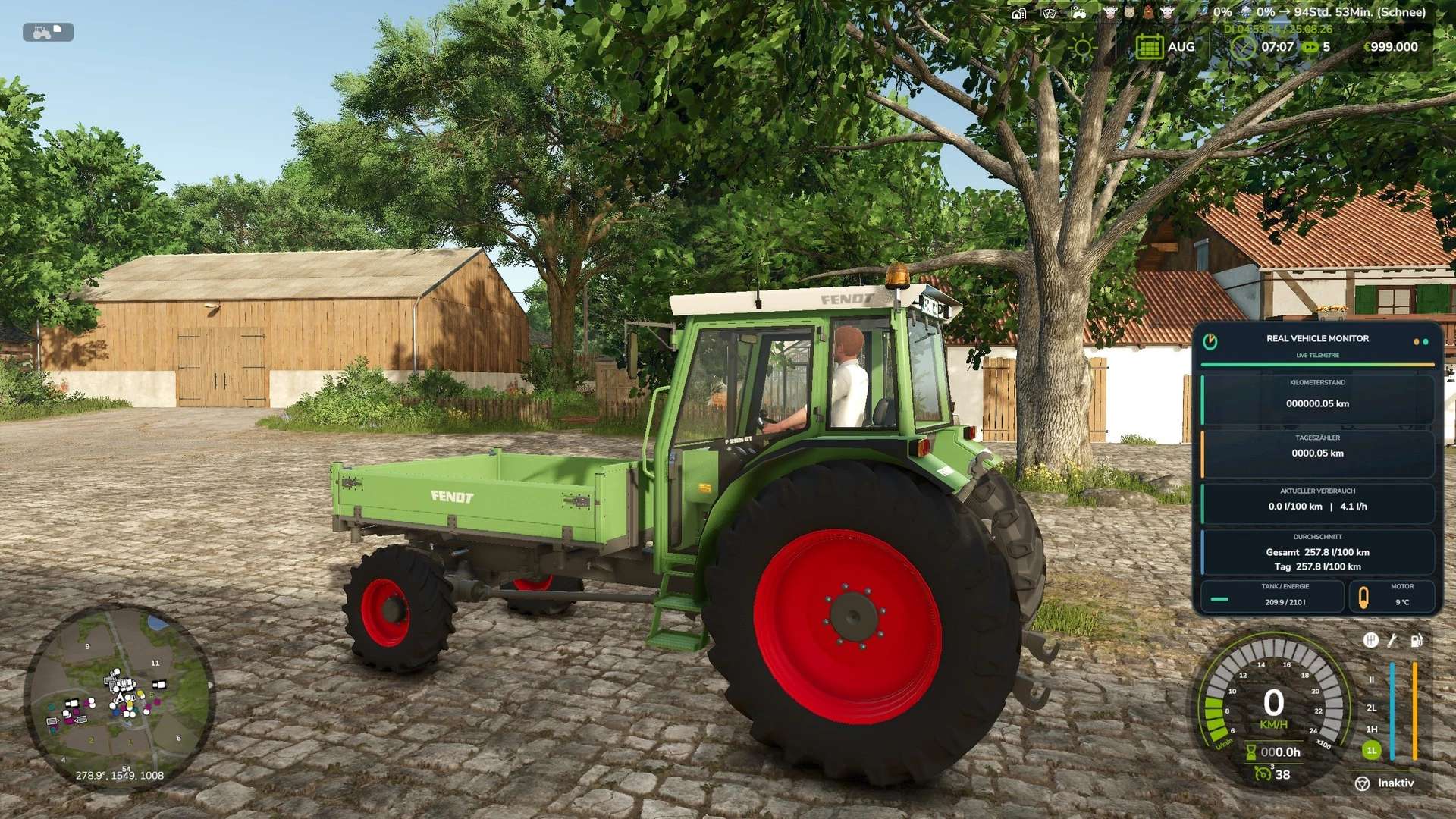
New Features Compared to the First Version
– The Real Vehicle Monitor has been significantly expanded compared to the first version.
– The original display of vehicle and telemetry data has evolved into a comprehensive vehicle management system. Vehicles now require more attention regarding maintenance, temperature, technical condition, vehicle inspections, and insurance.
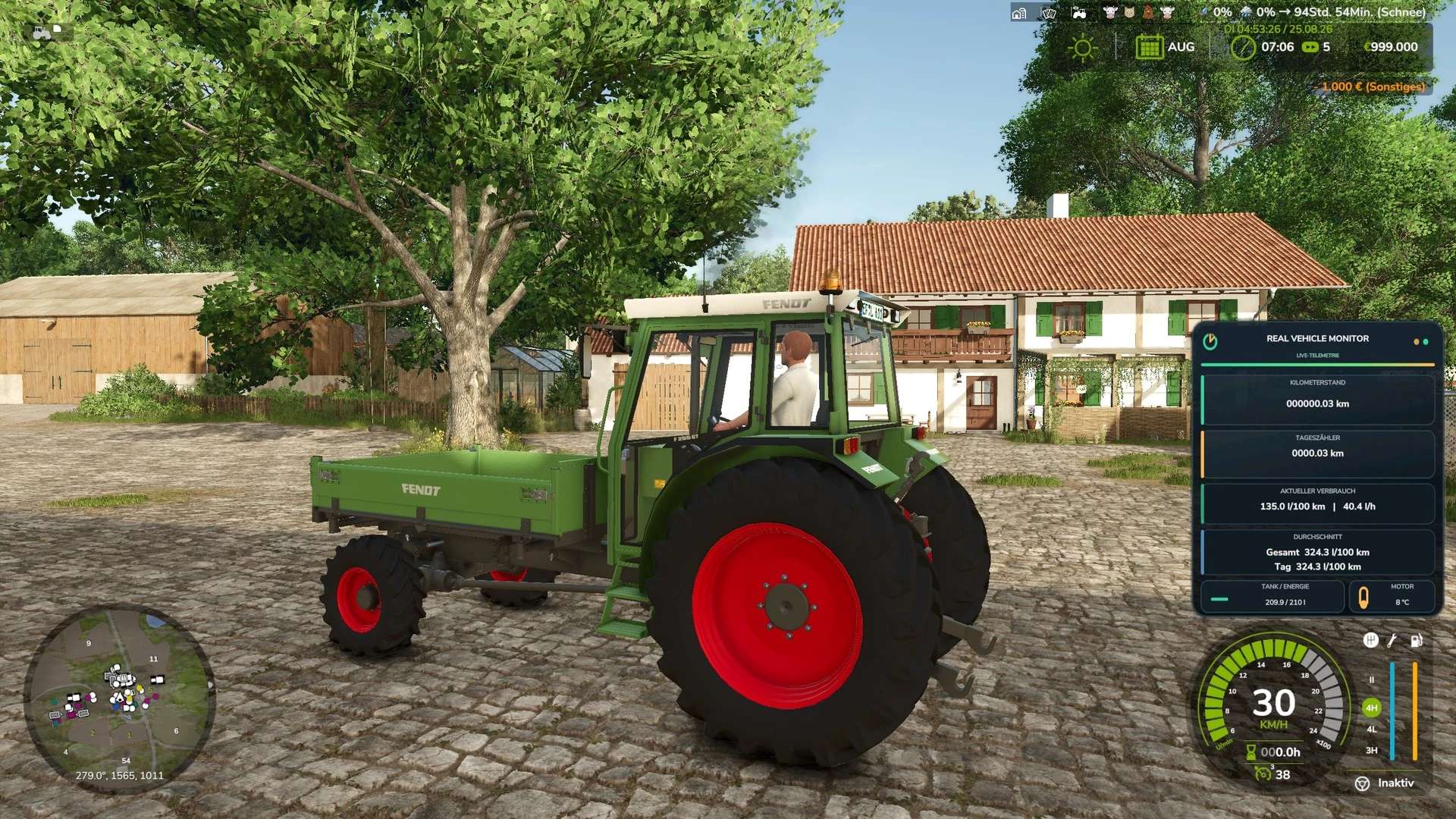
– The Real Vehicle Monitor adds a modern and freely positionable vehicle data HUD to Farming Simulator 25.
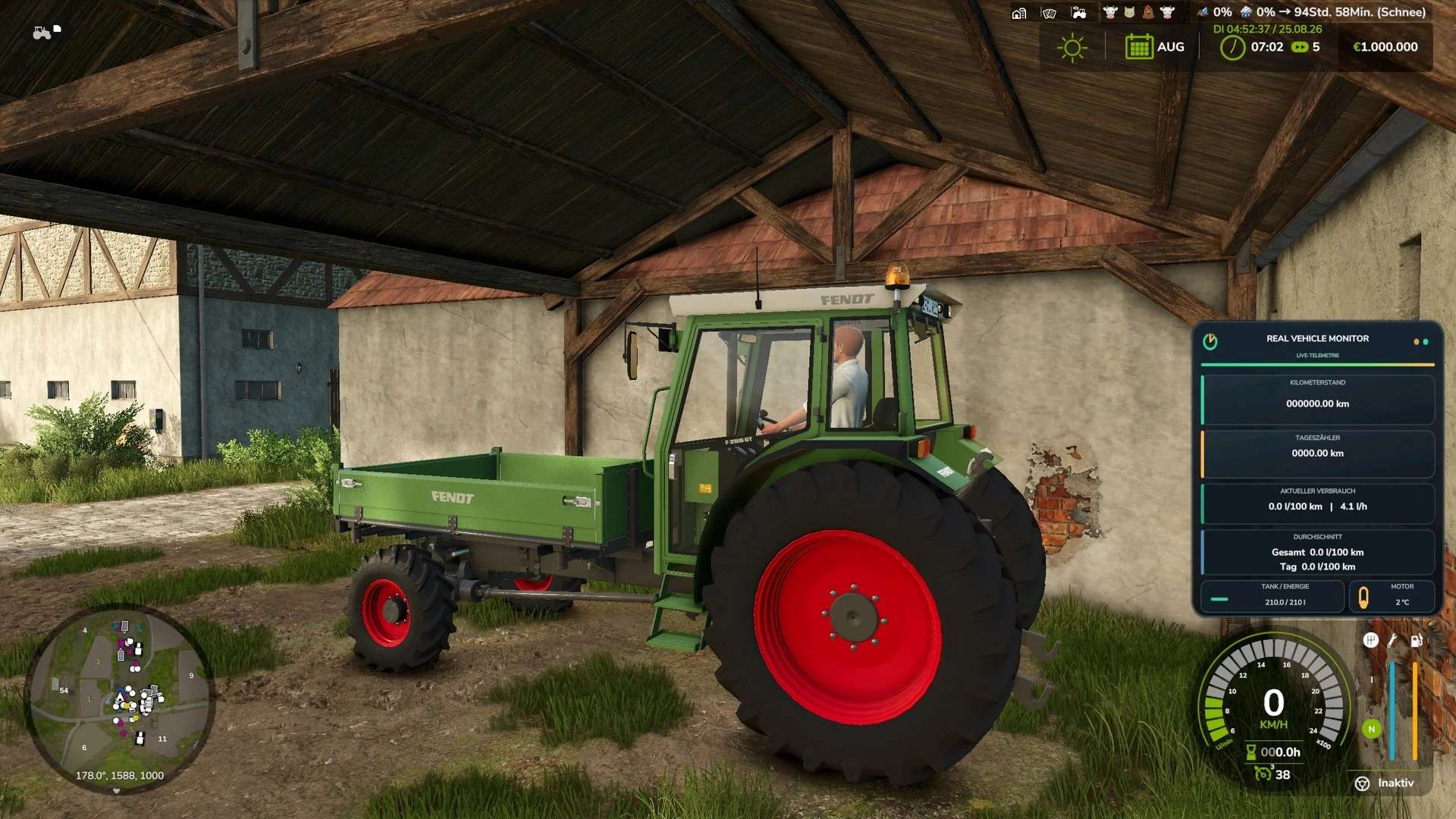
– The Real Vehicle Monitor displays important vehicle data clearly and in real time.
– Odometer reading and trip odometer are saved for each vehicle and are retained even after saving and reloading the game.
Real Vehicle Monitor Features:
– Permanently stored mileage
– Resettable trip odometer
– Current fuel consumption per hour and per 100 kilometers
– Total and daily averages
– Precise display of fuel or energy levels
– Realistic engine temperature with warm-up and cool-down phases
– Support for diesel, electric, and methane vehicles
– Movable and scalable HUD
– Display for individual vehicles or completely deactivated
– Multiplayer and dedicated server support
Default key bindings:
– Left Alt + R: Reset trip odometer
– Left Alt + F: Switch average display
– Left Alt + Num Lock 4/6/8/5: Move HUD
– Left Ctrl + Num Lock Plus: Resize HUD
– Left Ctrl + Num Lock Minus: Show or hide help text
– Left Alt + V: Toggle display for current vehicle
– Left Ctrl + Left Alt + V: Show or hide HUD completely or turn it off
The key bindings can be changed in the game settings.